A lightweight, portable Windows system repair utility designed to fix common OS corruption issues with a single click.
© 2026 Ryan Harris / ZenDeuo. All Rights Reserved.
The only reason I began this was because the other day my friend had suffered Internet issues which had just required a Windows Network Reset and it fixed his internet speeds immediately and then today (Monday 16th February) my other friend was suffering from some broken Windows System Files and had to manually get each DISM command and the SFC command from the web and he said he wished there were a simple GUI for it so I was just going to slop something together but I really got into it after I saw how successful AI was at building the application and making it work and I was so happy that I had to finish it to the end and now I'm really happy with it and I hope it helps anyone with corrupt Windows System files!
WinRepair Application: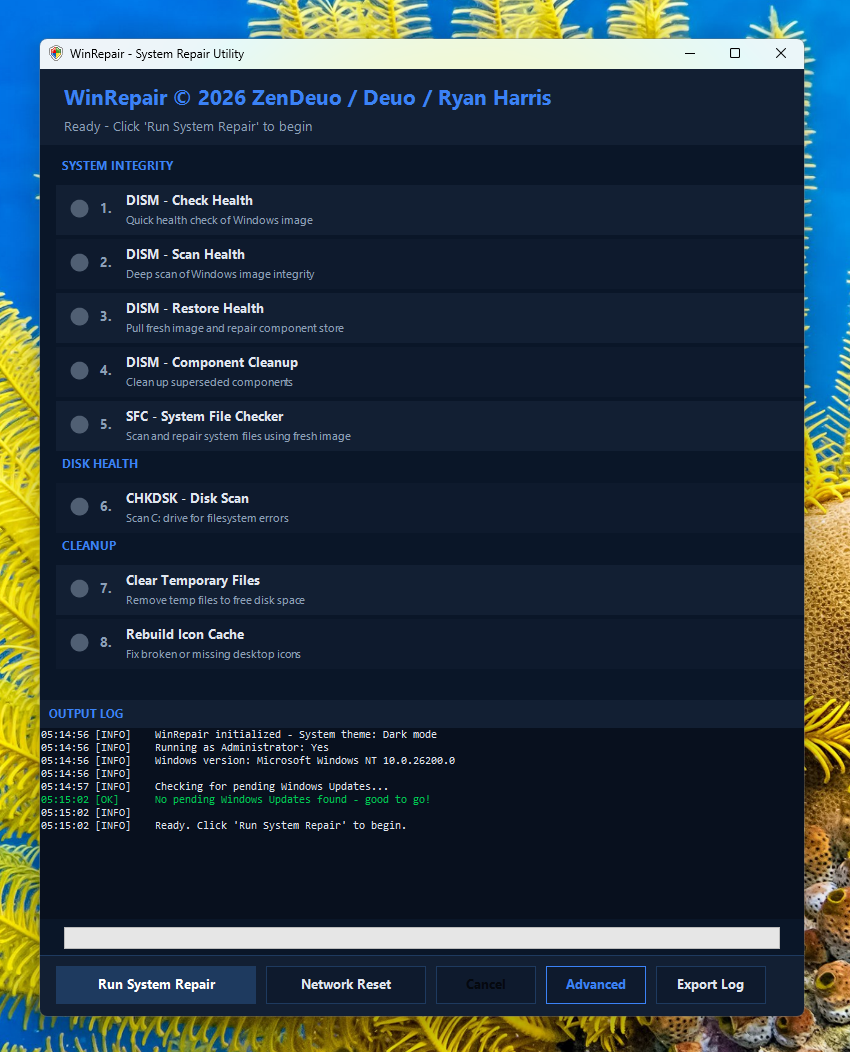 |
WinRepair Advanced Configuration: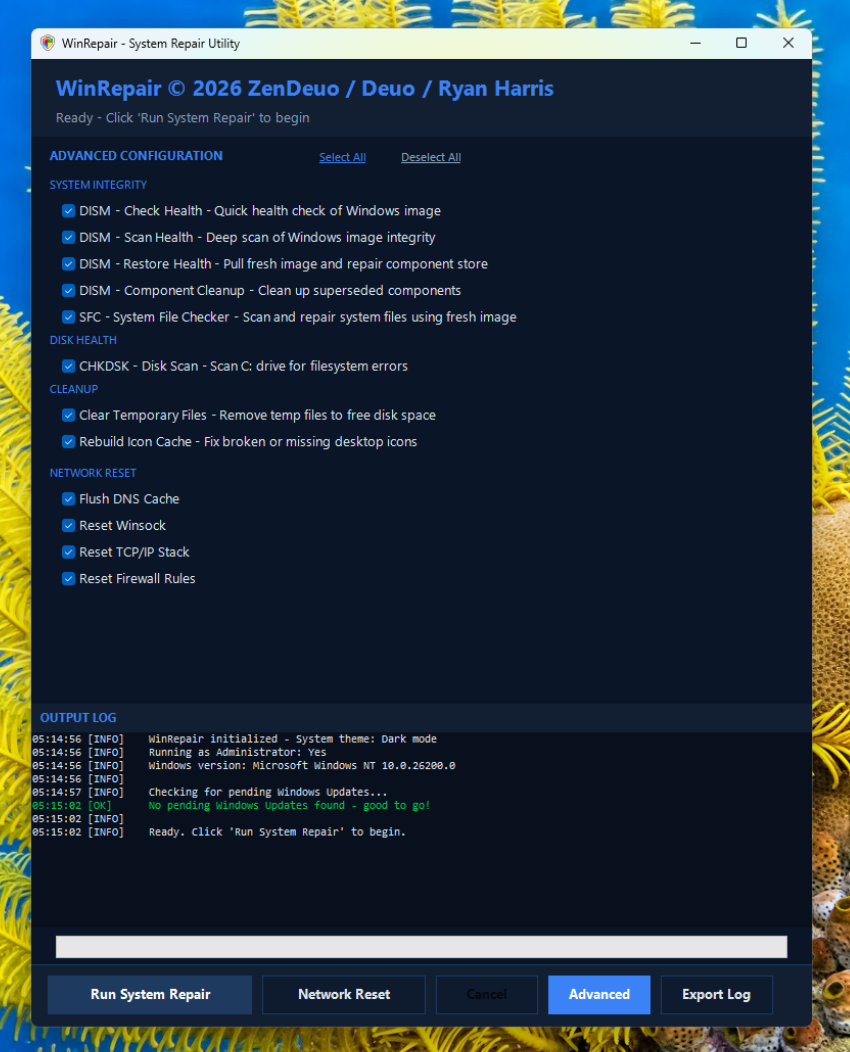 |
- One-Click Repair: Automates the standard Windows repair sequence (DISM → SFC → CHKDSK).
- Zero Dependencies: Runs on stock Windows 10/11 using only built-in PowerShell and .NET.
- Hidden Terminal: Executes commands in the background without pop-ups or console windows.
- Reset Network: A dedicated tool to flush DNS, reset Winsock, and clear IP configurations.
- Advanced Mode: For more advanced users who only want to run specific steps.
- Detailed Logging: Real-time progress updates and exportable logs for troubleshooting.
WinRepair executes the following commands in a strictly ordered sequence:
- System Integrity Check:
DISM /CheckHealth(Performs A Quick Scan)DISM /ScanHealth(Performs A Deep Scan)DISM /RestoreHealth(Repairs The Component Store (WinSxS Folder) Of Windows)DISM /StartComponentCleanup(Removes Superseded Updates)sfc /scannow(Uses The Fresh Image To Repair System Files)
- Disk Health:
chkdsk C: /scan(Online File System Check Which Checks The File System And Metadata For Logical And Physical Errors Without Repairing Them)
- Cleanup & Maintenance:
- Clear Temporary Files (Windows Temp & Prefetch)
- Rebuild Icon/Thumbnail Cache (Windows Explorer Icons & Thumbnails)
WinRepair is portable meaning no installation required.
- Download the latest release (ZIP file).
- Extract the folder to anywhere on your PC.
- Run
RunRepair.bat.- Note: Requires Administrative Privileges To Run The Commands It Needs (UAC Prompt Will Appear).
- OS: Windows 10 or Windows 11
- PowerShell: Version 5.1 (Standard on Windows 10/11)
- Internet: Required for DISM to download repair files from Windows Update.
Proprietary / All Rights Reserved
This project is Source Available for educational purposes and transparency. By viewing or downloading this repository, you agree to the following terms:
- View Only: You may view the source code for inspection and educational purposes.
- No Modification: You may NOT modify, bundle, or create derivative works from this software.
- No Redistribution: You may NOT redistribute this software, in source or binary form, without explicit written permission from the author.
- No Commercial Use: This software may not be sold or used for commercial gain.
The full license text can be found in the LICENSE file.