A CICD friendly pip package for encrypting env's to be stored safely in code repositories. No more hassle in handiling env's in cloud environments
- Encrypting and storing env variables in repositories using a master key
- Include as part of Pipelines to decrypt env's
Install lockenv on your system using :
pip install lockenv
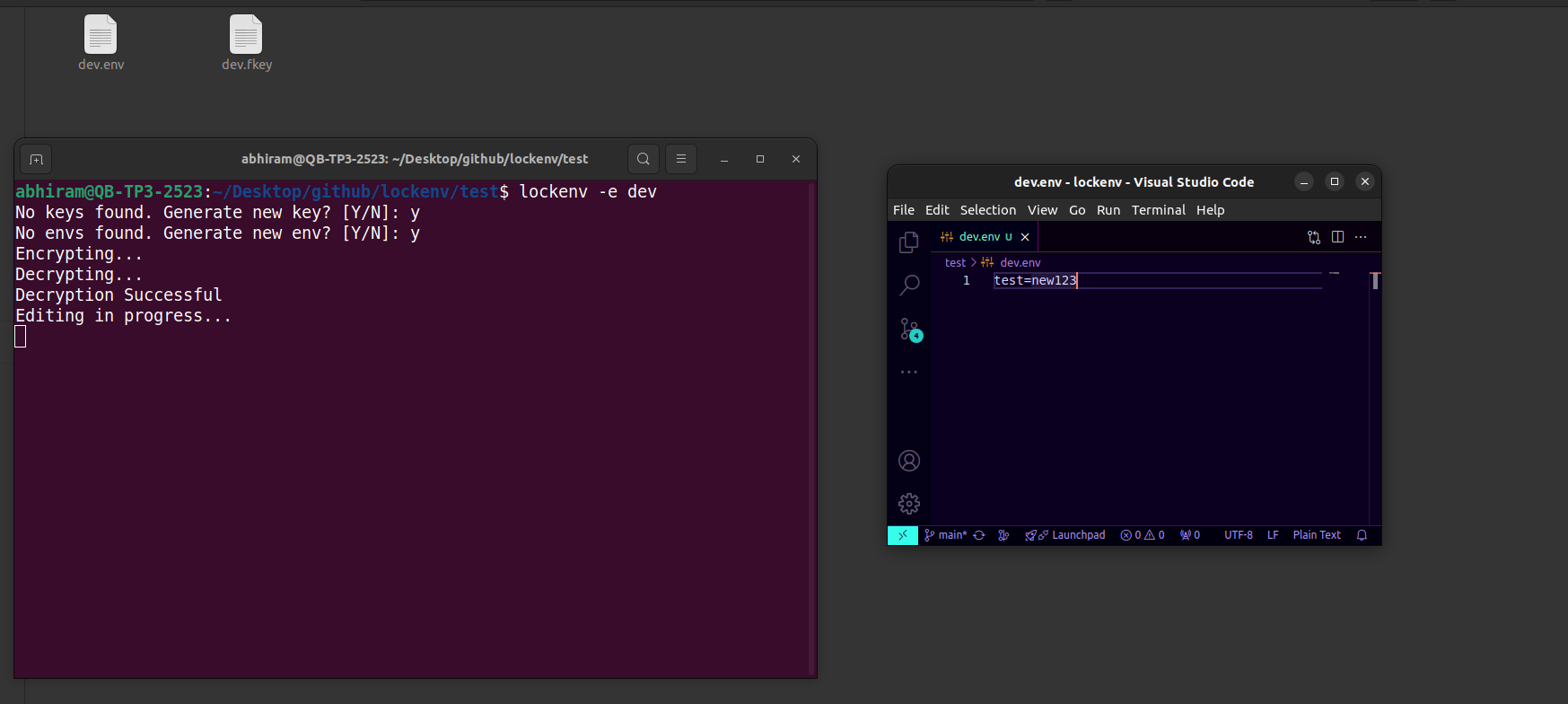
lockenv -e dev -editor code
-
The command will check for 'dev.fkey' file in the current path, if found will read the key, if not it will prompt to generate a new key
-
It will automatically open the decrypted version of env in VSCode.
-
After editing the env file save it and close the file, it will be encrypted automatically
lockenv -d dev
- The command will check for 'dev.fkey' and dev.env in the current path, if found will read the key and env and decrypt the file
lockenv -e production -editor gedit -k keyfile or key-string
- You can also specify keys manually
- the key can be either the keyfile name or the key as a string
lockenv -e production -editor nano -f envfile
- The env file can also be manually specified
-e - Specify an environment (Eg: dev, staging)-d - Decrypt env-k - Specify key file or key as a string-f - Specify env file-editor - specify text editor
This will open the decrypted version of dev.env file for editing in sublime text editor
lockenv -e dev -k N_Wctg1YY7uyUmD8Cs4bq3VY6IsOHVbbeElpC-tpvE4= -editor subl
This will decrypt dev.env automatically without any further inputs
- Recommended for Pipelines
lockenv -d -e dev -k N_Wctg1YY7uyUmD8Cs4bq3VY6IsOHVbbeElpC-tpvE4=