Project made by Radosław Strublewski & Agata Ostolska
During the final sprint the network has been decentralized. Each node (user) has their own copy of the blockchain and a list of pending transactions. Each transaction is transmitted to all of the other nodes with 90% probability.
Proof of work is running in parallel. The first miner that finds the hash with specified number of zeros, proposes the new block to others. If all nodes reach a consensus, the block is added to the blockchain and the miner gets a coin in reward.
Bob, Ann and Sam have their coins:

When Sam pays 1 coin to Ann, and Ann pays 1 coin to Bob, and all the nodes reach consensus, we can see that Sam got a reward coin.

When validation fails, there is a message:

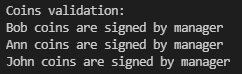
Users (and the Chain Manager) are now represented by their digital identity (public and private key). 512-bit keys are generated with Python-RSA package. Creating coins in genesis block is signed by the Chain Manager. Coins can be validated:
A new field in JSON transaction has been added. Transaction data now consists of:
- sender (public key)
- coins
- signature

Signature in JSON is encoded in Base64.
Use cases from the 2nd sprint were used in main.py.
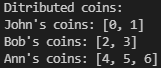
The project has been improved. main.py cointains use cases that show all the new features. Users, User and Chain Manager classes have been added. Users are created and coins are distributed between them initially. Coin distribution data is stored in the initial block.
Transactions are stored in JSON format. Use cases 1 and 2 show transactions with single and multiple coins.
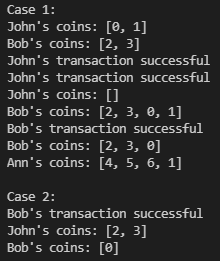
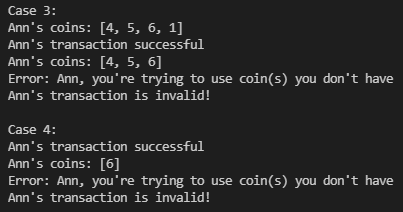
Cases 3 and 4 show double-spending protection. If a user tries to spend a coin that they don't have, an error is displayed and the transaction is not validated.
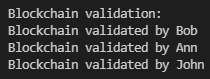
Users can validate the blockchain. If the attacker calls the method that adds a new block to the blockchain, all the users will know that the blockchain is not valid.
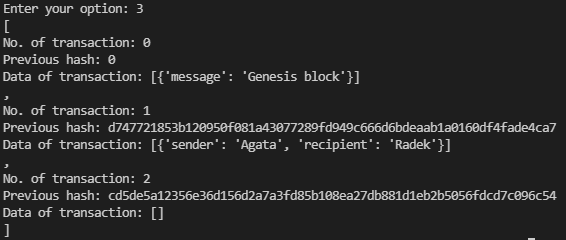
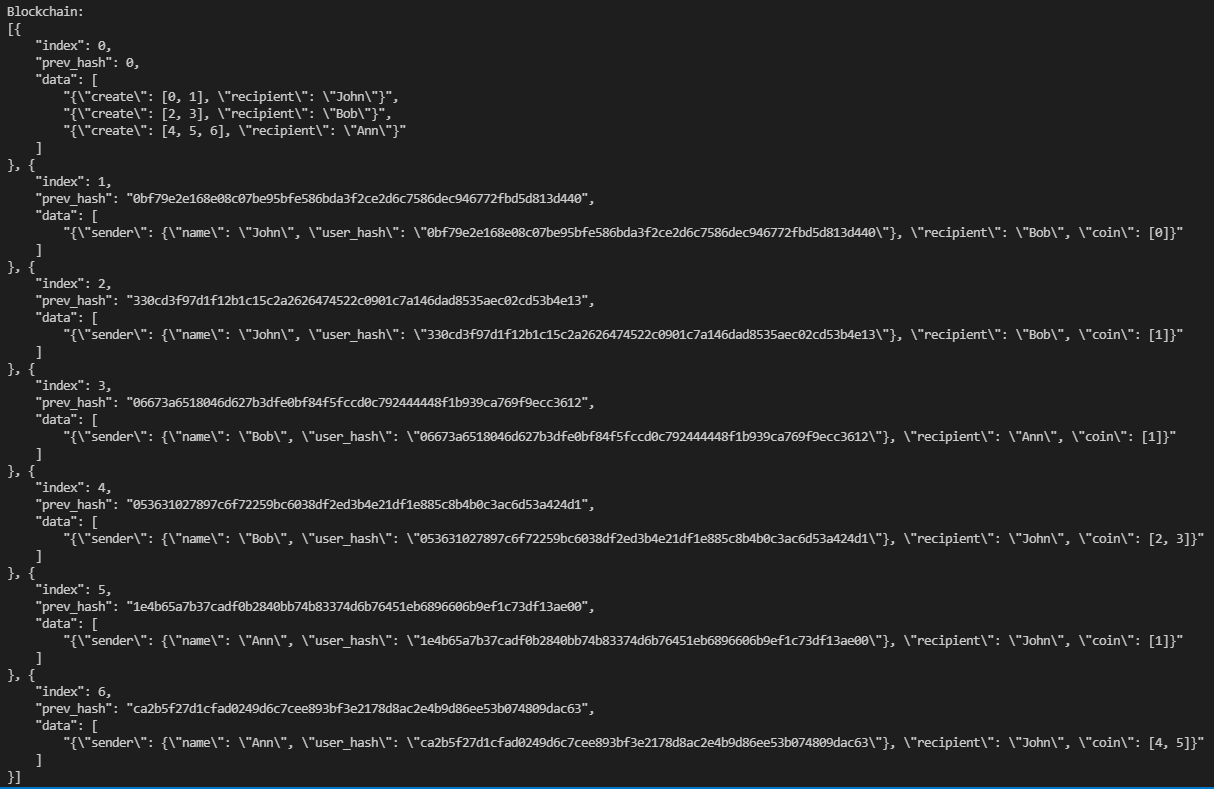
The whole blockchain is displayed at the end.
The project allows the user to create a simple blockchain. After starting the program, the user interface can be seen in the terminal. The user can add another block / transaction (at this stage it is assumed that one block contains only one transaction) or display all blocks in the blockchain. Press [0] to exit.
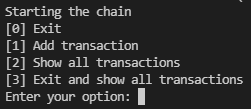
After selecting option [1], the user must provide the names of sender and recipient.
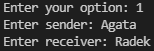
Then it is checked whether the hash in the new block is the same as the hash based on the data from the previous block. Information about both hashes and the validation process is displayed in the terminal.

After selecting number [2], the entire blockchain is displayed. Block 0 is the initial block.
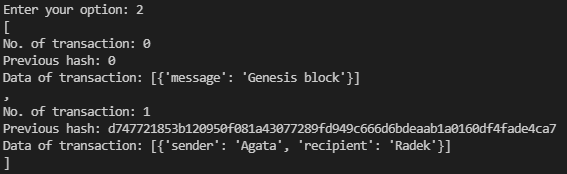
Number [3] displays the whole blockchain including the final block (that consists of previous block hash) and exits the program.