A tiny bedtime story tool for kids. Type in what the story should be about, and it generates a short bedtime story — both the text and an audio narration.
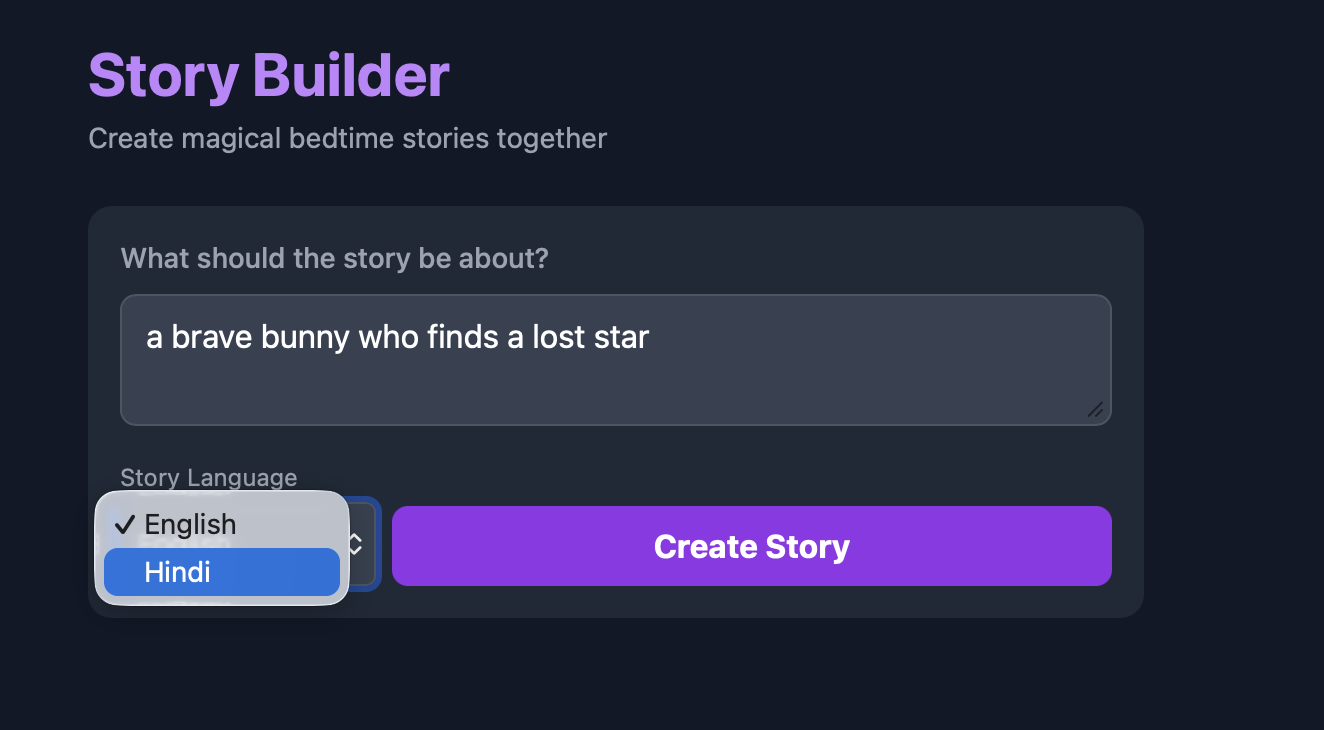
Enter a character, a rough plot, and hit generate. The app creates a short, kid-friendly bedtime story and reads it aloud. If you like it, listen. If not, regenerate and try again.
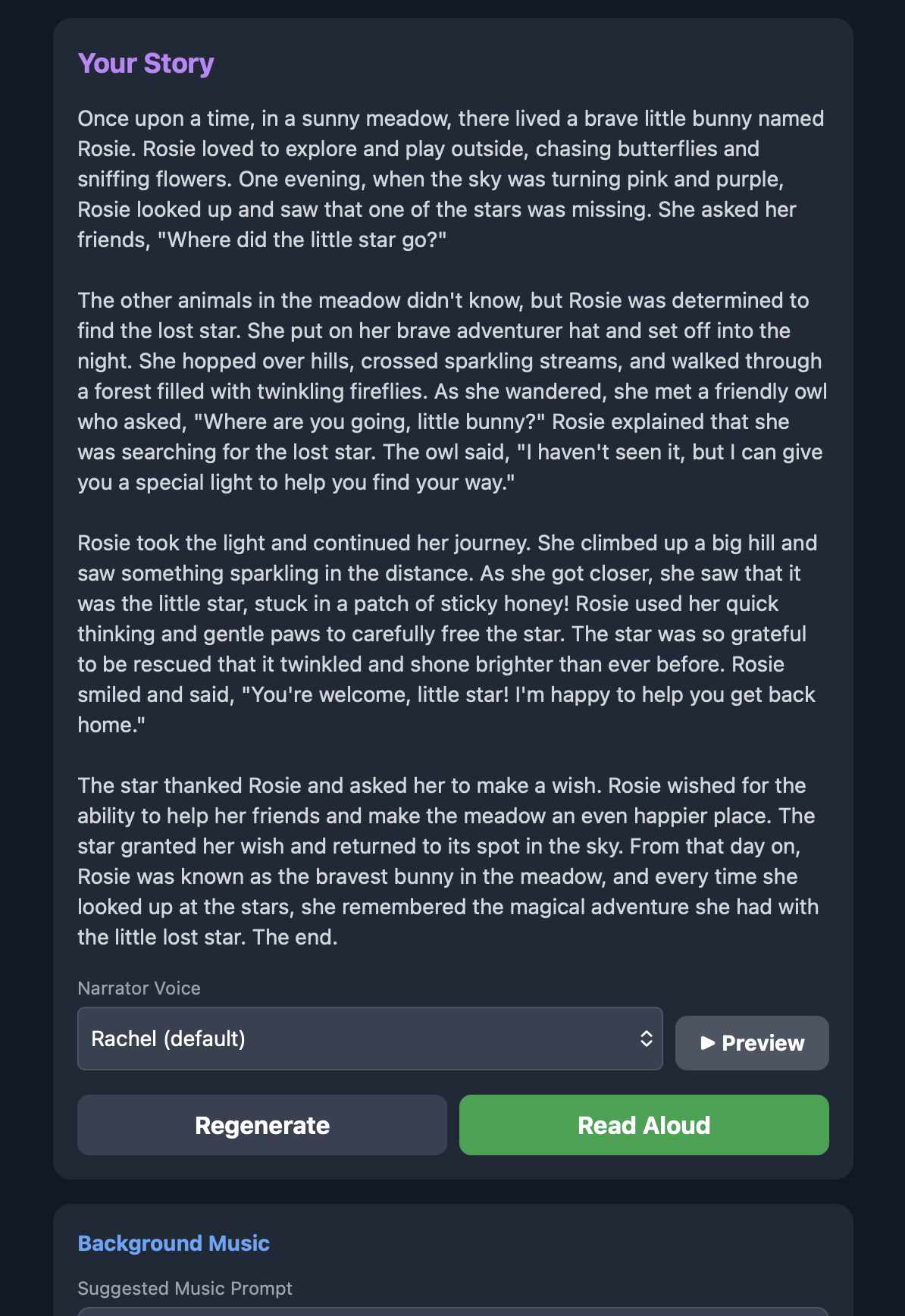
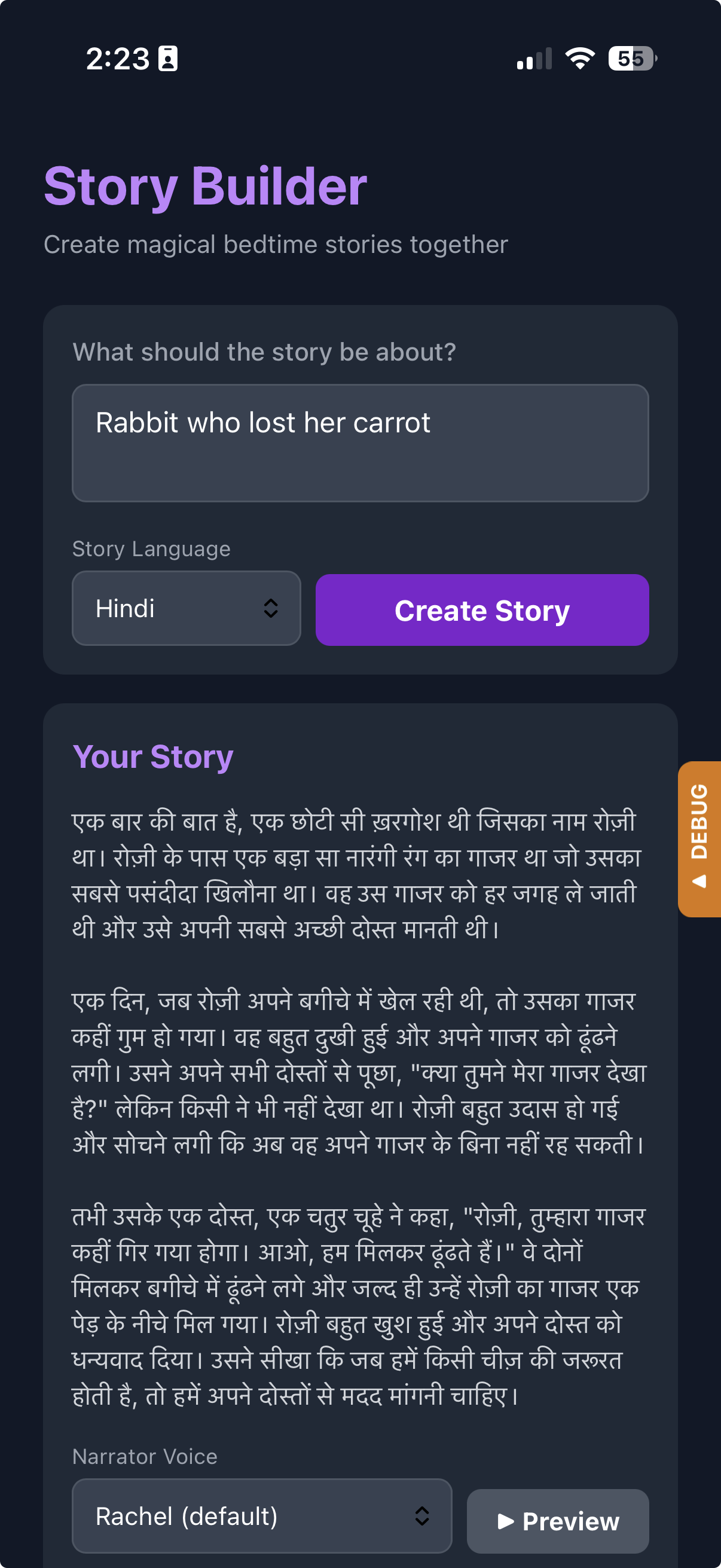
Generate stories in either language. Useful if you're teaching your kid a second language — they hear the words in context and pick up phrases naturally.
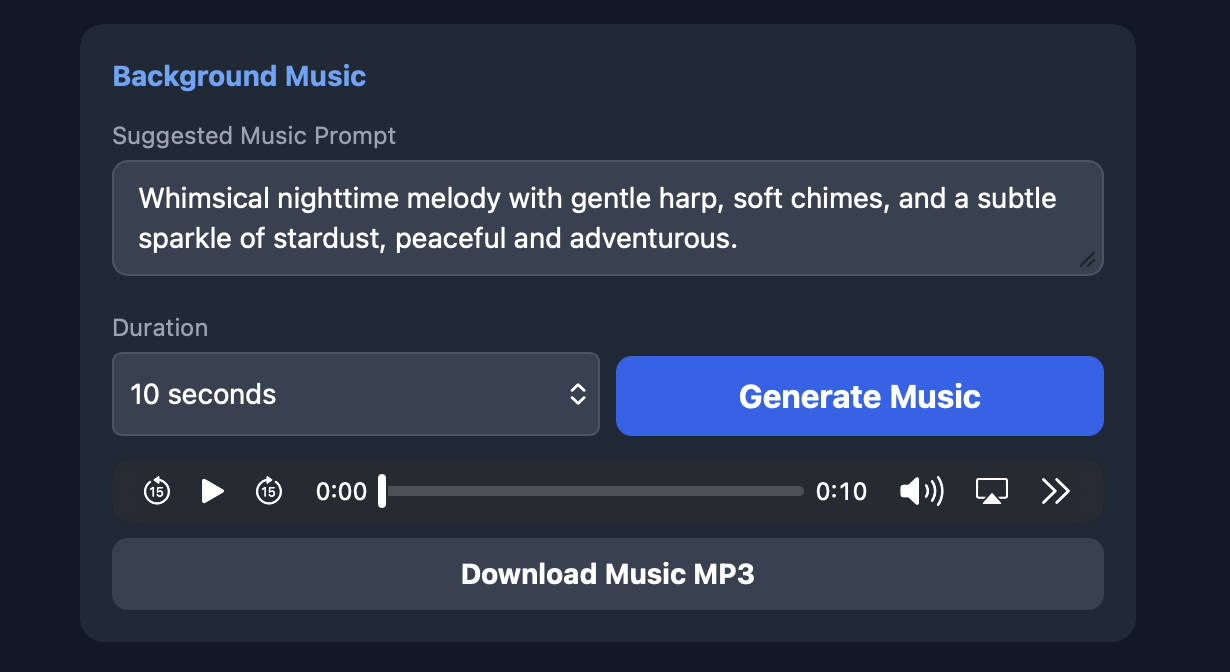
Optionally generate a short, gentle intro track to set the mood. It's like a little theme song for the story.
- AI Story Generation — Age-appropriate bedtime stories
- Text-to-Speech — 21 voice options via ElevenLabs
- Multilingual — English and Hindi support
- Background Music — AI-generated ambient tracks
- Voice Preview — Listen to samples before generating
- Download — Save narration and music as MP3 files
- PWA-ready — Add to your phone's home screen
- Backend: Flask (Python)
- Frontend: Single HTML page with Tailwind CSS
- Deployment: DigitalOcean App Platform
- AI Models via DigitalOcean Inference API:
- Story generation: Llama 3.3 70B
- Text-to-speech: ElevenLabs Multilingual v2
- Music generation: Stable Audio 2.5
git clone https://github.com/ajot/story-builder.git
cd story-builderpython -m venv venv
source venv/bin/activate # On Windows: venv\Scripts\activatepip install -r requirements.txtCreate a .env file:
DIGITAL_OCEAN_MODEL_ACCESS_KEY=your_api_key_hereGet your API key from the DigitalOcean Control Panel.
Pre-generate voice preview samples:
python scripts/generate_samples.pypython app.pyVisit http://localhost:8080
- Push your code to GitHub
- Create a new App in DigitalOcean App Platform
- Connect your GitHub repository
- Add environment variable:
DIGITAL_OCEAN_MODEL_ACCESS_KEY - Deploy
The included Dockerfile handles the build configuration.
story-builder/
├── app.py                 # Flask application
├── prompts.py             # AI system prompts
├── requirements.txt       # Python dependencies
├── Dockerfile             # Container configuration
├── templates/
│   └── index.html         # Frontend UI
├── static/
│   └── voice-samples/     # Pre-generated voice previews
└── scripts/
    └── generate_samples.py # Voice sample generator
| Endpoint | Method | Description |
|---|---|---|
/ |
GET | Main application UI |
/generate-story |
POST | Generate a bedtime story |
/generate-audio |
POST | Submit TTS job |
/audio-status/<id> |
GET | Check TTS job status |
/audio-result/<id> |
GET | Get TTS result |
/generate-music-prompt |
POST | Generate music description |
/generate-sound |
POST | Submit music generation job |
MIT