
wilhelm_renderer is a minimalist 2D graphics engine written in Rust with native OpenGL bindings. Its goal is to provide a robust foundation for rendering 2D shapes and visualizing 2D data and animations in real time.
Currently supported drawing primitives:
- Text rendering (using the FreeType library)
- Points and MultiPoints
- Lines (with thickness)
- Polylines
- Arcs
- Rectangles and Rounded Rectangles
- Triangles
- Circles and Ellipses
- Polygons
- Images
Other features:
- All dependencies, including GLFW and FreeType, are bundled
- Instanced rendering for high-performance scenes (10,000+ shapes)
- Basic animation support
- A simple Camera model for projecting between world and screen coordinates
All examples are provided in the wilhelm_renderer repository's examples directory.
You can build shapes and render them using the ShapeRenderable abstraction, as shown below:
extern crate wilhelm_renderer;

use wilhelm_renderer::core::{App, Color, Window};
use wilhelm_renderer::graphics2d::shapes::{Line, Rectangle, ShapeKind, ShapeRenderable, ShapeStyle, Text};

fn main() {
  let window = Window::new("Shapes", 800, 800, Color::from_rgb(0.07, 0.13, 0.17));
  let mut app = App::new(window);

  app.add_shapes(vec![
    // Text
    ShapeRenderable::from_shape(
      160.0, 280.0,
      ShapeKind::Text(Text::new("Hello, Wilhelm renderer!", "fonts/ArchitectsDaughter-Regular.ttf", 48)),
      ShapeStyle::fill(Color::from_rgb(0.94, 0.91, 0.78)),
    ),
    // Line from (100, 200) to (300, 250)
    ShapeRenderable::from_shape(
      100.0, 200.0,
      ShapeKind::Line(Line::new(300.0, 250.0)),
      ShapeStyle::stroke(Color::from_rgb(0.0, 1.0, 0.0), 1.0),
    ),
    // Rectangle at (50, 50)
    ShapeRenderable::from_shape(
      50.0, 50.0,
      ShapeKind::Rectangle(Rectangle::new(200.0, 80.0)),
      ShapeStyle::fill(Color::from_rgb(0.2, 0.5, 0.9)),
    ),
  ]);

  app.run();
}
For a full example, see shapes.rs.
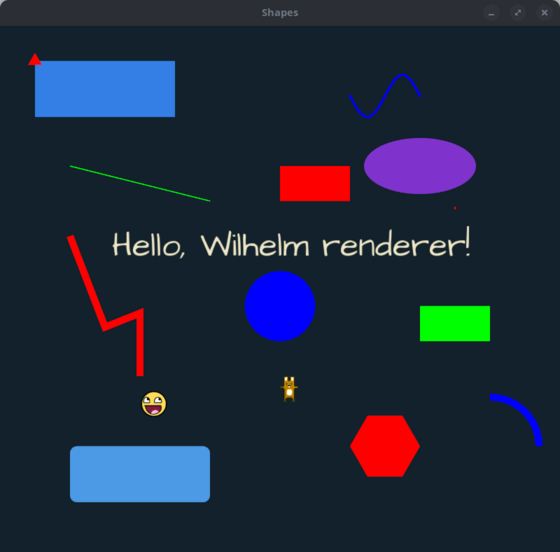
Additional examples:
-
bouncing_balls_instanced.rs– demonstrates instanced rendering with 10,000 animated balls (usecargo runinside theexamples/bouncing_ballsfolder)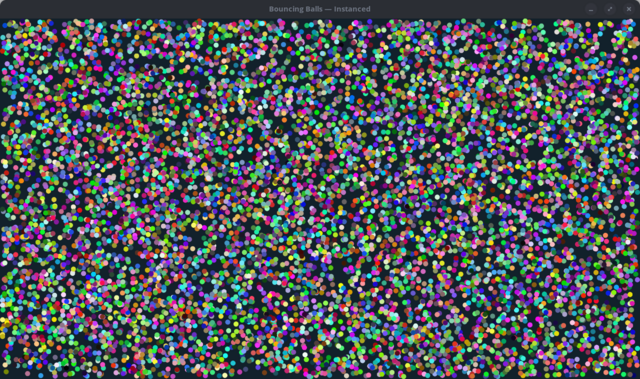
The C++ component uses CMake. To enable clangd support in Neovim (or any editor that uses clangd),
generate a compile_commands.json:
cmake -S cpp -B build -DCMAKE_EXPORT_COMPILE_COMMANDS=ONFor Neovim, clangd is configured via nvim-lspconfig with --compile-commands-dir=build, so it
will automatically pick up the generated file from the build/ directory.
This only needs to be re-run when cpp/CMakeLists.txt changes. The build/ directory is gitignored.
You can report issues directly on GitHub.
Ensure you have the necessary build tools installed (including a C/C++ compiler and CMake):
sudo apt-get install libgl1-mesa-dev
sudo apt install mesa-utils
sudo apt install libwayland-dev libxkbcommon-dev xorg-dev
Add wilhelm_renderer as a dependency in your project. During the build process,
Cargo will invoke CMake to build a static library containing the wilhelm_renderer FFI bindings to OpenGL.
Ensure that Visual C++ Build Tools and CMake 3.5 or later are installed.
Ensure that the Xcode command-line tools and CMake 3.5 or later are installed.