
A powerful Godot 4.4+ editor plugin for creating procedurally generated NPCs with unique appearances, personal data, and behaviors through an extensible resource-based architecture.
Populous provides a modular system for generating NPCs (Non-Player Characters) with unique characteristics. The plugin follows a Generator-Meta pattern that separates how NPCs are created from what makes them unique:
- Generator (
PopulousGenerator) – Defines how NPCs are created (spawning logic, positioning, quantity) - Meta (
PopulousMeta) – Defines what makes each NPC unique (names, appearance, attributes)
This separation allows for flexible combinations of generation strategies and metadata systems, making it easy to create diverse NPC populations for your game.
- Modular NPC Creation: Extensible generator/meta system for custom NPC generation
- Dynamic UI Generation: Automatically creates UI controls based on generator parameters
- Container-Based Spawning: Uses
PopulousContainerNode3D nodes as spawn points - Parameter Binding: Two-way binding between UI controls and generator parameters
- Scene Integration: Spawned NPCs are properly owned by the scene root
- Populous Tool: Main editor window for generating NPCs with real-time parameter editing
- JSON-to-Resource Converter: Convert JSON files to Godot
.tresresources for easy data management - Batch Resource Creator: Batch create resources from FBX files with automatic mesh assignment
- Container Creator: Quick creation of
PopulousContainernodes in your scene
- Random Generation: Simple example with grid-based spawning and random attributes
- Capsule Person Generator: Advanced example with modular body parts, gender-based generation, and skin type support
- Download the latest release or clone this repository
- Copy the
addons/Populousfolder into your Godot project'saddonsdirectory - Alternative (Submodule): If using as a submodule, create a symbolic link from this repo's
addons/Populousto your project'saddons/Populous - Enable the Populous plugin from Project Settings > Plugins
- The plugin menu will appear under Project > Tools > Populous
- Create a Container: In your scene, go to Project > Tools > Populous > Create Container to add a
PopulousContainerNode3D - Select the Container: Click on the container node in the scene tree
- Open Populous Tool: Navigate to Project > Tools > Populous > Populous Tool
- Assign a Resource: Select a
PopulousResourcein the tool (or create one) - Adjust Parameters: Modify any available parameters in the dynamic UI
- Generate: Click "Generate Populous" to spawn NPCs
To create custom NPCs, you'll need to extend both the Generator and Meta classes:
extends PopulousGenerator

# Define your parameters
var npc_count: int = 10
var spawn_radius: float = 5.0

func _generate(populous_container: Node) -> void:
    # Your custom spawning logic here
    for i in range(npc_count):
        var npc = resource.instantiate()
        var angle = (i * TAU) / npc_count
        var pos = Vector3(cos(angle), 0, sin(angle)) * spawn_radius
        npc.position = pos
        populous_container.add_child(npc)
        meta_resource.set_metadata(npc)

func _get_params() -> Dictionary:
    return {
        "npc_count": npc_count,
        "spawn_radius": spawn_radius
    }

func _set_params(params: Dictionary) -> void:
    if params.has("npc_count"):
        npc_count = params["npc_count"]
    if params.has("spawn_radius"):
spawn_radius = params["spawn_radius"]extends PopulousMeta
var use_random_colors: bool = true
func set_metadata(npc: Node) -> void:
# Apply unique attributes to the NPC
npc.set_meta("name", generate_random_name())
if use_random_colors:
npc.set_meta("color", Color(randf(), randf(), randf()))
func _get_params() -> Dictionary:
return {"use_random_colors": use_random_colors}
func _set_params(params: Dictionary) -> void:
if params.has("use_random_colors"):
use_random_colors = params["use_random_colors"]- Create a new
PopulousGeneratorresource and assign your custom generator script - Create a new
PopulousMetaresource and assign your custom meta script - Create a new
PopulousResourceand assign both your generator and meta - Use it in the Populous Tool!
The main entry point that combines a Generator and Meta. Contains:
run_populous(populous_container: Node): Executes NPC generationget_params() -> Dictionary: Retrieves generator parameters for UIset_params(params: Dictionary): Updates generator parameters
Abstract base class for NPC generation logic. Override:
_generate(populous_container: Node): Core generation logic_get_params() -> Dictionary: Returns parameters for UI binding_set_params(params: Dictionary): Updates parameters from UI
Abstract base class for NPC metadata/attributes. Override:
set_metadata(npc: Node): Applies metadata to spawned NPC_get_params() -> Dictionary: Returns meta parameters for UI_set_params(params: Dictionary): Updates meta parameters
Located in addons/Populous/ExtendedExamples/RandomGeneration/, this example demonstrates:
- Grid-based NPC spawning
- Random name generation from JSON resources
- Optional random color assignment
- Configurable density and spacing
Parameters:
populous_density: Maximum NPCs to spawnspawn_padding: Spacing between NPCsrows/columns: Grid dimensions
Located in addons/Populous/ExtendedExamples/CapsulePersonGenerator/, this advanced example shows:
- Gender-based name generation (Male/Female/Neutral)
- Modular body part system with weighted random selection
- Skin type support (DEFAULT, LIGHT, MEDIUM, DARK)
- Part filtering by gender and skin type
- Optional part skipping for variation
Main editor window for NPC generation. Features:
- Automatic container selection detection
- Resource picker for
PopulousResource - Dynamic parameter UI generation
- Real-time parameter editing
- Generate button for spawning NPCs
Converts JSON files to Godot .tres resources:
- Select a JSON file
- Choose output path for
.tresfile - Convert and use in your meta classes
Batch creates resources from FBX files:
- Select a blueprint resource
- Select multiple FBX files
- Resources are automatically generated with mesh assignment
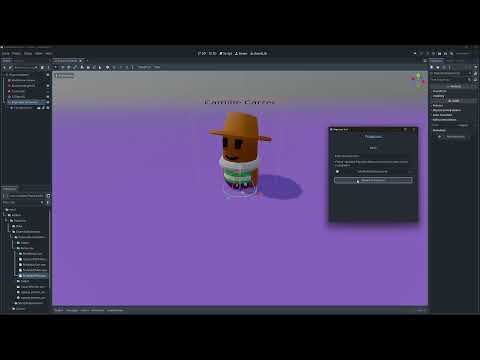
Watch the demo videos:



- Godot Engine: 4.4+ (Forward Plus renderer)
- Editor Access: Plugin requires editor access (
@toolclasses)
addons/Populous/
├── Base/                          # Core plugin files
│   ├── Constants/                 # Centralized constants
│   ├── Editor/                    # Editor tools and UI
│   ├── GenerationClasses/         # Base generator and meta classes
│   ├── ResourcePicker/            # Custom resource picker
│   ├── Resources/                 # Default resources
│   └── populous_resource.gd       # Main resource class
├── ExtendedExamples/              # Example implementations
│   ├── RandomGeneration/          # Simple random example
│   └── CapsulePersonGenerator/    # Advanced modular example
├── Tools/                         # Utility tools
│   ├── JSON_TRES/                 # JSON converter
│   └── Batch_Resources/           # Batch resource creator
└── populous.gd                    # Plugin entry point
Contributions are welcome! Feel free to:
- Submit issues and bug reports
- Propose new features
- Submit pull requests
- Improve documentation
This project is licensed under the MIT License - see the LICENSE file for details.
- Siva
- Gauri
⭐ If you find this addon useful, consider giving it a star on GitHub!