VizPsyche is an open-source 3D graphics engine written in C++20 using OpenGL 4.6. Designed for learning graphics programming, it provides clean abstractions over OpenGL primitives and includes an ImGui-based interface for real-time parameter editing.
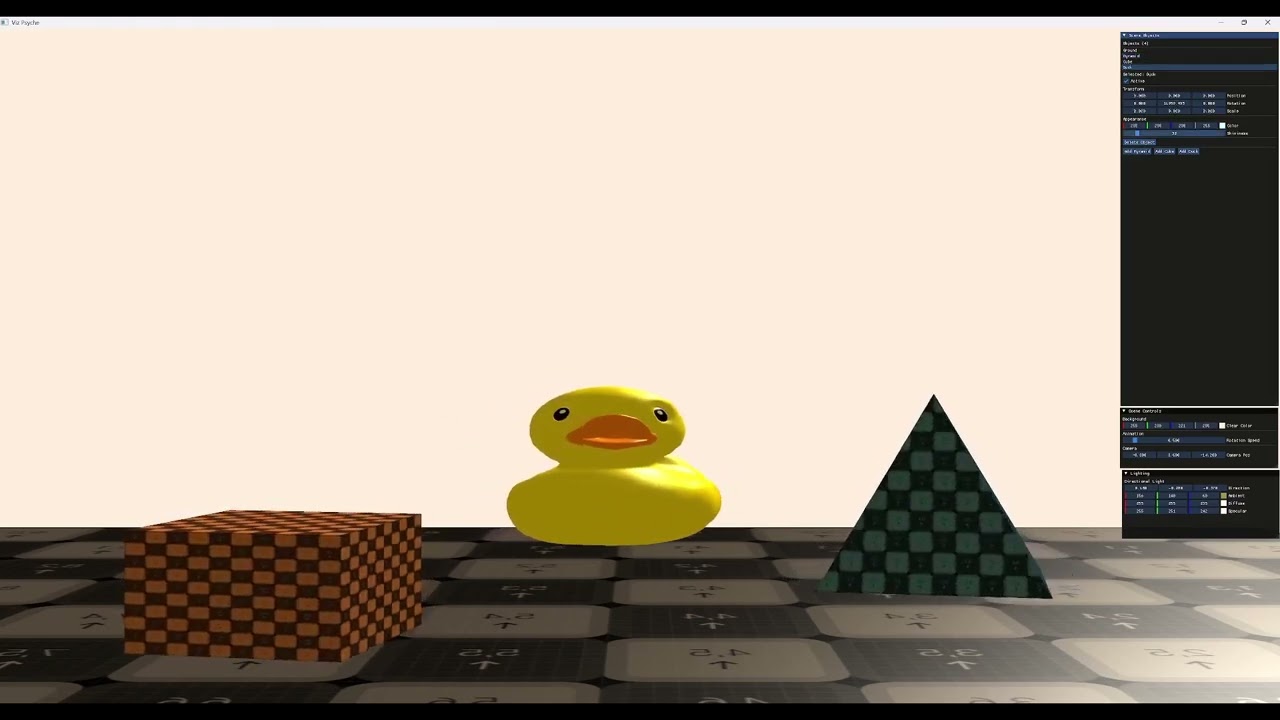
The full documentation for VizPsyche is available as a submodule in docs/vis-psyche-docs. To clone it separately:
git clone --recursive git@github.com:DiggingNebula8/vis-psyche-docs.git- Modern C++ & OpenGL 4.6 rendering pipeline
- Abstraction classes: VertexBuffer, IndexBuffer, VertexArray, Shader, Texture, Renderer
- glTF 2.0 Model Loading
- Texture Support
- Unified shader format (vertex and fragment shaders in a single file)
- ImGui integration for runtime parameter adjustment
- spdlog-based logging with separate core and client loggers
- Engine/Application architecture for creating custom applications
-
Visual Studio 2019, 2022, or 2026 with the "Desktop development with C++" workload installed.
-
CMake 3.16 or later. Either use the version bundled with Visual Studio, or download from https://cmake.org/download/.
-
Git for cloning the repository with submodules.
Open a terminal in the repository root and run:
.\build.bat debug
.\build.bat release
.\build.bat clean debug
.\build.bat clean release
The script automatically detects your installed Visual Studio version.
mkdir build
cd build
cmake -G "Visual Studio 17 2022" -A x64 ..
cmake --build . --config Debug
Replace "Visual Studio 17 2022" with your installed version:
- Visual Studio 2019:
"Visual Studio 16 2019" - Visual Studio 2022:
"Visual Studio 17 2022" - Visual Studio 2026:
"Visual Studio 18 2026"
After running CMake, open the generated solution:
cmake --open build
Or directly open build\VizPsyche.sln.
After a successful build, the output is located in:
build\bin\Debug\Sandbox.exe
build\bin\Debug\VizEngine.dll
build\bin\Debug\src\resources\
Run the application:
.\build\bin\Debug\Sandbox.exe
For release builds, replace Debug with Release.
All dependencies are included as git submodules in VizEngine/vendor/.
| Library | Purpose |
|---|---|
| GLFW 3.3+ | Window creation and input handling |
| GLAD | OpenGL 4.6 function loader |
| GLM | Mathematics library (vectors, matrices, transformations) |
| Dear ImGui | Immediate mode graphical user interface |
| spdlog | Fast C++ logging library |
| stb_image | Single-header image loading |
| tinygltf | glTF 2.0 Model Loading |
To update submodules manually:
git submodule update --init --recursive
CMake cannot locate Visual Studio. Verify that:
- Visual Studio is installed with the "Desktop development with C++" workload
- You are using a supported version (2019, 2022, or 2026)
Run:
git submodule update --init --recursive
Ensure you are running from the correct directory (build\bin\Debug\ or build\bin\Release\). The build places VizEngine.dll alongside Sandbox.exe.
- Update your GPU drivers
- Verify your GPU supports OpenGL 4.6
- Check the console output for shader compilation errors
- Clean the build directory and rebuild:
.\build.bat clean debug - Verify all source files are listed in
VizEngine/CMakeLists.txt
This project is licensed under the MIT License. See the LICENSE file for details.