piccolo_admin provides a simple yet powerful admin interface on top of Piccolo tables - allowing you to easily add / edit / filter your data.
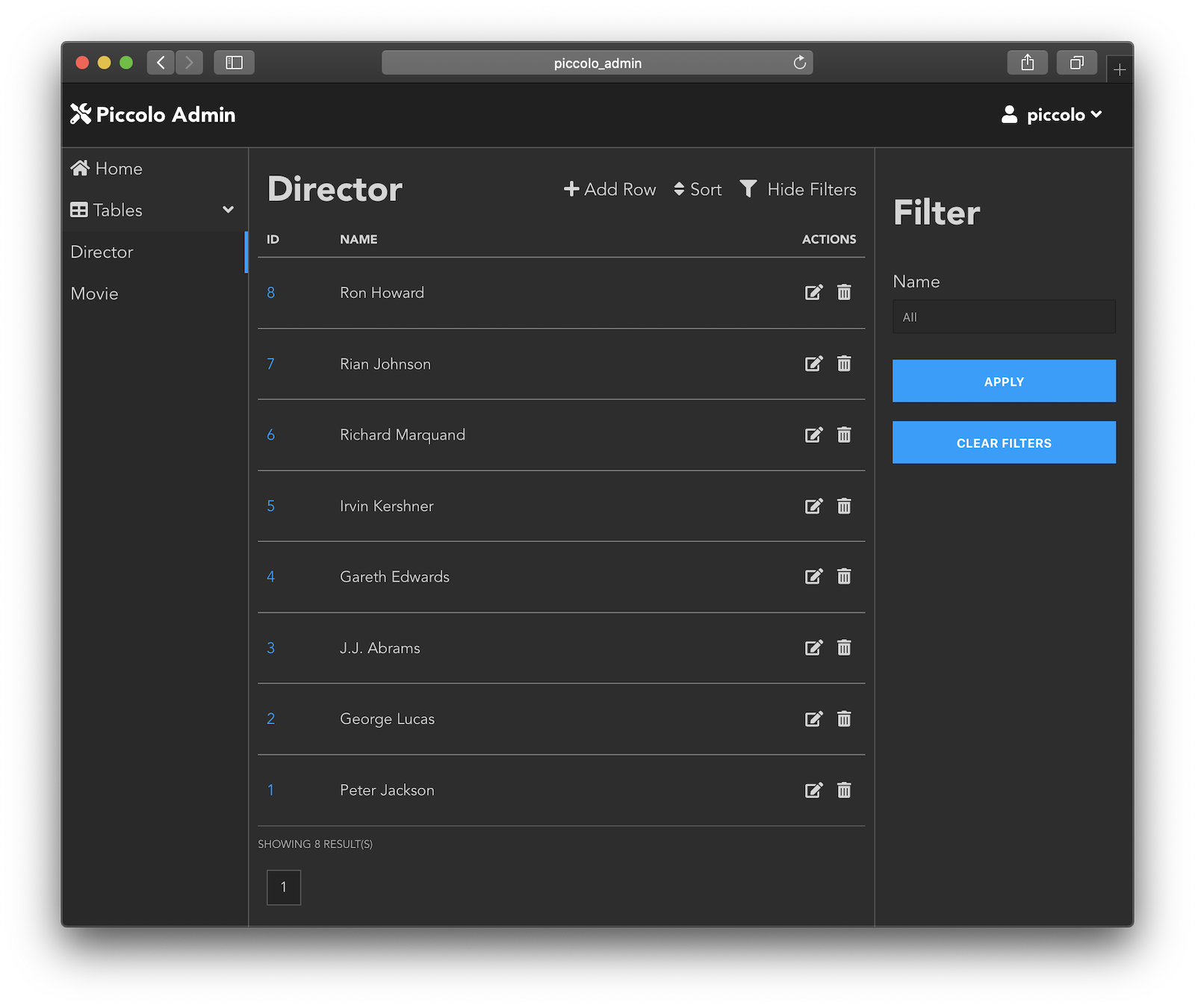
Try it online (username: piccolo, password: piccolo123).
To run a demo locally, using Python 3.7 or above:
pip install piccolo_admin
admin_demo
And then just launch localhost:8000 in your browser.
To see what happens behind the scenes, see piccolo_admin/example.py.
In a few lines of code we are able to:
- Define our models
- Setup a database
- Create a REST API
- Setup a web server and admin interface
Since the admin is an ASGI app, you can either run it standalone like in the demo, or integrate it with a larger ASGI app.
For example, using Starlette routes:
from piccolo_admin.endpoints import create_admin
from starlette.routing import Router, Route
import uvicorn

from my_project.tables import Director, Movie


# The `allowed_hosts` argument is required when running under HTTPS. It's used
# for additional CSRF defence.
admin = create_admin([Director, Movie], allowed_hosts=['my_site.com'])


router = Router([
    Route(path="/", endpoint=Hello),
    Mount(path="/admin/", app=admin),
])


if __name__ == '__main__':
    uvicorn.run(router)
Full documentation is available on Read the docs.