DuplexPDF is a simple FTP relay server which allows you to generate duplex scans (front and backed scanned) if your scanner at least support to upload to a FTP server. It works best if you have a ADF (automatic document feeder) which can scan a range of documents fast, but can't scan them on both sides. While designed for Synology DSM and the included Container Manager, you can make it work on any system.
To start, please first make sure you fullfill therequirements:
- You have a printer that can scan FDPs to FTP
- You have a FTP server to upload the merged files
- Your printer is able to name your scans with the 'Duplex1_' or 'Duplex2_' literal followed by the datetime in the following format: YYYYMMDD_hhmmss (for example Duplex1_20251217_135916.pdf)
- You can run python3 and pip in a Docker container (for example supported by most Synology NAS)
DuplexPDF is configured by environment variables to be easly run in a Docker container
- duplexPDF_cache: path for cache directory (e.g. /usr/duplexPDF/cache)
- duplexPDF_log: path for the log directory (e.g. /usr/duplexPDF/log)
- duplexPDF_incoming_addr: the ip adress and port for the FTP server. IMPORTANT: If your container is running behind a NAT, set here the address you are accessing your NAS. (e.g. 192.168.178.46:1487)
- duplexPDF_incoming_passive_port_range: the range for PASV commands (e.g. 32000-32005)
- duplexPDF_incoming_password: the password for the relay FTP server your printer uploads the scanned files to. The username is 'duplexPDF'
- duplexPDF_outgoing_addr: the ip adress and port for your destination FTP server where the merged files will be send (e.g. 127.0.0.1:21)
- duplexPDF_outgoing_username: the username for your destination FTP server
- duplexPDF_outgoing_password: the password for your destination FTP server
- duplexPDF_outgoing_dir: into this path the merged files will be send
- duplexPDF_source_port: The port duplexPDF uses to communicate to the destination FTP server (e.g. 1488)
- You need to open the ports you specified in the config, usually the duplexPDF_source_port, duplexPDF_incoming_addr (port) and every port in the range of duplexPDF_incoming_passive_port_range
- DuplexPDF supports FTPS, but can fallback to FTP
- The cache is only cleared on startup. Everything inside of it except the '.cache', 'ftpd.cert' and 'ftpd.key' can be safely deleted while the container is running
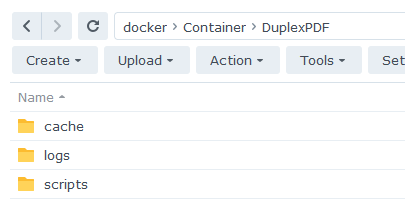
You should create a folder for the logs, the cache and the script (run.py)
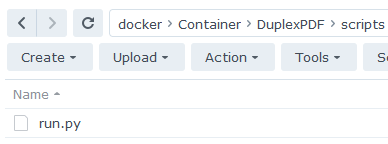
You need to download the run.py script which installs and runs duplexPDF from PIP
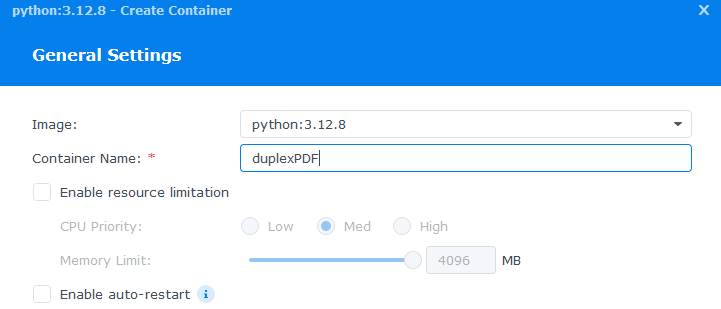
Creating the container in DSM (You don't need to change the IP adress here)
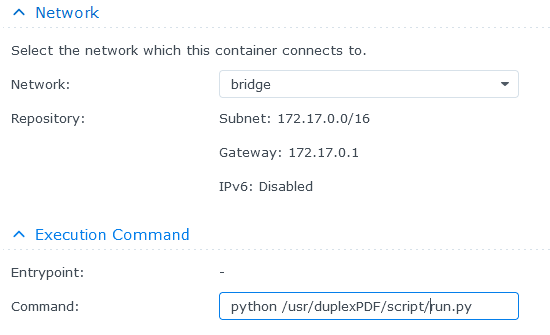
Network settings and the command to execute
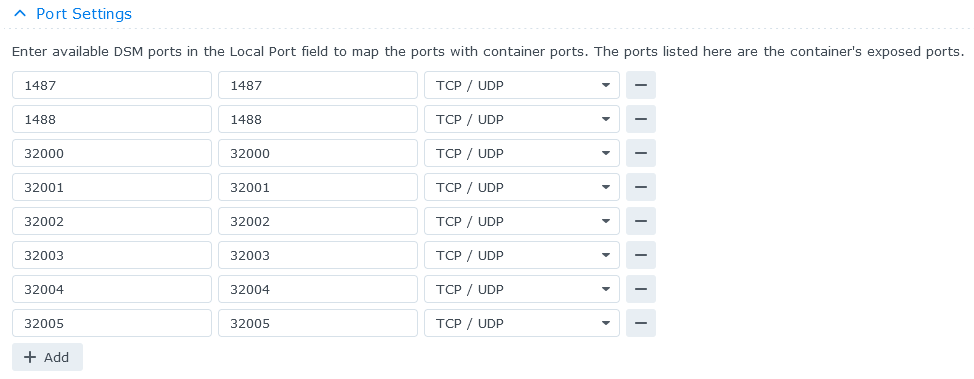
Port settings in DSM
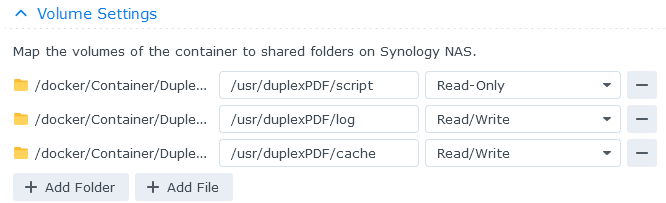
Volume settings in DSM
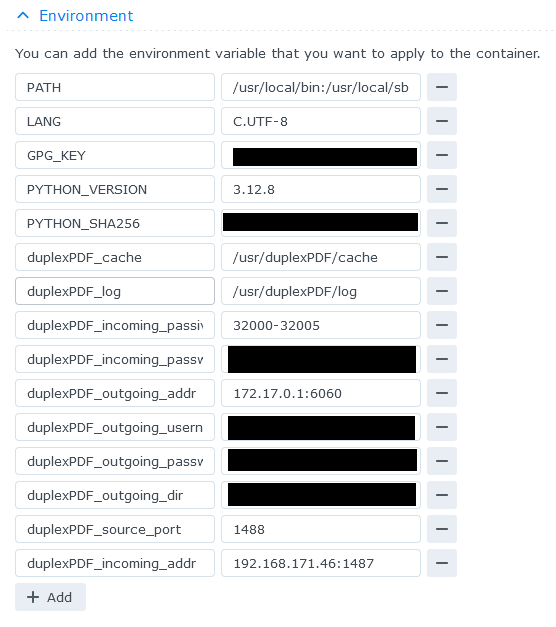
Environment settings in DSM