Repository navigation
Attributes
ButtonMethod — Display button in inspector
ConditionalField — Conditionally display property in inspector, based on some other property value
DefinedValues — Display Dropdown with predefined values
DisplayInspector — Display one inspector inside of another
Tag, Layer, SpriteLayer — Dropdown with Tags, Layers or SpriteLayers
MinMaxRange and RangedFloat — Ranged sliders
MustBeAssigned — Automatically checks if field is assigned (not null / not empty / not default value) on Playmode
PositiveValueOnly — Prohibit values below zero
ReadOnly — Draw property with disabled GUI
SearchableEnum — Nice UI for enums with lots of elements
Separator — Draw separator with or without title
You may apply this attribute to any method and this will appear in inspector as a button.
If this method returns anything, result will be logged.
public Collider[] Colliders;

#if UNITY_EDITOR // conditional compilation is not mandatory
[ButtonMethod]
private string CollectColliders()
{
    Colliders = FindObjectsOfType<Collider>();
    return Colliders.Length + " Colliders found on scene, cached";
}
#endif
public bool WanderAround;
[ConditionalField("WanderAround")] public float WanderDistance = 5;

public AIState NextState = AIState.None;
[ConditionalField("NextState", AIState.Idle)] public float IdleTime = 5;
[DefinedValues(1, 3, 5)]
public int AgentHeight;
Displays one inspector inside of another. It's handy if you'd like to store some settings in scriptable objects.
[DisplayInspector(displayScriptField:false)] to hide object field once assigned (useful for "single instance" settings)
[CreateAssetMenu]
public class AgentAIContextSettings : ScriptableObject
{
	public bool WanderAround;
	public float WanderDistance = 5;
}[DisplayInspector]
public AgentAIContextSettings Settings;Set displayScriptField to false (by default it's true) to hide property field once
[DisplayInspector(displayScriptField:false)]

[Tag]
public string Tag;
[Layer]
public int Layer;
[SpriteLayerAttribute]
public int SortingLayer;
by Richard Fine
RangedFloat may be used without MinMaxRange. Default is 0-1 range
public class RandomisedHealth : MonoBehaviour
{
	[MinMaxRange(80, 120)]
	public RangedFloat Health;
	public RangedFloat Raito;
}
Previously I used a lot of Debug.Assert() in Awake to ensure that all desired values are assigned through inspector. Now I just use MustBeAssigned.
It triggers on value types with default values, null refs, empty arrays and strings
[MustBeAssigned]
public MonoBehaviour MyScript;
[MustBeAssigned]
public float MyFloat;
Assures that value is positive. Works with numbers and vectors
[PositiveValueOnly]
public Vector2 ScanRange;
[PositiveValueOnly]
public float ChaseSpeed;
I use it in rare cases to debug things through inspector
public float InitialHealth = 100;
[ReadOnly]
public float CurrentHealth;
by incredible Ryan Hipple
public float InitialHealth = 100;
[ReadOnly]
public float CurrentHealth;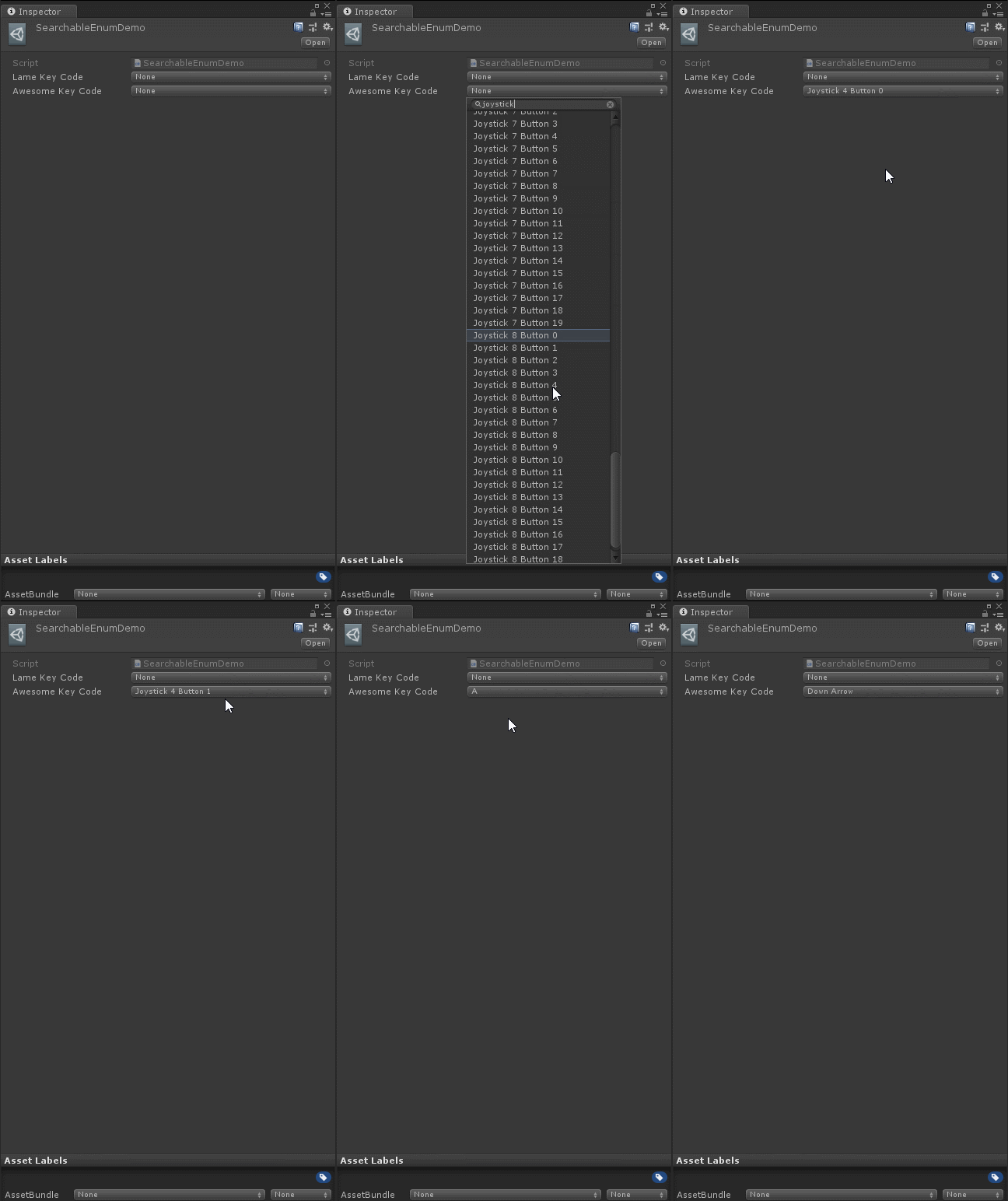
Decorative separator. May be with or without title
