Examples
These examples are starting points. Replace entity ids and paths with your own Home Assistant setup.
type: custom:orbit-area-card
area: lounge
area_name: Lounge
accent_color: gold
main_entity: climate.lounge_heating
tap_action:
  action: navigate
  navigation_path: /dashboard-main/lounge
status1: sensor.lounge_temperature
status2: sensor.lounge_humidity
button1: light.lounge_lights
curve_button1: scene.movie_time
curve_button2: script.good_nighttype: custom:orbit-area-card
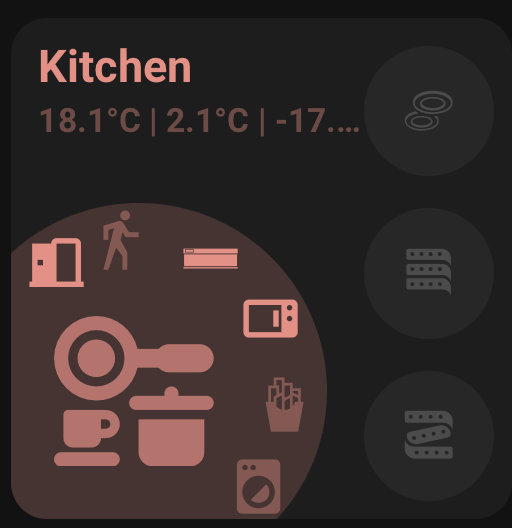
area: kitchen
area_name: Kitchen
main_entity: light.kitchen_lights
accent_color: light
tap_action:
action: navigate
navigation_path: /dashboard-main/kitchen
button1: light.kitchen_cabinets
button2: switch.kitchen_socketstype: custom:orbit-area-card
area: bedroom
main_entity: light.bedroom_lights
curve_buttons_lock_position: true
curve_button1: scene.bedtime
curve_button1_icon: mdi:weather-night
curve_button1_tap_action:
action: call-service
service: scene.turn_on
service_data:
entity_id: scene.bedtime
curve_button2: cover.bedroom_blind
curve_button2_tap_action:
action: toggle
curve_button2_hold_action:
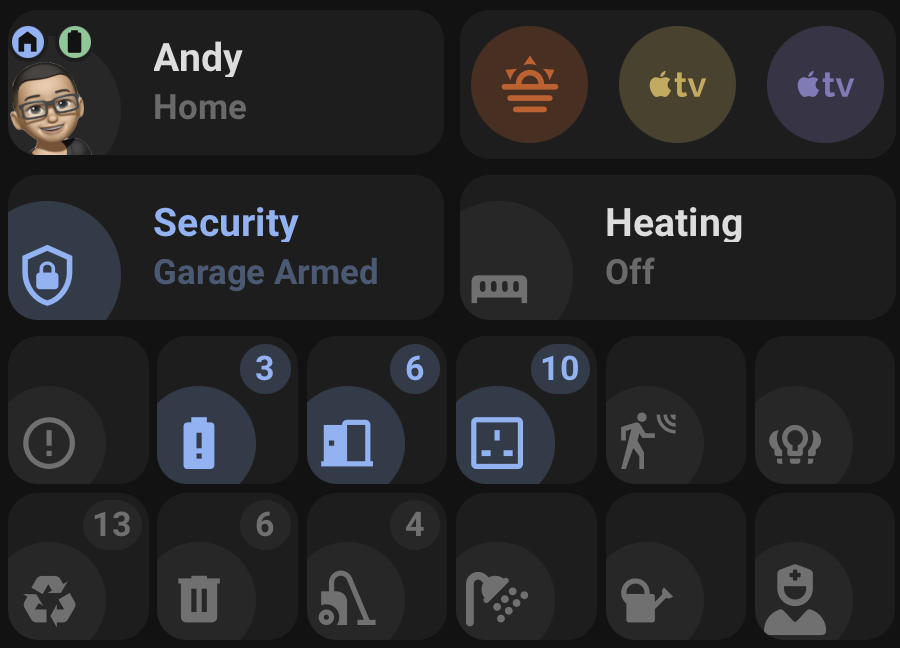
action: more-infotype: custom:orbit-status-card
mode: standard
main_entity: sensor.heating_state
status_name: Heating
accent_on_color: red
accent_off_color: theme
tap_action:
action: navigate
navigation_path: /dashboard-heating/heating-control
main_entity_tap_action:
action: more-infotype: custom:orbit-status-card
mode: icon_only
main_entity: sensor.recycle_collection
main_entity_icon: mdi:recycle
accent_on_color: green
accent_off_color: theme
label_template: state_attr('sensor.recycle_collection', 'daysTo')
state_template: state_attr('sensor.recycle_collection', 'daysTo') | int < 2type: custom:orbit-status-card
mode: icon_only
wrap: true
items_per_row: 6
separate_cards: true
entities:
- entity: sensor.unavailable_entities
main_entity_icon: mdi:alert-circle-outline
accent_on_color: red
- entity: sensor.number_of_lights_on
main_entity_icon: mdi:lightbulb-group
accent_on_color: amber
- entity: sensor.number_of_doors_open
main_entity_icon: mdi:door-open
accent_on_color: bluetype: custom:orbit-status-card
mode: person
main_entity: person.andrew
tracker_entity: device_tracker.andrew_phone
eta_entity: sensor.andrew_eta
battery_entity_1: sensor.andrew_phone_battery
battery_entity_2: sensor.andrew_watch_battery
tap_action:
action: more-infotype: custom:orbit-action-card
main_entity: scene.movie_time
accent_color: purple
main_entity_icon: mdi:movie-opentype: custom:orbit-action-card
wrap: true
actions_per_row: 4
separate_cards: true
entities:
- entity: scene.movie_time
accent_color: purple
main_entity_icon: mdi:movie-open
- entity: script.good_night
accent_color: blue
main_entity_icon: mdi:weather-night
- entity: automation.motion_lights
accent_color: amber
main_entity_icon: mdi:motion-sensor
- entity: button.restart_router
accent_color: red
main_entity_icon: mdi:router-wireless-settingstype: custom:orbit-status-card
mode: icon_only
main_entity: sensor.number_of_lights_on
main_entity_icon: mdi:lightbulb-group
tap_action:
action: popup
popup_title: Lights
popup_content:
type: vertical-stack
cards:
- type: tile
entity: light.living_room
- type: tile
entity: light.kitchen