Screenshots
This page collects the current Orbit Cards screenshots used by the wiki.
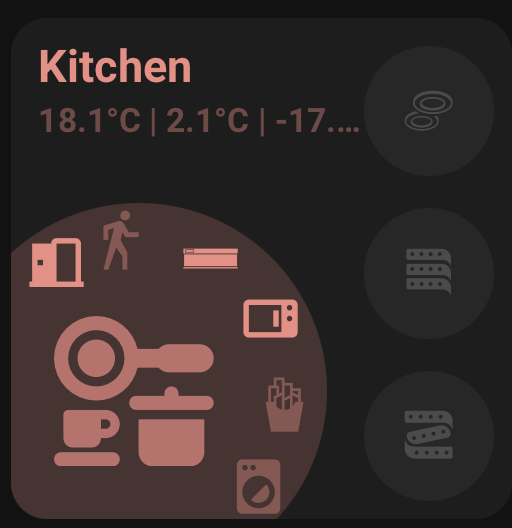
The Area Card shows an area-focused layout with an area name, status row, large area icon, side buttons, curved buttons, and optional action button.
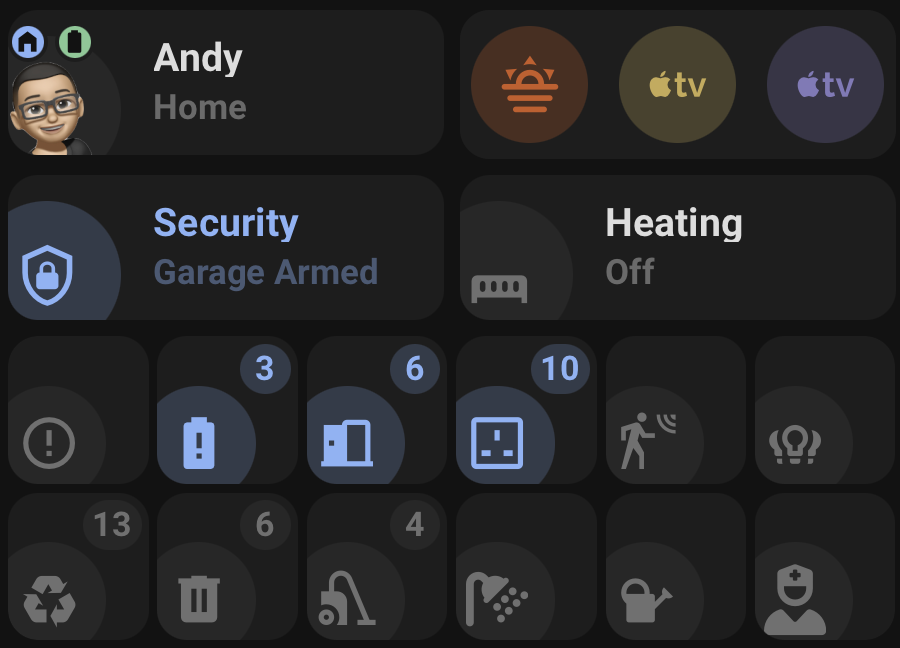
This image shows compact Status and Action card layouts, including grouped icon/action cards.
| Light theme | Dark theme |
|---|---|
 |
 |
These screenshots show grouped Action Card layouts in light and dark themes.
| Light theme | Dark theme |
|---|---|
 |
 |
These screenshots show Person, Standard, single Icon only, and grouped Icon only Status Card layouts in both light and dark themes.
Useful extra captures for the wiki:
- Area Card visual editor, Card tab.
- Area Card visual editor, Interactions section.
- Color / Theme picker.
- Icon picker Files tab.