Angular language Service doesn't work in newly added files #32301


Description

🐞 bug report
Affected Package
@angular/language-service@9.0.0-next.3
Is this a regression?
Yes, the previous version in which this bug was not present was: 9.0.0-next.2
Description
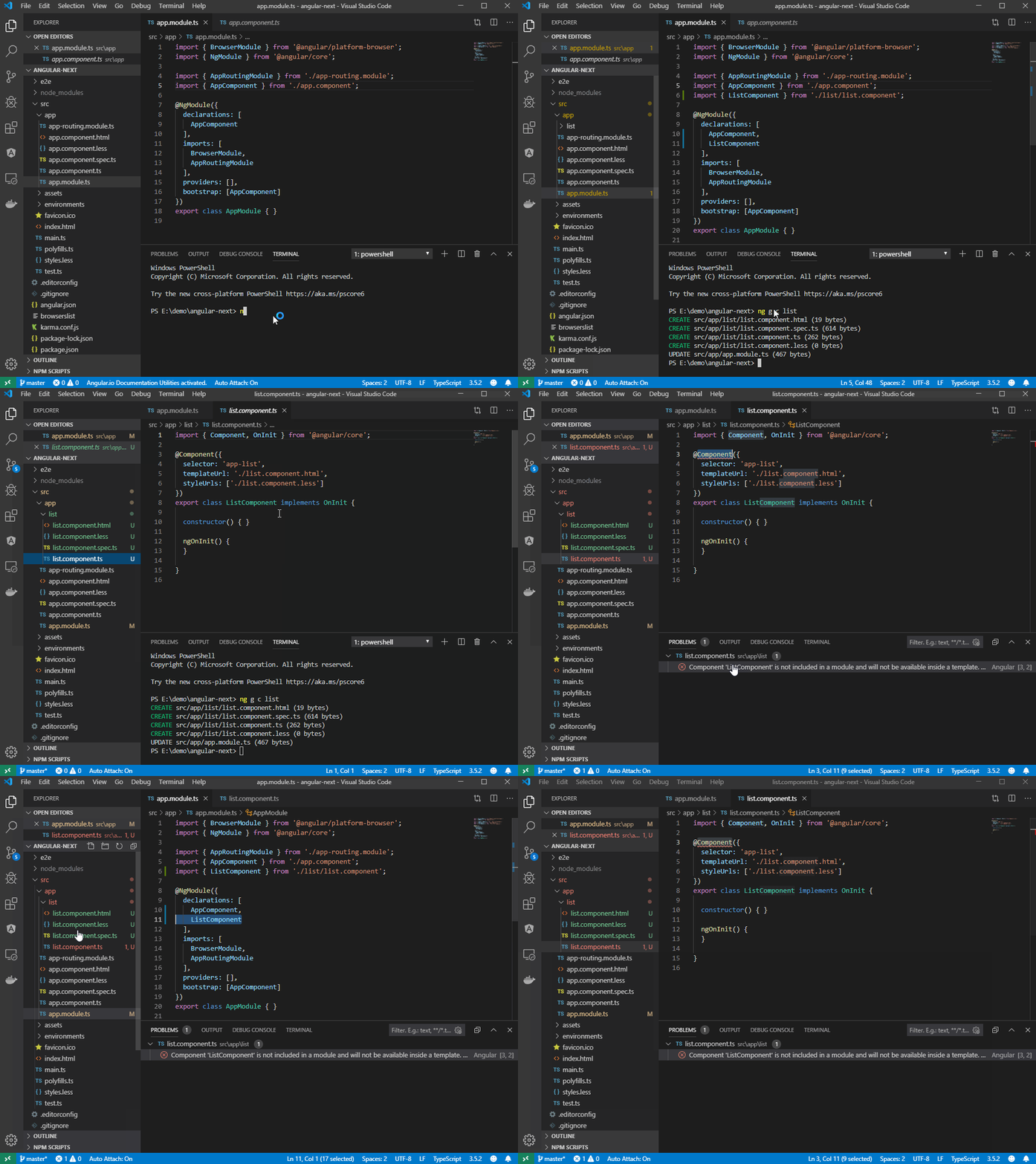
Angular language service doesn't work in newly added files. It always show error that component is not included in a module. The error disappears when I restart vscode.
🔬 Minimal Reproduction
- compile and install vscode-ng-language-service from 0ed47df commit.
git clone https://github.com/andrius-pra/angular-issue-repro.gitcd angular-issue-reprocode angular-issue-repro- open app.component.ts and wait some time
- generate new component:
ng g c list
actual result: I get error in list.component.ts : "Component 'ListComponent' is not included in a module and will not be available inside a template. Consider adding it to a NgModule declaration."
expected result: I don't get any error and language service works in list.component.html
🔥 Exception or Error
"Component 'ListComponent' is not included in a module and will not be available inside a template. Consider adding it to a NgModule declaration
🌍 Your Environment
Angular Version:
Angular CLI: 9.0.0-next.0
Node: 10.15.3
OS: win32 x64
Angular: 9.0.0-next.3
... animations, common, compiler, compiler-cli, core, forms
... language-service, platform-browser, platform-browser-dynamic
... router

Package                           Version
-----------------------------------------------------------
@angular-devkit/architect         0.900.0-next.0
@angular-devkit/build-angular     0.900.0-next.0
@angular-devkit/build-optimizer   0.900.0-next.0
@angular-devkit/build-webpack     0.900.0-next.0
@angular-devkit/core              9.0.0-next.0
@angular-devkit/schematics        9.0.0-next.0
@angular/cli                      9.0.0-next.0
@ngtools/webpack                  9.0.0-next.0
@schematics/angular               9.0.0-next.0
@schematics/update                0.900.0-next.0
rxjs                              6.4.0
typescript                        3.5.3
webpack                           4.39.2
Anything else relevant?
It's probably related to #32145