-
Notifications
You must be signed in to change notification settings - Fork 6.8k
Closed
Labels
P5The team acknowledges the request but does not plan to address it, it remains open for discussionThe team acknowledges the request but does not plan to address it, it remains open for discussionarea: material/tablefeatureThis issue represents a new feature or feature request rather than a bug or bug fixThis issue represents a new feature or feature request rather than a bug or bug fixneeds: discussionFurther discussion with the team is needed before proceedingFurther discussion with the team is needed before proceeding
Description
Bug, feature request, or proposal:
Bug
What is the expected behavior?
When sorting a column, other column data should not sort.
What is the current behavior?
If there are more than 10 rows, other column data is randomly sorted
What are the steps to reproduce?
I was able to reproduce the problem by taking the example from Material (https://stackblitz.com/angular/ygkamyrvqvr?file=app%2Ftable-sorting-example.ts):
- Change the position value to be all “1”:
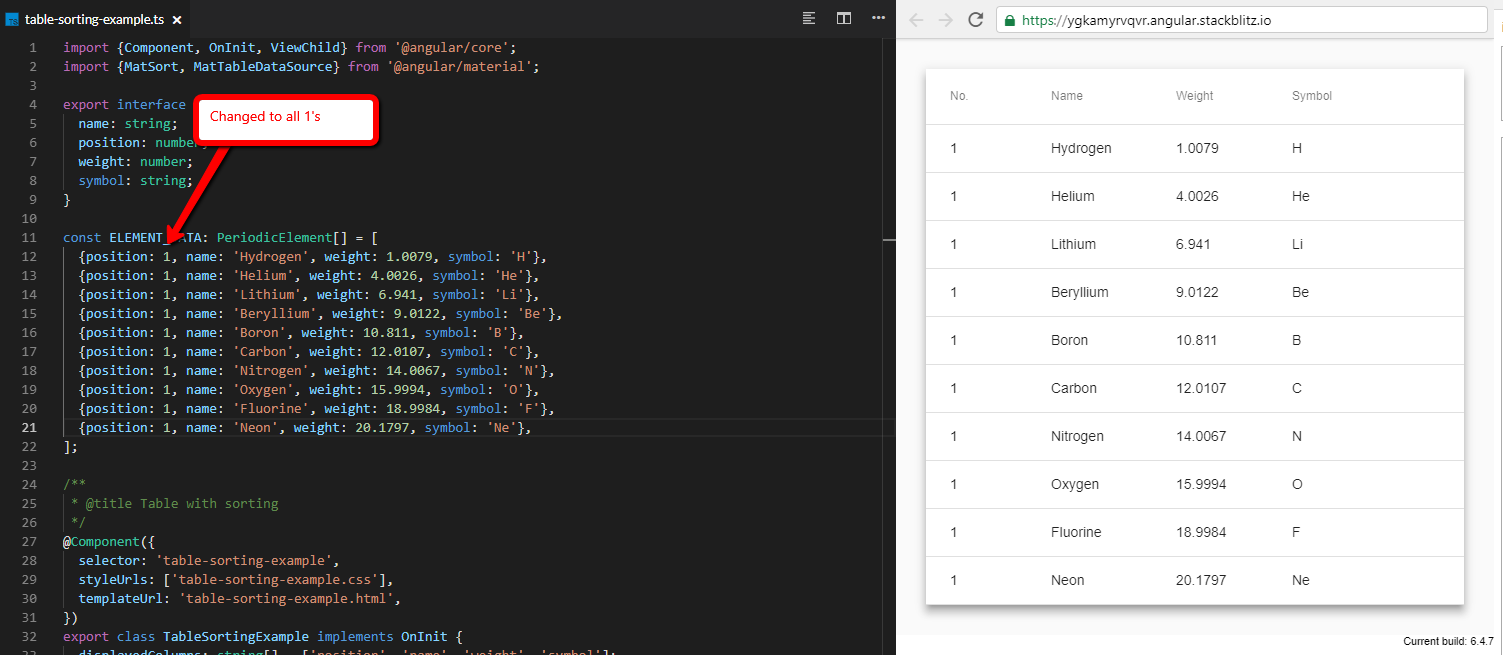
- Now, if I sort on the “No.” column, the “Name” column stays exactly the same (as you would expect because you aren’t sorting on it):
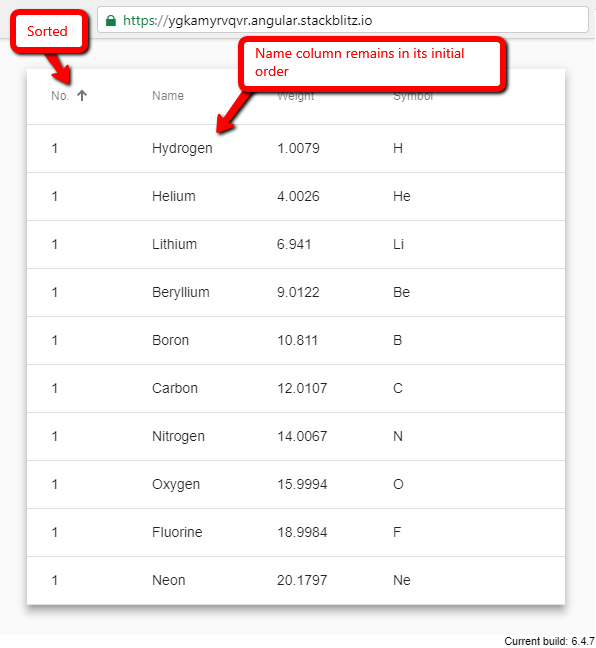
- Now, if we add an 11th row:
- And then sort on the “No.” column, the “Name” column is randomly sorting:
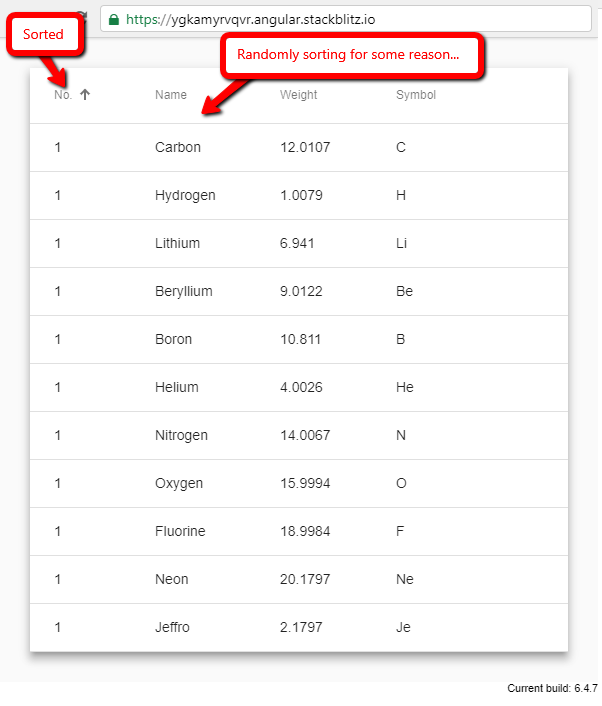
What is the use-case or motivation for changing an existing behavior?
I believe this to be incorrect behaviour
Which versions of Angular, Material, OS, TypeScript, browsers are affected?
"@angular/material": "^6.4.7",
"@angular/cli": "~6.1.5",
"@angular/compiler-cli": "^6.1.0",
"typescript": "~2.7.2"
OS: Windows 10 Version 1703 (OS Build 15063.1324)
Browser: Chrome Version 69.0.3497.92 (Official Build) (64-bit)
Is there anything else we should know?
Metadata
Metadata
Assignees
Labels
P5The team acknowledges the request but does not plan to address it, it remains open for discussionThe team acknowledges the request but does not plan to address it, it remains open for discussionarea: material/tablefeatureThis issue represents a new feature or feature request rather than a bug or bug fixThis issue represents a new feature or feature request rather than a bug or bug fixneeds: discussionFurther discussion with the team is needed before proceedingFurther discussion with the team is needed before proceeding


