Dynamic Chain-of-Thought Pruning for Construction Resource Optimization
This repository holds the code and visual assets for my experimental article on applying agentic reasoning specifically Dynamic Chain-of-Thought (CoT) Pruning to construction resource allocation and scheduling.
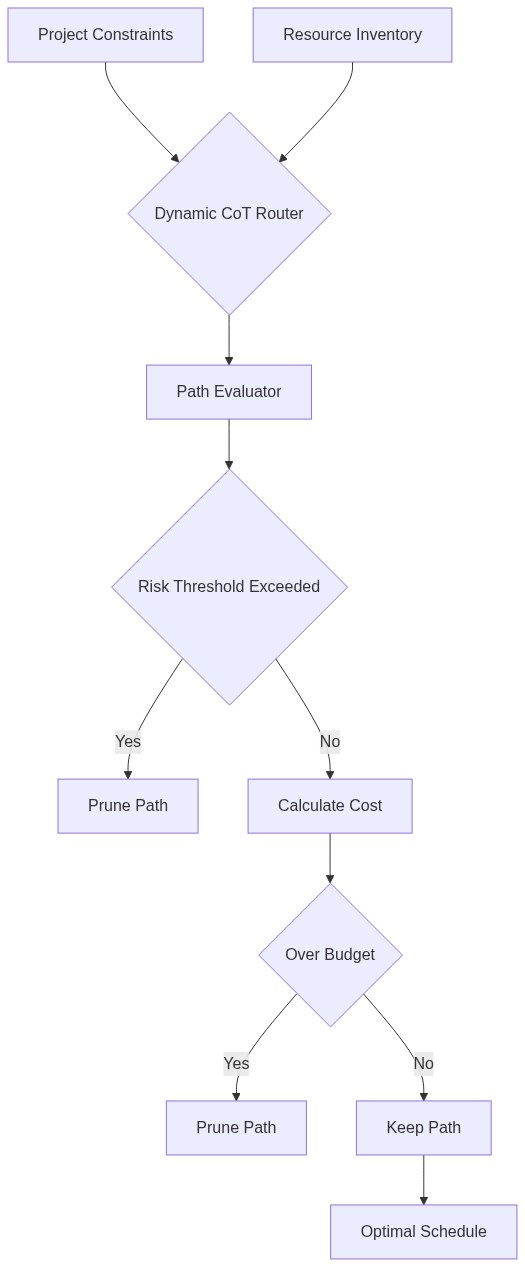
In traditional Agentic workflows, evaluating a construction schedule path (Location -> Equipment -> Labor) often results in a combinatorial explosion of options. Evaluating every option fully is slow and expensive.
This project implements Dynamic CoT Pruning, where the agent evaluates paths incrementally and abandons unviable paths (e.g., allocating heavy equipment in a high-wind zone) early in the reasoning chain. This drastically reduces computation while ensuring only optimal, low-risk schedules are fully generated.
- Python 3.8+
# Clone the repository
git clone https://github.com/aniket-work/Construct-Optimize-AI.git
cd Construct-Optimize-AI

# Create virtual environment
python3 -m venv venv
source venv/bin/activate

# Install dependencies
pip install -r requirements.txtRun the optimization agent to see Dynamic CoT Pruning in action:
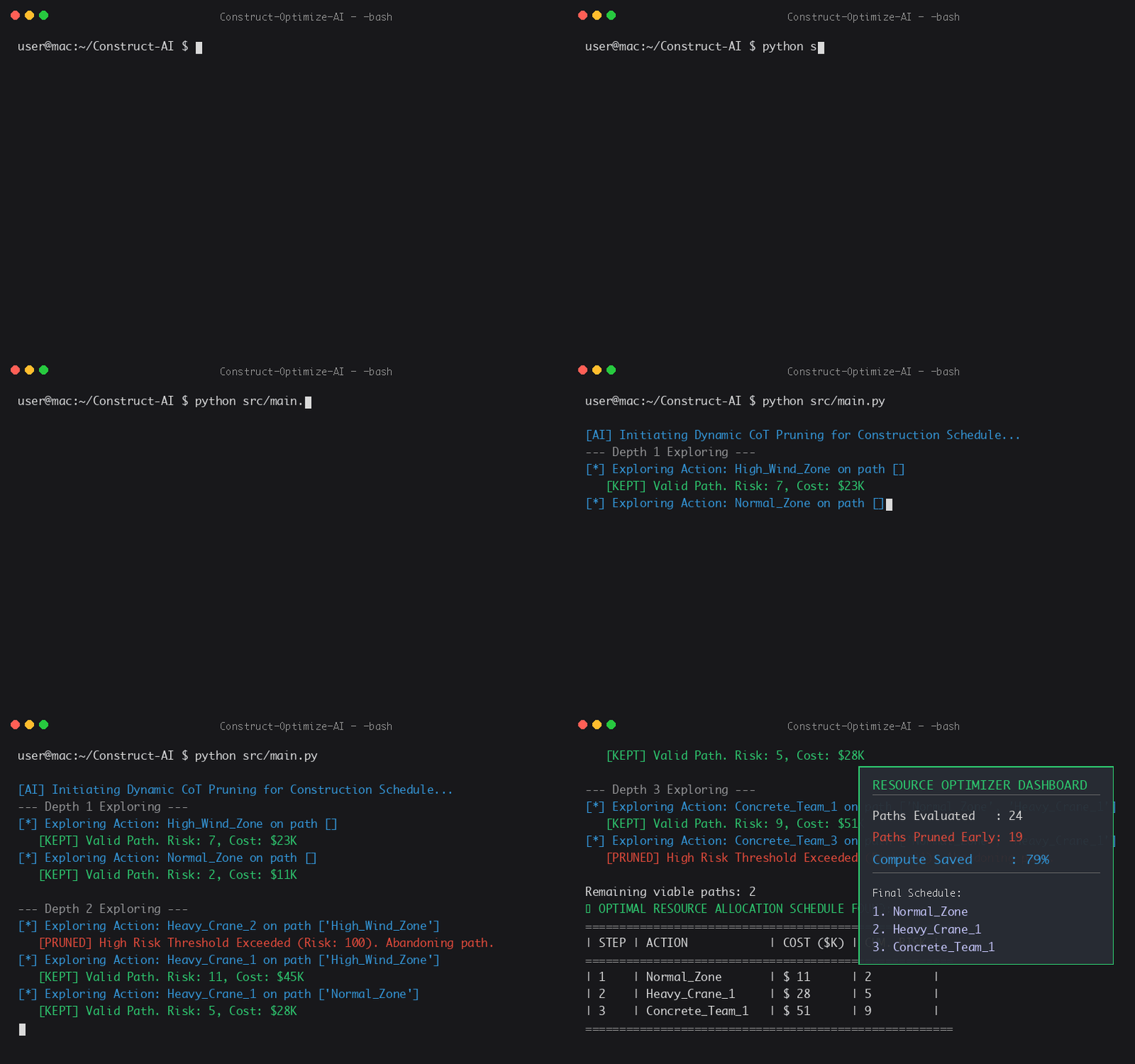
python src/main.py[AI] Initiating Dynamic CoT Pruning for Construction Schedule...
--- Depth 1 Exploring ---
[*] Exploring Action: High_Wind_Zone on path []
[KEPT] Valid Path. Risk: 7, Cost: $23K
[*] Exploring Action: Normal_Zone on path []
[KEPT] Valid Path. Risk: 2, Cost: $11K
--- Depth 2 Exploring ---
[*] Exploring Action: Heavy_Crane_2 on path ['High_Wind_Zone']
[PRUNED] High Risk Threshold Exceeded (Risk: 100). Abandoning path.
...
src/main.py: The core reasoning agent applying dynamic pruning.generate_diagrams.py: Generates the Mermaid architecture and flow diagrams.generate_gif.py: Creates the terminal and UI visualization.images/: Generated visual assets used in the article.
Disclaimer: The views and opinions expressed here are solely my own and do not represent the views, positions, or opinions of my employer or any organization I am affiliated with. The content is based on my personal experience and experimentation and may be incomplete or incorrect. Any errors or misinterpretations are unintentional, and I apologize in advance if any statements are misunderstood or misrepresented.