Repository navigation
Usage Guide
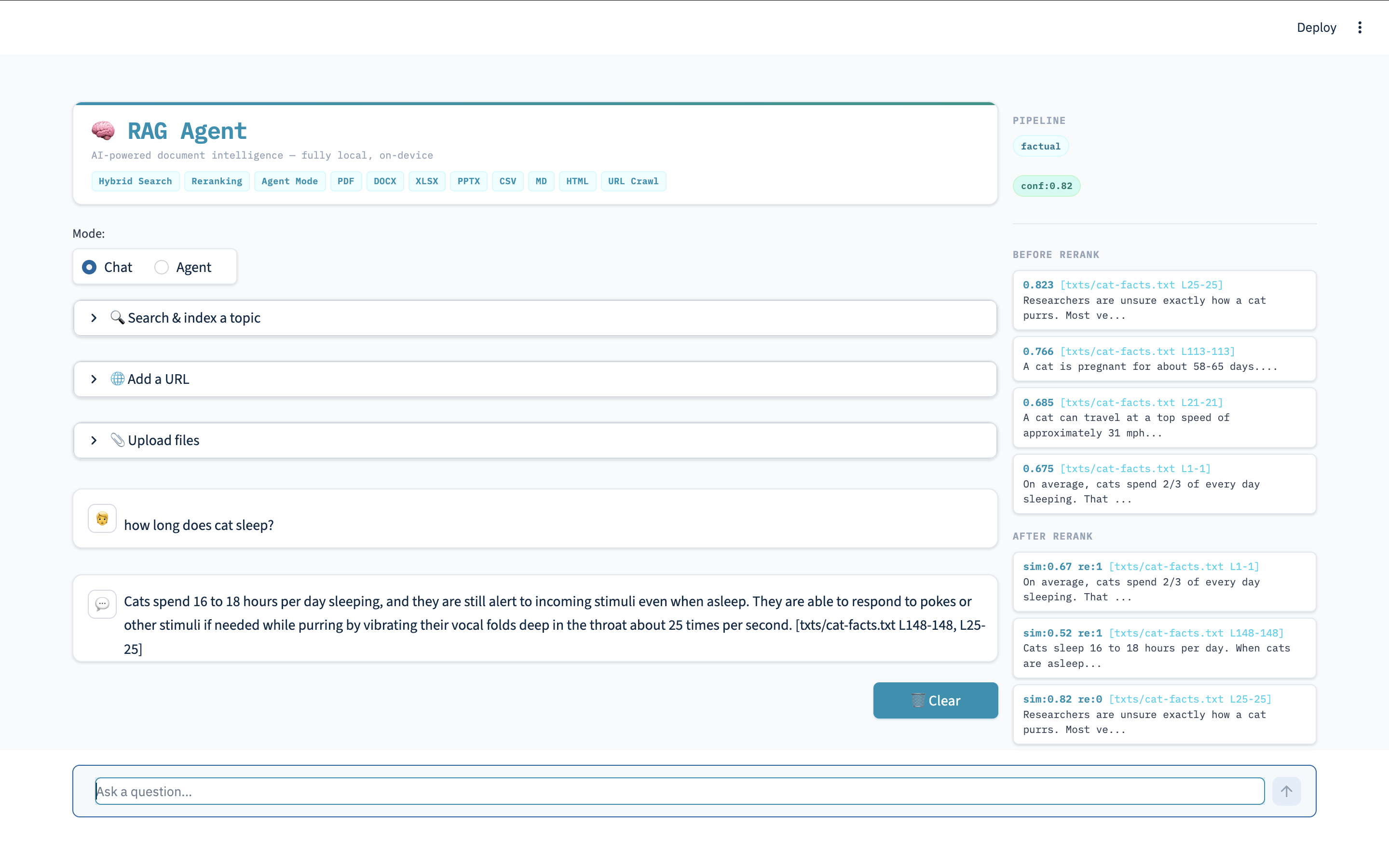
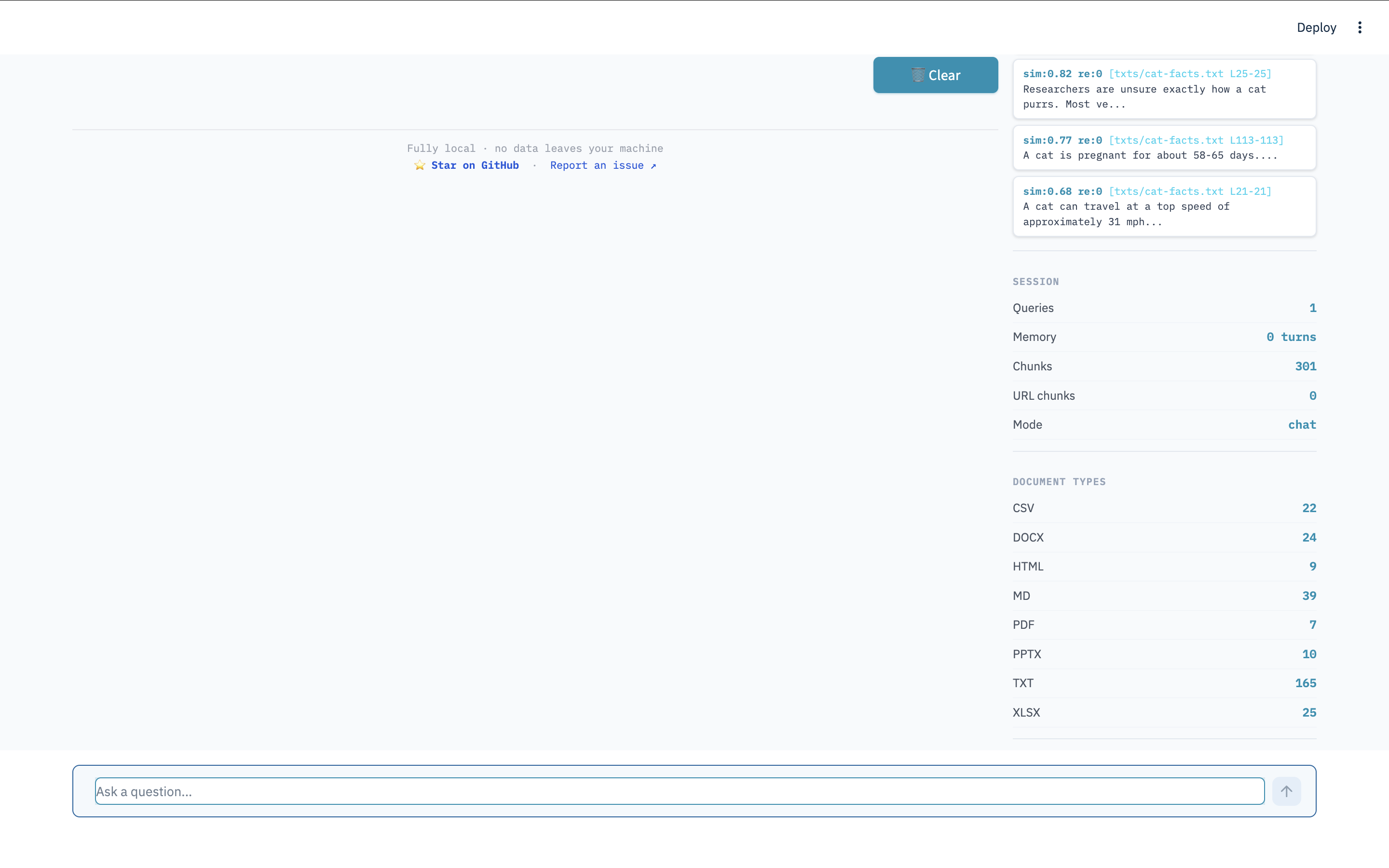
Chat mode runs the full RAG pipeline: classify → expand → hybrid retrieve → confidence check → rerank → synthesise → answer.
Responses stream to the UI token by token — words appear as they are generated rather than waiting for the complete answer.
streamlit run app.py      # web UI (with streaming)
python main.py # terminalThe system automatically classifies each query and adjusts retrieval depth:
| Query Type | Example | Retrieval Budget |
|---|---|---|
| Factual | "What is the candidate's GPA?" | 5 chunks |
| Comparison | "Compare Python vs Java performance" | 15 chunks |
| Summarise | "Summarise this document" | Full document scope |
| General | Any other query | 10 chunks |
The system maintains conversation history within a session. You can ask follow-up questions:
You: What is Alice's role?
Assistant: Alice is a Senior Software Engineer in the Platform team.

You: What department is she in?
Assistant: Alice is in the Platform team, as mentioned previously.
Click Clear conversation in the sidebar to start a new session.
Paste any public URL into the Add a URL field. Supported URL types:
| Type | How it is handled |
|---|---|
| Webpage (HTML) | Tags stripped, sentence-windowed, indexed |
| Downloaded to temp file, page-level chunking | |
| Word (.docx) | Downloaded, paragraph and table extraction |
| Excel (.xlsx, .xls) | Downloaded, row-level key=value pairs |
| CSV | Downloaded, row-level key=value pairs |
| PowerPoint (.pptx) | Downloaded, text shapes per slide |
The URL type is detected in priority order: Content-Type header → file extension → PDF magic bytes → HTML fallback.
Follow all links from a seed URL up to a configurable depth.
- Paste the seed URL in the Add a URL field
- Enable Recursive crawl in the sidebar
- Set the depth (1–3) and optionally a keyword filter
- Click Add
Crawling is limited to the same domain as the seed URL to prevent unintended indexing of external sites.
Search the web for a topic and index the top results automatically — no API key required.
- Type a topic into the Search a topic field (e.g. "transformer architecture")
- Click Search
- The top DuckDuckGo results are crawled and indexed; a live log is shown in the sidebar
Upload files directly through the web UI without placing them in ./docs/:
- Use the Upload a file panel in the sidebar
- Select one or more files
- Files are indexed immediately — no restart needed
Uploaded files are added to the live index alongside any documents already loaded from ./docs/.
After each query, the sidebar shows:
| Panel item | What it shows |
|---|---|
| Query type | Detected classification (factual / comparison / summarise / general) |
| Confidence | Whether the best retrieved chunk cleared the similarity threshold |
| Best score | Cosine similarity of the top retrieved chunk |
| Pre-rerank chunks | All chunks retrieved before reranking |
| Post-rerank chunks | Final ranked chunks used to generate the answer |
| Session stats | Total queries answered in this session |
To remove URL and file-upload chunks while keeping locally loaded documents:
Click Clear added content in the sidebar.
To rebuild the entire index from scratch (e.g. after adding new files to ./docs/):
rm -rf ./chroma_db/
streamlit run app.py