Repository navigation
Agent Mode
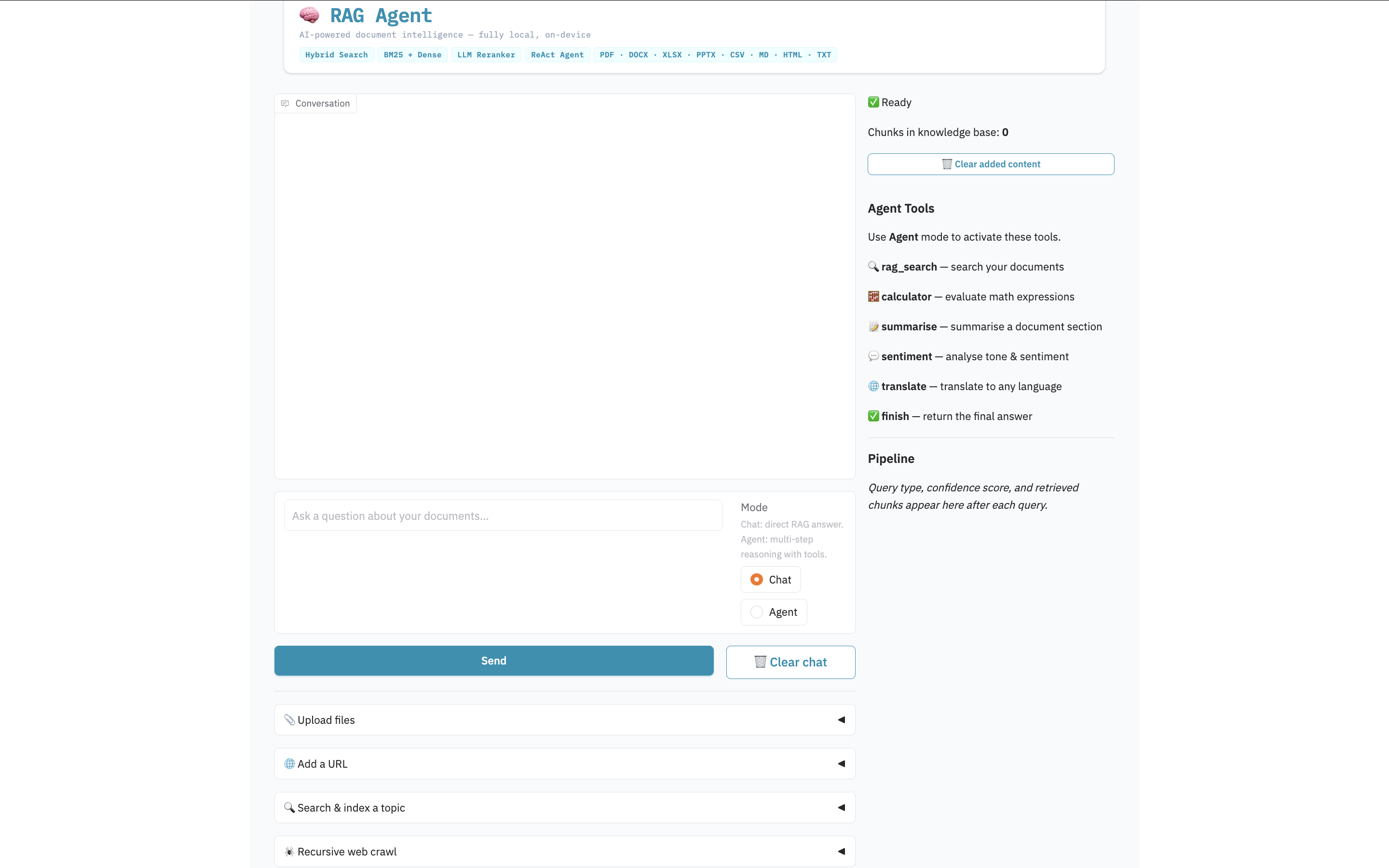
Agent mode uses a ReAct (Reason + Act) loop. The model decides which tool to call, observes the result, and repeats until it has enough information to produce a final answer.
python main.py --agent         # terminal
streamlit run app.py # web UI — toggle in sidebar| Tool | Trigger | What it does |
|---|---|---|
rag_search |
Any factual query | Searches the knowledge base using the full hybrid retrieval pipeline |
calculator |
Math expressions | Evaluates safe arithmetic; supports % notation (e.g. 15% of 85000) |
summarise |
Long text passages | Summarises a passage with adaptive length based on word count |
sentiment |
Tone / feeling queries | Returns Sentiment, Tone, Key phrases, and Explanation |
translate |
Translation requests | Translates to any language; short queries search the knowledge base first |
finish |
Final answer | Ends the loop and returns the synthesised answer to the user |
"What is 15% of the salary mentioned in the resume?"
→ rag_search(salary) → calculator(15% of 90000) → finish

"What is the sentiment of the cover letter?"
→ rag_search(cover letter) → sentiment(retrieved text) → finish

"Summarise the candidate's experience"
→ rag_search(work experience) → rag_search(education) → rag_search(skills) → finish

"Translate the project description to French"
→ rag_search(project description) → translate(French: ...) → finish

"What is the capital of the country mentioned in the document?"
→ rag_search(country) → finish
Plain arithmetic expression. Percentage notation is supported:
15% of 85000          → (15/100 * 85000) = 12750.0
(120 + 80) / 2        → 100.0
Unsafe characters (letters, brackets other than parentheses) are rejected to prevent code injection.
Input can be a short keyword (the knowledge base is searched first) or a full passage:
sentiment(cover letter)              ← searches knowledge base first
sentiment(The product exceeded all expectations...)  ← analyses directly
Output format (always 4 fields):
Sentiment: Positive
Tone: Enthusiastic and confident
Key phrases: exceeded expectations, highly recommend, outstanding quality
Explanation: The passage uses consistently positive language with strong endorsement phrases.
Format: TargetLanguage: text to translate
translate(Spanish: The candidate has ten years of experience.)
translate(French: What are the main findings?)
Short inputs (fewer than 15 words) trigger a knowledge base search first so document content is translated rather than the query itself.
- Maximum 8 steps per query (prevents infinite loops)
- Up to 2 retries on malformed tool call format before using raw text as fallback
-
rag_searchresults accumulate across steps — the final synthesis uses all collected context, not just the last search - Calculator calls auto-finish: after a successful calculation the answer is returned immediately
- Simple factual queries auto-finish after the first
rag_search
Two query types bypass the ReAct loop for efficiency:
Summarise fast path: Detected by keywords (summarise, summary, tell me about, etc.). Runs 4 parallel searches (work experience, education, skills projects, summary contact) then synthesises. Designed for resume-style documents.
Sentiment fast path: Detected by keywords (sentiment, tone, positive, negative, etc.). Strips sentiment keywords from the query, searches the knowledge base, then runs sentiment analysis on the retrieved content.