
Replies: 4 comments 13 replies

-
|
Thanks for opening your first issue here! Be sure to follow the issue template! |
Beta Was this translation helpful? Give feedback.

-
|
Would it be possible to to wrap it with py-spy, so we can determine what's being slow? e.g. |
Beta Was this translation helpful? Give feedback.

-
|
Ah... It's already been done #21438 - Airflow 2.3.0 will be way snappier when starting |
Beta Was this translation helpful? Give feedback.

-
Could also be anti-virus. Is there any way to see absolute timespans on that graph, rather than just comparing the size of the boxes? |
Beta Was this translation helpful? Give feedback.
-
|
Oh yeah. It could be - you are right @hterik . It just did not cross my mind that someone still uses anti-virus (and especially with Airflow running. Unfortunately Py-Spy is a sampling profiler so what it really shows you percentage of time spent in functions/classes rather than absolute timespan. But you might find more interesting stuff when you download the .svg file and open it locally (for example in Chrome). This is an interactive SVG so you can drill down and up and see more details when you open it locally :) |
Beta Was this translation helpful? Give feedback.

-
|
This is on a Azure Kubernetes Service Cluster, so there is no anti-virus @hterik . I suspect the RWmany PVC to be the problem, though it's implemented by Azure so not sure how to fix this. I have avoided some timeouts by forcing the pods to be on the same pods with the affinitySelector, my guess is that multiple pods reading from the FS at the same time is too ressource heavy for the storage system |
Beta Was this translation helpful? Give feedback.
-
|
Just make sure that your AIRFLOW code is installed outside of the volume - for example baked into your image. You seem to have airflow and whole python installed on remote volume, which is an extremely bad idea. |
Beta Was this translation helpful? Give feedback.

-
|
Python is inherently a bit slow to start up so don't expect any magic. Airflow though is a bit of an extra bad case though since it imports so many other modules. If you use the Docker image it is even slower (assume you do since using K8), because
|
Beta Was this translation helpful? Give feedback.

-
This is explained in the docs:
Alongside the documentation how to disable this check: But you gave me thought that we can only run it for specific commands - so if you run airflow commands as "separate container" commands, this might help a bit.
This is deliberate decision and baking in .pyc files is bad idea as it increases the size of the image significantly (you are basically trading of the size of the image, network, and storage with first time start for some commands. If you want to run airflow commands repetitively, rather than running new container every time, run a single comtainer and @Wats0ns : Airlfow version SHOULD be fast (also in terms of .pyc) because it imports very little, so I also second @jedcunningham here - py-spy would be useful. I just checked my "airflow version" and I looked where the slowness might come from. Almost for sure those are your local_settings or your log configuration. Parsing settings.py (and local settings) and establishing logging configuration is the one thing that happens in So please - run tha py-spy and let us know here by posting it (or mostl likely you will find where it comes from in your configuration). I am converting this one into a discussion, until we hear more about the py-spy results as this is likely not an airflow issue/ |
Beta Was this translation helpful? Give feedback.
-
The Kubernetes scheduler spawns a new pod+container for each individual task, so there it's not possible to reuse a running container. But sure, 1 sec extra per task isn't such a big deal anyway. If one really wants to hyper-optimize this, the best would be to volume-mount a location for the pyc. Anyway, OP seem to have some other bigger problem if things takes 30sec. |
Beta Was this translation helpful? Give feedback.
-
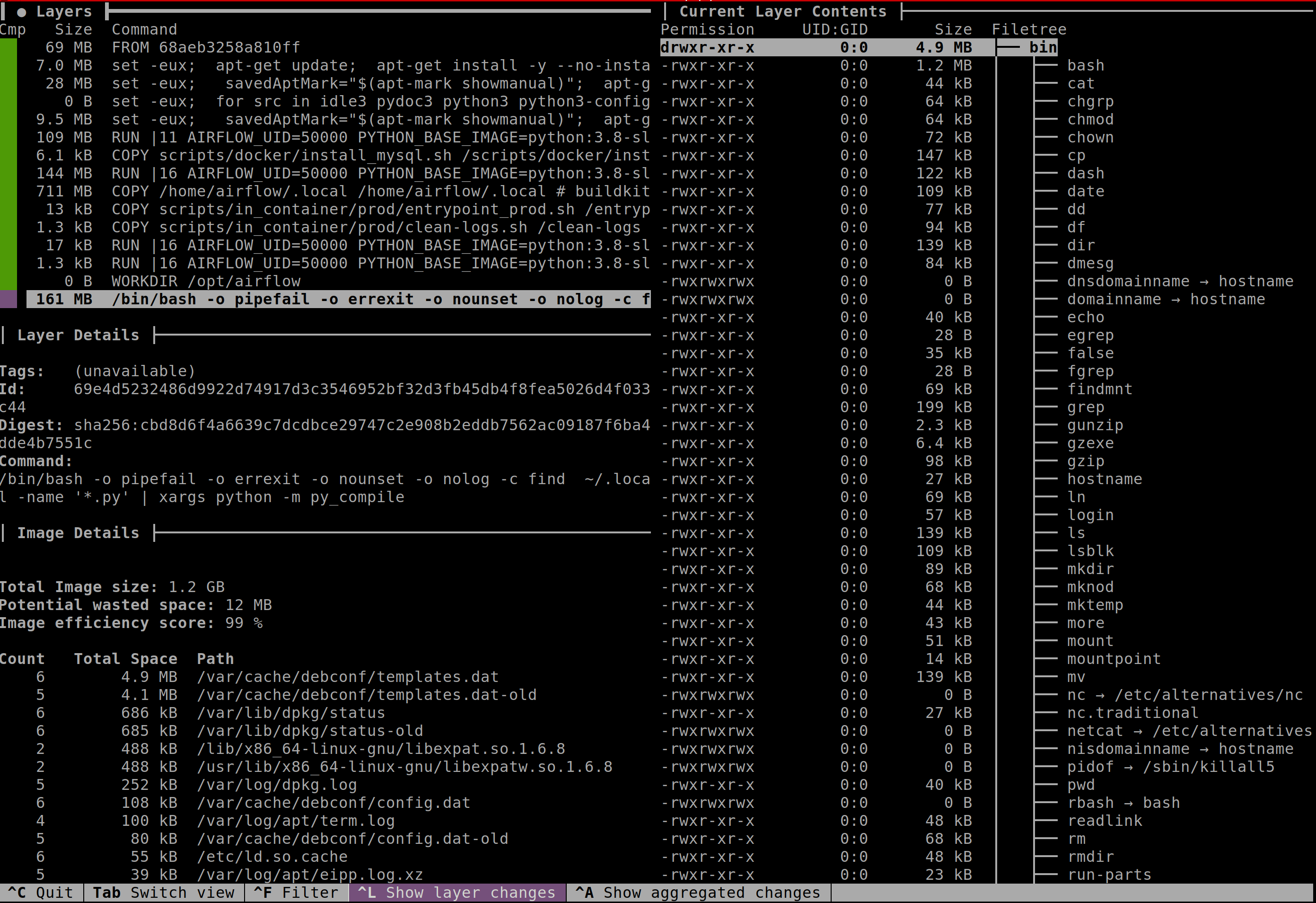
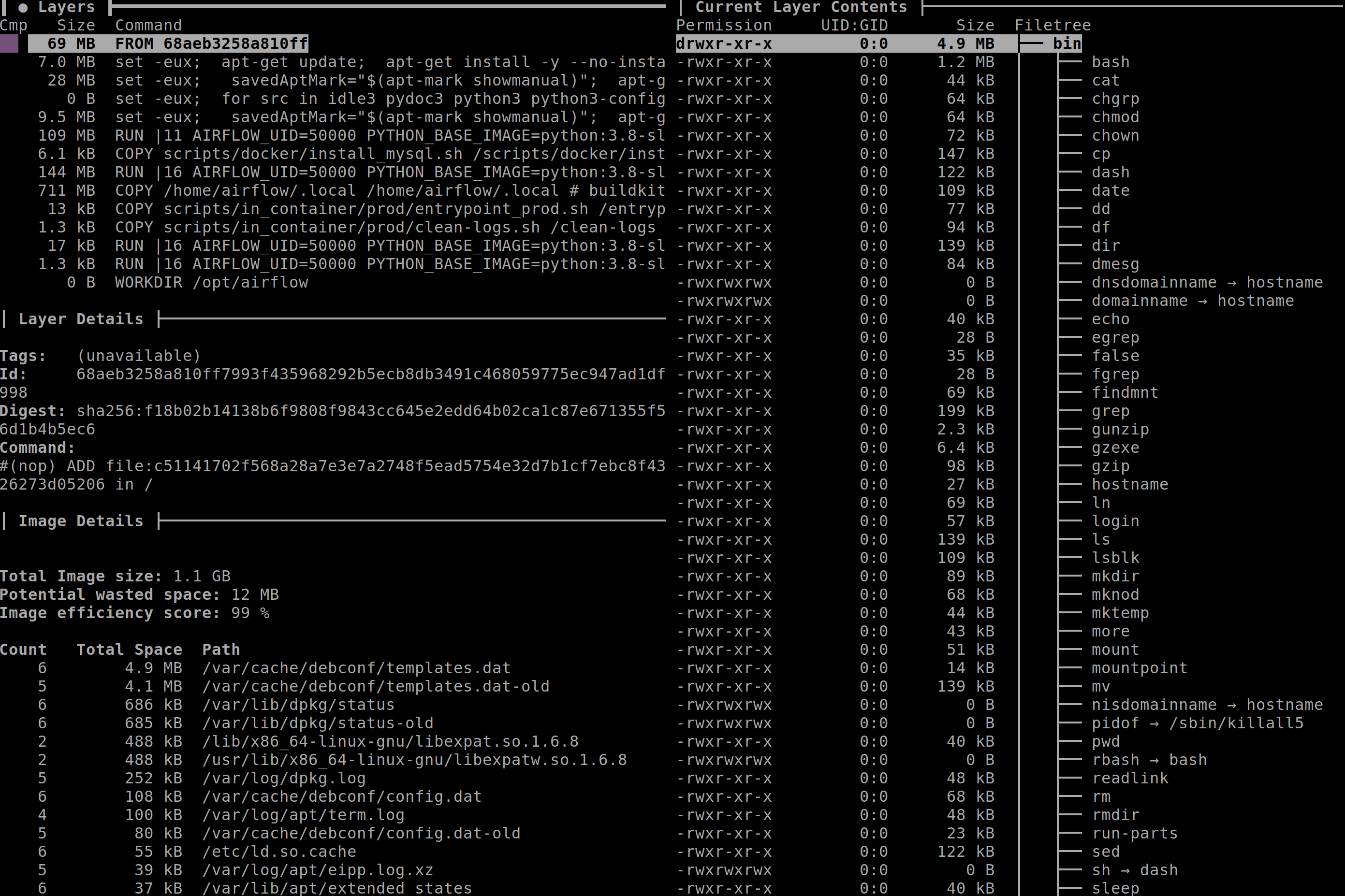
Precisely. Also I think if you want to run short tasks using K8S executor you have a different provlem because just spawning a new pod and starting interpreter takes several seconds anyway. So if you try to run short tasks, you should run CeleryKubernetesExecutor for that where the workers, .pyc and running processes are already there in Celery waiting to pick your tasks. And also if you really want, you can rather easily build your image with .pyc embeeded: Dockerfile: This increases the size of the production image by 161 MB (apache/airlfow:2.2.4-python-3.8 = 1.1 GB, but the diff is 161 MB which is ~15 % increase in size. Here is the image with .pyc:
Comparision without .pyc:
You can't do it in the other direction. Layers in image are additive so once you add .pyc files you cannot remove them (deletion will not decrease size of the image). So not having .pyc in the image is really deliberate and well thought decision. |
Beta Was this translation helpful? Give feedback.


Uh oh!
There was an error while loading. Please reload this page.
-
Apache Airflow version
2.2.2
What happened
Typing any command using airflow, like
airflow,airflow versionis very slow in our production environment (~20-30s for anairflow version), which is not the cas in our dev env. Airflow is run in a docker image based on theapache/airflow:latest-python3.8image in both env. We use the helm packageairflow-stable https://airflow-helm.github.io/chartsto run airflow in prod, bu as stated previously it is very slow when executing commands in a pod.We believe that this may be the one of the cause of another problem we have, which is task unable to start because of max task nb reached.
What you expected to happen
airflow versionshould be immediateHow to reproduce
No response
Operating System
apache/airflow:latest-python3.8, Debian GNU/Linux 10 (buster)
Versions of Apache Airflow Providers
No response
Deployment
Official Apache Airflow Helm Chart
Deployment details
No response
Anything else
No response
Are you willing to submit PR?
Code of Conduct
Beta Was this translation helpful? Give feedback.
All reactions