docs: update "Getting started" guide #6929
Conversation


Signed-off-by: Navendu Pottekkat <navendupottekkat@gmail.com>
Signed-off-by: Navendu Pottekkat <navendupottekkat@gmail.com>

|
Screenshot of the change as there is no deploy preview (updated to latest commit):
|

|
Please ignore the broken images as they are being uploaded with this PR and they should work. |


Signed-off-by: Navendu Pottekkat <navendupottekkat@gmail.com>

| APISIX provides a powerful [Admin API](./admin-api.md) and [APISIX Dashboard](https://github.com/apache/apisix-dashboard). Here, we will use the Admin API to create a Route and connect it to an [Upstream](./architecture-design/upstream.md) service. When a request arrives, APISIX will forward the request to the specified Upstream service. | ||
|
|
||
| We will create a sample configuration for our Route object so that Apache APISIX can forward the request to the corresponding Upstream service. | ||
| We will configure the Route so that APISIX can forward the request to the corresponding Upstream service: |

There was a problem hiding this comment.
When I use httpbin.org as upstream, it returns the error code 503. I see two Nginx containers already running. Maybe we can change the upstream to 127.0.0.1:9081.

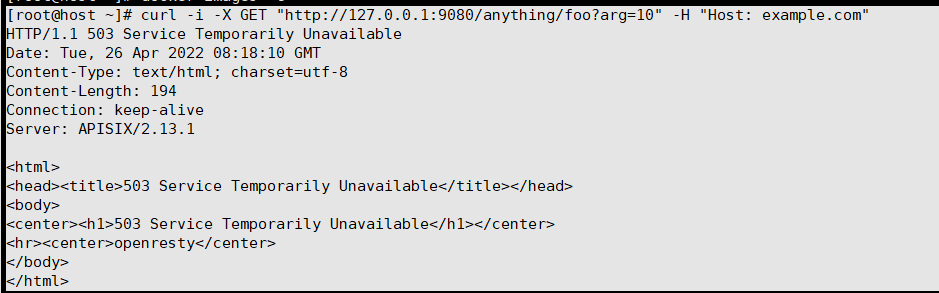
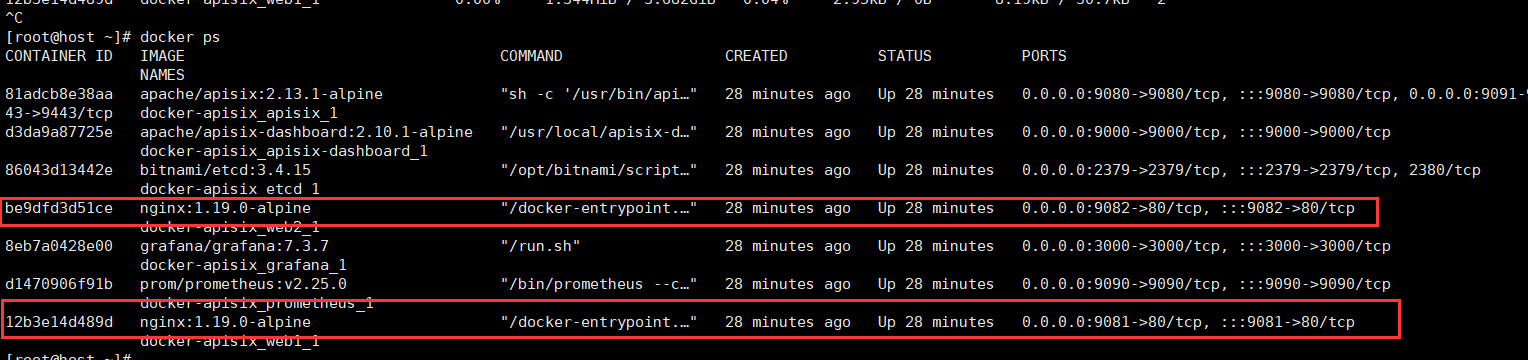
There was a problem hiding this comment.
That is our dataplane right?
There was a problem hiding this comment.
Sorry, I didn't understand what you meant. I deployed Apache APISIX according to the documentation and I got an error when testing the routes.
There was a problem hiding this comment.
:9081 and :9082 is for the Nginx service right? APISIX is on :9080. Your error could be from HTTPbin. They might have been down for some reason.
It is working fine for me now:
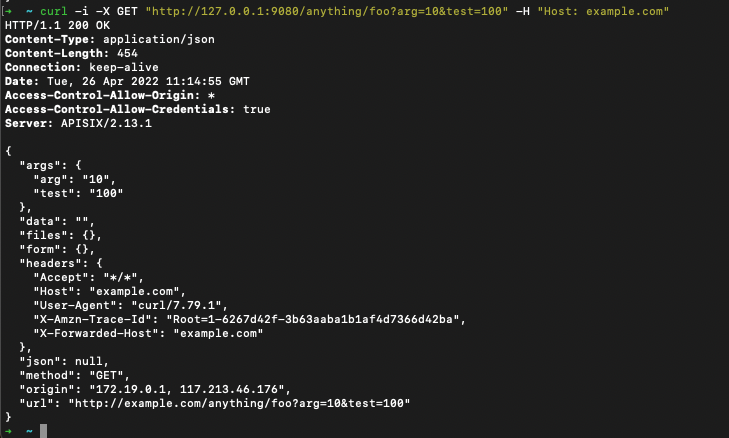
There was a problem hiding this comment.
yes. :9081 and :9082 are for the Nginx service. My error is from HTTPbin. So if we use the local Nginx service, this error may not occur.
There was a problem hiding this comment.
Here, HTTPbin acts as the API the user is trying to expose with APISIX. It is a sample application of sorts. If HTTPbin is unavailable most of the time, we can maybe have it running locally but for me, HTTPbin was working on most cases. // @juzhiyuan @spacewander
There was a problem hiding this comment.
Yes, and let's use HTTPbin as upstream service here :)

| ``` | ||
|
|
||
| This request will be forwarded to `http://httpbin.org:80/anything/foo?arg=10` by Apache APISIX. | ||
| This request will be forwarded to `http://httpbin.org:80/anything/foo?arg=10` by APISIX. |

There was a problem hiding this comment.
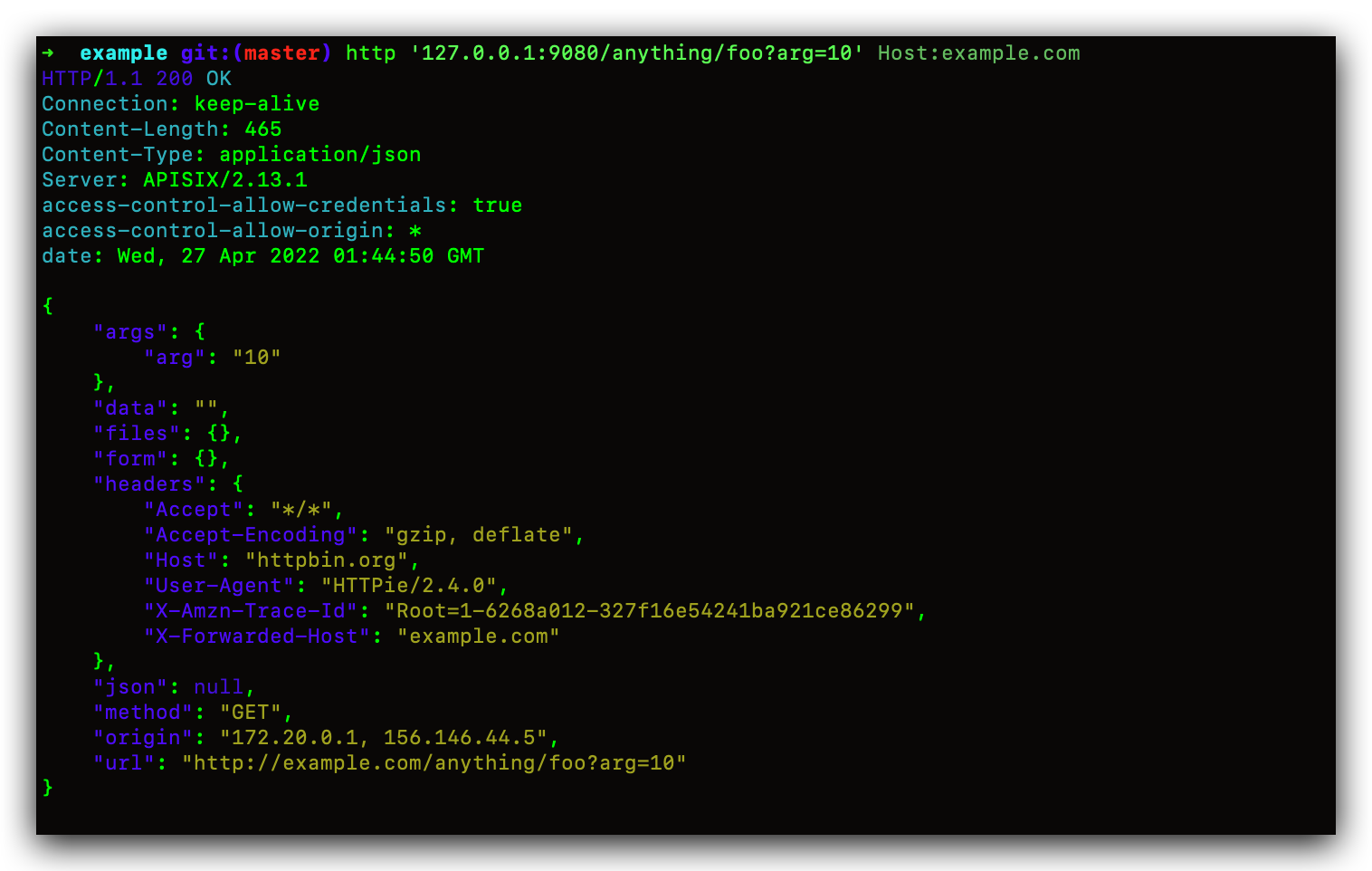
I did not get the expected response according to this configuration. The results are as follows:
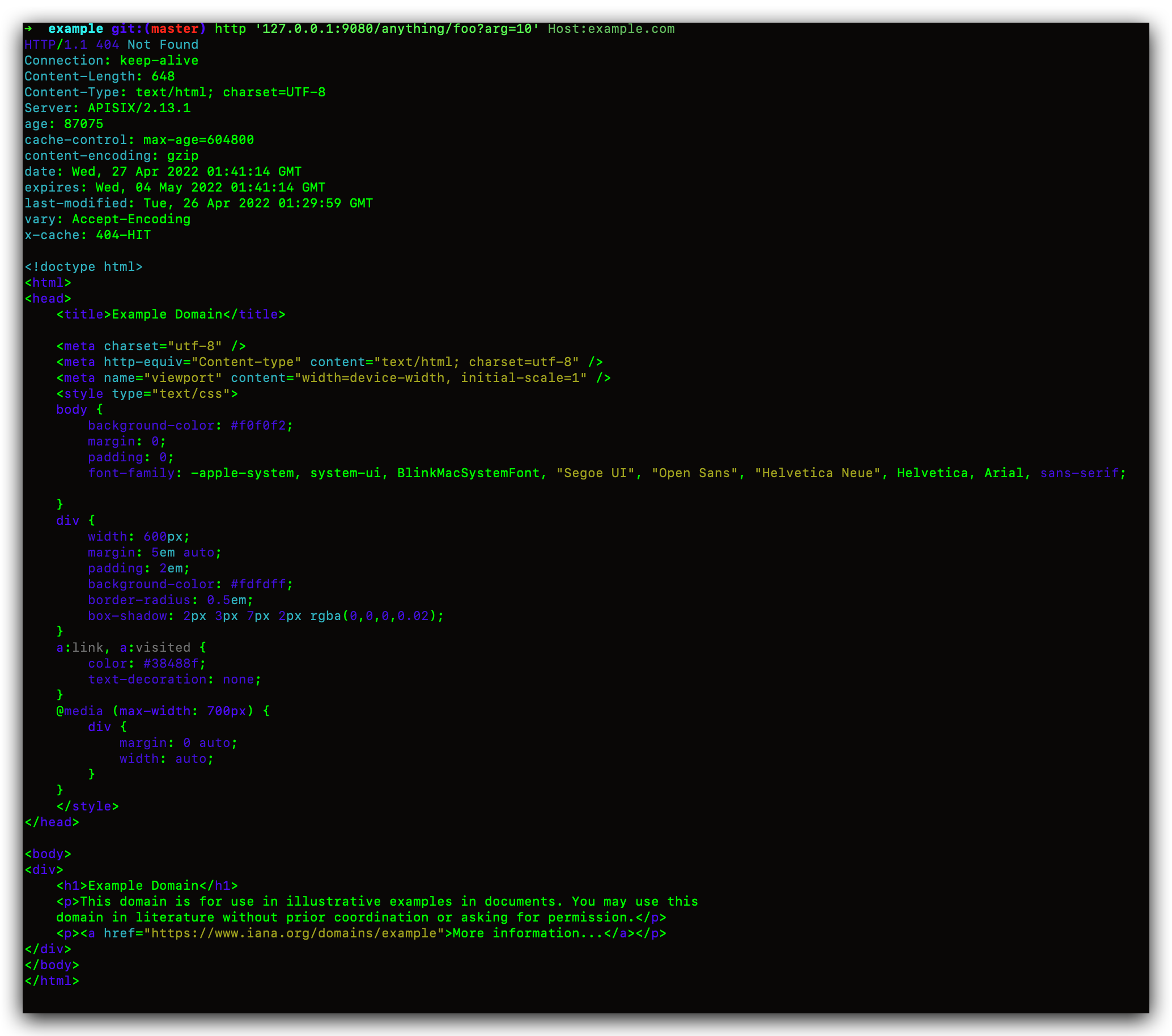
When I changed the Hostname in the Dashboard configuration to Use the domain or IP from Node List, it worked fine
There was a problem hiding this comment.
Oops. I will fix the second Route creation step.
There was a problem hiding this comment.
Hi @navendu-pottekkat, I still can't get the correct response in this step. After adjusting the configuration information the correct return is obtained:
curl "http://127.0.0.1:9080/apisix/admin/routes/1" -H "X-API-KEY: edd1c9f034335f136f87ad84b625c8f1" -X PUT -d '
{
  "methods": ["GET"],
  "host": "example.com",
  "uri": "/anything/*",
  "upstream": {
    "type": "round-robin",
    "pass_host": "node",
    "nodes": {
      "httpbin.org:80": 1
    }
  }
}'
There was a problem hiding this comment.
We pass example.com as header from the client. It is mentioned in this step. So, pass_host should be set to the default value of pass. Is that correct?

There was a problem hiding this comment.
Okay, maybe I made a mistake somewhere.
Signed-off-by: Navendu Pottekkat <navendupottekkat@gmail.com>
|
@Baoyuantop @hf400159 I fixed the second Route creation step after abstracting to Upstream. It is working for me as expected. I'm using an M1 Mac. ➜ example git:(master) ✗ curl --location --request GET "http://httpbin.org/get?foo1=bar1&foo2=bar2"
{
"args": {
"foo1": "bar1",
"foo2": "bar2"
},
"headers": {
"Accept": "*/*",
"Host": "httpbin.org",
"User-Agent": "curl/7.79.1",
"X-Amzn-Trace-Id": "Root=1-6268d0d6-59f80a1b02e8b74f2a5f6511"
},
"origin": "117.213.46.176",
"url": "http://httpbin.org/get?foo1=bar1&foo2=bar2"
}
➜ example git:(master) ✗ docker-compose -p docker-apisix -f docker-compose-arm64.yml up -d
Creating network "docker-apisix_apisix" with driver "bridge"
Creating docker-apisix_etcd_1 ... done
Creating docker-apisix_web1_1 ... done
Creating docker-apisix_web2_1 ... done
Creating docker-apisix_apisix-dashboard_1 ... done
Creating docker-apisix_apisix_1 ... done
➜ example git:(master) ✗ curl "http://127.0.0.1:9080/apisix/admin/services/" -H 'X-API-KEY: edd1c9f034335f136f87ad84b625c8f1'
{"action":"get","node":{"key":"\/apisix\/services","nodes":[],"dir":true},"count":0}
➜ example git:(master) ✗ curl "http://127.0.0.1:9080/apisix/admin/routes/1" -H "X-API-KEY: edd1c9f034335f136f87ad84b625c8f1" -X PUT -d '
{
"methods": ["GET"],
"host": "example.com",
"uri": "/anything/*",
"upstream": {
"type": "roundrobin",
"nodes": {
"httpbin.org:80": 1
}
}
}'
{"node":{"key":"\/apisix\/routes\/1","value":{"methods":["GET"],"uri":"\/anything\/*","host":"example.com","upstream":{"scheme":"http","pass_host":"pass","nodes":{"httpbin.org:80":1},"type":"roundrobin","hash_on":"vars"},"priority":0,"update_time":1651036453,"create_time":1651036453,"id":"1","status":1}},"action":"set"}
➜ example git:(master) ✗ curl -i -X GET "http://127.0.0.1:9080/anything/foo?arg=10" -H "Host: example.com"
HTTP/1.1 200 OK
Content-Type: application/json
Content-Length: 425
Connection: keep-alive
Date: Wed, 27 Apr 2022 05:14:19 GMT
Access-Control-Allow-Origin: *
Access-Control-Allow-Credentials: true
Server: APISIX/2.13.1
{
"args": {
"arg": "10"
},
"data": "",
"files": {},
"form": {},
"headers": {
"Accept": "*/*",
"Host": "example.com",
"User-Agent": "curl/7.79.1",
"X-Amzn-Trace-Id": "Root=1-6268d12b-695b7ba534d740fa278e6013",
"X-Forwarded-Host": "example.com"
},
"json": null,
"method": "GET",
"origin": "172.21.0.1, 117.213.46.176",
"url": "http://example.com/anything/foo?arg=10"
}
➜ example git:(master) ✗ curl "http://127.0.0.1:9080/apisix/admin/upstreams/1" -H "X-API-KEY: edd1c9f034335f136f87ad84b625c8f1" -X PUT -d '
{
"type": "roundrobin",
"nodes": {
"httpbin.org:80": 1
}
}'
{"node":{"key":"\/apisix\/upstreams\/1","value":{"scheme":"http","pass_host":"pass","nodes":{"httpbin.org:80":1},"update_time":1651036477,"type":"roundrobin","id":"1","create_time":1651036477,"hash_on":"vars"}},"action":"set"}
➜ example git:(master) ✗ curl "http://127.0.0.1:9080/apisix/admin/routes/1" -H "X-API-KEY: edd1c9f034335f136f87ad84b625c8f1" -X PUT -d '
{
"methods": ["GET"],
"host": "example.com",
"uri": "/anything/*",
"upstream": {
"type": "roundrobin",
"nodes": {
"httpbin.org:80": 1
}
}
}'
{"action":"set","node":{"key":"\/apisix\/routes\/1","value":{"methods":["GET"],"uri":"\/anything\/*","host":"example.com","upstream":{"scheme":"http","pass_host":"pass","nodes":{"httpbin.org:80":1},"type":"roundrobin","hash_on":"vars"},"priority":0,"update_time":1651036490,"create_time":1651036453,"id":"1","status":1}}}
➜ example git:(master) ✗ curl -i -X GET "http://127.0.0.1:9080/anything/foo?arg=10" -H "Host: example.com"
HTTP/1.1 200 OK
Content-Type: application/json
Content-Length: 425
Connection: keep-alive
Date: Wed, 27 Apr 2022 05:15:08 GMT
Access-Control-Allow-Origin: *
Access-Control-Allow-Credentials: true
Server: APISIX/2.13.1
{
"args": {
"arg": "10"
},
"data": "",
"files": {},
"form": {},
"headers": {
"Accept": "*/*",
"Host": "example.com",
"User-Agent": "curl/7.79.1",
"X-Amzn-Trace-Id": "Root=1-6268d15c-365a35046232f6d33facdff3",
"X-Forwarded-Host": "example.com"
},
"json": null,
"method": "GET",
"origin": "172.21.0.1, 117.213.46.176",
"url": "http://example.com/anything/foo?arg=10"
} |

Signed-off-by: Navendu Pottekkat <navendupottekkat@gmail.com>
 pottekkat
dismissed stale reviews from Baoyuantop, guitu168, and juzhiyuan
via
pottekkat
dismissed stale reviews from Baoyuantop, guitu168, and juzhiyuan
via
63cd471
| # for more detail. | ||
| # | ||
| --> | ||
| Now, you can use `docker-compose` to start APISIX. |
There was a problem hiding this comment.
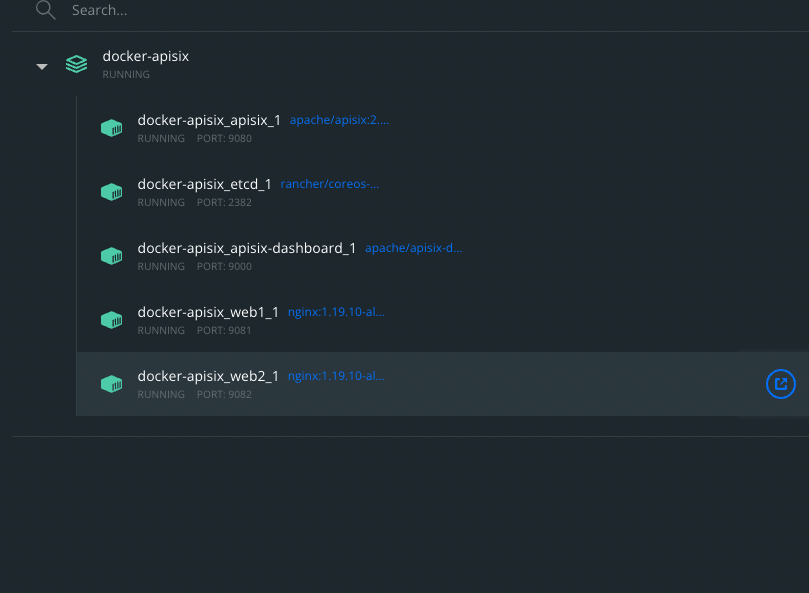
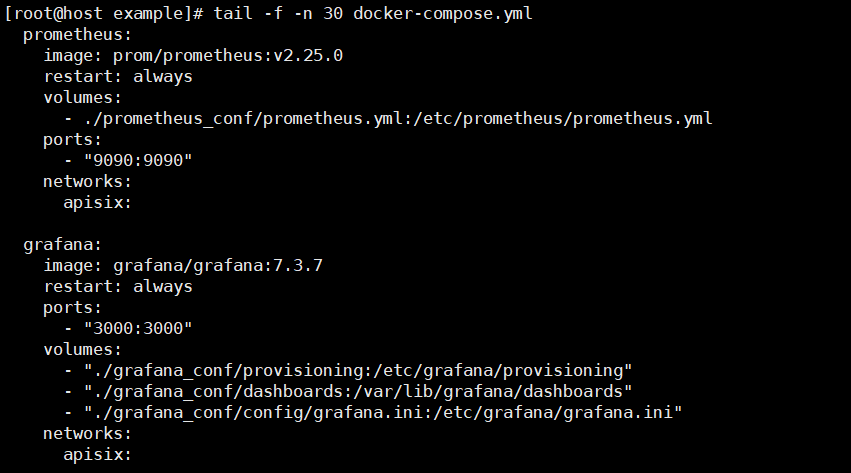
Installing APISIX using docker-compose will install both Grafana and Prometheus and Nginx and APISIX Dashboard, should we tell users?
There was a problem hiding this comment.
It did not install Grafana and Prometheus. Nginx is expected as it is the APISIX dataplane. I used the M1 docker-compose file.
There was a problem hiding this comment.
In fact, if you are using CentOS 7, Grafana and Prometheus will be started.

There was a problem hiding this comment.
So, you installed with RPM?
Or docker-compose file?
There was a problem hiding this comment.
The consensus was that we will update the docker-compose files to match.


Signed-off-by: Navendu Pottekkat <navendupottekkat@gmail.com>

Signed-off-by: Navendu Pottekkat <navendupottekkat@gmail.com>
6 participants


Signed-off-by: Navendu Pottekkat navendupottekkat@gmail.com
Description
Updates the "Getting started" guide to be easier for a new user.