Skip to content

Conversation

@JiaLiangC
Copy link
Contributor

@JiaLiangC JiaLiangC commented Apr 1, 2023

Description of PR

Environment: bigtop/slaves:3.2.0-centos-7
bigtop/slaves:3.2.0-centos-7

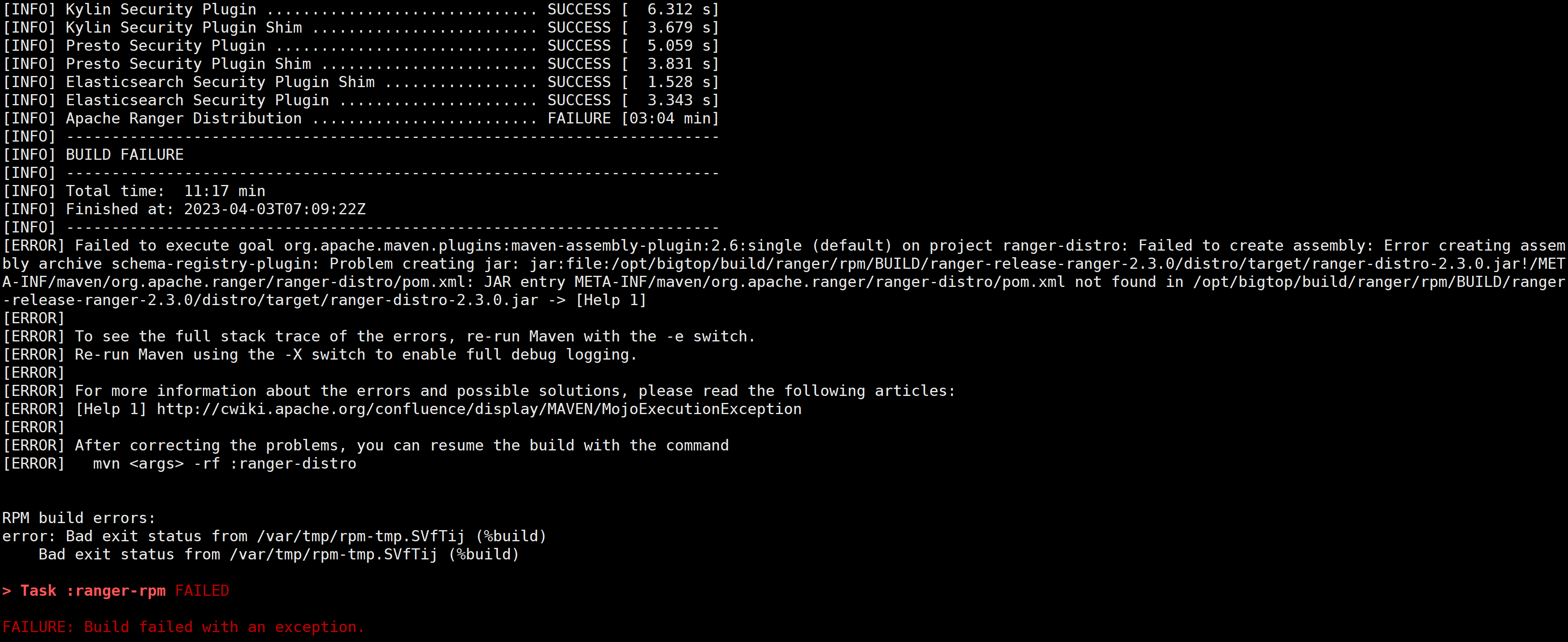
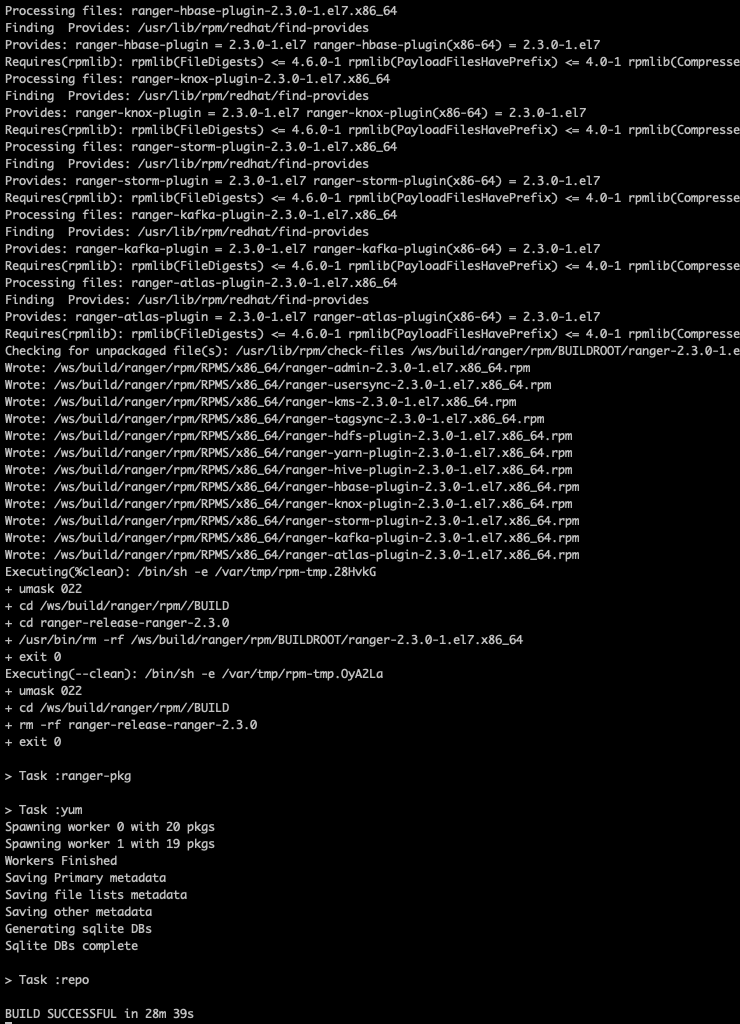
The ranger compilation failed in the "do-component-build" because the compilation command for ranger was incorrect. Removing "install" will result in a successful compilation.

[INFO] ------------------------------------------------------------------------
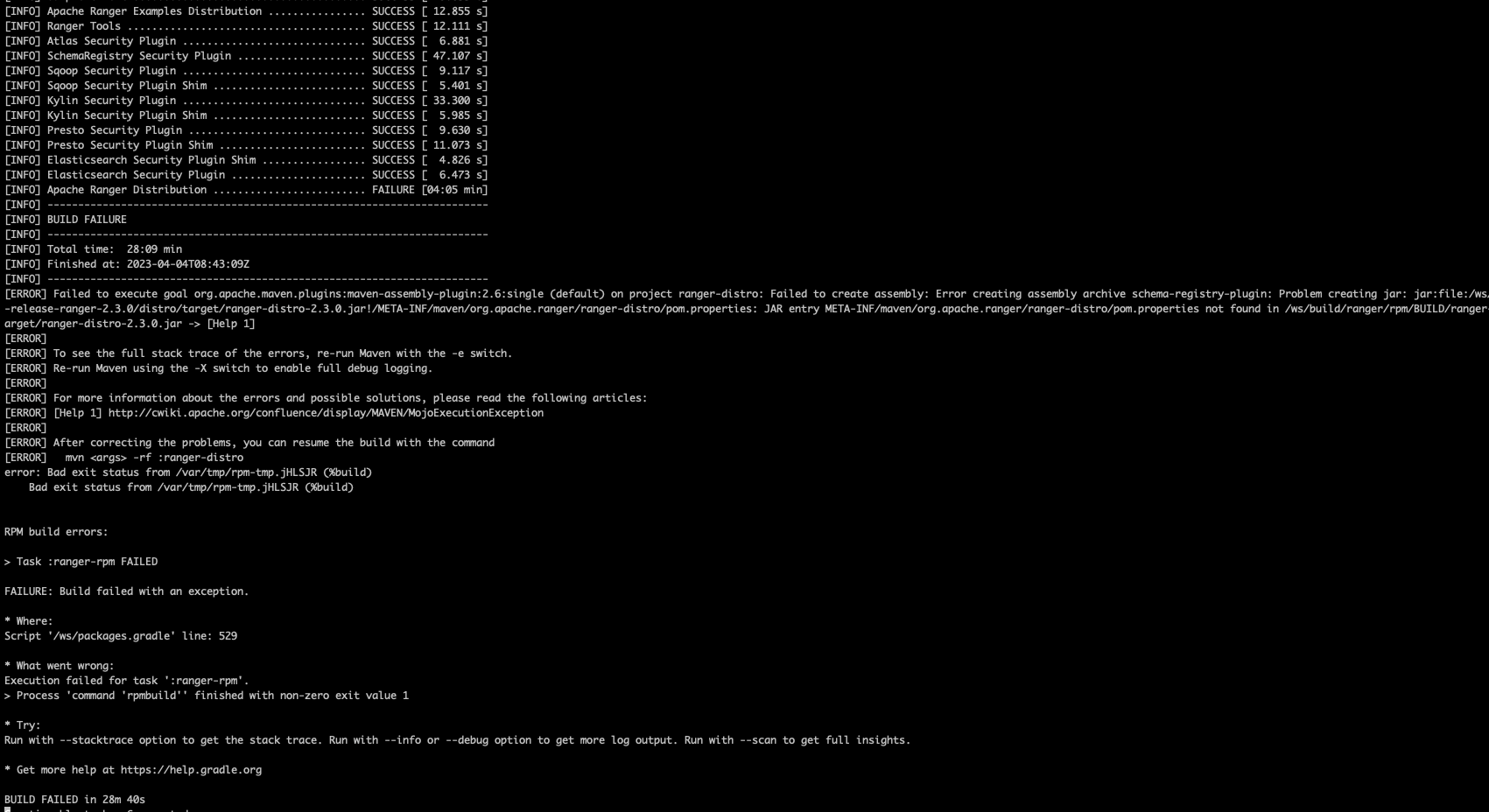
[ERROR] Failed to execute goal org.apache.maven.plugins:maven-assembly-plugin:2.6:single (default) on project ranger-distro: Failed to create assembly: Error creating assembly archive schema-registry-plugin: Problem creating jar: jar:file:/ws/build/ranger/rpm/BUILD/ranger-release-ranger-2.3.0/distro/target/ranger-distro-2.3.0.jar!/META-INF/maven/org.apache.ranger/ranger-distro/pom.xml: JAR entry META-INF/maven/org.apache.ranger/ranger-distro/pom.xml not found in /ws/build/ranger/rpm/BUILD/ranger-release-ranger-2.3.0/distro/target/ranger-distro-2.3.0.jar -> [Help 1]
[ERROR]
[ERROR] To see the full stack

detail in
https://issues.apache.org/jira/browse/BIGTOP-3924

How was this patch tested?

manula test
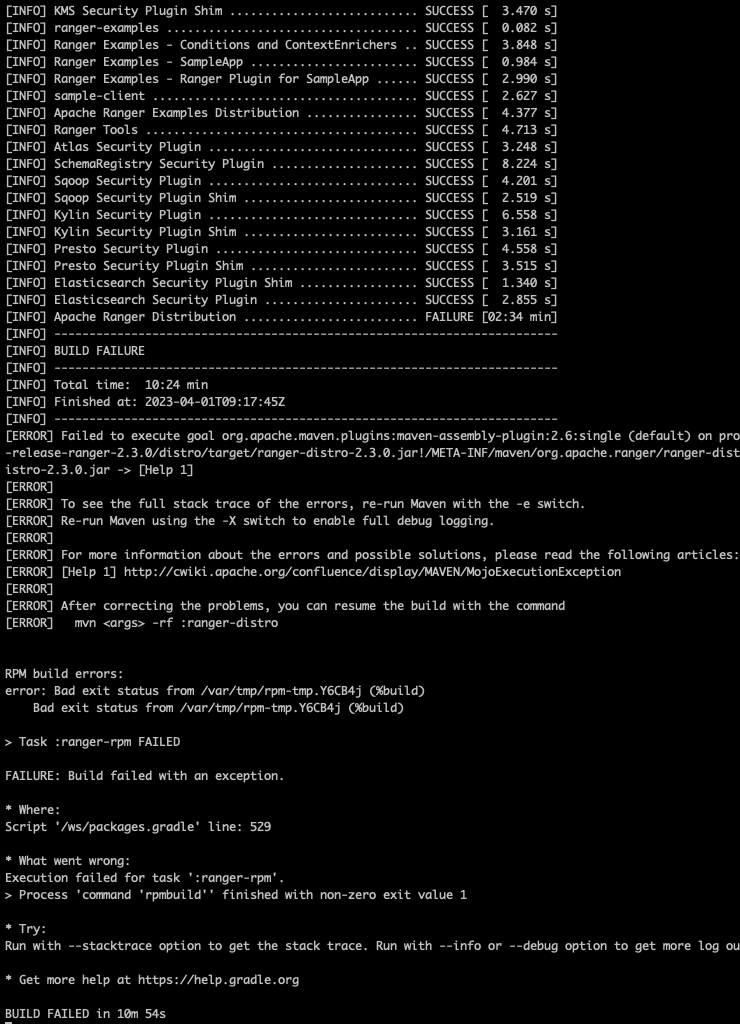
before apply this change
image

after apply this change
image

For code changes:

  • Does the title or this PR starts with the corresponding JIRA issue id (e.g. 'BIGTOP-3638. Your PR title ...')?
  • Make sure that newly added files do not have any licensing issues. When in doubt refer to https://www.apache.org/licenses/

@guyuqi
Copy link
Member

guyuqi commented Apr 3, 2023

@JiaLiangC

I was unable to reproduce this build issue in 'bigtop/slaves:3.2.0-centos-7' or 'bigtop/slaves:3.2.0-centos-7-aarch64'.
The ranger smoke tests were also passed.

@timyuer
Copy link
Contributor

timyuer commented Apr 3, 2023

@guyuqi , that happened to me, too.

I used bigtop/slaves:trunk-centos-7 and bigtop-master, this build command is
./gradlew ranger-clean ranger-pkg -PparentDir=/usr/bigtop.

But when I used debug mode as the following command
./gradlew ranger-clean ranger-pkg -PparentDir=/usr/bigtop --debug , ranger can be built successful.

1680507353392

@JiaLiangC
Copy link
Contributor Author

@guyuqi
After testing by myself and others, this error is reproducible.
How to reproduce:
Pull the centos-7 amd64 image in a new environment.

docker pull bigtop/slaves:3.2.0-centos-7

Delete the cache of your m2 repository, or test in a new machine environment.

@JiaLiangC JiaLiangC changed the title RANGER-4166: Fix the issue of Ranger 2.3 compilation failure BIGTOP-3924: Fix the issue of Ranger 2.3 compilation failure Apr 3, 2023
@JiaLiangC
Copy link
Contributor Author

@guyuqi
Actually, the root cause of this issue is an encoding bug caused by the outdated compression library dependency in the assembly-plugin of ranger. Just now, I have added the detailed analysis and the steps to reproduce the issue stably to this link.

https://issues.apache.org/jira/browse/RANGER-4166

@guyuqi
Copy link
Member

guyuqi commented Apr 4, 2023

@JiaLiangC , Thank you for working on it.

It's tricky that I could not reproduce this issues on either a new clean x86 host or Arm's.
In Bigtop, the build process was supposed to be triggered by user jenkins in the related docker container except by root. There maybe some dependency and cyclic reference issues with root when building Bigtop components.
Could you please switch user to jenkins and give it a shot?

@JiaLiangC
Copy link
Contributor Author

JiaLiangC commented Apr 4, 2023

@guyuqi Thank you very much for your review, testing, and suggestions.
Yes, we all compiled using the root user, I will switch to the jenkins user and try again. Actually, the issue here is not with the compilation command in Bigtop, but with Ranger. I have submitted a related PR to Ranger, and after pulling Ranger 2.4,

 /usr/local/src/apache-maven-3.6.3/bin/mvn -Pall clean compile package install assembly:single -Dmaven.test.skip=true -DskipTests=true -Dfindbugs.skip=true -Dcheckstyle.skip=true -Djacoco.skip=true -Dpmd.skip=true -Drat.skip=true -Dspotbugs.skip=true -Dhadoop.version=3.3.4 -Dhbase.version=2.4.13 -Dhive.version=3.1.3 -Dkafka.version=2.8.1 -Dsolr.version=8.11.2 -Dzookeeper.version=3.6.4

Running this command to manually compile Ranger will definitely reproduce that compilation error.

@JiaLiangC
Copy link
Contributor Author

@guyuqi
I granted permissions because the jenkins in the container did not have permission to access the /ws directory.
However, even after compiling using the Jenkins user, the same error still occurred.
usermod -aG sudo jenkins
chown -R jekins:root /ws
image

@guyuqi
Copy link
Member

guyuqi commented Apr 6, 2023

I granted permissions because the jenkins in the container did not have permission to access the /ws directory.

May I ask why the jenkins did not have permission to access the /ws directory?
Did you login as root user in your development host?

Just re-run the typical build command (normal user not root) in a new node:

docker run --rm -u jenkins -v `pwd`:/ws --workdir /ws bigtop/slaves:3.2.0-centos-7 bash -c '. /etc/profile.d/bigtop.sh; ./gradlew allclean ranger-pkg'

No issue occurs.
Could you please have a try again with the typical build command above?
@JiaLiangC

@JiaLiangC JiaLiangC closed this Apr 10, 2023
@JiaLiangC
Copy link
Contributor Author

@guyuqi I closed this pull request because it was difficult to consistently reproduce the issue.

@JiaLiangC JiaLiangC deleted the fix_ranger_build_failure branch April 19, 2024 01:37
Sign up for free to join this conversation on GitHub. Already have an account? Sign in to comment

Labels

None yet

Projects

None yet

Development

Successfully merging this pull request may close these issues.

3 participants