Version
4.9.0
Steps to reproduce
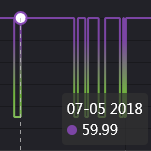
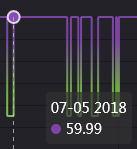
By default, itemStyle displays items using data point's colour as its border colour. In "dark" theme, this is reversed so that the item's fill colour is the data point colour. However, it seems there is no way for the user to express this, because series-line.itemStyle.color and series-line.itemStyle.borderColor can only be fixed colours, gradients or textures: they cannot reference the data point's colour.
I also checked the source for the dark theme to see how it was doing this and there is nothing in the code related to changing the itemStyle's colour to match the data point colour.
| Default theme |
Dark theme |
 |
 |
What is expected?
User should be able to set the colour using the data point's colour assigned to it by visualMap.
What is actually happening?
User can only set a fixed colour that is not related to the data point's colour.
I cannot just change the entire theme to get this effect, because (besides being unintuitive) changing the entire theme has other consequences.

Version
4.9.0
Steps to reproduce
By default, itemStyle displays items using data point's colour as its border colour. In "dark" theme, this is reversed so that the item's fill colour is the data point colour. However, it seems there is no way for the user to express this, because
series-line.itemStyle.colorandseries-line.itemStyle.borderColorcan only be fixed colours, gradients or textures: they cannot reference the data point's colour.I also checked the source for the dark theme to see how it was doing this and there is nothing in the code related to changing the itemStyle's colour to match the data point colour.
What is expected?
User should be able to set the colour using the data point's colour assigned to it by visualMap.
What is actually happening?
User can only set a fixed colour that is not related to the data point's colour.
I cannot just change the entire theme to get this effect, because (besides being unintuitive) changing the entire theme has other consequences.