Improve kerberos documents #4771
Conversation


 jiazhai
added
the
doc
jiazhai
added
the
doc


|
@Anonymitaet PTAL |


site2/docs/security-kerberos.md
Outdated
| Note that if you are using Oracle Java, you need to download JCE policy files for your Java version and copy them to the `$JAVA_HOME/jre/lib/security` directory. | ||
|
|
||
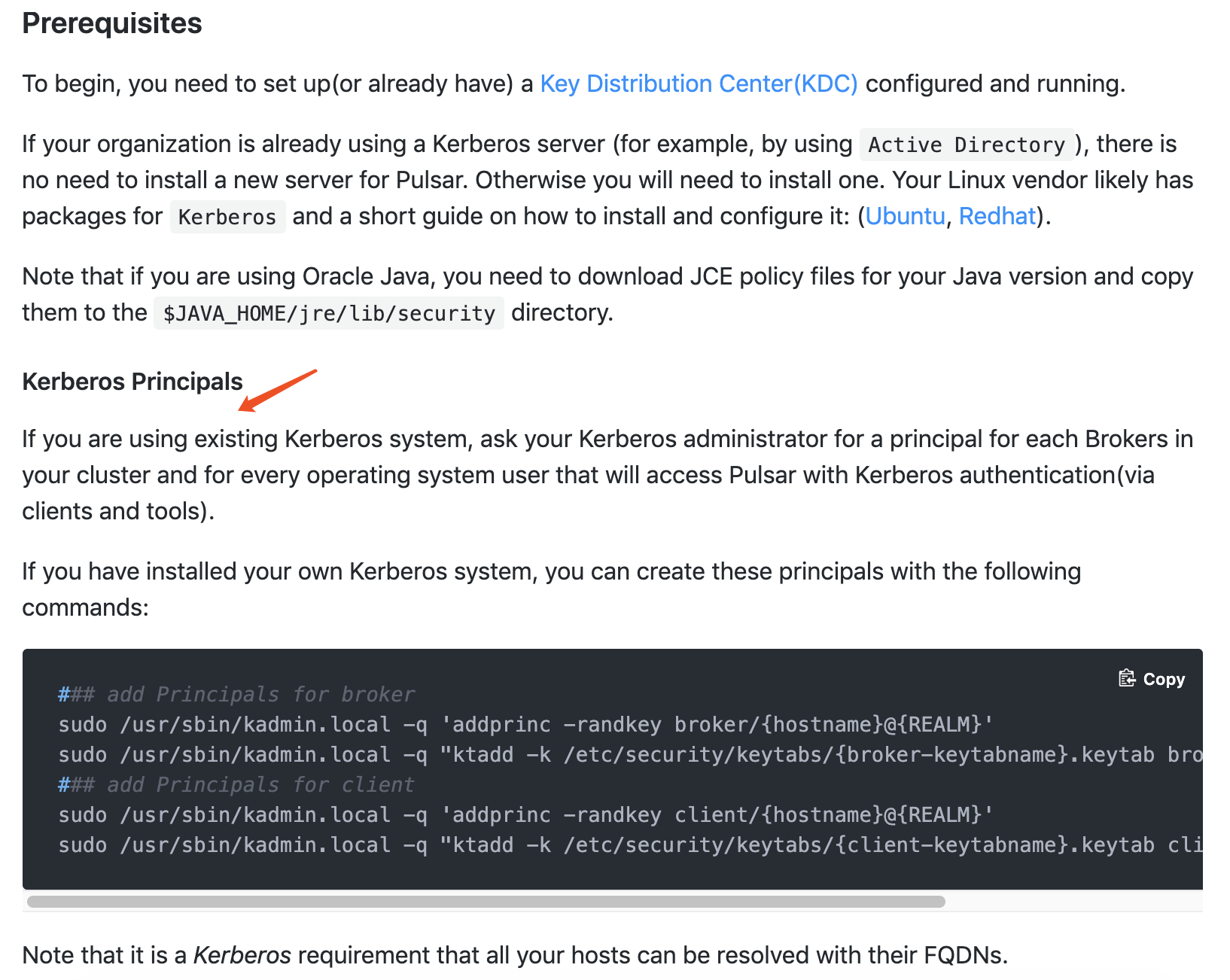
| #### Kerberos Principals | ||
| Here is some other prerequisites that will use in this configuration. |

There was a problem hiding this comment.
| Here is some other prerequisites that will use in this configuration. |
Consider removing this sentence?
Reasons:
-
Based on the context, it does not need a transition sentence here.
-
If the sentence is removed, it has no impact on the doc.
site2/docs/security-kerberos.md
Outdated
| #### Kerberos Principals | ||
| Here is some other prerequisites that will use in this configuration. | ||
|
|
||
| #### 1.1.1. Kerberos Principals |
There was a problem hiding this comment.
You want to use the ordered number list to show the hierarchy and structure cleary, that's good, but a more effective way is to generate the ordered number list automatically rather than manually.
There was a problem hiding this comment.
seems hard to auto generate. removed them
site2/docs/security-kerberos.md
Outdated
| Note that it is a *Kerberos* requirement that all your hosts can be resolved with their FQDNs. | ||
|
|
||
| #### Configure how to connect to KDC | ||
| The first part of Broker principal (e.g. `broker` in `broker/{hostname}@{REALM}`) is the `serverType` of each host, |
There was a problem hiding this comment.
| The first part of Broker principal (e.g. `broker` in `broker/{hostname}@{REALM}`) is the `serverType` of each host, | |
| The first part of Broker principal (for example, `broker` in `broker/{hostname}@{REALM}`) is the `serverType` of each host, |
Avoid using e.g. in a formal text.
site2/docs/security-kerberos.md
Outdated
|
|
||
| #### Configure how to connect to KDC | ||
| The first part of Broker principal (e.g. `broker` in `broker/{hostname}@{REALM}`) is the `serverType` of each host, | ||
| It can be value `broker` (host machine runs service Pulsar Broker) or `proxy` (host machine runs service Pulsar Proxy). |
There was a problem hiding this comment.
What's the meaning of "It can be value"?
site2/docs/security-kerberos.md
Outdated
| and the location of the keytab where the principal is stored. It allows the broker to use the keytab specified in this section. | ||
| 2. `PulsarClient` is a section name in the JASS file used by each client. This section tells the client which principal to use inside Kerberos | ||
| and the location of the keytab where the principal is stored. It allows the client to use the keytab specified in this section. | ||
| In the following example, this `PulsarClient` section will also be used in the Pulsar internal admin configuration, |
There was a problem hiding this comment.
Do you mean the following?
| In the following example, this `PulsarClient` section will also be used in the Pulsar internal admin configuration, | |
| In the following example, the `PulsarClient` section can be used in the Pulsar CLI tools as well, for example, `pulsar-client`, `pulsar-perf`, and `pulsar-admin`. You can add multiple `PulsarClient` sections for different purposes. |
site2/docs/security-kerberos.md
Outdated
| in cli command of `bin/pulsar-client`, `bin/pulsar-perf` and `bin/pulsar-admin`. You can also add different section for different use case. | ||
|
|
||
| It is also a choice to have 2 separate JAAS configuration files: the file for broker will only have `PulsarBroker` section; while the one for client only have `PulsarClient` section. | ||
| It is also a choice to have 2 separate JAAS configuration files: the file for broker will have both section; while the one for client only have `PulsarClient` section. |
There was a problem hiding this comment.
| It is also a choice to have 2 separate JAAS configuration files: the file for broker will have both section; while the one for client only have `PulsarClient` section. | |
| You can have two separate JAAS configuration files: | |
| * The file for a broker has both `PulsarBroker` and `PulsarClient` sections | |
| * The file for a client only has `PulsarClient` section |
site2/docs/security-kerberos.md
Outdated
|
|
||
| #### 1.2.1. configure `broker.conf` file | ||
|
|
||
| In the `broker.conf` file, set Kerberos related configuration. |
There was a problem hiding this comment.
| In the `broker.conf` file, set Kerberos related configuration. | |
| In the `broker.conf` file, set Kerberos related configurations. |
site2/docs/security-kerberos.md
Outdated
| - Set `saslJaasClientAllowedIds` regex for principal that is allowed to connect to broker; | ||
| - Set `saslJaasBrokerSectionName` that corresponding to the section in JAAS configuration file for broker; | ||
|
|
||
| In order to get Pulsar internal admin client working right, You need these 2 configuration in `broker.conf` file. |
There was a problem hiding this comment.
| In order to get Pulsar internal admin client working right, You need these 2 configuration in `broker.conf` file. | |
| To make Pulsar internal admin client work properly, you need to set the configurations in the `broker.conf` file as below. |
site2/docs/security-kerberos.md
Outdated
| - Set `saslJaasBrokerSectionName` that corresponding to the section in JAAS configuration file for broker; | ||
|
|
||
| In order to get Pulsar internal admin client working right, You need these 2 configuration in `broker.conf` file. | ||
| - set `brokerClientAuthenticationPlugin` to client plugin `AuthenticationSasl`; |
There was a problem hiding this comment.
| - set `brokerClientAuthenticationPlugin` to client plugin `AuthenticationSasl`; | |
| - Set `brokerClientAuthenticationPlugin` to client plugin `AuthenticationSasl`; |
site2/docs/security-kerberos.md
Outdated
|
|
||
| In order to get Pulsar internal admin client working right, You need these 2 configuration in `broker.conf` file. | ||
| - set `brokerClientAuthenticationPlugin` to client plugin `AuthenticationSasl`; | ||
| - set `brokerClientAuthenticationParameters` to value in Json string `{"saslJaasClientSectionName":"PulsarClient", "serverType":"broker"}`, in which `PulsarClient` is the section name in above `pulsar_jaas.conf` file, and `"serverType":"broker"` indicate that internal admin client will connect to a Pulsar Broker; |
There was a problem hiding this comment.
| - set `brokerClientAuthenticationParameters` to value in Json string `{"saslJaasClientSectionName":"PulsarClient", "serverType":"broker"}`, in which `PulsarClient` is the section name in above `pulsar_jaas.conf` file, and `"serverType":"broker"` indicate that internal admin client will connect to a Pulsar Broker; | |
| - Set `brokerClientAuthenticationParameters` to a value in a JSON string `{"saslJaasClientSectionName":"PulsarClient", "serverType":"broker"}`, where `PulsarClient` is the section name in the `pulsar_jaas.conf` file, and `"serverType":"broker"` indicates the internal admin client will connect to a Pulsar Broker; |
site2/docs/security-kerberos.md
Outdated
| 2. Set JVM parameter for JAAS configuration file and krb5 configuration file with additional option. | ||
| #### 1.2.2. Set Broker JVM parameter | ||
|
|
||
| Set JVM parameter for JAAS configuration file and krb5 configuration file with additional option. |
There was a problem hiding this comment.
| Set JVM parameter for JAAS configuration file and krb5 configuration file with additional option. | |
| Set JVM parameters for JAAS configuration file and krb5 configuration file with additional options. |
site2/docs/security-kerberos.md
Outdated
|
|
||
| ## Kerberos configuration for working with Pulsar Proxy | ||
| You can add this at the end of `PULSAR_EXTRA_OPTS` in the file [`pulsar_tools_env.sh`](https://github.com/apache/pulsar/blob/master/conf/pulsar_tools_env.sh), | ||
| Or you could add this line `OPTS="$OPTS -Djava.security.auth.login.config=/etc/pulsar/pulsar_jaas.conf -Djava.security.krb5.conf=/etc/pulsar/krb5.conf "` directly in to the CLI tools script. |
There was a problem hiding this comment.
| Or you could add this line `OPTS="$OPTS -Djava.security.auth.login.config=/etc/pulsar/pulsar_jaas.conf -Djava.security.krb5.conf=/etc/pulsar/krb5.conf "` directly in to the CLI tools script. | |
| or add this line `OPTS="$OPTS -Djava.security.auth.login.config=/etc/pulsar/pulsar_jaas.conf -Djava.security.krb5.conf=/etc/pulsar/krb5.conf "` directly to the CLI tool script. |
site2/docs/security-kerberos.md
Outdated
| You can add this at the end of `PULSAR_EXTRA_OPTS` in the file [`pulsar_tools_env.sh`](https://github.com/apache/pulsar/blob/master/conf/pulsar_tools_env.sh), | ||
| Or you could add this line `OPTS="$OPTS -Djava.security.auth.login.config=/etc/pulsar/pulsar_jaas.conf -Djava.security.krb5.conf=/etc/pulsar/krb5.conf "` directly in to the CLI tools script. | ||
|
|
||
| The meaning of configurations are the same as in Java client section. |
There was a problem hiding this comment.
| The meaning of configurations are the same as in Java client section. | |
| The meaning of configurations is the same as that in the Java client section. |
site2/docs/security-kerberos.md
Outdated
| requireClientAuthScheme=sasl | ||
| ``` | ||
|
|
||
| And add a section of `Client` configurations, which use in the `pulsar_jaas.conf` that used by Pulsar Broker: |
There was a problem hiding this comment.
What's the meaning of "which use in"?
Do you mean "which is used in"?
site2/docs/security-kerberos.md
Outdated
|
|
||
| ## 5. Regarding authentication between BookKeeper and Broker | ||
|
|
||
| Pulsar Broker acts as a Kerberos client when authenticating with Bookie. According to [BookKeeper document](http://bookkeeper.apache.org/docs/latest/security/sasl/), you need add `bookkeeperClientAuthenticationPlugin` parameter in `broker.conf`: |
There was a problem hiding this comment.
| Pulsar Broker acts as a Kerberos client when authenticating with Bookie. According to [BookKeeper document](http://bookkeeper.apache.org/docs/latest/security/sasl/), you need add `bookkeeperClientAuthenticationPlugin` parameter in `broker.conf`: | |
| Pulsar Broker acts as a Kerberos client when authenticating with Bookie. According to [BookKeeper document](http://bookkeeper.apache.org/docs/latest/security/sasl/), you need to add `bookkeeperClientAuthenticationPlugin` parameter in `broker.conf`: |
site2/docs/security-kerberos.md
Outdated
| ``` | ||
|
|
||
| For more details of how to configure Kerberos for BookKeeper and Zookeeper, refer to [BookKeeper document](http://bookkeeper.apache.org/docs/latest/security/sasl/). | ||
| In this setting, `SASLClientProviderFactory` will create a BookKeeper SASL client in Broker, and use this client authenticate with Bookie node. |
There was a problem hiding this comment.
| In this setting, `SASLClientProviderFactory` will create a BookKeeper SASL client in Broker, and use this client authenticate with Bookie node. | |
| In this setting, `SASLClientProviderFactory` will create a BookKeeper SASL client in Broker, and use this client to authenticate with a Bookie node. |
Who uses this client?
What is "this client"? SASLClientProviderFactory?

|
I see you made the same changes in two files, please remember to check all similar cases. |

|
@Anonymitaet updated. |
|
@Anonymitaet please take a look. // run cpp tests |
|
run integration tests |
2 similar comments
|
run integration tests |
|
run integration tests |
site2/docs/security-kerberos.md
Outdated
| 2. Set JVM parameter for JAAS configuration file and krb5 configuration file with additional option. | ||
|
|
||
|
|
||
| Step 2. Set JVM parameters for JAAS configuration file and krb5 configuration file with additional options. |
There was a problem hiding this comment.
| Step 2. Set JVM parameters for JAAS configuration file and krb5 configuration file with additional options. | |
| Step 2. Set JVM parameters for JAAS configuration file and krb5 configuration file with additional options. |
site2/docs/security-kerberos.md
Outdated
|
|
||
| If you are using command line, you can continue with these step: | ||
| 1. Config your `client.conf`: | ||
| #### configure CLI tools |
There was a problem hiding this comment.
| #### configure CLI tools | |
| #### Configure CLI tools |
| and the location of the keytab where the principal is stored. It allows the broker to use the keytab specified in this section. | ||
| 2. `PulsarClient` is a section name in the JASS file used by each client. This section tells the client which principal to use inside Kerberos | ||
| and the location of the keytab where the principal is stored. It allows the client to use the keytab specified in this section. | ||
| In the following example, this `PulsarClient` section will also be reused in both the Pulsar internal admin configuration and in cli command of `bin/pulsar-client`, `bin/pulsar-perf` and `bin/pulsar-admin`. You can also add different section for different use case. |
There was a problem hiding this comment.
| In the following example, this `PulsarClient` section will also be reused in both the Pulsar internal admin configuration and in cli command of `bin/pulsar-client`, `bin/pulsar-perf` and `bin/pulsar-admin`. You can also add different section for different use case. | |
| In the following example, this `PulsarClient` section will also be reused in both the Pulsar internal admin configuration and in CLI command of `bin/pulsar-client`, `bin/pulsar-perf` and `bin/pulsar-admin`. You can also add different sections for different use cases. |
| In the following example, this `PulsarClient` section will also be reused in both the Pulsar internal admin configuration and in cli command of `bin/pulsar-client`, `bin/pulsar-perf` and `bin/pulsar-admin`. You can also add different section for different use case. | ||
|
|
||
| You can have 2 separate JAAS configuration files: | ||
| * the file for broker will have sections of both `PulsarBroker` and `PulsarClient`; |
There was a problem hiding this comment.
| * the file for broker will have sections of both `PulsarBroker` and `PulsarClient`; | |
| * the file for a broker has sections of both `PulsarBroker` and `PulsarClient`; |
|
|
||
| You can have 2 separate JAAS configuration files: | ||
| * the file for broker will have sections of both `PulsarBroker` and `PulsarClient`; | ||
| * the file for client only have `PulsarClient` section. |
There was a problem hiding this comment.
| * the file for client only have `PulsarClient` section. | |
| * the file for a client only has a `PulsarClient` section. |
| saslJaasClientAllowedIds=.*client.* | ||
| saslJaasBrokerSectionName=PulsarBroker | ||
|
|
||
| ## Authentication settings of the broker itself. Used when the broker connects to other brokers |
There was a problem hiding this comment.
The heading (##) is too long?
There was a problem hiding this comment.
This is not head, it is comments in shell
|
|
||
| If you are using command line, you can continue with these step: | ||
| 1. Config your `client.conf`: | ||
| #### configure CLI tools |
There was a problem hiding this comment.
| #### configure CLI tools | |
| #### Configure CLI tools |
| 2. Set JVM parameter for JAAS configuration file and krb5 configuration file with additional option. | ||
|
|
||
|
|
||
| Step 2. Set JVM parameters for JAAS configuration file and krb5 configuration file with additional options. |
There was a problem hiding this comment.
| Step 2. Set JVM parameters for JAAS configuration file and krb5 configuration file with additional options. | |
| Step 2. Set JVM parameters for JAAS configuration file and krb5 configuration file with additional options. |
|
|
||
| ## Kerberos configuration for working with Pulsar Proxy | ||
| You can add this at the end of `PULSAR_EXTRA_OPTS` in the file [`pulsar_tools_env.sh`](https://github.com/apache/pulsar/blob/master/conf/pulsar_tools_env.sh), | ||
| Or add this line `OPTS="$OPTS -Djava.security.auth.login.config=/etc/pulsar/pulsar_jaas.conf -Djava.security.krb5.conf=/etc/pulsar/krb5.conf "` directly in to the CLI tool script. |
There was a problem hiding this comment.
| Or add this line `OPTS="$OPTS -Djava.security.auth.login.config=/etc/pulsar/pulsar_jaas.conf -Djava.security.krb5.conf=/etc/pulsar/krb5.conf "` directly in to the CLI tool script. | |
| or add this line `OPTS="$OPTS -Djava.security.auth.login.config=/etc/pulsar/pulsar_jaas.conf -Djava.security.krb5.conf=/etc/pulsar/krb5.conf "` directly to the CLI tool script. |
| ``` | ||
|
|
||
| For more details of how to configure Kerberos for BookKeeper and Zookeeper, refer to [BookKeeper document](http://bookkeeper.apache.org/docs/latest/security/sasl/). | ||
| In this setting, `SASLClientProviderFactory` will create a BookKeeper SASL client in Broker, and Broker use created SASL client to authenticate with a Bookie node. |
There was a problem hiding this comment.
| In this setting, `SASLClientProviderFactory` will create a BookKeeper SASL client in Broker, and Broker use created SASL client to authenticate with a Bookie node. | |
| In this setting, `SASLClientProviderFactory` creates a BookKeeper SASL client in a broker, and the broker uses the created SASL client to authenticate with a bookie node. |
|
@Anonymitaet updated |
|
run cpp tests |
|
run java8 tests |
2 similar comments
|
run java8 tests |
|
run java8 tests |
|
// Couldn?t find any executable in /home/jenkins/tools/maven/apache-maven-3.5.0 run java8 tests |
3 participants


Improve kerberos documentation.