Repository navigation
Abilities and Automation
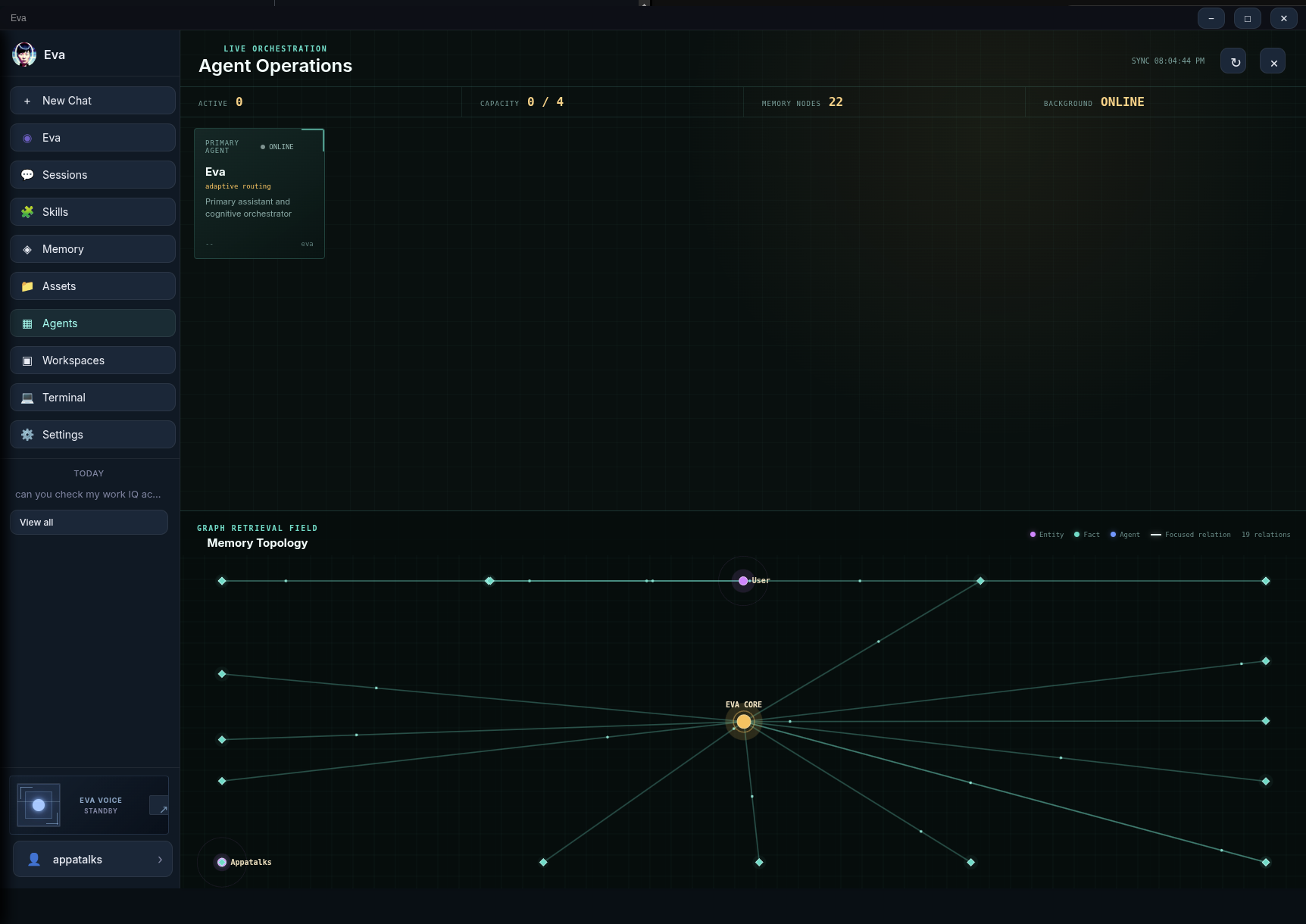
Eva can do more than return a chat message. These capabilities are optional, configured locally, and should be used with an outcome and a review point in mind. The Agents view shows active work and the Assets view shows files created or changed by completed work.
| Ability | What it does | Before you use it |
|---|---|---|
| Web research | Uses configured web/MCP retrieval for current information | Confirm the source quality and your provider/data mode |
| Files and artifacts | Creates PDF, text, CSV, or Markdown when you ask for a file | Specify the format and inspect the generated asset |
| Images | Finds public images or generates an image through a configured image model | State whether you want a search or an original image |
| Browser agent | Navigates a controlled browser for a goal | Review confirmations for sensitive actions |
| Desktop agent | Uses screenshot-and-act control on Linux | Keep a clear escape path; move mouse to a corner for the PyAutoGUI failsafe |
| Camera | Performs local face/motion presence sensing and requested visual capture | Grant system camera permission; it is off by default |
| Subagents | Runs up to four isolated Copilot-backed tasks | Give each task a bounded objective and review its output |
| Schedules and alerts | Runs recurring prompts and watches configured conditions | Set delivery channel, cooldown, and quiet hours |
| Signal | Sends configured text notifications through a linked Signal account | Link signal-cli and verify sender/recipient settings |
Ask for the decision you need, not just a vague search. For example:
Compare the current documentation for these two APIs, list breaking changes,
and cite the official source pages you used.
Cloud mode can use Copilot-backed MCP tools. Local mode can use LM Studio with Eva-managed local MCP subprocesses. Tool availability depends on your selected mode and configuration; Local Mode and MCP explains the setup.
Ask for a concrete output:
Turn this decision log into a CSV I can download.
or:
Create a one-page PDF briefing from these notes.
Eva answers inline unless you explicitly request a file. Open Assets to find generated artifacts and, for retained coding workspaces, changed project files. Confirm the asset exists before you share it or rely on it.
Use language that signals your intent:
- "Find an image of ..." searches public imagery, with Wikimedia Commons as the built-in source path.
- "Generate an image of ..." uses
gpt-image-1when an OpenAI image route is configured.
Generated or retrieved images appear inline and can be expanded for inspection. Respect the source license and usage rights of any image you reuse.
The browser agent uses Playwright and an isolated persistent browser profile. It can navigate, click, type, scroll, wait, and ask for clarification while it works toward a goal. Phrase the objective and boundaries clearly:
Find three conference venues in this city for 80 people. Do not contact anyone,
make bookings, or submit forms. Return a comparison table.
Purchases, payment, checkout, and similarly sensitive actions pause for your confirmation. Treat screenshots and trajectories as local operational data.
The desktop agent uses a screenshot-and-act loop through PyAutoGUI. It is Linux-specific. A desktop run asks before sensitive actions including deletes, privileged commands, shutdown/reboot, money transfer, and sending messages.
Keep the desktop visible and start with low-impact tasks. PyAutoGUI's failsafe is enabled: moving the mouse to a screen corner is an emergency stop.
Camera sensing is local and off by default. Eva starts it only after an explicit request. It uses OpenCV face and motion detection and exposes status through the local bridge. Do not enable it in a context where camera activation would be unexpected or inappropriate.
Ask Eva to split a bounded project into independent tasks when parallel work will improve the result. Subagents get dedicated Copilot ACP client sessions; they do not share the main chat's hidden model session. The current concurrency limit is four subagents.
In Agents, you can inspect progress, result summaries, and task states. Steer a running task with a focused correction or resume a completed/failed task with new instructions. For collaborative work, Eva can hold a synthesis task until upstream tasks finish.
Use Cron for recurring prompts, such as a weekday morning briefing. Use Alerts for condition-based monitoring such as weather, SEC filings, space weather, keyword watches, or recurring research questions. Configure a reasonable cooldown, rate limit, quiet hours, and delivery channel.
Signal delivery is optional and send-only. Link the account locally:
signal-cli link -n "Eva"Then configure sender and recipient values in Settings. Eva reports actual delivery success or failure; it does not assume a message was delivered.
- Start with an observable, read-only objective.
- State what Eva must not do.
- Keep confirmations enabled for writes and sensitive actions.
- Inspect the final response, Agent Operations state, and generated Assets.
- Only then consider a repeating schedule or broader workflow.
For durable coding projects, use Skills and Workspaces rather than giving a general browser or desktop agent unbounded filesystem instructions.