Repository navigation
Memory Learning and Privacy
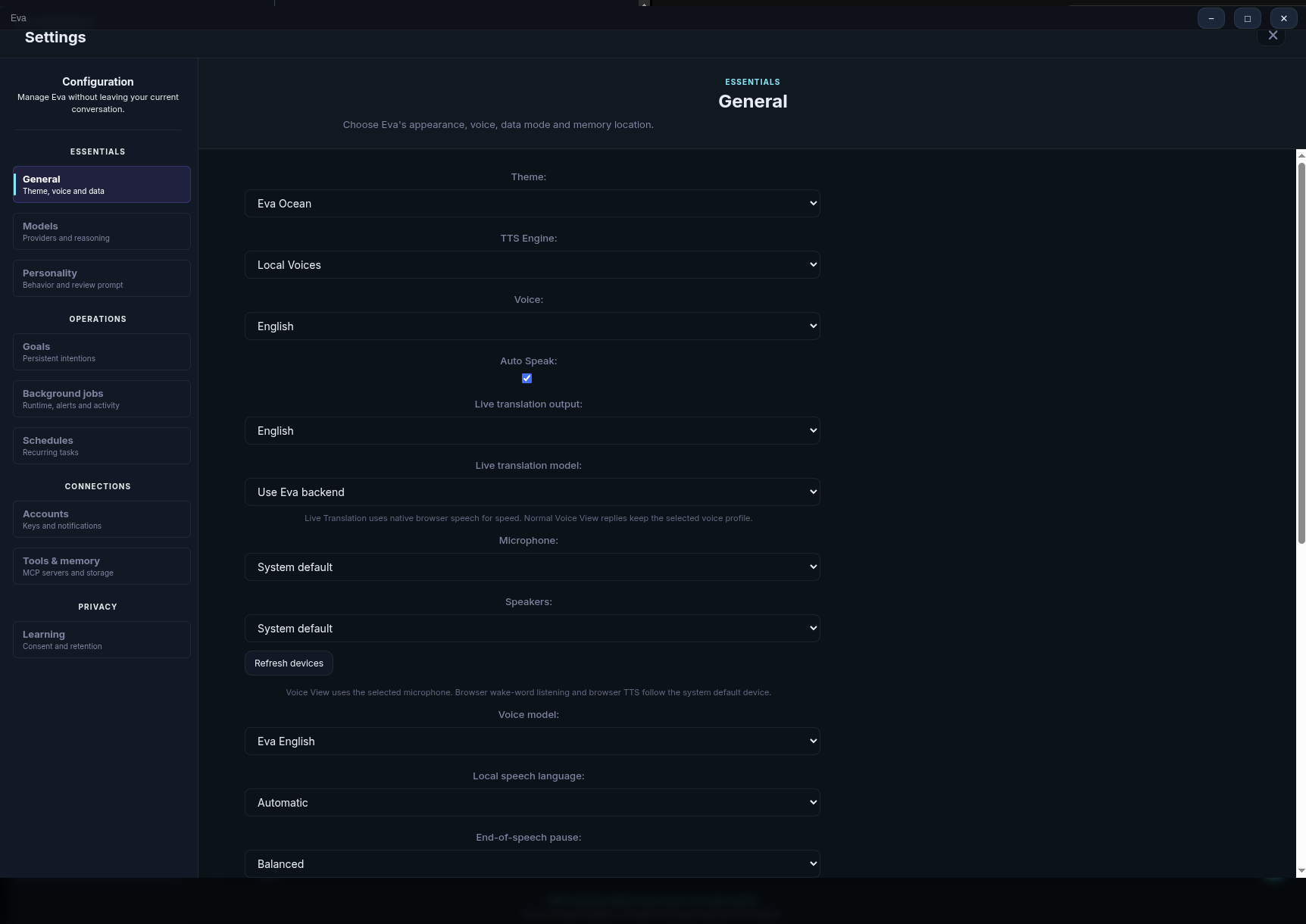
Eva is designed to make durable context useful without treating every piece of data as trusted instruction. Local SQLite memory is the default. Optional cloud services are configured separately and are never required to use Eva.
| Data | Default location | Purpose |
|---|---|---|
| Memory, goals, skills, and workspace records | Local SQLite managed by the bridge | Durable assistant state |
| Chat sessions | Browser IndexedDB and local storage | Session history and UI state |
| Standalone runtime state | ~/.config/eva-standalone |
Preferences, bridge state, artifacts, optional agent data |
| Optional cloud memory | Azure Data Explorer (Kusto) | Multi-device or production-style memory and analytics |
Set EVA_CONFIG_DIR before launching Eva to relocate standalone mutable state.
The local browser-agent profile is intentionally persistent so sign-ins within
its isolated browser can survive between runs.
After successful responses, Eva can reflect on a conversation to retain useful facts, track goals, update state, and make relevant context available on a later request. Before a model call, Eva constructs a bounded context that may include:
- the current date and time;
- relevant user profile facts and active goals;
- selected memory facts and message-relevant recall;
- enabled Skills that match the task;
- active MCP server availability; and
- current emotion/state information where configured.
This context is an ephemeral request view. It does not rewrite your visible chat history. Prompt-facing stored material is handled as untrusted data; it cannot override Eva's fixed runtime policy or Core Identity Charter.
SQLite is the default and needs no service account. Choose it for a local-first setup, offline-oriented use, or the simplest installation.
Kusto is optional for users who need cloud-backed memory, KQL querying, or a multi-device/production deployment. Configure the cluster and database through Settings > MCP. It requires the appropriate Azure authentication and must be treated as a separate cloud service.
Switch the memory backend in Settings when your deployment needs change. Do not assume a change to model provider automatically changes memory storage.
Settings > Learning controls bounded, revocable feedback, routine outcomes, voice diagnostics, and standing consent for routine read/search tools. Skills learned from a conversation are saved as Drafts for review before ordinary use.
The optional background system can consolidate memory, check goals, create briefings, monitor configured topics, and record activity. Background behavior is visible through Settings > Background and Agents. Keep it disabled until you understand the tasks, data sources, and notification channels you want enabled.
Recurring prompts belong in Settings > Cron, using standard five-field cron expressions. Alerts have their own rules, cooldowns, rate limits, quiet hours, and delivery channel settings.
Eva distinguishes routine information gathering from actions that can make a change:
| Operation kind | Consent behavior |
|---|---|
| Read, search, fetch, think | May use revocable standing consent when you enable it |
| Execute, edit, move, delete, unknown | Requires a fresh in-chat decision |
| Browser purchase or checkout | Requires confirmation before execution |
| Desktop delete, privileged command, shutdown, transfer, or message | Requires confirmation before execution |
| Workspace actions | Scoped to the assigned worktree and governed by the run policy |
Approval is intentionally specific. A prior approval is not general permission to operate on unrelated sites, files, repositories, or accounts.
- Start with local SQLite and only one model provider.
- Add a provider key only in Settings > Auth; never in a prompt or Skill.
- Treat imported Skills, web pages, and retrieved text as untrusted reference material, not configuration instructions.
- Keep browser and desktop tasks away from payments, credentials, and private data unless you can review each requested action.
- Turn on camera, Signal, local voice profiles, background work, or cloud memory only when you intend to use them.
- Use Agents, Assets, and the background activity history to review what Eva actually did.
Eva's bridge telemetry records operational data such as durations, route decisions, and model labels. It does not record message content, keys, or MCP environment values. Telemetry and debug logs are local runtime diagnostics; handle them as potentially sensitive operational data.
Continue with Skills and Workspaces for reusable instruction sets and isolated coding work, or Abilities and Automation for action-oriented tools.