This is a calculator written is Assembly language (ARM). It can calculate the sum adn product of two 32 bit numbers in a custom "Floating Point Representation, NOT IEEE-754".
-
Floating point representation for 32 bit binary :
0 000 0000 0000 0000 0000 0000 0000 0000- First bit -> Sign bit, 1 is positive and 0 represents negative.
- next 15 bits -> Biased exponent with bias = 16383
- last 16 bits -> Mantissa
-
To run the code on your machine download the ARM SIM from here. After downloading and installing the software, simply load the Assembly code
CA_PROJECT.sinto the simulator and press play button to run the code. Both load and run buttons can be found on the top left corner of the application.The code takes 2 numbers
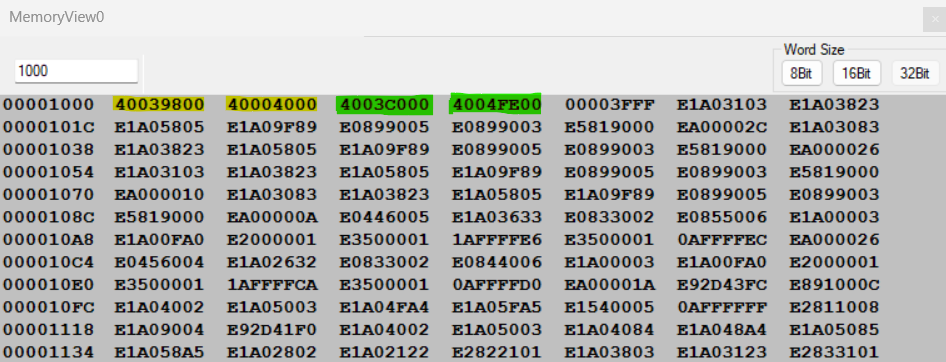
num1 = 0b01000000000000111001100000000000 = 0x40039800num2 = 0b01000000000000000100000000000000 = 0x40004000
Both these numbers are in above described format. They can be converted to base 10. Follow the calculations below.
- Addition of num1 and num2 are also performed in the picture below.

-
It can be verified that the output of the code returns the same result as obtained by the manual calculations. Hence proving the correctness of the algorithm/Code.
-
Numbers marked in yellow are inputs and in green are outputs of addition and Multiplication respectively.
-
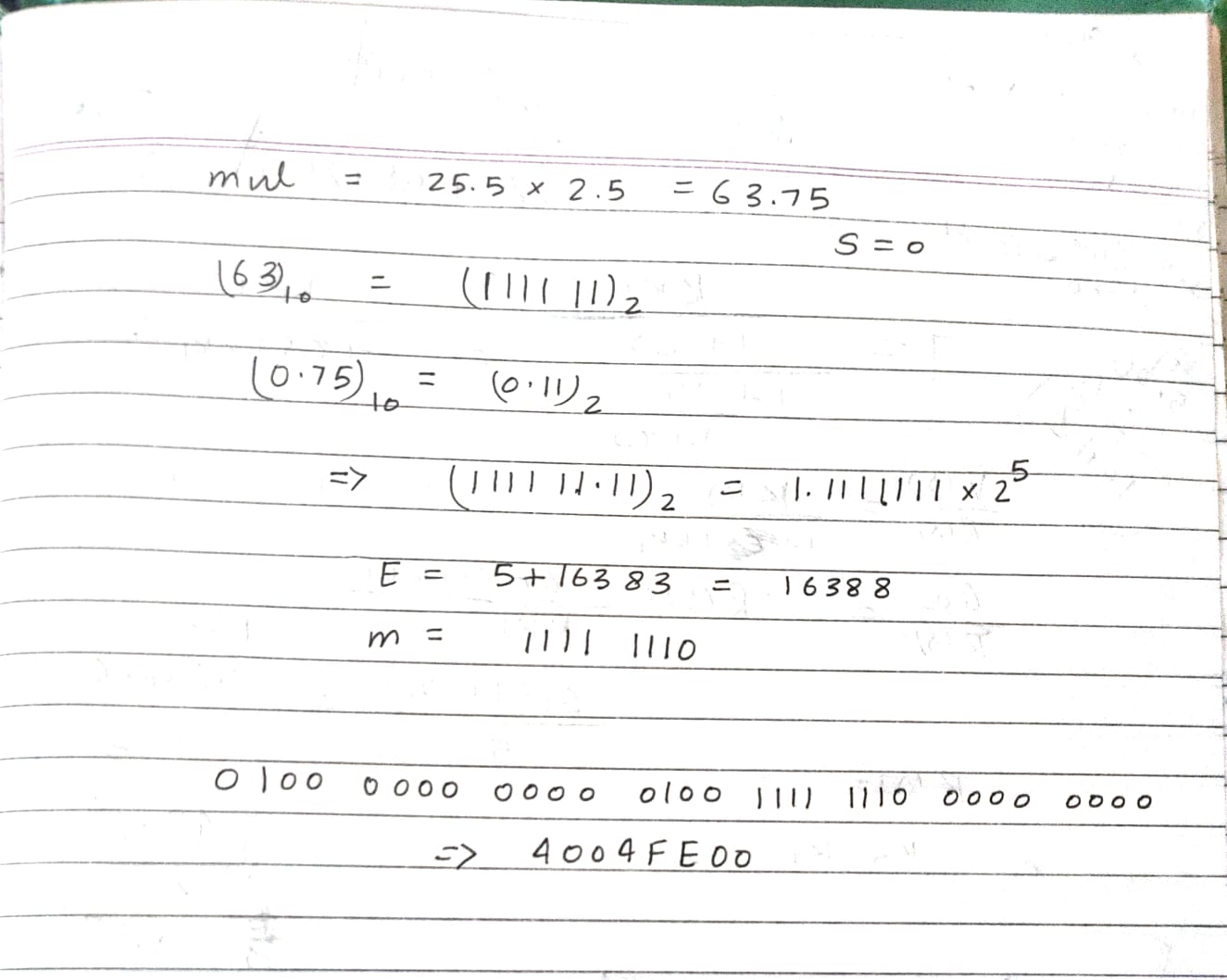
Multiplication of num1 and num2 is performed manually below, and it can also be verified in the memory view of the registers. Hence proving the correctness.
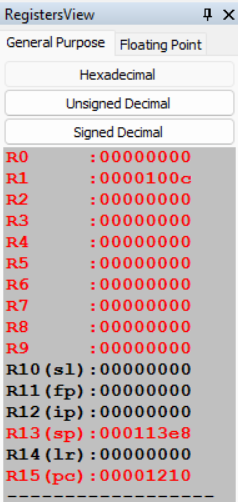
Register view looks something like this :
The code after loading should look something like this, and it is evident from the memory view itself that why the final output is located at the 0x00001000 address.
- The R1 register finally contains the address of multiplication result.
- All other working registers (R0 to R9) are set to 0.
