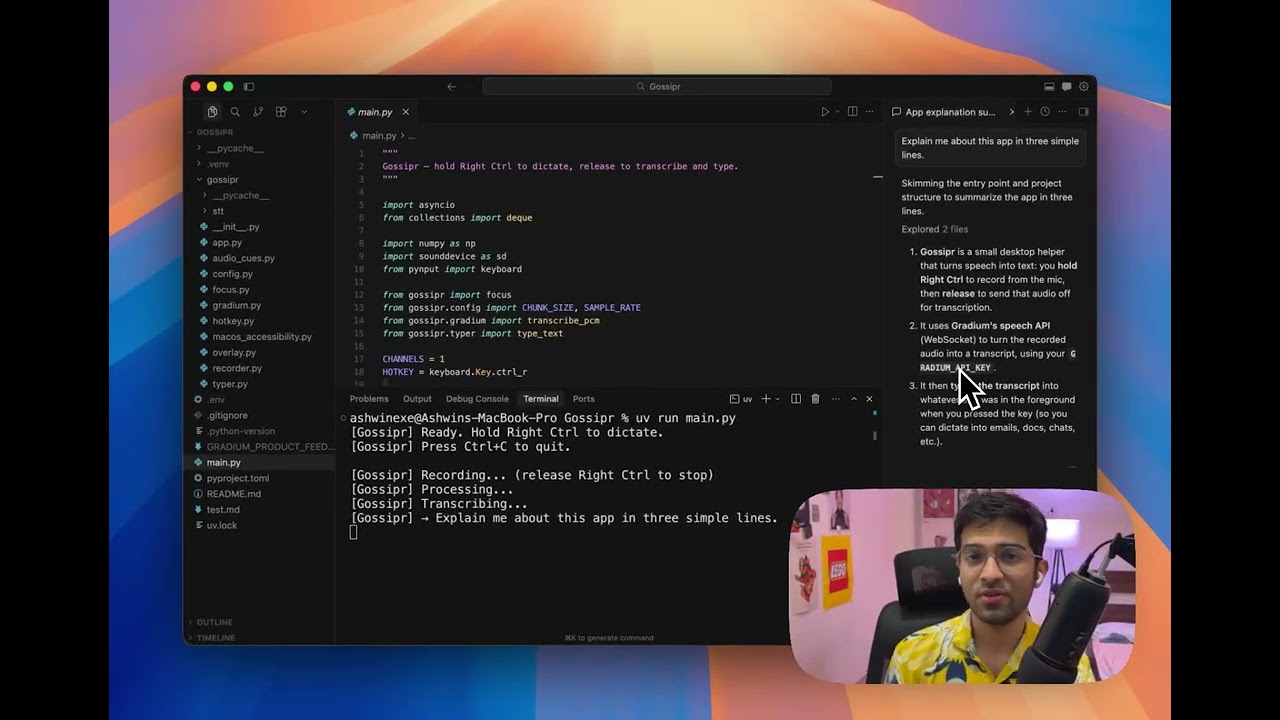
Watch the demo on YouTube: https://youtu.be/GP24M-xwk7Q
Gossipr is a small macOS-friendly dictation helper: hold a hotkey, speak, release, and your words are transcribed with Gradium speech-to-text and typed into whichever app was focused when you started recording.
No browser, no separate dictation app—just a terminal process and your microphone.
- Hold the dictation key (by default Right Ctrl).
- Speak while the key is held; audio is captured in memory (the mic is not left open when idle).
- Release the key. Audio is sent to Gradium over a WebSocket; the returned text is typed into the active application.
Transcription uses Gradium’s streaming ASR (pcm at 24 kHz). The client collects each text segment from the stream and joins them with spaces so words stay separated (streaming APIs often send fragments without spaces between chunks).
- Python 3.12+
- macOS (recommended for global hotkey and typing into other apps)
- uv for installing dependencies
- A Gradium API key (
GRADIUM_API_KEY)
Clone the repo and install dependencies:
cd Gossipr
uv sync
Create a .env file in the project root:
GRADIUM_API_KEY=your_key_hereuv run python main.pyYou should see a short “Ready” message. Hold Right Ctrl, speak, then release to transcribe and type.
Quit with Ctrl+C in that terminal.
For the hotkey and keyboard simulation to work system-wide:
- Open System Settings → Privacy & Security → Accessibility
- Enable your terminal app (or the Python/IDE process you use to run
main.py)
Without this, global hotkeys and typing into other apps may not work reliably.
| Topic | Detail |
|---|---|
| Hotkey | Set in main.py as HOTKEY (default: keyboard.Key.ctrl_r). |
| Gradium WebSocket URL | Override with GRADIUM_WS_URL if needed (default: EU endpoint in gossipr/gradium.py). |
| Model | Gradium setup uses model_name: "default" and input_format: "pcm". |
| Path | Role |
|---|---|
main.py |
CLI: mic capture, hotkey listener, typing via pynput. |
gossipr/gradium.py |
Gradium WebSocket client (transcribe_pcm). |
gossipr/config.py |
Shared audio constants (sample rate, chunk size). |
pyproject.toml / uv.lock |
Dependencies and lockfile. |
Speech-to-text is powered by Gradium. See Gradium for terms, quotas, and support.