Implement PM2 with nodejs app in localhost : Blog reference
app.js have a sample node js code , which creates a server on port 80 in localhost and render the content.
const http = require("http");

const server = http.createServer((req, res) => {
  const payload = JSON.stringify({
    app: "Node js App with PM2",
    "process manager": "pm2",
    "process Id": process.pid
  });
  res.writeHead(200, { "Content-Type": "application/json" });
  res.end(payload);
});
server.listen(80);
pm2 is a process manager, which manages the running process in nodejs application. pm2 is provides load balancing, zero downtime, and auto scalling of cluster based on the size of the processor. pm2 provides rich interface to monitor the status of process & logs of the process.
To install the pm2 package globally
npm install pm2 -g
To start a process
pm2 start app.js // by default a single instance of process gets created
pm2 start app.js -i 2 // here we can specify the number of instances, that we need to create for the node js app to run
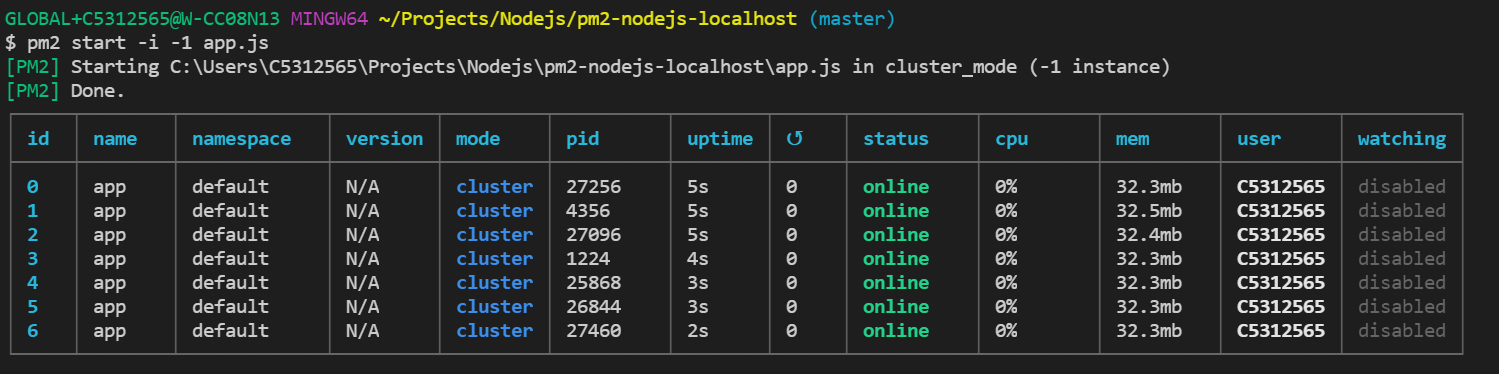
pm2 start app.js -i -1  // specify -1, creates n number of instances, that a CPU processor are capable of.

To list the instances of node app
pm2 list


To stop the running instance
pm2 stop app.js

To delete the instance
pm2 delete app.js

npm install loadtest -g
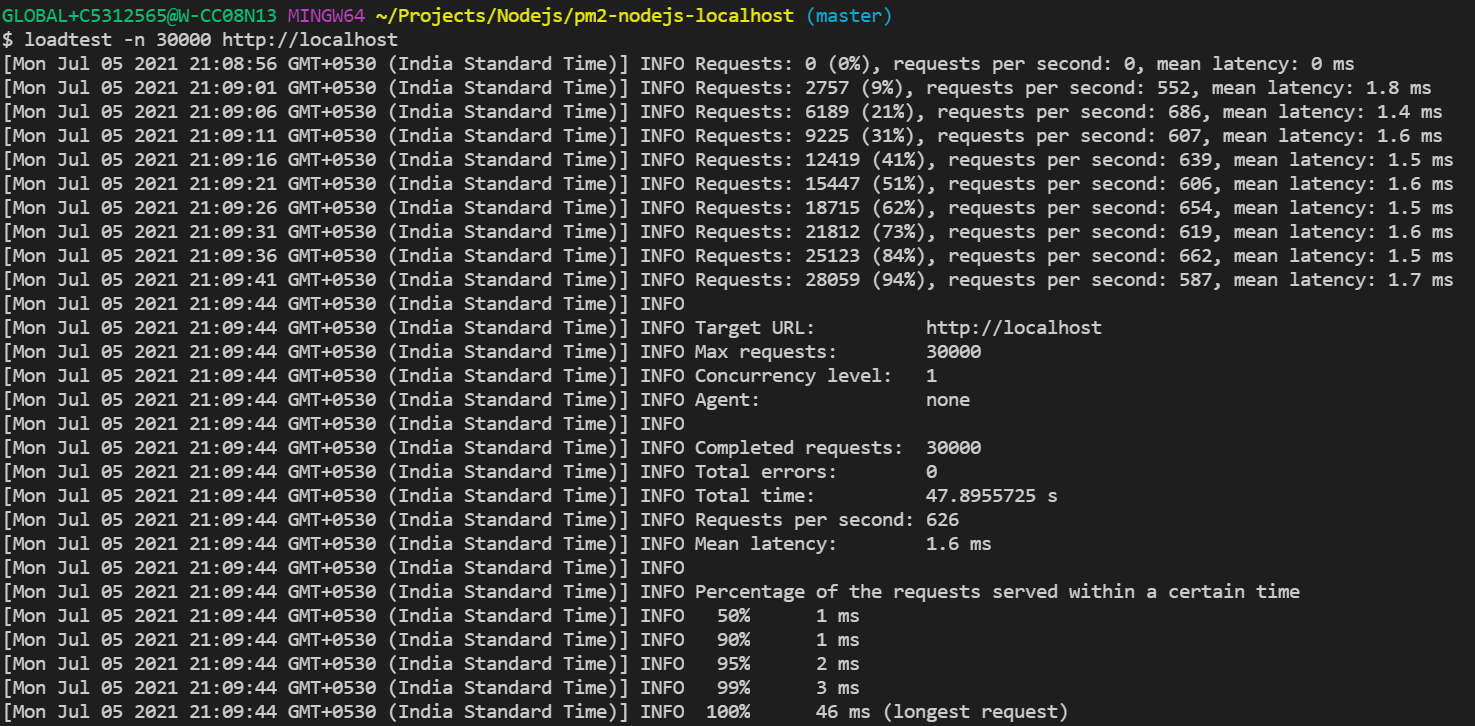
Simulate 30000 traffic to specific node js app
loadtest -n 30000 http://localhost
Monitor the pm2 process
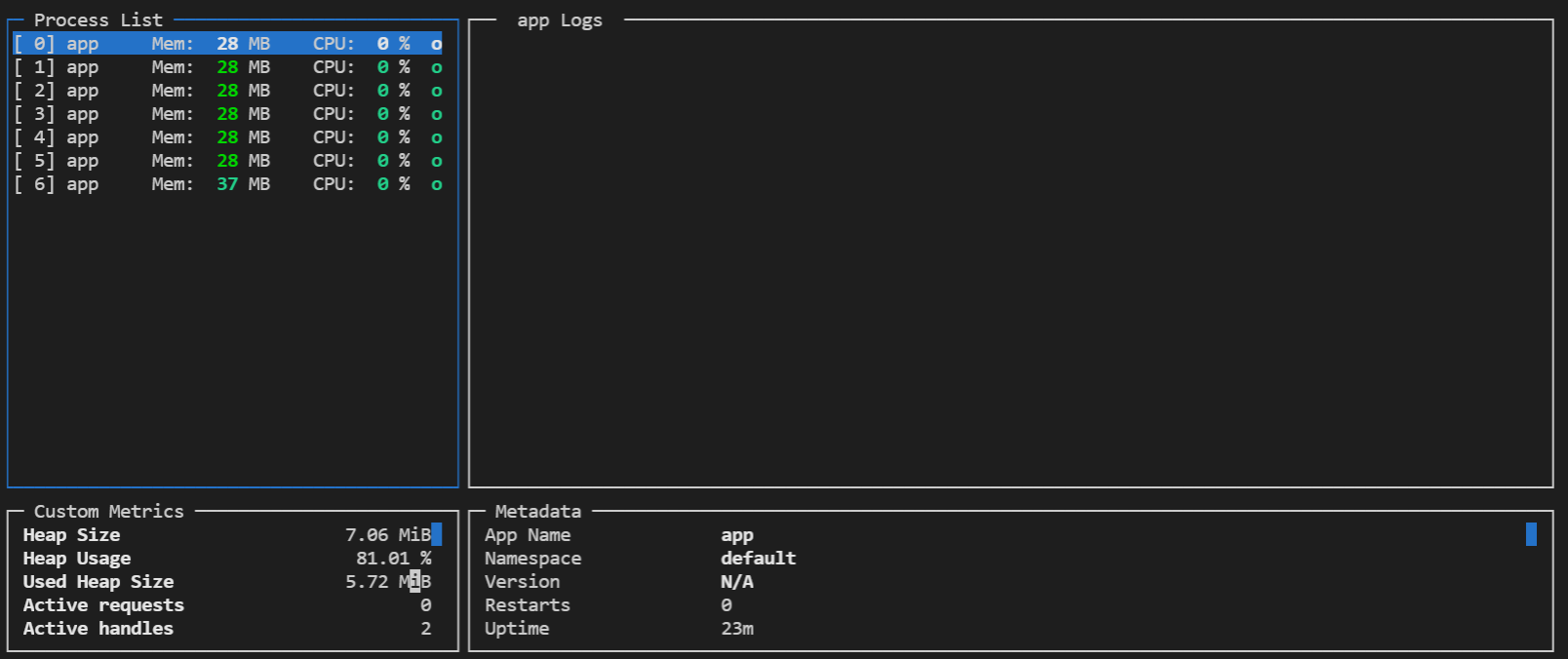
pm2 monit