Trust your code. Ship with confidence.
MunaTrust Code Trust is an AI code trust scanner for detecting risky generated code patterns, exposed secrets, and release trust issues before they reach production.
Catch dangerous AI-generated code fast, see what is actually risky, and decide what to fix before you ship. MunaTrust stays local-first while giving you deeper reasoning when you want it and a full private local deep scan when you need maximum privacy.
- Fast, local, free
- Static and filesystem-based trust scan
- No Ollama requirement
- No cloud usage
- Runs the same local extraction first
- Sends only sanitized risk context for deeper reasoning
- Designed for deeper prioritization, explanation, and release trust reasoning
- Optional: you can keep using MunaTrust without it
- Fully local deep reasoning
- No code leaves your machine
- Best for users who want deeper local reasoning without cloud usage
- Basic Scan - unlimited local scan, fast and free
- Advanced AI Scan - deeper AI reasoning with monthly quotas
- Full Private Scan - full private local deep scan
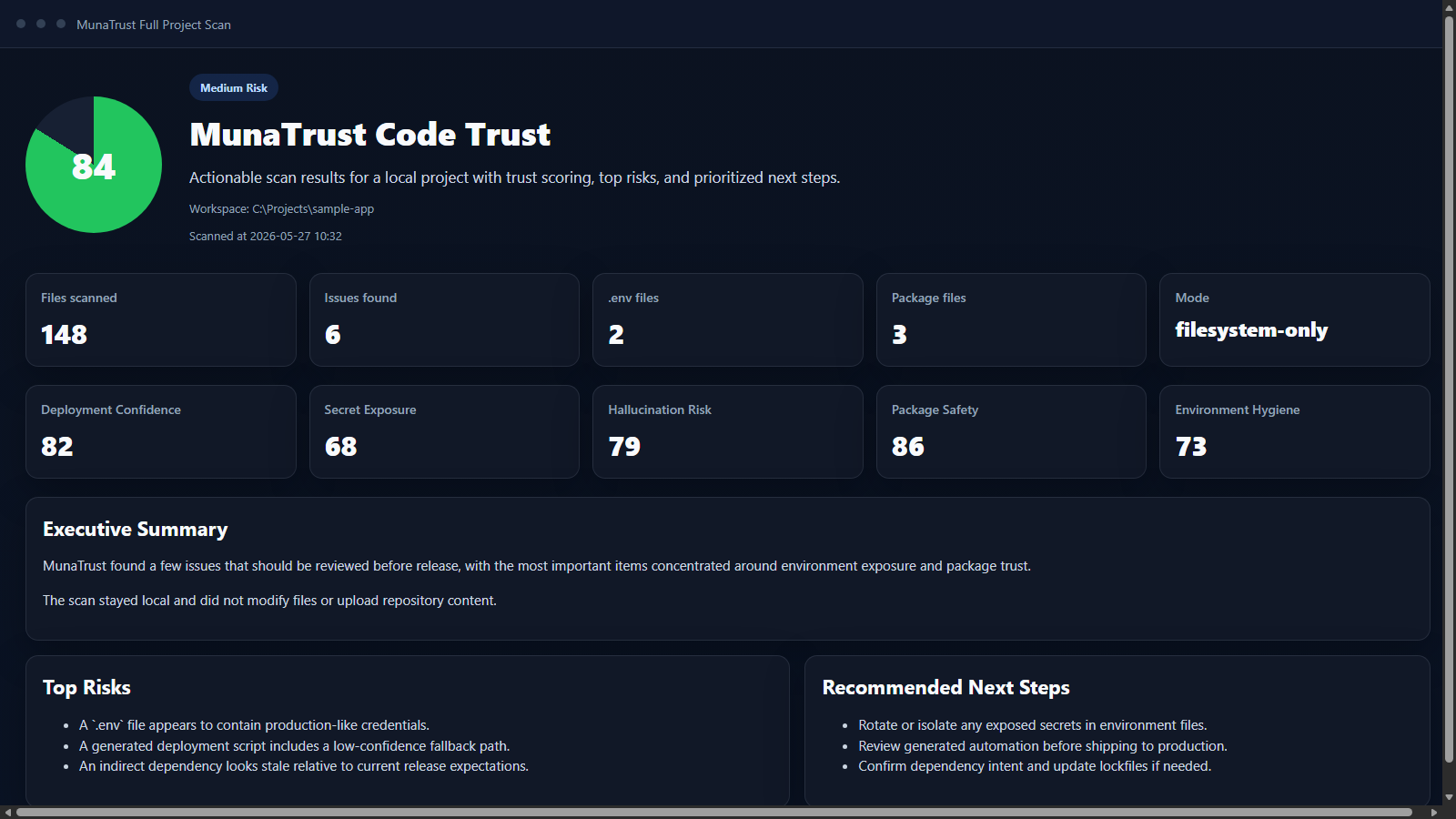
- Full Project Scan with trust scoring
- Standalone local scan mode that works even without a bundled backend project
- Scan type selector for Basic, Advanced AI, and Full Private Deep Scan
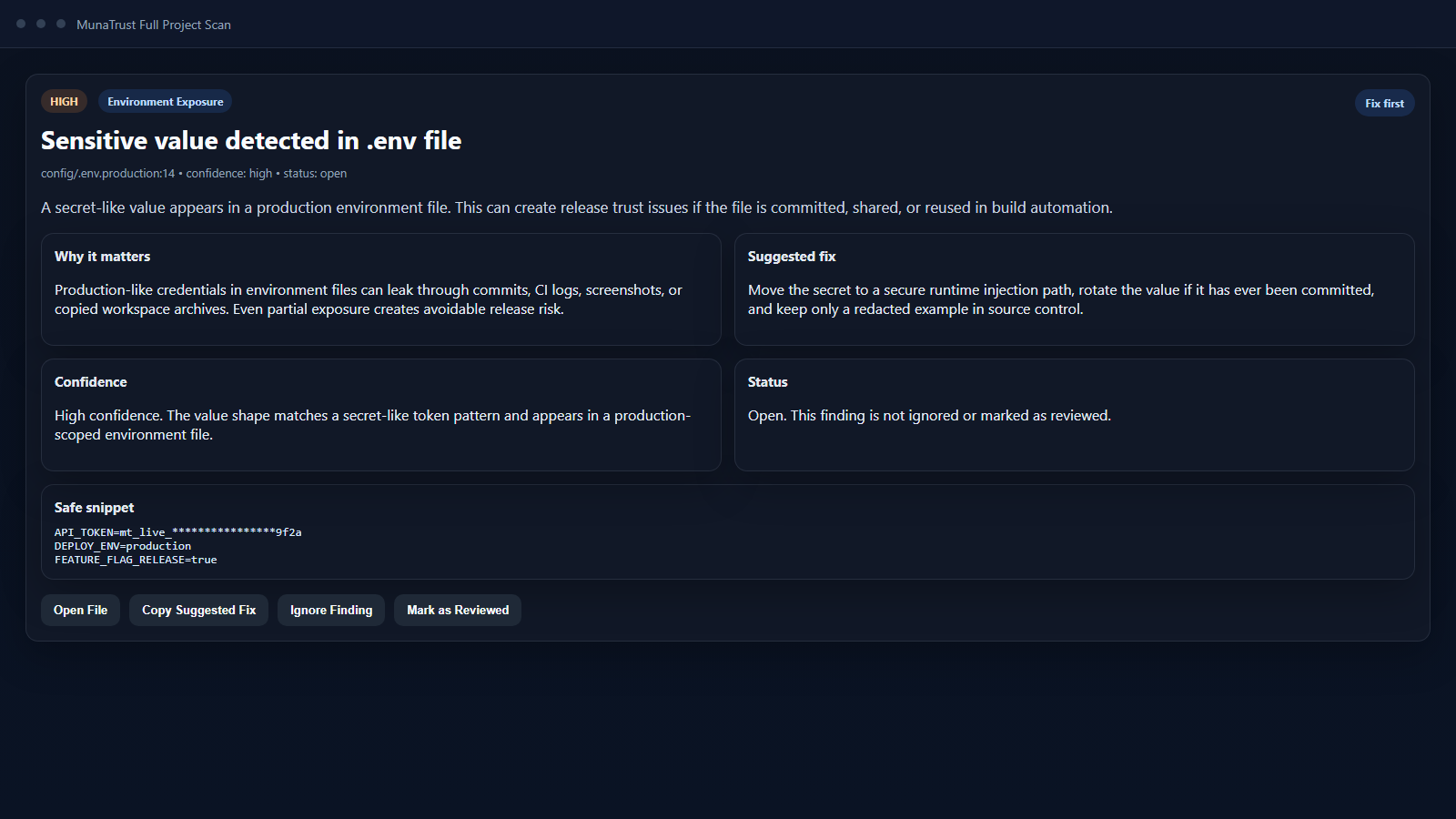
- Actionable findings with severity, category, file path, why-it-matters notes, and suggested fixes
.envand environment exposure detection- Secret-like string detection with safe snippet redaction
- Package manifest and release-sensitive file discovery
- Suspicious generated-code marker detection
- License activation and upgrade-ready extension flow
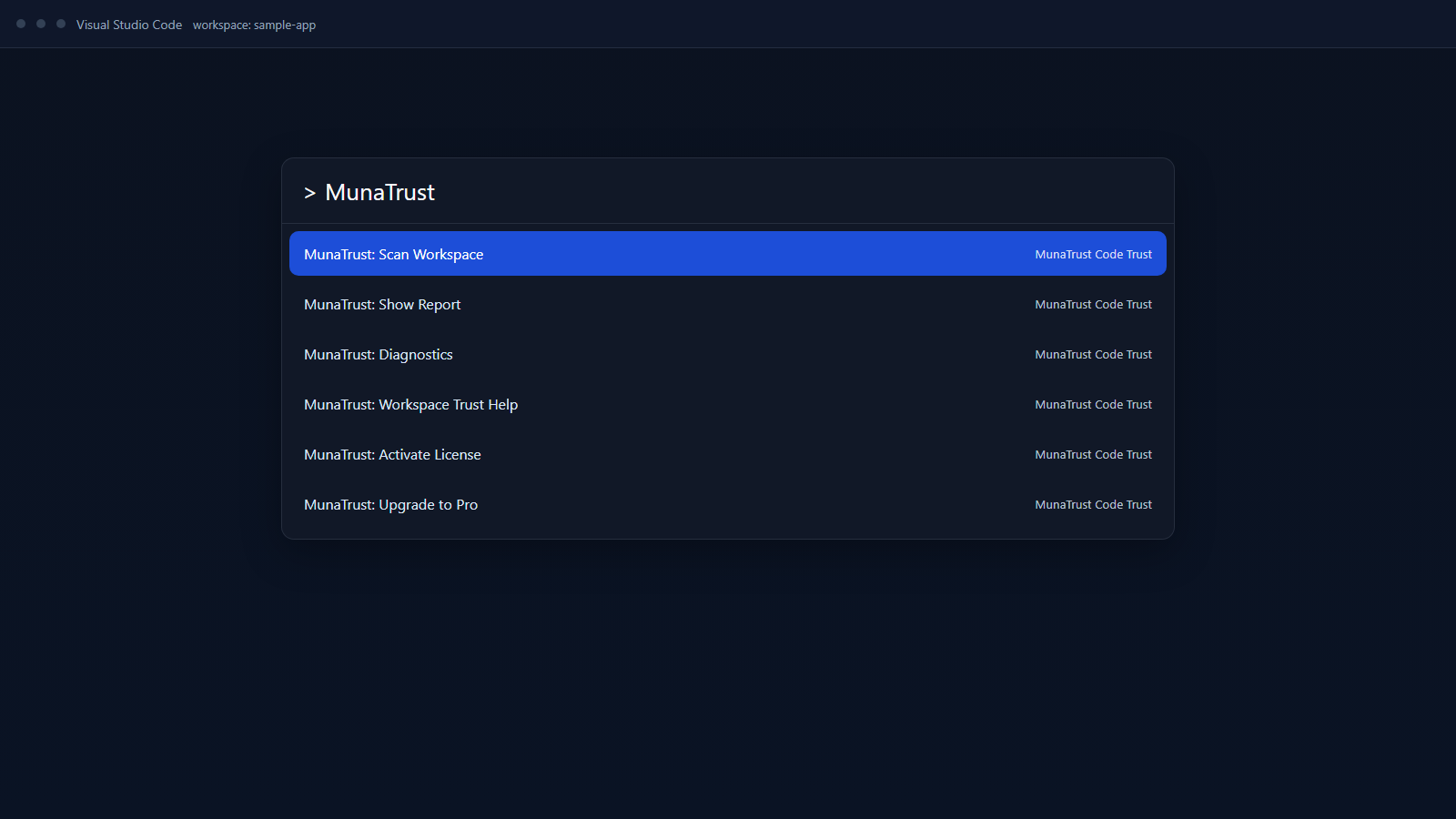
Open Ctrl+Shift+P and run:
MunaTrust: Scan WorkspaceMunaTrust: Show ReportMunaTrust: Activate LicenseMunaTrust: Check License StatusMunaTrust: Upgrade to SOLOMunaTrust: Upgrade to ProMunaTrust: Upgrade to TEAM
- Open a project folder in VS Code
- Open the Command Palette
- Run
MunaTrust: Scan Workspace - Choose a scan type:
Basic Scan - Fast, local, freeAdvanced AI Scan - Deeper AI reasoningFull Private Scan - Full private local deep scan
- Review the local trust report with executive summary, top risks, and detailed findings
- Run
MunaTrust: Show Reportto reopen the latest report panel
MunaTrust does not edit files, apply automatic fixes, or upload your source code during this flow.
MunaTrust has three operating layers:
- Basic Scan works without Ollama or a local model
- Advanced AI Scan uses sanitized risk context for deeper reasoning
- Full Private Deep Scan uses local deep reasoning
Recommended Full Private presets:
qwen2.5-coder:3b- default fastqwen2.5-coder:7b- deep analysisllama3.1:8b- better explanationphi3:mini- fallback
If a local model is missing, MunaTrust stays usable in deterministic-only mode and shows the exact install command:
ollama pull <model>MunaTrust Code Trust reports are designed to be actionable instead of just informational.
Each finding can include:
- severity
- category
- file path
- line number when available
- safe code snippet
- why it matters
- suggested fix
- review status
The report also includes:
- Executive Summary
- Top Risks
- Detailed Findings
- Environment Files
- Package Manifests
- Recommended Next Steps
MunaTrust scans locally and does not upload your code by default.
By default, MunaTrust does not upload:
- source code
- repository contents
- file contents
- project names
- prompts
- secrets
Telemetry is disabled by default unless the user explicitly enables privacy-safe metadata collection.
Advanced AI Scan note:
- Basic Scan and Full Private Deep Scan keep code local
- Advanced AI Scan sends only sanitized risk context, not a blind raw repository upload
MunaTrust is currently positioned around a 7-day Solo trial for launch installs and upgrade flows.
- 7-day Solo trial
- Lets new users experience the Solo workflow first
- License key is emailed automatically after checkout
- Solo - $9/month
- Basic Scan: unlimited
- Advanced AI Scan: 50 scans/month
- Full Private Scan: full private deep scan
- Pro - $19/month
- Basic Scan: unlimited
- Advanced AI Scan: 200 scans/month
- Full Private Scan: full private deep scan plus advanced workflows
- Team - $99/month
- Basic Scan: unlimited
- Advanced AI Scan: 1000 scans/month
- Full Private Scan: full private deep scan plus team and governance features
Positioning:
- Local-first AI trust scanning
- Advanced cloud reasoning when you need it
- Full private local AI scanning for sensitive projects
- MunaTrust remains local-first
Upgrade commands open the configured checkout flow in the external browser, and license activation remains local-first inside the extension.
support@munatrust.online