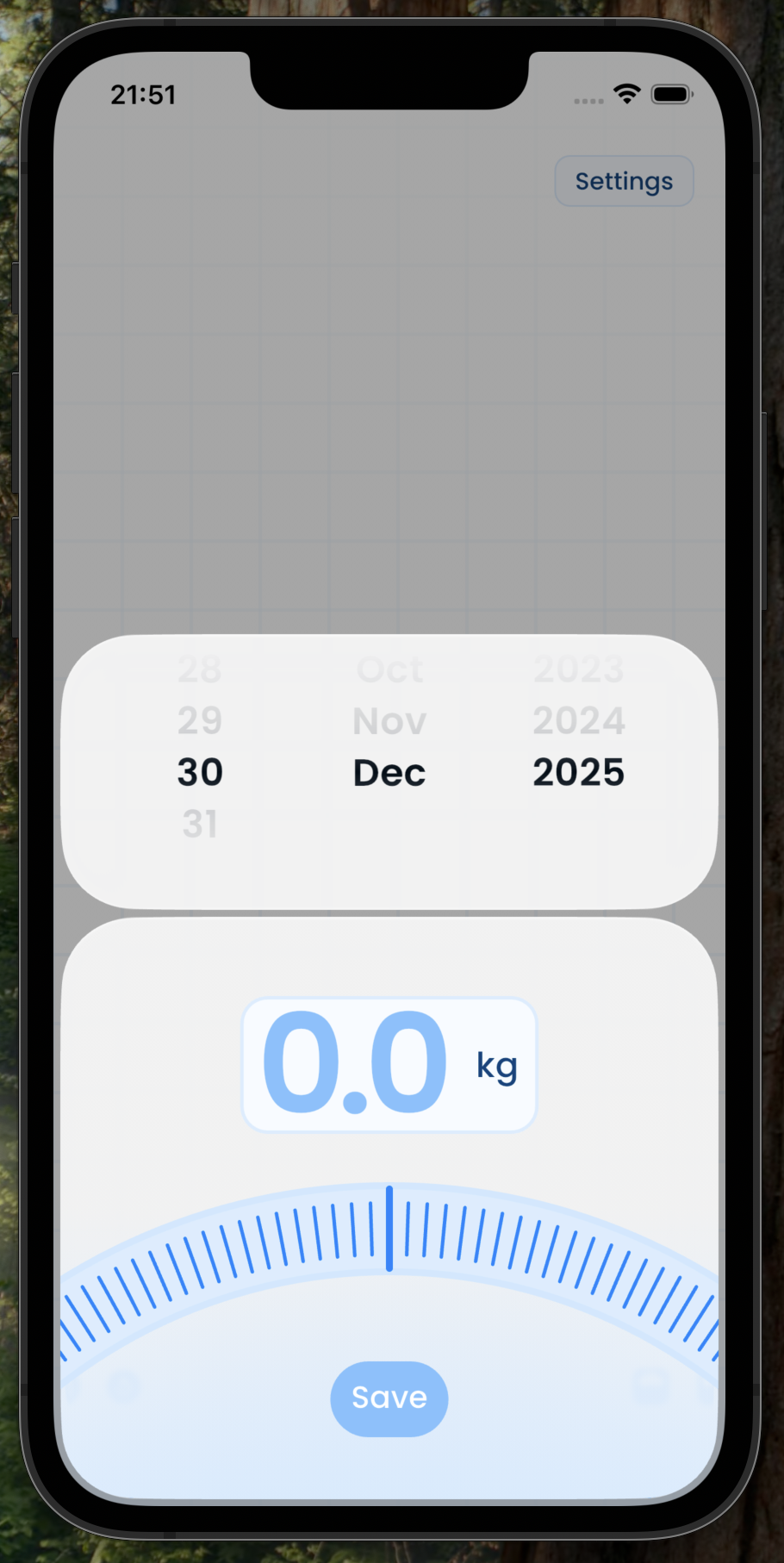
Flutter package providing information about the device geometry, such as the
corner radius. device_geometry has a variety of use cases. One example, as
demonstrated in the above screenshots, is to match the modal radius to the
corner radius of the device.
import 'package:device_geometry/device_geometry.dart';

await DeviceGeometry.get(); // Returns `null` for unsupported devicesimport 'package:device_geometry/widgets/builder.dart';
DeviceGeometryBuilder(builder: (context, snapshot) {
if (!snapshot.hasData) {
return Text("bottomLeft = ...");
}
else if (snapshot.data != null) {
return Text("bottomLeft = ${snapshot.data!.display.cornerRadii.bottomLeft}");
} else {
return Text("bottomLeft = <unknown>");
}
});import 'package:device_geometry/widgets/provider.dart';
import 'package:flutter/material.dart';
void main() async {
WidgetsFlutterBinding.ensureInitialized();
final DeviceGeometry? geometry = await DeviceGeometry.get();
runApp(MainApp(
geometry: geometry,
));
}
class MainApp extends StatelessWidget {
final DeviceGeometry? geometry;
const MainApp({super.key, required this.geometry});
@override
Widget build(BuildContext context) {
return MaterialApp(
builder: (context, _) => DeviceGeometryProvider(
geometry: geometry,
child: HomePage(),
),
);
}
}
class HomePage extends StatelessWidget {
const HomePage({super.key});
@override
Widget build(BuildContext context) {
final DeviceGeometry? geometry = DeviceGeometry.of(context);
return Scaffold(
body: Center(
child: Text(
"bottomLeft = ${geometry?.display.cornerRadii.bottomLeft ?? "-"}",
),
),
);
}
}- iOS
Android(🚧 Planned)
Support for Android devices, via the rounded corner API is considered in scope for this package but has not been implemented yet.
- iPhone X
- iPhone Xs
- iPhone Xs Max
- iPhone Xr
- iPhone 11 Pro
- iPhone 11 Pro Max
- iPhone 11
- iPhone 12 mini
- iPhone 13 mini
- iPhone 12
- iPhone 12 Pro
- iPhone 12 Pro Max
- iPhone 13
- iPhone 13 Pro
- iPhone 13 Pro Max
- iPhone SE 3rd Gen
- iPhone 14
- iPhone 14 Plus
- iPhone 14 Pro
- iPhone 14 Pro Max
- iPhone 15
- iPhone 15 Plus
- iPhone 15 Pro
- iPhone 15 Pro Max
- iPhone 16
- iPhone 16 Plus
- iPhone 16 Pro
- iPhone 16 Pro Max
- iPhone 16e
- iPhone 17
- iPhone 17 Pro
- iPhone 17 Pro Max
- iPhone Air
- iPad Pro 11-inch (M5)
- iPad Pro 13-inch (M5)
- iPad mini 7th Gen
- iPad 11th Gen
- iPad Pro (12.9-inch)
- iPad Air 11-inch 7th Gen
- iPad Air 13-inch 7th Gen
The corners of most iOS devices cannot be moddled as a simple arc. Therefore,
there is no single corner radius which precisely describes the shape of the
corner. The corner radius returned by device_geometry is generally the one
returned by UIScreen._displayCornerRadius, which offers a good approximation
of the true corner shape. Ideally, we would also provide the precise shape of
the corner, but a suitable source for this information has not yet been
identified.
On iOS, we use a map to look up a hardcoded display geometry using the utsname
machine identifier. This approach differs from other packages, such as
screen_corner_radius, which use
a private API (UIScreen._displayCornerRadius) to get the corner radius for the
display. Unfortunately, use of this API is not officially supported by Apple,
and as such, apps using the API may be rejected during the app store review
process. It is also possible that Apple will remove the API in future. The same
limitation does not apply to Android devices, thanks to the rounded corner API.
Any geometric details of a device are considered "in scope" for this project. This doesn't mean that they have (or will) be implemented, but PRs are welcome for to add any features considered to be in scope.
The following are examples of features which are considered to be "in scope" but which have not been implemented yet:
- Cutout geometry (e.g. notch on iOS)
- Cutout position(s)
- Cutout dimensions
- Cutout corner radii
- Button positions
- Power button position
- Volume button positions
- Corner shapes (currently all assumed to be arcs)
Contributions to this project are welcome. In particular, additions of any new
iOS devices are greatly appreciated. The corner radii for iOS devices can be
tested by adding the simulator in Xcode
then using the screen_corner_radius
package to log the corner radius. The machine name (e.g. iPhone18,4) can be
found using device_info_plus. The
following script will log both values:
import 'package:device_info_plus/device_info_plus.dart';
import 'package:flutter/material.dart';
import 'package:screen_corner_radius/screen_corner_radius.dart';

void main() async {
  WidgetsFlutterBinding.ensureInitialized();

  print("utsname.machine = ${(await DeviceInfoPlugin().iosInfo).utsname.machine}");
  print("cornerRadius.topLeft = ${(await ScreenCornerRadius.get()).topLeft}");
  print("cornerRadius.topRight = ${(await ScreenCornerRadius.get()).topRight}");
  print("cornerRadius.bottomLeft = ${(await ScreenCornerRadius.get()).bottomLeft}");
  print("cornerRadius.bottomRight = ${(await ScreenCornerRadius.get()).bottomRight}");
}