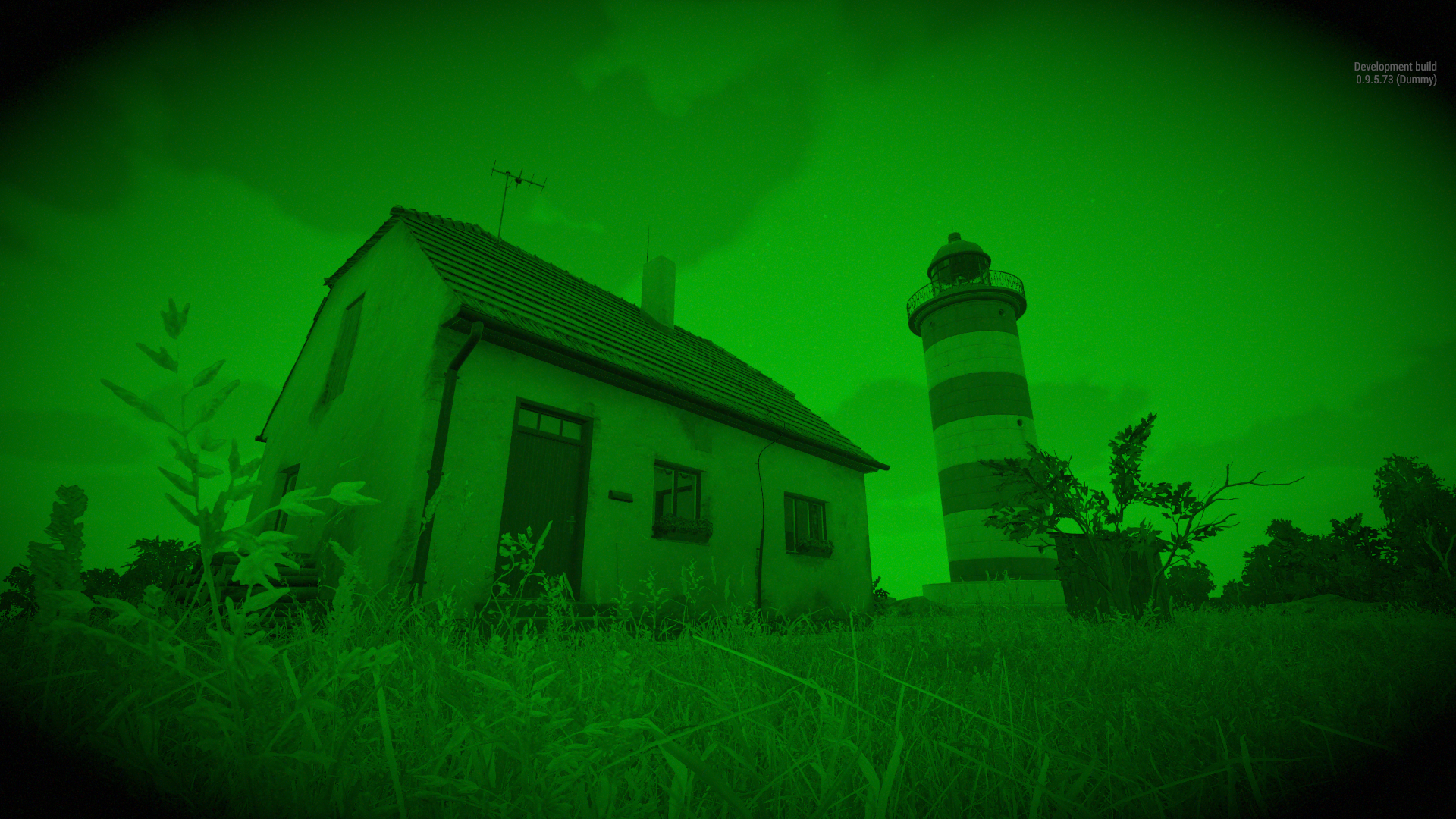
How to get the mod and use it on your mod :
-
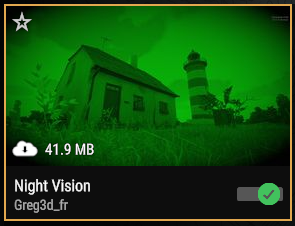
Download the mod on the Workshop (in-game).
-
Add 59A30ACC02650E71 in your mod depencies :
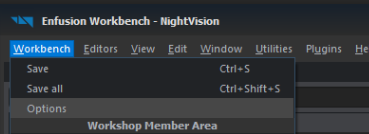
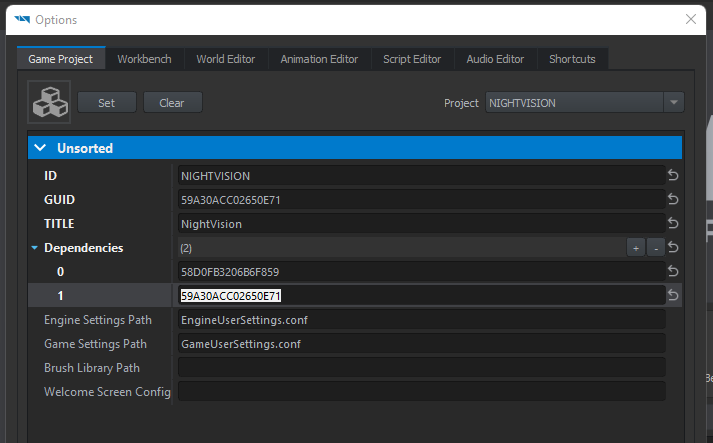
- Restart WorkBench.
In "settings/Controls/Equipment" you can set 3 keys.
- "Toggle - Night Vision" by default it's "N"
- "Increase luminosity - Night Vision" by default it's "SHIFT + ="
- "Decrease luminosity - Night Vision" by default it's "SHIFT + )"
After that, when you have the helmet named "Helmet - Night Vision" you can turn on/ff the nvg. The creator is free to allow or not the possibility of changing the luminosity of the NVG. (the new night vision have this possibility).
Night vision is also available in : GameMaster/Editor, Armavision, Adminmode.
The mod has been designed to be easy and effective for modder. You don't have to modify any scripts. The mod works with 2 components attach to an helmet. 1 to check the state of the helmet (is it on head or not) 1 to set-up the shaders and to know if the luminosity of the night vision can be changed in game.
We use two shaders.
- 1 HDR - Use to set-up all the visual for the night vision. (color, exposure, constrast, scope...)
- 1 Grain - Use to set-up the grain effect.
With this mod you can create your proper shaders in your mod. I have make multiple configuration of shader in the mod with that you are able to use/modify them.
For the HDR shader : ...\Assets\Shader\NVG\Color
For the Grain shader : ...\Assets\Shader\NVG\
The HDR shader are sorted by color : Amber, Green, White(blue), in their repertoires you gonna find multiple iteration. Some have scope : 3 pipes nvg, 2 pipes nvg, 1 pipe nvg.
For this tutorial i'm gonna use "NewCustom_Color.emat" as name of the new shader.
  - Duplicate an existing HDR Shader from the mod.
  - Open the mptest.ent
  - Put an helmet prefab on the ground or duplicate the existing one.

  If you do not duplicate the existing helmet :
      - Put the "GREG_NightVisionComponent" and the "SoundComponent"
      - In the "SoundComponent" add two "Filenames" set the first one to "nvg_button_click.acp" the second to "nvg_turnon.acp"
      - In the "GREG_NightVisionComponent" set the "Colorshaderpath" to your new shader "NewCustom_Color.emat".
      - In the "GREG_NightVisionComponent" set the "Grainshaderpath" to an existing Grain shader.

  - Play the scenario in World Editor put the helmet and your head and turn on the NVG.
With this method the helmet is ready to use and you can change settings in your new shader when you are playing. When the NVG is on change the color for example of your shader and its gonna change the color in real time in-game.
For this tutorial i'm gonna use "NewCustom_Grain.emat" as name of the new shader.
  - Duplicate an existing Grain Shader from the mod.
  - Open the mptest.ent
  - Put an helmet prefab on the ground or duplicate the existing one.

  If you do not duplicate the existing helmet :
      - Put the "SCR_InventoryStorageManagerComponent", "GREG_NightVisionComponent" and the "SoundComponent"
      - In the "SoundComponent" add two "Filenames" set the first one to "nvg_button_click.acp" the second to "nvg_turnon.acp"
      - In the "GREG_NightVisionComponent" set the "Colorshaderpath" to an existing HDR Color shader.
      - In the "GREG_NightVisionComponent" set the "Grainshaderpath" to your new shader "NewCustom_Grain.emat".

  - Play the scenario in World Editor put the helmet and your head and turn on the NVG.
If you do not duplicate the existing helmet :
      - Put the "SCR_InventoryStorageManagerComponent", "GREG_NightVisionComponent" and the "SoundComponent"
      - In the "SoundComponent" add two "Filenames" set the first one to "nvg_button_click.acp" the second to "nvg_turnon.acp"
      - In the "GREG_NightVisionComponent" set the "Colorshaderpath" to an existing HDR Color shader.
      - In the "GREG_NightVisionComponent" set the "Grainshaderpath" to an existing Grain shader.
- If you publish your mod with this on dependency no need any credit.
- If you publish this mod with your name and without any credit. A request to Bohemia Interactive gonna be send to remove your mod.
This project is for education purpose not for republish.
If you have any request please contact me on discord in the ARMA Official Discord or Greg🔥#0431