Skip to content

bennyzhao/flashtimeline_to_tweenmaxjs


Folders and files

NameName
Last commit message
Last commit date

Latest commit


History

10 Commits


Repository files navigation

FlashTimeline to TweenMax JS

Adobe Flash CS6 Timeline to TweenMaxJS alt tag
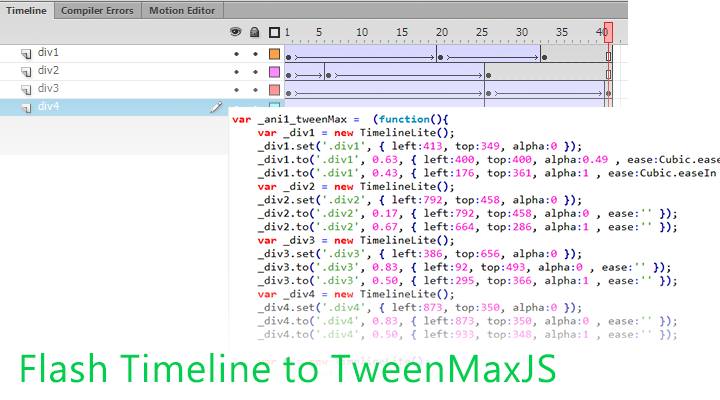
將目前的時間軸轉成 TweenMax JS 版程式碼

使用方法:

  1. 下載 flashTimelineToTweenMaxJS.zxp , 並安裝
  2. 開啟 FlashCS6(FlashCC).
  3. 製作你的時間軸動畫或點我下載 Demo.fla .
  4. 第一個影格不能是空.
    alt tag

5. 點擊上方工具列 / 命令 / flashTimelineToTweenMaxJS
![alt tag](https://raw.githubusercontent.com/milkmidi/flashtimeline_to_tweenmaxjs/master/command.png)
6. 在同 fla 資料夾下即可看到匯出的 html 檔.
7. html 需要引用 TweenMax 和 jQuery 的 Library.

createJS 轉出來的是 html5 canvas 動畫, 快樂 IE8 不支援
我的小工具只是將動畫轉成 TweenMax 的程式碼,省去前端攻城屍 Coding 時間

zxp_source 資料夾裡是完整的 Source Code

Enjoy it.

1.0.1版 已知 Bug, 還沒發現

About

FlashTimeline to TweenMax JS

Resources

Stars

Watchers

Forks

Releases

No releases published

Packages

No packages published