Interactive TUI
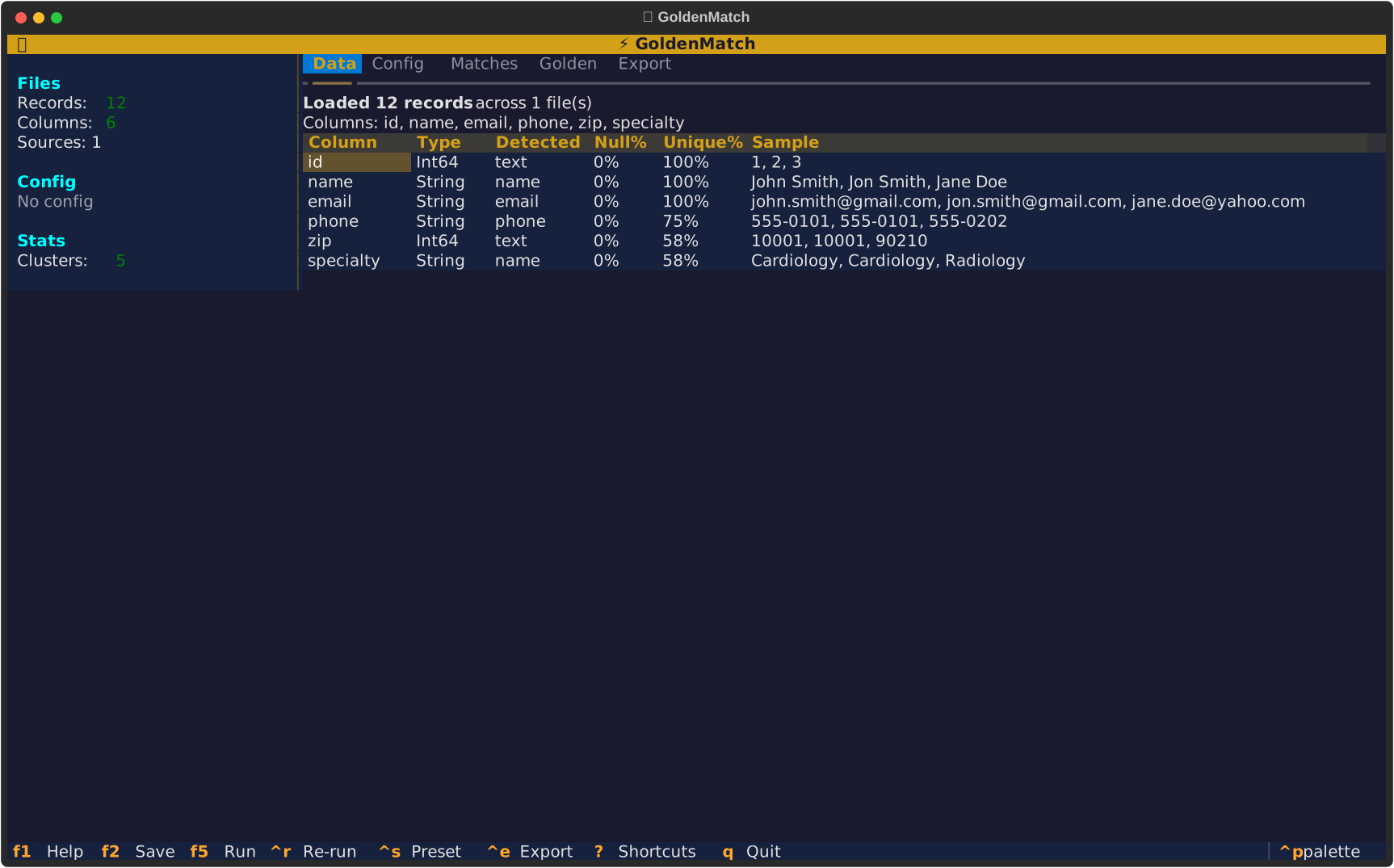
GoldenMatch includes a professional terminal UI built with Textual, featuring a gold/amber theme and keyboard-driven workflows.
First-time users should run the setup wizard:
goldenmatch setup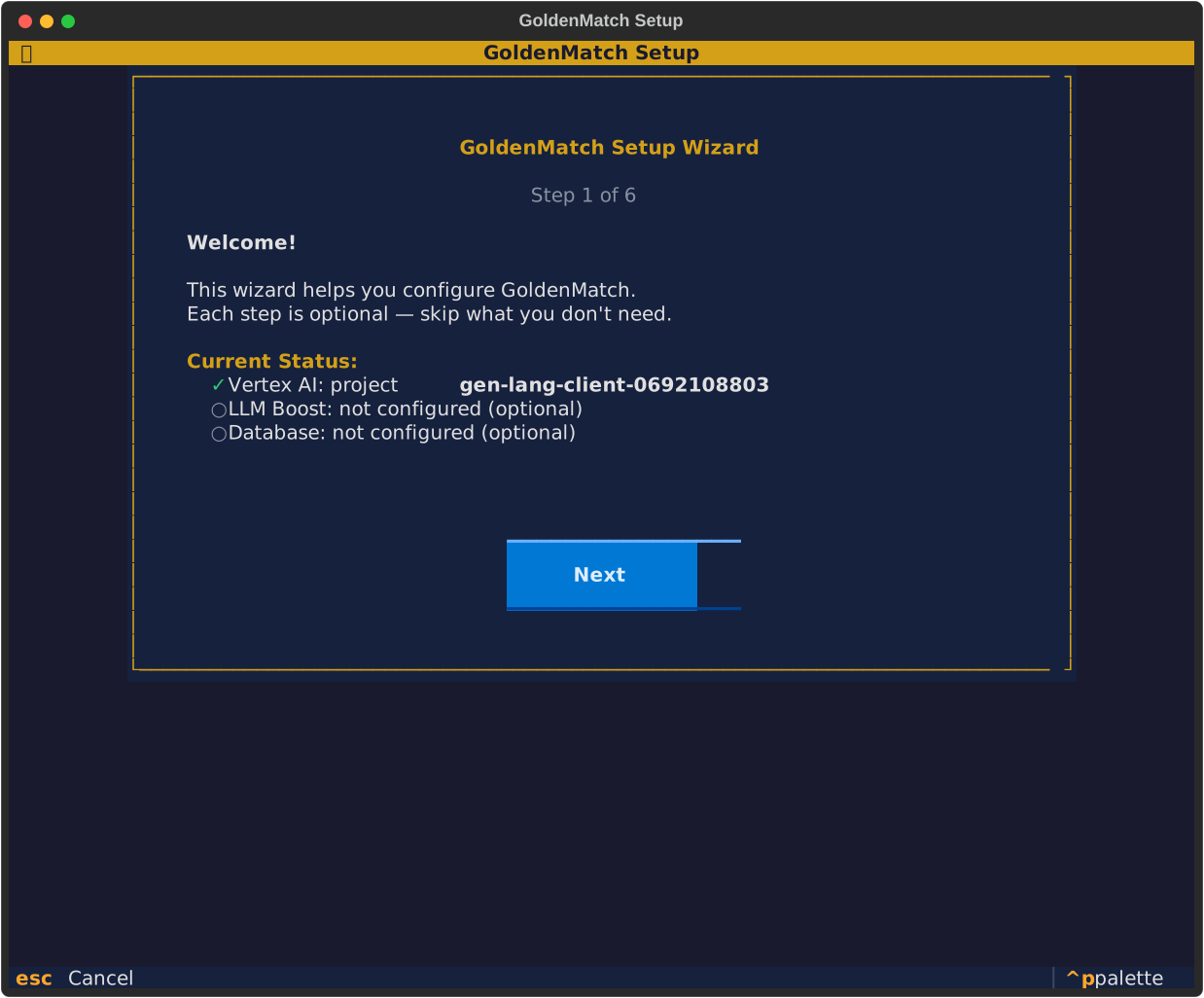
Walks through GPU mode, API keys, and database configuration with copy-paste commands at every step. See GPU Routing for details.
# Zero-config: auto-detects columns, shows summary screen
goldenmatch dedupe customers.csv

# With config: goes straight to tabbed view
goldenmatch dedupe customers.csv --config config.yaml

# Interactive mode (explicit)
goldenmatch interactive customers.csvWhen running without a config file, the TUI shows a summary of auto-detected columns before anything else:
┌─────────────────────────────────────────────────────┐
│  ⚡ GoldenMatch                                     │
│                                                     │
│  Auto-Detected Configuration                        │
│                                                     │
│  File: customers.csv                                │
│  Records: 12,847 │ Columns: 8                       │
│                                                     │
│  Column    Type     Scorer       Weight              │
│  name      Name     ensemble     1.0                 │
│  email     Email    exact        1.0                 │
│  phone     Phone    exact        0.8                 │
│  zip       Zip      exact        0.5                 │
│                                                     │
│  Blocking: multi_pass (soundex + substring)         │
│  Threshold: 0.80 (adaptive)                         │
│                                                     │
│  [▶ Run]  [Edit Config]  [Save Settings]            │
└─────────────────────────────────────────────────────┘
- Run (F5): Start matching immediately
- Edit Config (E): Switch to config editor to adjust
-
Save Settings (S): Save detected config to
.goldenmatch.yamlfor next run
The main view has 5 tabs:
| Tab | Key | Contents |
|---|---|---|
| Data | 1 |
File info, column profiling, data types, null rates |
| Config | 2 |
Matchkey builder, field selection, scorer/weight configuration |
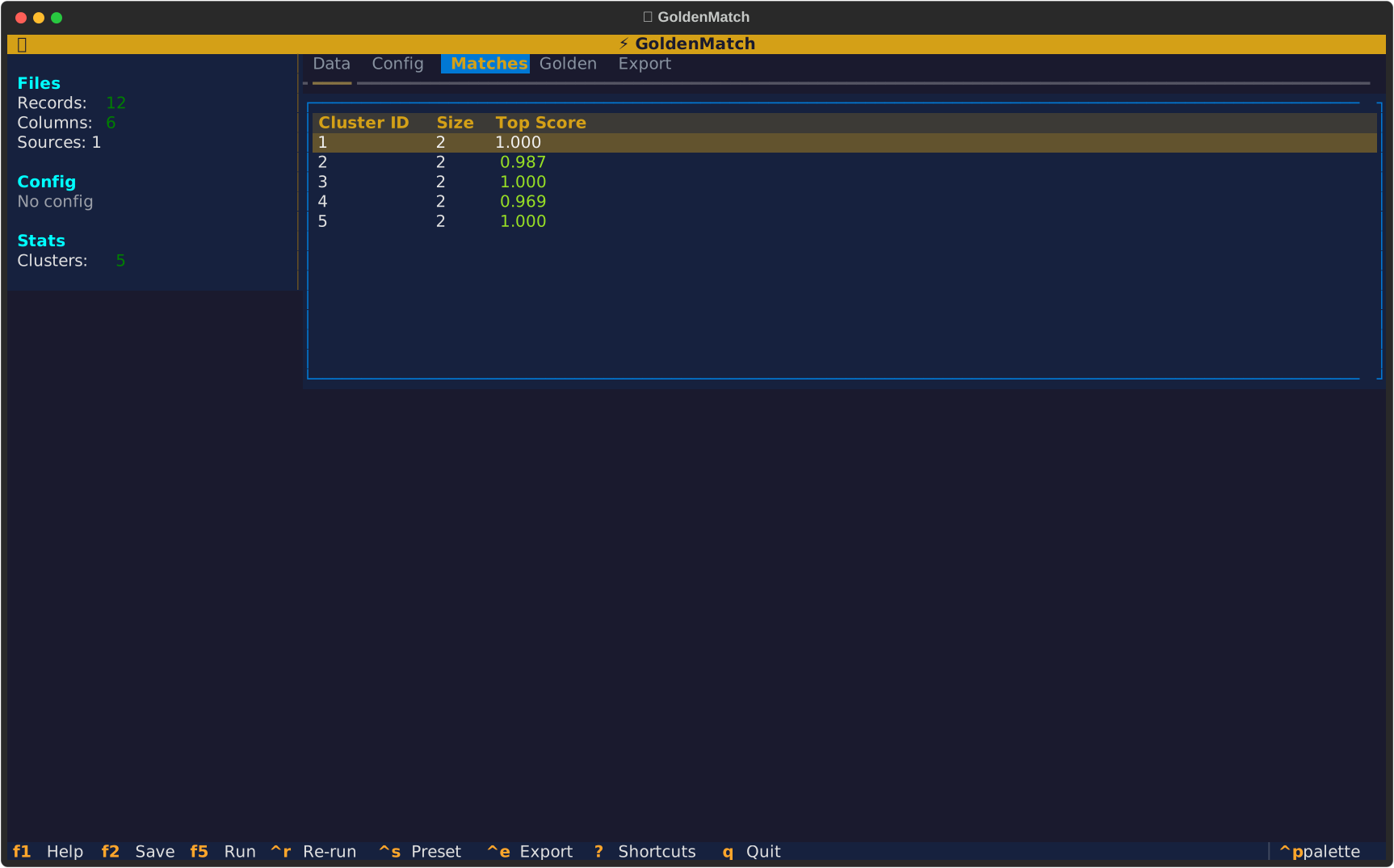
| Matches | 3 |
Split-view: cluster list + golden record detail |
| Golden | 4 |
All golden records with confidence scores |
| Export | 5 |
Save config, save preset, run full job with output options |
The Matches tab uses a master-detail layout:
┌──────────────────────┬──────────────────────────────────┐
│ Clusters (1,247)     │ Cluster #42                      │
│                      │ Score: 0.94 avg │ 3 records      │
│ ▸ #42  3rec  0.94   │                                  │
│   #107 2rec  0.91   │ Golden Record                    │
│   #23  4rec  0.88   │  name: John Smith                │
│   ...               │  email: john@test.com            │
│                      │                                  │
│                      │ Members                          │
│                      │  John Smith  john@test.com       │
│                      │  Jon Smith   jon@test.com        │
│                      │  J. Smith    js@test.com         │
└──────────────────────┴──────────────────────────────────┘
- Arrow keys navigate the cluster list
- Enter selects a cluster to view detail
- Fields that differ across members are highlighted in amber
- Fields that match are shown in green
Shows the complete pipeline with stage-by-stage tracking:
         Matching in progress...

  ████████████████░░░░░░░░░░  62%

  Stage: Scoring fuzzy pairs
  Pairs: 1,247 found
  Elapsed: 4.2s

  Pipeline:
  ✓ Ingest          0.1s
  ✓ Auto-fix        0.3s
  ✓ Standardize     0.2s
  ● Scoring         4.2s
  ○ Clustering
  ○ Golden records
When re-running after adjusting config, a non-intrusive footer bar shows progress while keeping current results visible:
Re-running... ████████░░░░ 45% │ Scoring │ 2.1s
In the Config tab, the threshold widget allows live adjustment:
Threshold: ◀ 0.80 ▶ ████████████████░░░░ ~1,247 clusters
-
←/→arrow keys adjust by 0.05 - Cluster count updates instantly (uses cached scores, no re-matching)
- Based on
recluster_at_threshold()in MatchEngine
Press ? to see all shortcuts:
| Key | Action |
|---|---|
1-5 |
Jump to tab |
F5 |
Run / re-run matching |
F2 |
Save config to .goldenmatch.yaml
|
Ctrl+R |
Re-run matching |
Ctrl+S |
Save as preset |
Ctrl+E |
Quick export |
? |
Show shortcut help |
Q |
Quit |
| Key | Action |
|---|---|
↑/↓ |
Navigate cluster list |
Enter |
Select cluster for detail |
/ |
Focus filter box |
S |
Cycle sort (score → size → ID) |
GoldenMatch uses a custom gold/amber theme:
-
Background: Deep navy (
#1a1a2e) -
Panels: Dark blue-grey (
#16213e) -
Accent: Gold (
#d4a017) -
Success: Green (
#2ecc71) -
Warning: Amber (
#e67e22) -
Error: Red (
#e74c3c)
The theme is applied consistently across all widgets: headers, tabs, tables, buttons, inputs, and progress bars.
The persistent left sidebar shows:
- Files: Record count, column count, source files
- Config: Active matchkeys with types and thresholds
- Stats: Clusters found, match rate, singletons, max cluster size
Stats update automatically after each matching run.


🟡 Golden Suite (Monorepo)
Suite Packages
- GoldenCheck · data quality
- GoldenFlow · transforms
- GoldenPipe · orchestrator
- InferMap · schema mapping
Getting Started
- Installation
- Quick Start
- Auto-Config Controller · enhanced through v1.12
- Configuration
- Verification · new in v1.5
- CLI Reference
Core Concepts
AI Integration
Advanced
- PPRL
- Domain Packs
- Streaming / CDC
- Database Integration
- GPU & Vertex AI
- REST API
- Interactive TUI
- Web UI · new in v1.7
- Evaluation
Reference
pip install goldenmatch
npm install goldenmatch