Repository navigation
Releases: Bernard-Ogak/blue_lens_analytics
Release list
Blue Lens Analytics 0.5.2

What's new
- Site search report — Engagement → Site search and Searches with no results: what visitors searched for, how often, average results, where they searched (search page, search/filter form, live search box) and the last day searched. CSV export.
- More searches captured — search and filter forms (mark filter forms with
data-bla-search="name") and live search boxes, not only the WordPress search results page. - Automatic updates — from this release, new versions install themselves on every site through WordPress's background updater. Return
falsefrom theblue_lens_auto_updatefilter to update by hand. - Changed — search and filter forms are no longer counted as form submissions (conversions).
- Fixed — with the WP Consent API plugin active, pages stopped loading (TypeError while registering the visitor cookie).
Database: migration 6 adds bla_daily_searches; existing searches are summarised on the first hourly run.
Updating: sites on 0.5.1 see this release under Dashboard → Updates (one click, or automatic if auto-updates were on). Sites on 0.5.0 or earlier: upload blue-lens-analytics.zip once via Plugins → Add New Plugin → Upload Plugin.
Blue Lens Analytics 0.5.1
Blue Lens Analytics 0.5.1
Added
- Updates from GitHub. New releases now appear on Dashboard → Updates and the Plugins screen like any other plugin update, with one-click and automatic updates and release notes under View details. The check sends no site or visitor data and can be turned off with the
blue_lens_github_updatesfilter.
Fixed
- Reports showed no data for days on which the hourly summary job did not run at all (a quiet day with no visits to trigger WP-Cron, a stopped server cron, or the site being offline). The job now rebuilds every day skipped since its previous run, up to the last 31.
Install or update
- New install or upgrading from 0.5.0: download
blue-lens-analytics.zipbelow, then Plugins → Add New Plugin → Upload Plugin (choose Replace current with uploaded when upgrading). - From 0.5.1 on, later versions arrive through the normal WordPress update screens.
Requires WordPress 6.4+ and PHP 8.1+.
Blue Lens Analytics 0.5.0
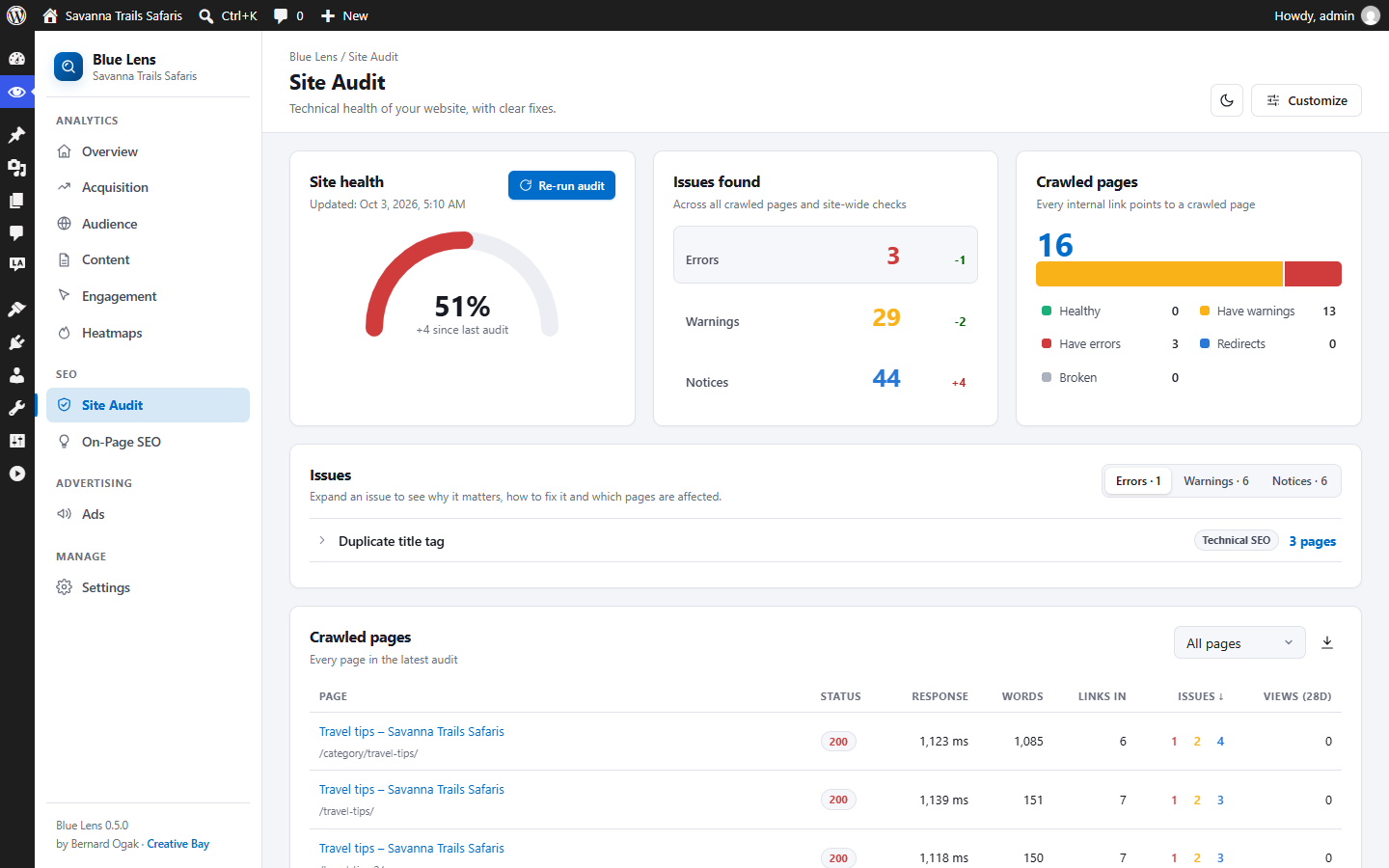
Privacy-first, self-hosted analytics for WordPress, now with an SEO Site Audit, On-Page SEO ideas and Local Ads by Bernard reporting.
Install
- Download blue-lens-analytics.zip below.
- In WordPress go to Plugins → Add New Plugin → Upload Plugin, choose the ZIP and click Install Now.
- Click Activate Plugin, then open Blue Lens → Dashboard.
Already running an earlier copy in a folder named blue-lens-analytics? Upload the ZIP and choose Replace current with uploaded. Your data and settings are kept, and two new tables are added automatically.
Requirements: WordPress 6.4+, PHP 8.1+, MySQL 5.7+ or MariaDB 10.3+.
Highlights
- Site Audit: crawls your own pages from your server and checks more than 35 factors: broken pages and internal links, redirects, duplicate titles and descriptions, mixed content, missing H1, thin content, alt text, canonical and noindex, structured data, social tags, orphan pages, robots.txt, sitemap, HTTPS and soft 404s. You get a health score, errors, warnings and notices with the change since the last audit, plain-language fixes, page details, history, CSV export and an optional weekly audit. Nothing is sent to outside services.
- On-Page SEO: ideas grouped by strategy, technical SEO, content, user experience, semantic and SERP features, with your most visited pages listed first.
- Local Ads by Bernard reporting: an Ads page with impressions, clicks and CTR by day, ad and campaign. With Local Ads 1.0.1, it also shows ad clicks by channel and page, and how many visitors who clicked an ad converted.
- New look: a sidebar layout and a clean light theme by default (dark theme still available).
Full details: CHANGELOG.md · User guide · Developer guide
Built by Bernard Ogak · Creative Bay