Describe the Bug
Auto-fill not working on username in Teams app
Steps To Reproduce
Since I already have signed in accounts, these are the steps:
- Open Teams app (microsoft.teams.com)
- Click on the hamburger menu
- Click on 'Add account'
- Click on 'Sign in with another account'
- Click on 'Enter email, phone, or Skype'
- (Auto-fill doesn't work)
- Long press on 'Enter email, phone, or Skype'
- Click on 'Autofill'
- (Auto-fill doesn't work)
- Write the username
- Click on 'Sign in'
- (It redirects to a webpage)
- Click on 'Password'
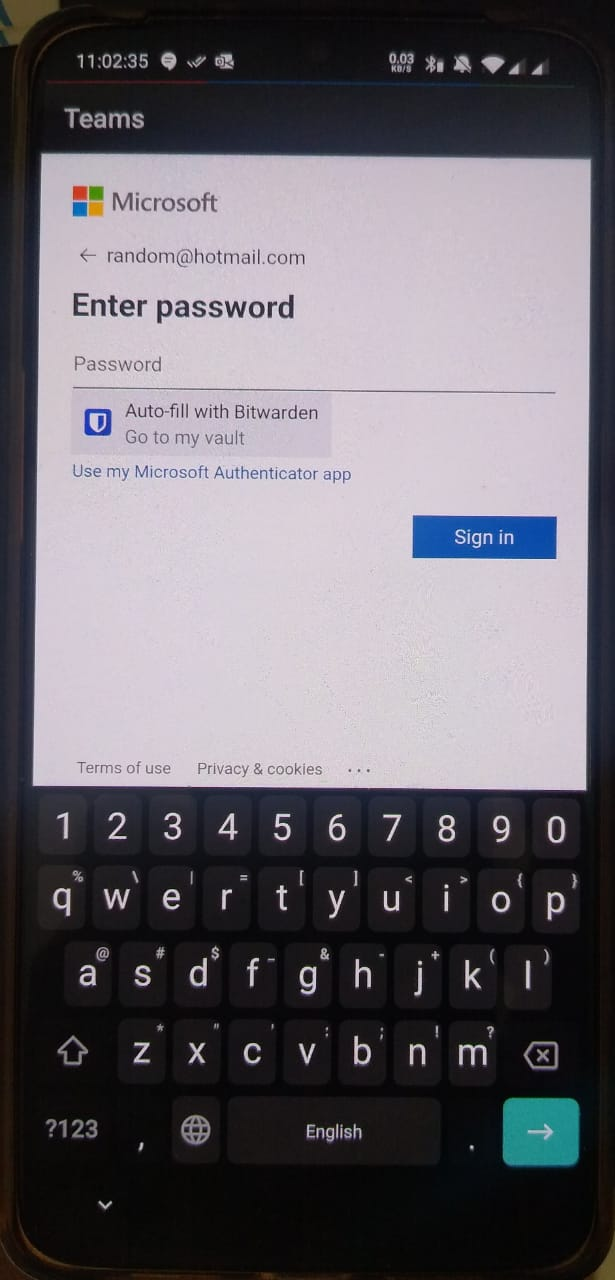
- (Auto-fill works)
Expected Result
Auto-fill username
Actual Result
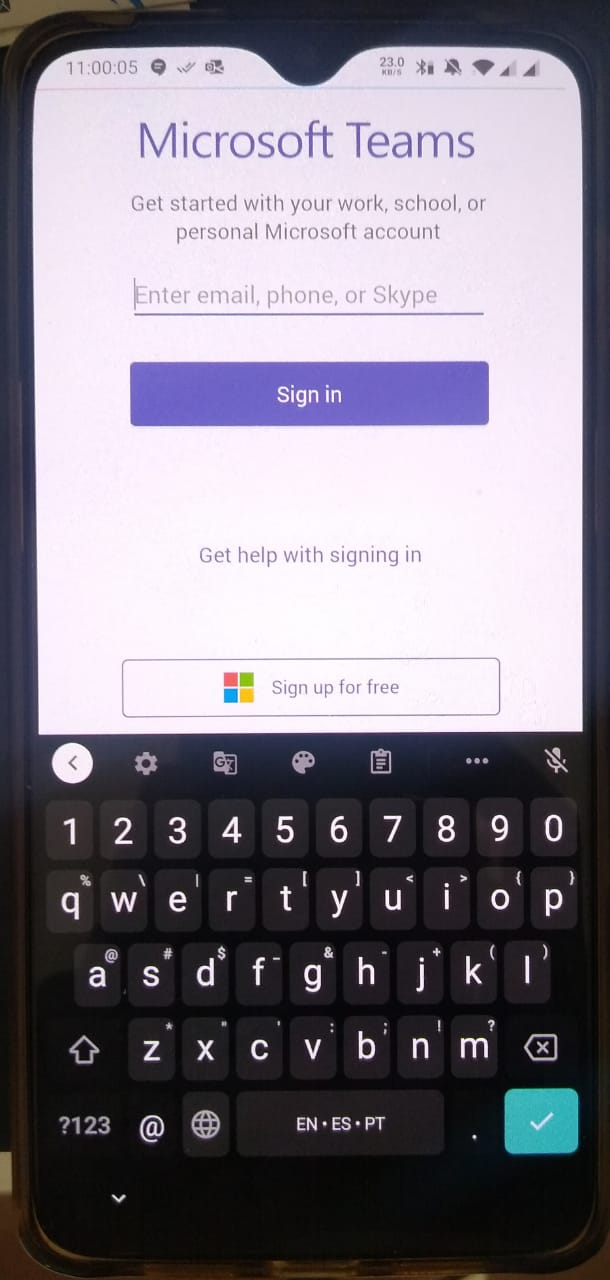
Not auto-filling username. Even when long-pressing on the field and selecting 'Autofill' . It only fills the password on the next step
Screenshots or Videos
Environment
- Device: Oneplus 7 (GM1900)
- Operating system: Android 10 (Oxygen OS 10.3.3.GM57AA)
- Build Version: 2.5.0 (3093)
- Is this a Beta release? N
- Teams app version: 1416/1.0.0.2020081801
Additional Context
I have 2 business account logged in in this app, and it doesn't allow to take screenshots. So I can't use UI Automator Viewer to get the '.uix' file.

Describe the Bug
Auto-fill not working on username in Teams appSteps To Reproduce
Since I already have signed in accounts, these are the steps:
Expected Result
Auto-fill usernameActual Result
Not auto-filling username. Even when long-pressing on the field and selecting 'Autofill' . It only fills the password on the next stepScreenshots or Videos
Clicking for auto-fill username

Not auto-filling username
Auto-filling password
Environment
Additional Context
I have 2 business account logged in in this app, and it doesn't allow to take screenshots. So I can't use UI Automator Viewer to get the '.uix' file.