Android/iOS: Accessibility - File/Text controls unintuitive, "Text" accessible name incorrect #1919


Description

Steps To Reproduce
- Turn on VoiceOver/iOS, Talkback/Android
- Go to "Send" > "Add a Send"
- Go to the "File"/"Text" options
Expected Result
The currently selected option should announce as something like "pressed"/"selected" or similar.
Actual Result
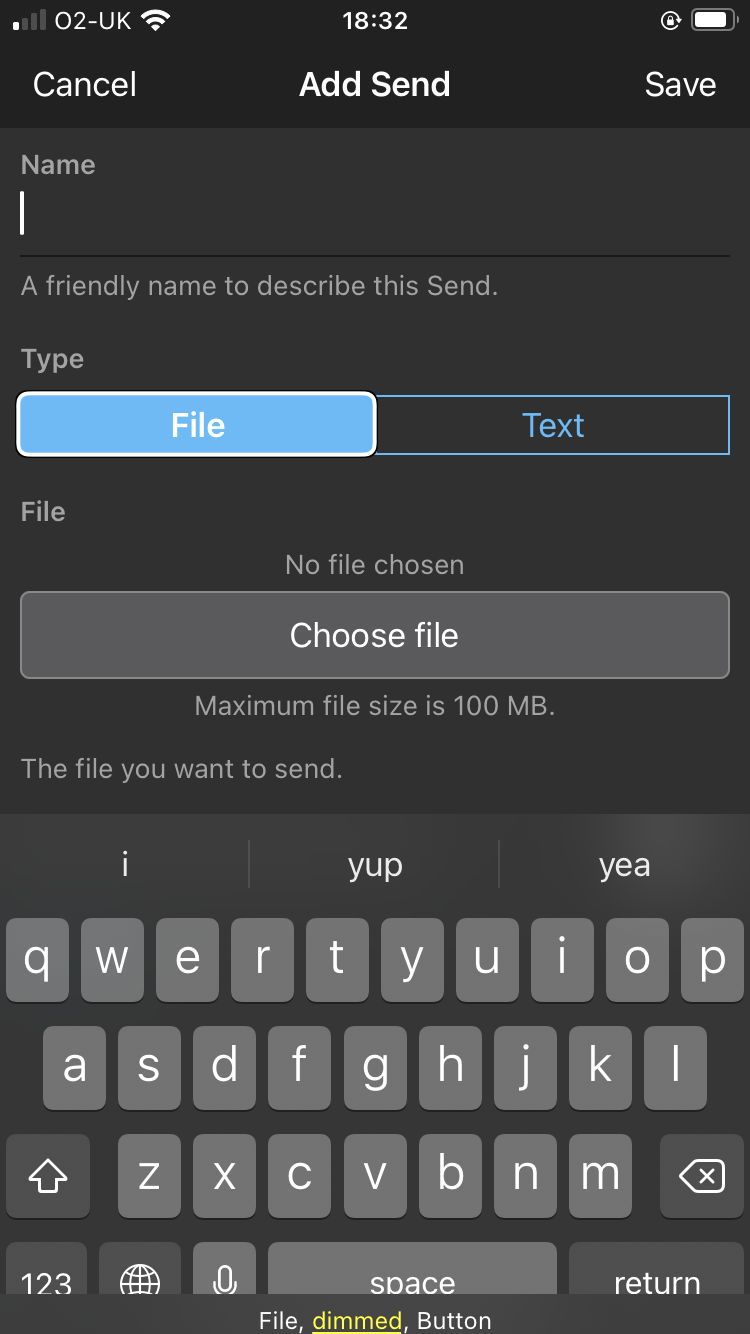
The currently selected option is announced as a disabled/dimmed button, which is not immediately obvious as "this is what's actually enabled/selected".
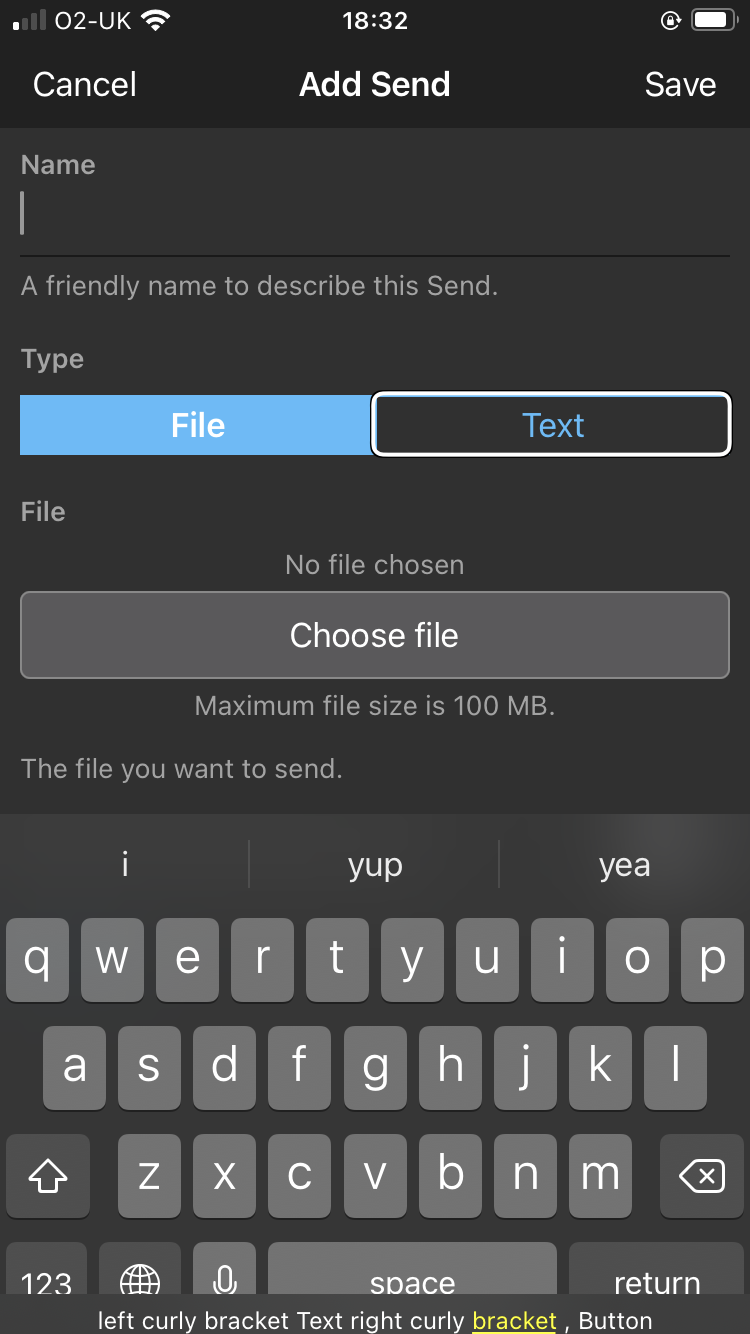
Additionally, it appears that the accessible name for the "Text" button is incorrect: VoiceOver announces it as "left curly bracket Text right curly bracket, Button". Talkback annouces it as "Text, Button", but with TB's visible text output enabled, it can be seen that it's actually "{Text}, Button" ... only that TB chooses to silently ignore the curly brackets.
Screenshots or Videos
Currently selected option, announced by VoiceOver as a "dimmed" button
Focus on the "Text" control, with the VO output visible at the bottom "left curly bracket Text right curly bracket, Button"
Additional Context
No response
Operating System
Android, iOS
Operating System Version
No response
Device
No response
Build Version
2.18.0 (4572)
Beta
- Using a pre-release version of the application.