Describe the bug
If you want to create an item in the vault when you use the iOS feature for password lookup in the browser/any application (the button over the keyboard which appears when typing in a password field), then Bitwarden does not give an option to generate a passphrase, only a regular password.
Steps To Reproduce
- Open any application or a site in any browser where you can enter a password.
- Select the password field and tap the “Passwords” button over the keyboard to bring up Bitwarden.
- Tap the + button to add a new item
- Tap the “Generate password” button to open the password generation UI
Expected Result
Bitwarden shows the regular password generation UI, with an option to create a passphrase.
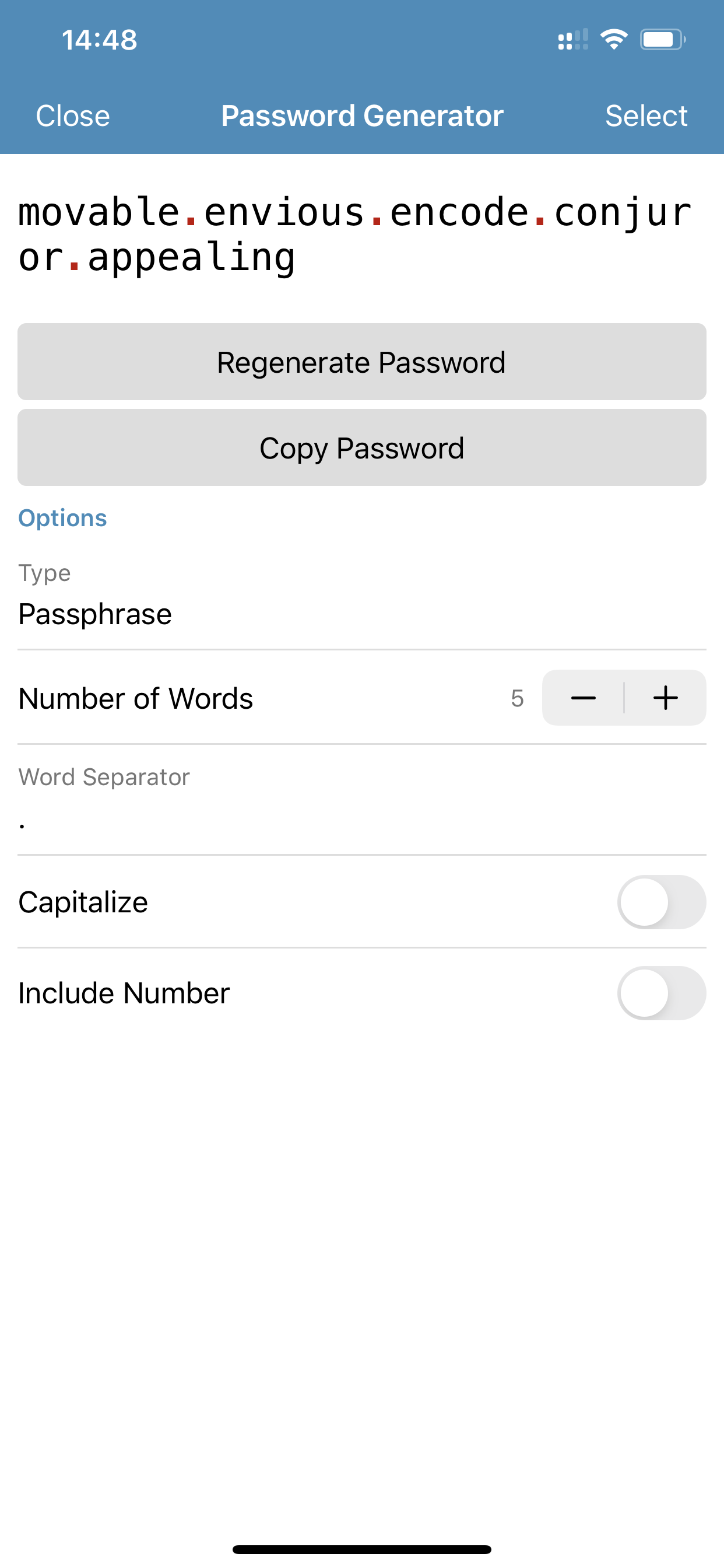
Actual Result
Bitwarden shows another, more limited UI with no option to generate a passphrase.
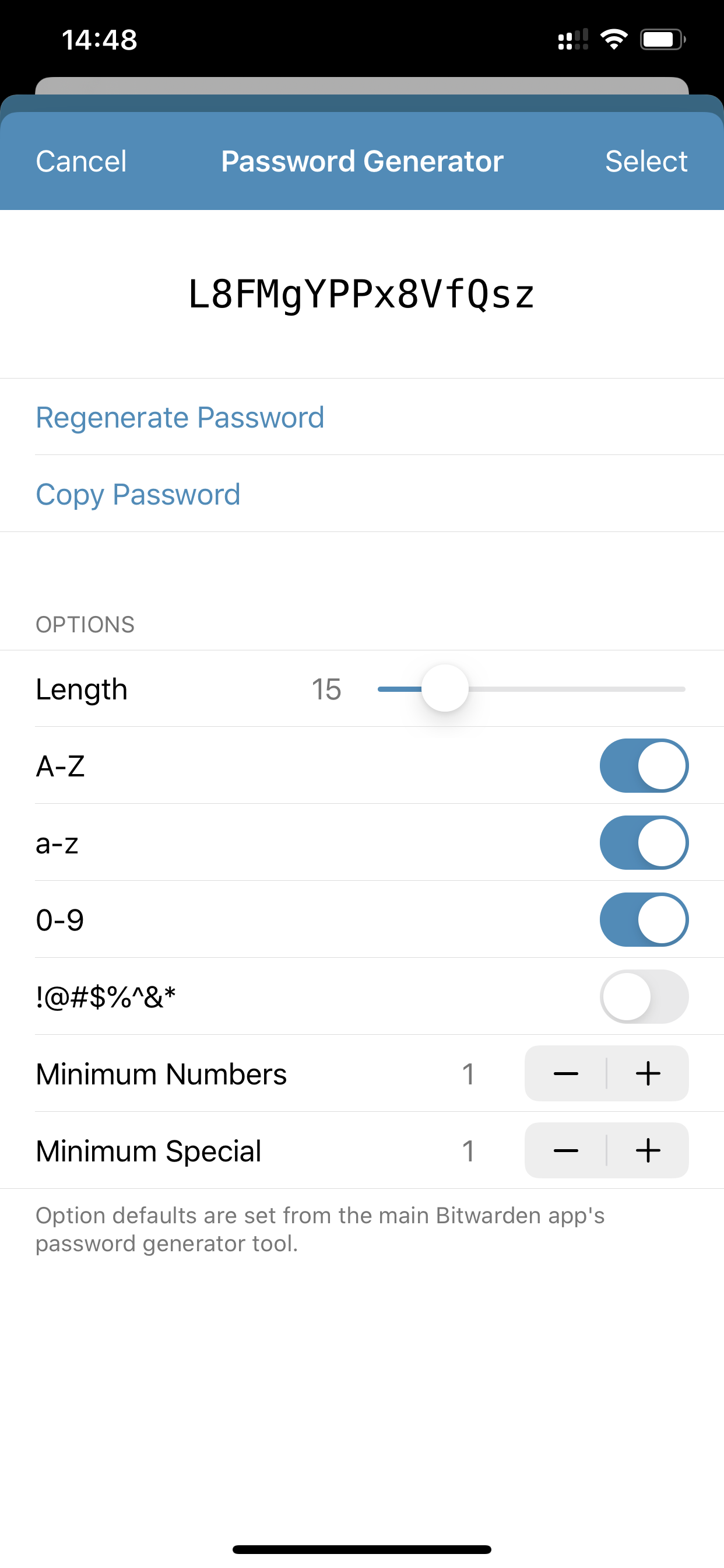
Also, the overall UI for creating an entry this way looks different from the main app, maybe it hasn’t been updated to match the main app?
Screenshots or Videos
See above.
Environment
- Device: iPhone Xs Max
- Operating system: iOS 13.3.1
- Build Version: 2.3.1 (64)
- Is this a Beta release? N
Additional Context
N/A


Describe the bug
If you want to create an item in the vault when you use the iOS feature for password lookup in the browser/any application (the button over the keyboard which appears when typing in a password field), then Bitwarden does not give an option to generate a passphrase, only a regular password.
Steps To Reproduce
Expected Result
Bitwarden shows the regular password generation UI, with an option to create a passphrase.
Actual Result
Bitwarden shows another, more limited UI with no option to generate a passphrase.
Also, the overall UI for creating an entry this way looks different from the main app, maybe it hasn’t been updated to match the main app?
Screenshots or Videos
See above.
Environment
Additional Context
N/A