Describe the Bug
On the screen of the 6-digit verification code, asked right after the master password, when Bitwarden is reduced and then reopened, the wrong field has the focus (that of the master password, now invisible at this stage), hence the wrong keyboard (standard, A-Z) instead of the good (numeric, 1-9) that appears.
ℹ️ The problem is present in both the stable and beta versions.
Steps To Reproduce
0. Configure Bitwarden from your web vault in "two-step login" mode and choose "authenticator app".
1. Open Bitwarden and enter your master password. You are now asked for a 6-digit code, as shown below.
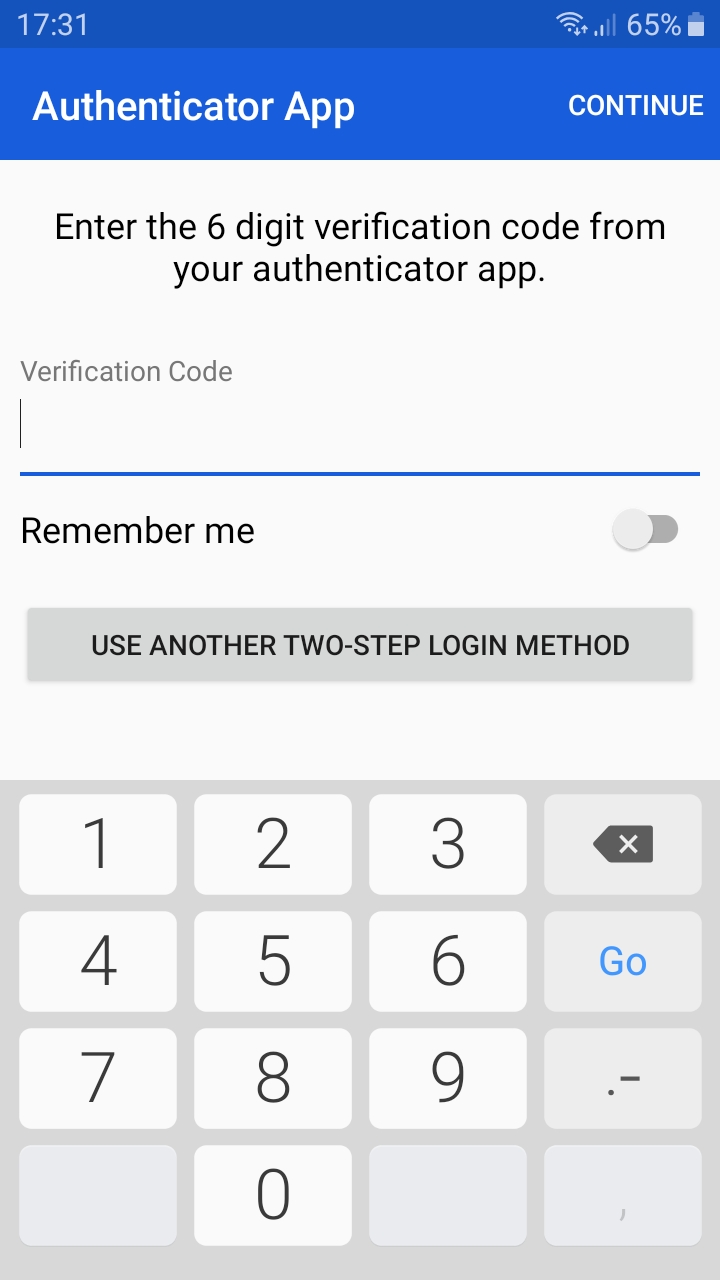
2. Minimize Bitwarden (press the "Home" button on your smartphone). Typically at this point, on a smartphone, we will open our "authenticator app" and copy the 6-digit code to the clipboard, but for our demonstration, let's skip this passage and reopen Bitwarden directly.
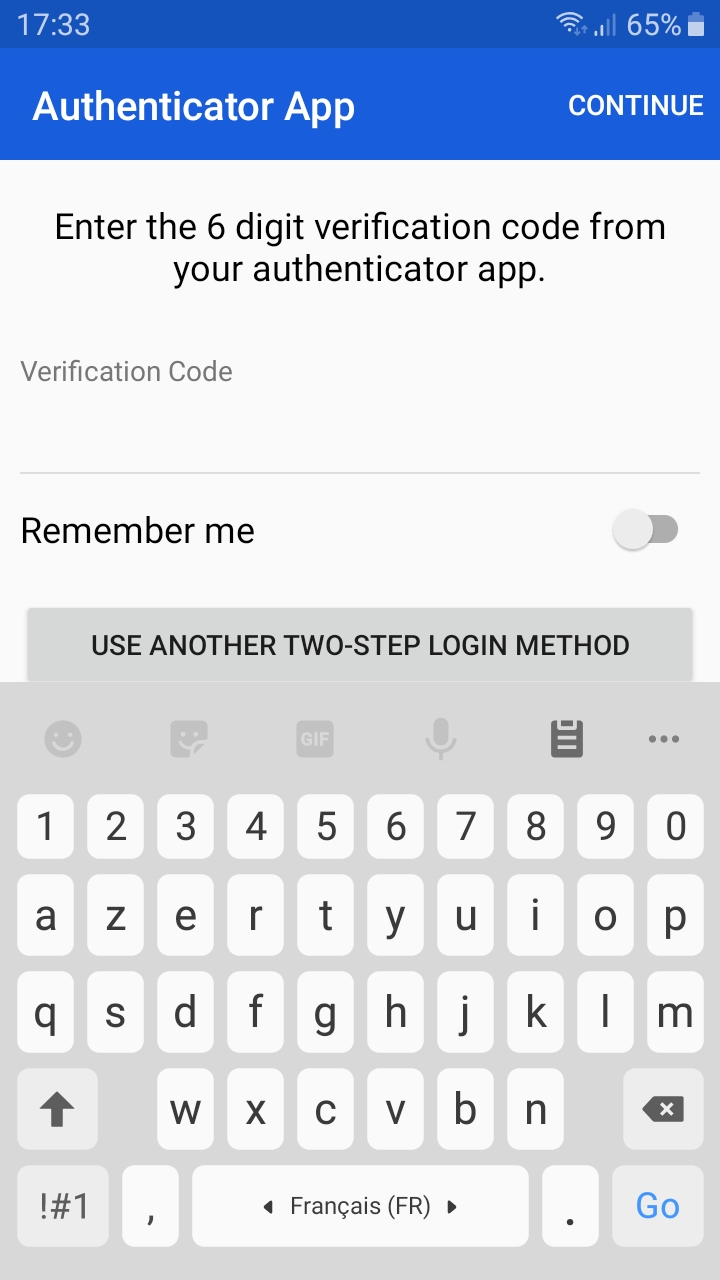
3. As can be seen below, the "Verification Code" field has lost its focus. The master password field has taken it back (despite its non-visibility). Hence the display of a standard keyboard (A-Z) instead of numeric (1-9).
↪️ At this point, of course, if you select the "Verification Code" field, the correct keyboard will reappear. But let's type "hello" in this keyboard that appears to see if it actually appears in the master password field.
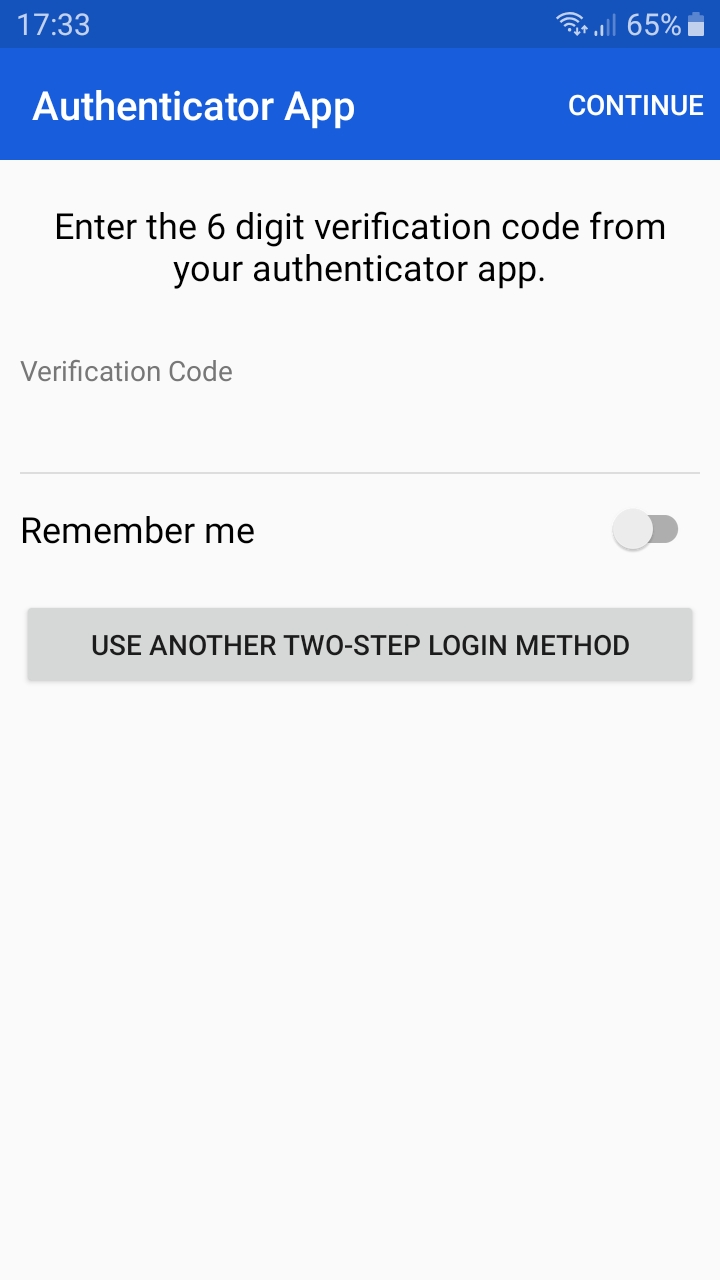
4. Let's check it out easily. Just press the "Back" button on your smartphone once. The keyboard is now hidden.
5. Do it again. We can see our master password field with 5 hidden characters.
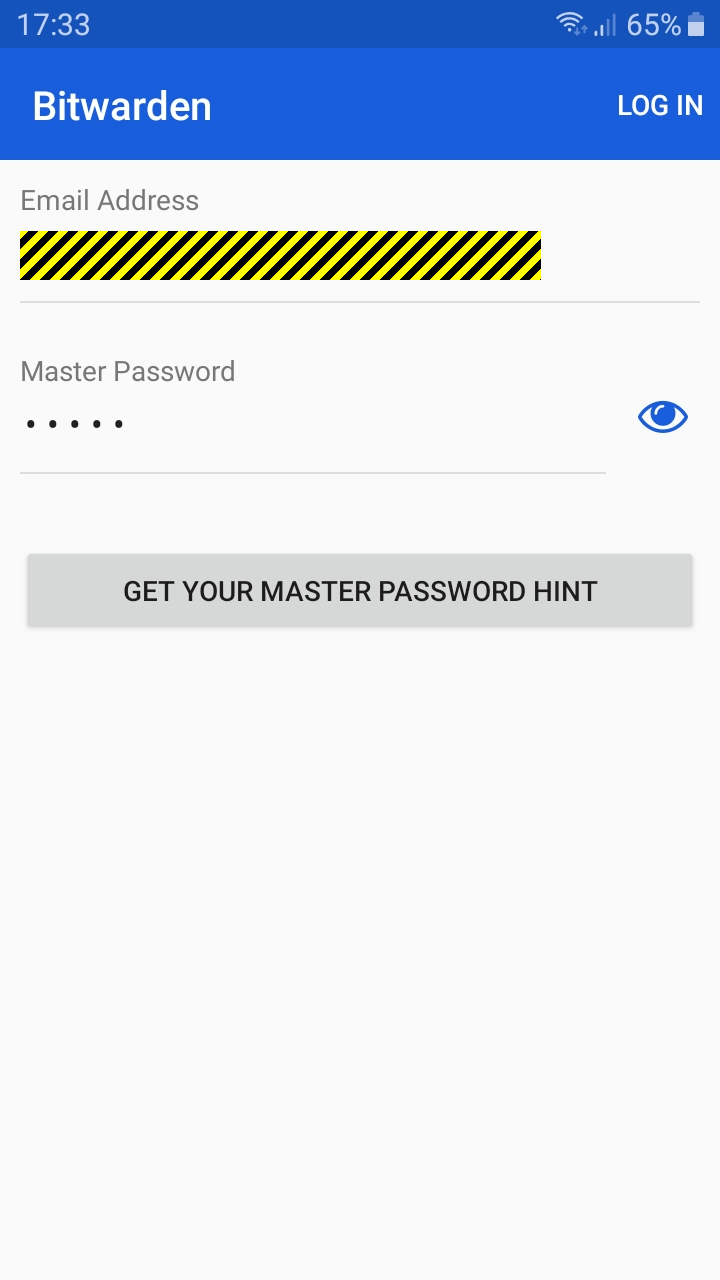
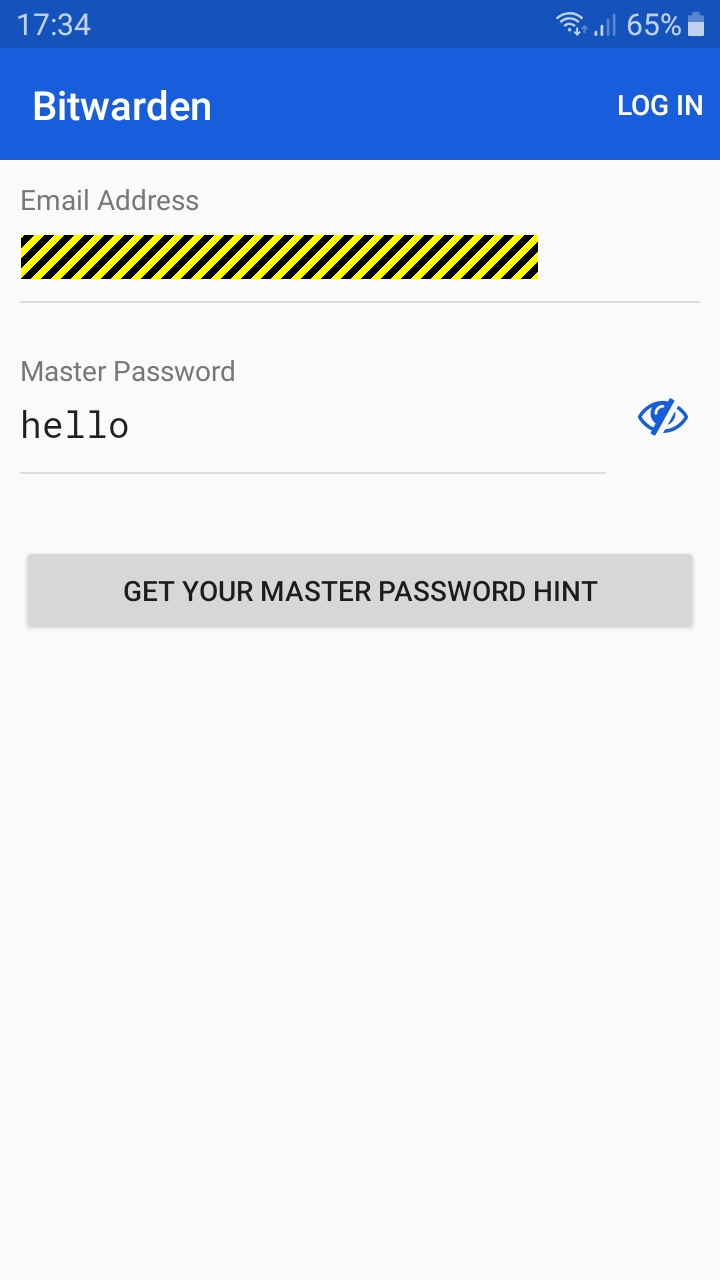
6. Let's display the master password and see. We can see that our "hello" has been typed in fact in this field.
Expected Result
Focus on the correct field when Bitwarden is reopened, that of the 6-digit verification code (keypad 1-9 will then appear).
Actual Result
Focus in the wrong field when Bitwarden is reopened, that of the master password, invisible at this stage (hence the A-Z keyboard appearing).
Environment
1 Screenshots taken with this version (allowing me to do so by modifying the source code).


Describe the Bug
On the screen of the 6-digit verification code, asked right after the master password, when Bitwarden is reduced and then reopened, the wrong field has the focus (that of the master password, now invisible at this stage), hence the wrong keyboard (standard, A-Z) instead of the good (numeric, 1-9) that appears.
ℹ️ The problem is present in both the stable and beta versions.
Steps To Reproduce
0. Configure Bitwarden from your web vault in "two-step login" mode and choose "authenticator app".
1. Open Bitwarden and enter your master password. You are now asked for a 6-digit code, as shown below.
2. Minimize Bitwarden (press the "Home" button on your smartphone). Typically at this point, on a smartphone, we will open our "authenticator app" and copy the 6-digit code to the clipboard, but for our demonstration, let's skip this passage and reopen Bitwarden directly.
3. As can be seen below, the "Verification Code" field has lost its focus. The master password field has taken it back (despite its non-visibility). Hence the display of a standard keyboard (A-Z) instead of numeric (1-9).
↪️ At this point, of course, if you select the "Verification Code" field, the correct keyboard will reappear. But let's type "hello" in this keyboard that appears to see if it actually appears in the master password field.
4. Let's check it out easily. Just press the "Back" button on your smartphone once. The keyboard is now hidden.
5. Do it again. We can see our master password field with 5 hidden characters.
6. Let's display the master password and see. We can see that our "hello" has been typed in fact in this field.
Expected Result
Focus on the correct field when Bitwarden is reopened, that of the 6-digit verification code (keypad 1-9 will then appear).
Actual Result
Focus in the wrong field when Bitwarden is reopened, that of the master password, invisible at this stage (hence the A-Z keyboard appearing).
Environment
Battery optimization: OFF
Device/OS:
Build Version (go to "Settings" → "About" in the app):
both devices listed above have been tested with:
1 Screenshots taken with this version (allowing me to do so by modifying the source code).