Utilities
A collection of powerups and commands incorporated into Incremental Everything (originally from the standalone Hide in Queue plugin), plus two new powerups — Remove Parent and Remove Grandparent — that improve how parent/ancestor Rems are rendered during queue review.
The 5 powerups originally from the Hide in Queue plugin (Hide in Queue, Remove from Queue, No Hierarchy, Hide Parent, Hide Grandparent) are gated by the Enable Hide-in-Queue powerups and commands setting in Plugin Settings.
⚠️ Important. Only enable this setting if you do NOT have the standalone Hide in Queue plugin installed. The powerup codes are identical, and RemNote throws a fatalDuplicated poweruperror if both plugins try to register the same code — Incremental Everything will fail to load. If you currently use the standalone plugin, uninstall it first, then enable the setting and reload RemNote.
The two new powerups — Remove Parent and Remove Grandparent — are always registered regardless of the setting, because the Cloze and Extract creators apply Remove Parent automatically to newly-created Rems.
Tag any Rem with Hide in Queue (using the command). Its content will be replaced on the front of descendant flashcards with "Hidden in queue":
- The content of the tagged Rem is hidden, but the bullet point itself remains visible.
- Instead of the text, a ghosted/faded label saying "Hidden in queue" appears next to the bullet.
- Visual result: The user still sees the structural indentation and knows that something is there, but the actual information is obscured during the question phase. Good for hiding hints, spoilers, or context that would make retrieving the answer trivial.
Editor:

Queue:

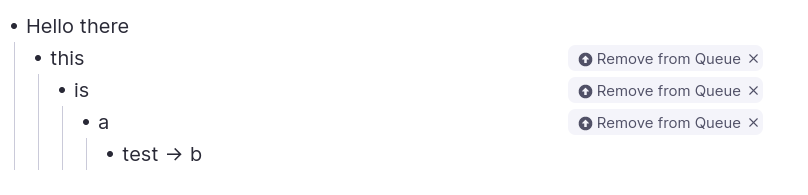
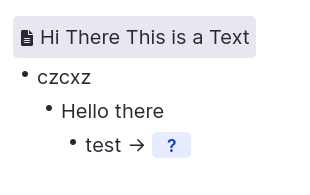
Tag any Rem with Remove from Queue (using the command). Its content will be completely removed from the flashcard's visual hierarchy of its descendants.
- Not only is the text gone, but any child Rems underneath it are pulled to the left, essentially collapsing the space.
- Visual result: It looks exactly as if that intermediate Rem never existed in your document hierarchy at all.
Editor:
Queue:
-
Hide in Queue (
hiq): content is hidden, but the bullet point structure remains visible with a "Hidden in queue" ghosted label. Use when you want to acknowledge the structural presence of a parent but obscure its text. -
Remove from Queue (
rfq): the Rem is completely removed from the visual hierarchy (display: none), and any children are shifted left to fill its space. Use to erase an intermediate parent level entirely as if it never existed.
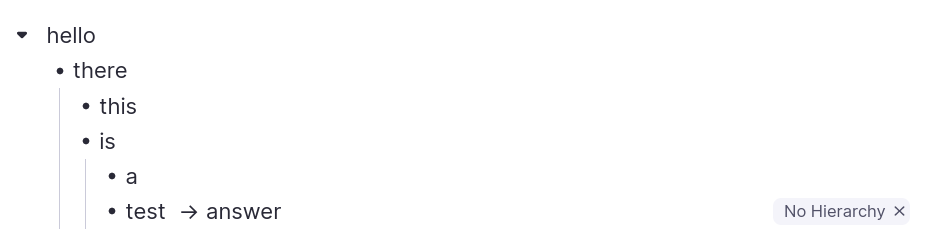
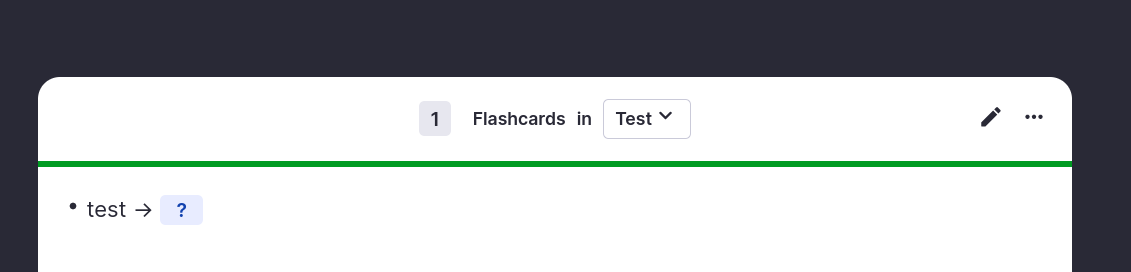
Tag any Rem with No Hierarchy (using the command). Any ancestors will be hidden on the front and back of the flashcard.
Editor:
Queue:
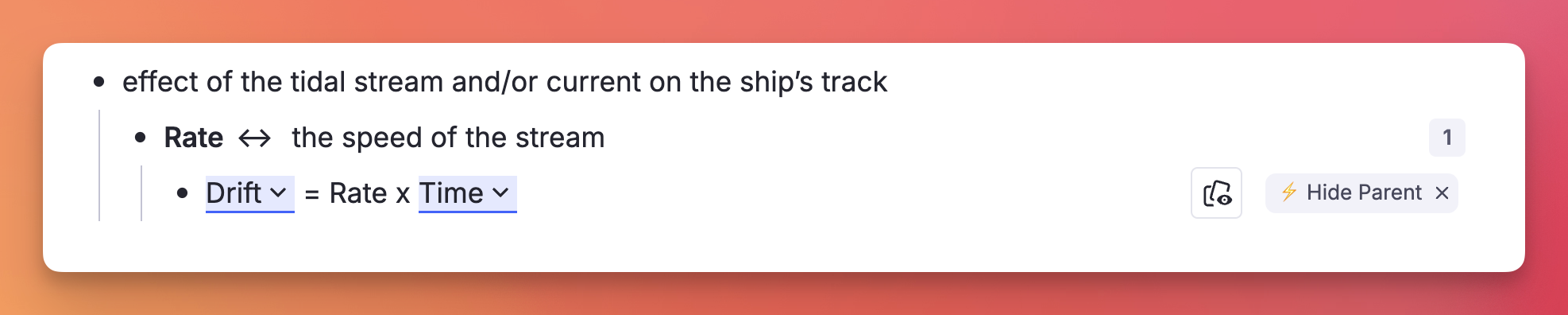
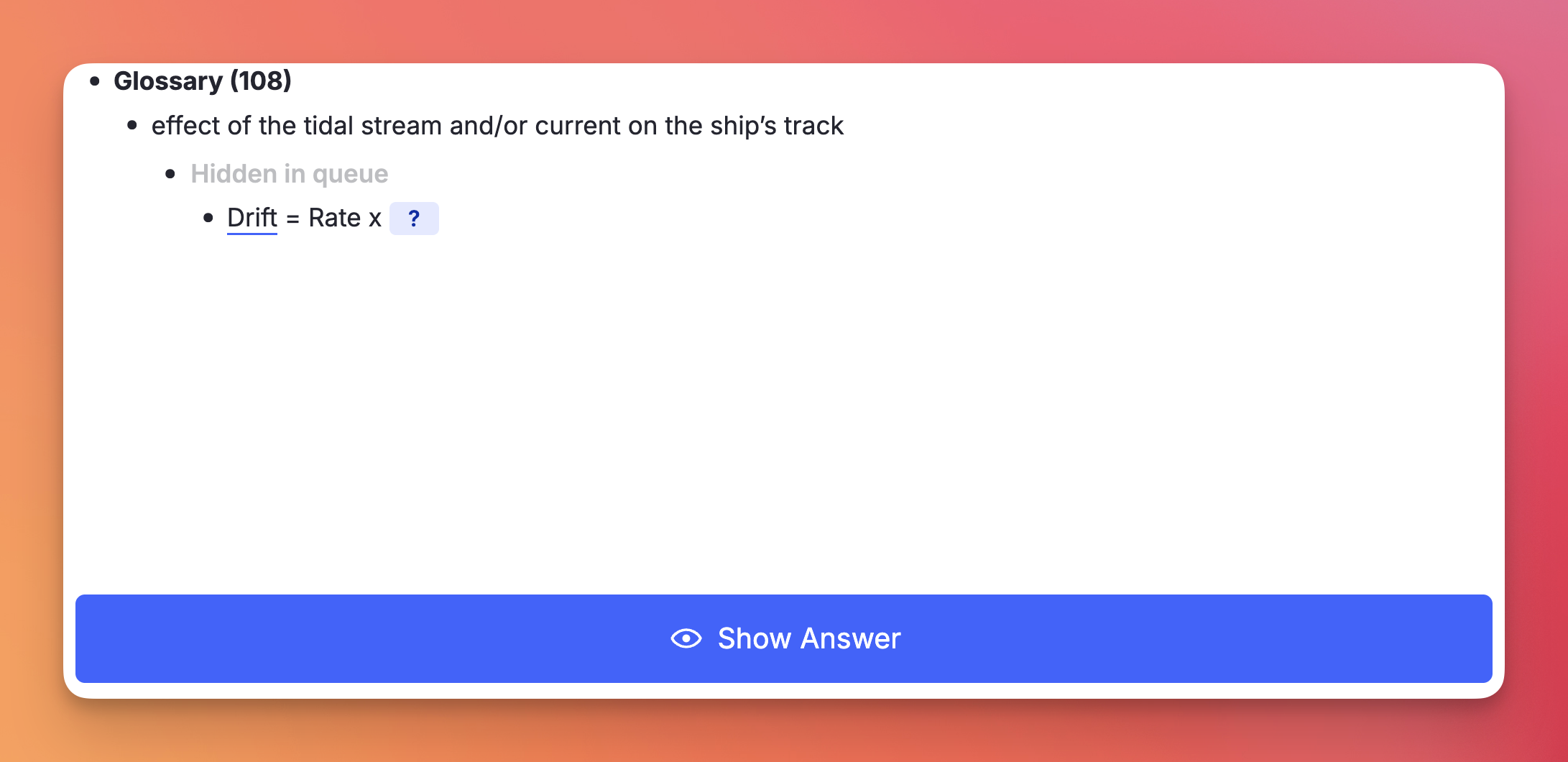
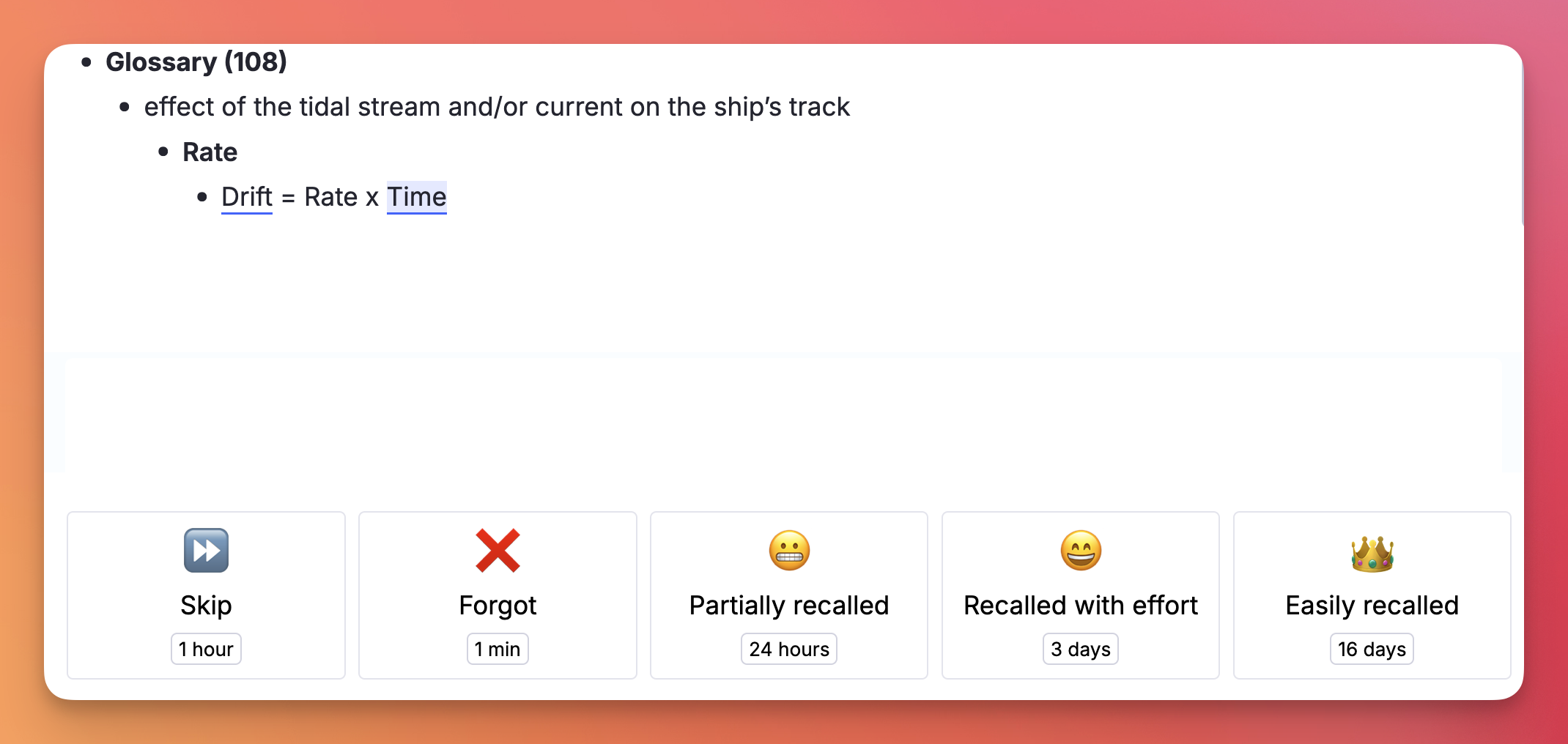
Tag any Rem with Hide Parent (using the command Hide Parent or /hp). Its immediate parent will be hidden on the front of the flashcard, but revealed on the back.
Similar to Hide in Queue, but instead of tagging the parent Rem, the user tags the specific flashcard Rem — so other flashcard descendants of the same parent Rem are not affected.
Editor:
Queue:
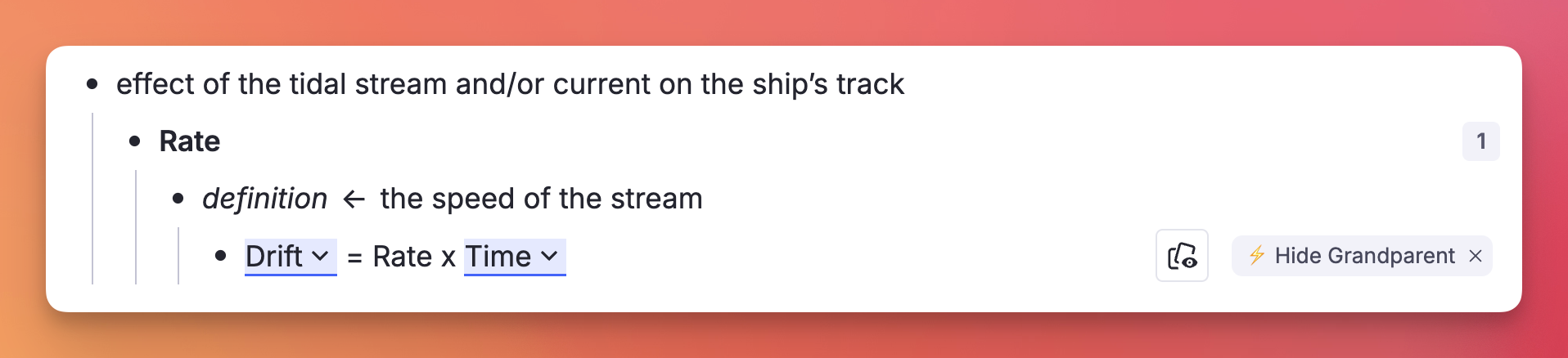
Tag any Rem with Hide Grandparent (using the command Hide Grandparent or /hgp). Its grandparent will be hidden on the front of the flashcard, but revealed on the back.
Editor:
Queue:
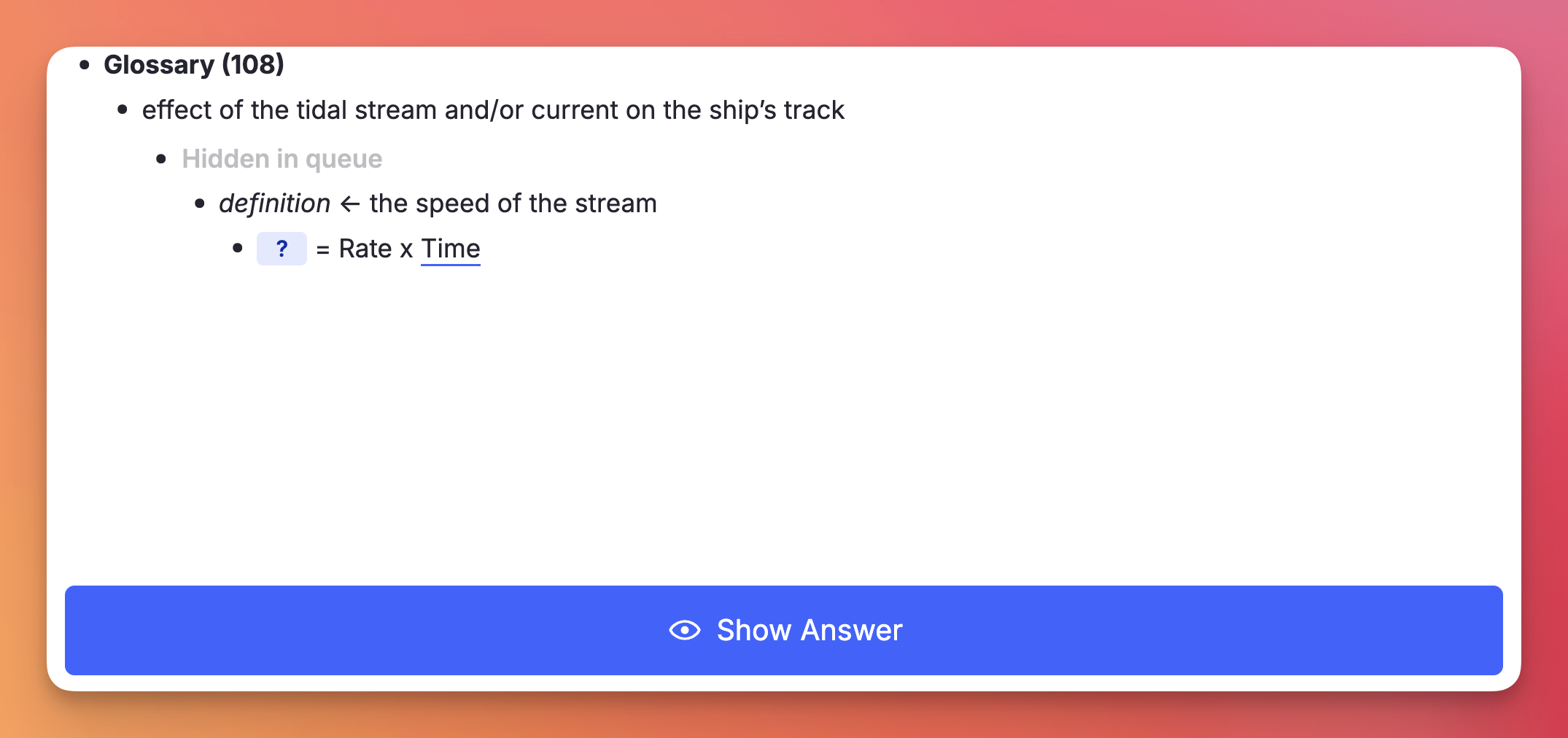
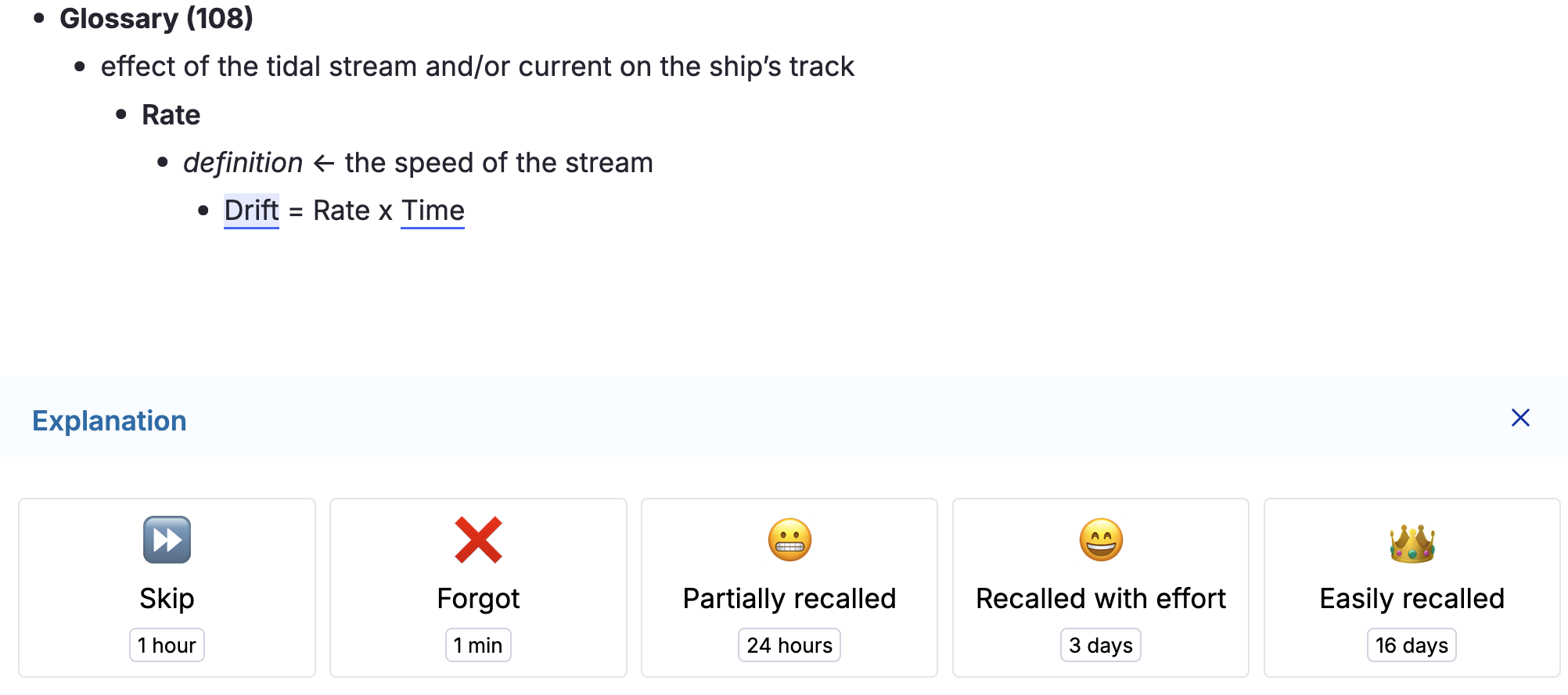
Like Hide Parent, but more aggressive: the immediate parent is completely removed from the queue display on both the front and back of the card — no "Hidden in queue" placeholder, no indented blank space.
The cloze (Alt+Z) and extract (Alt+Shift+X) creators apply this powerup automatically to the newly-created Rem, so the source Rem isn't shown redundantly during review without also affecting other descendant flashcards (e.g. Descriptor children) that need the parent visible for context.
You can also apply it manually to any flashcard via the Remove Parent command or /rp.
Same as Remove Parent, but one level higher: the grandparent is fully removed from the queue display on both front and back of the card.
Apply via the Remove Grandparent command or /rgp.
All commands above can be triggered directly while reviewing a flashcard in the Queue, without needing to switch to the editor:
- No Hierarchy, Hide Parent, Hide Grandparent, Remove Parent, Remove Grandparent: automatically apply the powerup directly to the current card.
- Hide in Queue and Remove from Queue: since these are designed to be applied to parent/ancestor Rems rather than the flashcard itself (applying them to the current card would make the card vanish), triggering them in the queue opens a confirmation prompt offering to apply the powerup to the card's parent instead.
This incorportated utility cycles selected text through three case styles with a single shortcut — just like Shift+F3 in Microsoft Word.

Press Shift+F3 with text selected to cycle through:
| Step | Style | Example |
|---|---|---|
| 1st press | Title Case | Cyclone in Tropical Latitudes |
| 2nd press | UPPERCASE | CYCLONE IN TROPICAL LATITUDES |
| 3rd press | lowercase | cyclone in tropical latitudes |
The plugin auto-detects the current case of the selection and always advances to the next stage, so you never have to think about where you are in the cycle.
Title Case follows Chicago/APA style:
-
Always capitalised / Sempre maiúsculas:
- The first and last word of the selection.
- All nouns, verbs, adjectives and adverbs.
-
Kept lowercase / Mantidas em minúsculas (unless first or last word):
- Articles / Artigos: a, an, the · o, a, os, as, um, uma…
- Prepositions / Preposições: at, by, in, of, on, to, up, as, via · de, em, por, para, com, sem, sob, sobre…
- Conjunctions / Conjunções: and, or, nor, but, for, yet, so · e, ou, mas, nem, que, se, como, pois, logo…
- Portuguese contractions / Contrações portuguesas: do, da, dos, das, no, na, nos, nas, ao, aos, pelo, pela, pelos, pelas…
cyclone in tropical or subtropical latitudes→ Cyclone in Tropical or Subtropical Latitudes
princípios das radiocomunicações marítimas→ Princípios das Radiocomunicações Marítimas
- Formatting preserved / Formatação preservada: bold, italic, highlight and all other rich-text styles are kept intact through every transformation.
- Cross-element word boundaries / Palavras com formatação mista: words split across formatting runs (e.g. a bold first letter) are handled correctly — only the true first letter of each word is capitalised.