Extract text from images and PDFs in your n8n workflows. This community node provides OCR (Optical Character Recognition) for images using Tesseract.js and text extraction from PDF documents.

- OCR from Images - Extract text from PNG, JPG, TIFF, BMP, and other image formats using Tesseract.js
- Extract Text from PDFs - Pull text content from PDF documents
- Multi-language Support - OCR supports 100+ languages via Tesseract language packs
- No External APIs - All processing happens locally, no data leaves your server
- Open your n8n instance
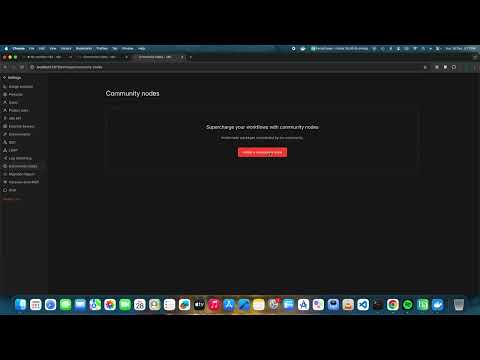
- Go to Settings → Community Nodes
- Click Install a community node
- Enter:
n8n-nodes-ocrbro - Click Install
- Restart n8n when prompted
cd ~/.n8n/nodes
npm install n8n-nodes-ocrbro
# Restart n8nMount the node into your n8n container:
docker run -it --rm \
  --name n8n \
  -p 5678:5678 \
  -e N8N_CUSTOM_EXTENSIONS="/home/node/.n8n/custom/n8n-nodes-ocrbro" \
  -v n8n_data:/home/node/.n8n \
docker.n8n.io/n8nio/n8nExtract text from images using Tesseract OCR.
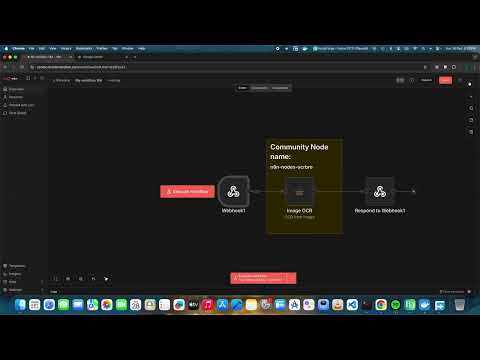
- Add OCR Bro node to your workflow
- Set Operation to
OCR from Image - Configure:
- Input Binary Field: Name of the binary property containing the image (default:
data) - Language: Tesseract language code (default:
eng)
- Input Binary Field: Name of the binary property containing the image (default:
Example workflow:
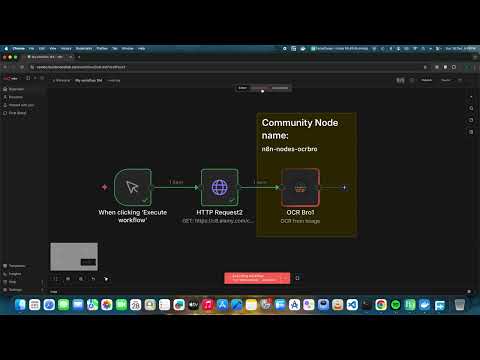
[Read Binary File] → [OCR Bro] → [Set Node]
Supported image formats: PNG, JPG/JPEG, TIFF, BMP, GIF, WebP
Language codes:
eng- Englishdeu- Germanfra- Frenchspa- Spanishchi_sim- Chinese (Simplified)jpn- Japanese- Multiple languages:
eng+deu+fra
Extract text content from PDF documents.
- Add OCR Bro node to your workflow
- Set Operation to
Extract Text from PDF - Configure:
- Input Binary Field: Name of the binary property containing the PDF (default:
data)
- Input Binary Field: Name of the binary property containing the PDF (default:
Example workflow:
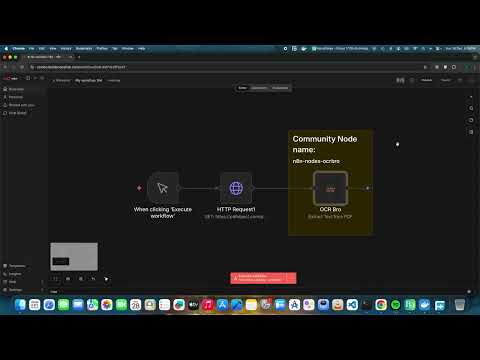
[HTTP Request (PDF URL)] → [OCR Bro] → [Code Node]
Output:
{
  "text": "Extracted text content...",
  "pages": 5
}- Use Read Binary File to load an image
- Connect to OCR Bro with operation
OCR from Image - Output contains
text,confidence, andwordscount
- Use Read Binary Files to load multiple images
- Connect to OCR Bro
- Each item will be processed and return extracted text
- HTTP Request - Download PDF from URL
- OCR Bro - Extract text (operation:
Extract Text from PDF) - Send Email - Include extracted text in email body
- Restart your n8n instance
- Check the n8n logs for any errors
- Use higher resolution images (300 DPI recommended)
- Ensure good contrast between text and background
- Specify the correct language code
- Pre-process images to remove noise if needed
- The PDF may contain scanned images instead of text
- For scanned PDFs, convert pages to images first, then use the OCR operation
MIT