

Fork FAQ below.
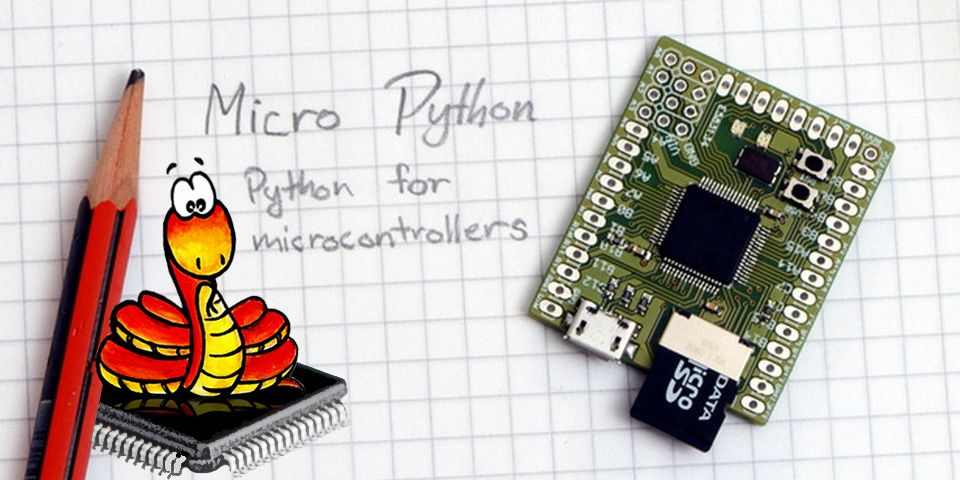
This is the Pycopy project, which aims to devel a lightweight implementation of Python 3.x, scaling down to small embedded systems, and all the way down to microcontrollers. Pycopy is based on MicroPython. Name "Pycopy" and "MicroPython" is used interchangeably below.
WARNING: this project is in beta stage and is subject to changes of the code-base, including project-wide name changes and API changes.
MicroPython implements the entire Python 3.4 syntax (including exceptions,
with, yield from, etc., and additionally async/await keywords from
Python 3.5). The following core datatypes are provided: str (including
basic Unicode support), bytes, bytearray, tuple, list, dict, set,
frozenset, array.array, collections.namedtuple, classes and instances.
Builtin modules include sys, time, and struct, etc. Select ports have
support for _thread module (multithreading). Note that only a subset of
Python 3 functionality is implemented for the data types and modules.
MicroPython can execute scripts in textual source form or from precompiled bytecode, in both cases either from an on-device filesystem or "frozen" into the MicroPython executable.
See the repository http://github.com/micropython/pyboard for the MicroPython board (PyBoard), the officially supported reference electronic circuit board.
Major components in this repository:
- py/ -- the core Python implementation, including compiler, runtime, and core library.
- mpy-cross/ -- the MicroPython cross-compiler which is used to turn scripts into precompiled bytecode.
- ports/unix/ -- a version of MicroPython that runs on Unix.
- ports/stm32/ -- a version of MicroPython that runs on the PyBoard and similar STM32 boards (using ST's Cube HAL drivers).
- ports/minimal/ -- a minimal MicroPython port. Start with this if you want to port MicroPython to another microcontroller.
- tests/ -- test framework and test scripts.
- docs/ -- user documentation in Sphinx reStructuredText format. Rendered HTML documentation is available at http://pycopy.readthedocs.io/ .
Additional components:
- ports/bare-arm/ -- a bare minimum version of MicroPython for ARM MCUs. Used mostly to control code size.
- ports/teensy/ -- a version of MicroPython that runs on the Teensy 3.1 (preliminary but functional).
- ports/pic16bit/ -- a version of MicroPython for 16-bit PIC microcontrollers.
- ports/cc3200/ -- a version of MicroPython that runs on the CC3200 from TI.
- ports/esp8266/ -- a version of MicroPython that runs on Espressif's ESP8266 SoC.
- ports/esp32/ -- a version of MicroPython that runs on Espressif's ESP32 SoC.
- ports/nrf/ -- a version of MicroPython that runs on Nordic's nRF51 and nRF52 MCUs.
- extmod/ -- additional (non-core) modules implemented in C.
- tools/ -- various tools, including the pyboard.py module.
- examples/ -- a few example Python scripts.
The subdirectories above may include READMEs with additional info.
"make" is used to build the components, or "gmake" on BSD-based systems.
You will also need bash, gcc, and Python 3.3+ available as the command python3
(if your system only has Python 2.7 then invoke make with the additional option
PYTHON=python2).
The "unix" port requires a standard Unix environment with gcc and GNU make. x86 and x64 architectures are supported (i.e. x86 32- and 64-bit), as well as ARM and MIPS. Making full-featured port to another architecture requires writing some assembly code for the exception handling and garbage collection. Alternatively, fallback implementation based on setjmp/longjmp can be used.
To build (see section below for required dependencies):
$ git submodule update --init
$ make -C mpy-cross
$ cd ports/unix
$ make
Then to give it a try:
$ ./micropython
>>> list(5 * x + y for x in range(10) for y in [4, 2, 1])
Use CTRL-D (i.e. EOF) to exit the shell.
Learn about command-line options (in particular, how to increase heap size
which may be needed for larger applications):
$ ./micropython --help
Run complete testsuite:
$ make test
Unix version comes with a builtin package manager called upip, e.g.:
$ ./micropython -m upip install micropython-pystone
$ ./micropython -m pystone
Browse available modules on PyPI. Standard library modules come from micropython-lib project.
Building MicroPython ports may require some dependencies installed.
For Unix port, libffi library and pkg-config tool are required. On
Debian/Ubuntu/Mint derivative Linux distros, install build-essential
(includes toolchain and make), libffi-dev, and pkg-config packages.
Other dependencies can be built together with MicroPython. This may be required to enable extra features or capabilities, and in recent versions of MicroPython, these may be enabled by default. To build these additional dependencies, first fetch git submodules for them:
$ git submodule update --init
Use the same command to get the latest versions of dependencies, as
they are updated from time to time. After that, in the port directory
(e.g. ports/unix/), execute:
$ make deplibs
This will build all available dependencies (regardless whether they
are used or not). If you intend to build MicroPython with additional
options (like cross-compiling), the same set of options should be passed
to make deplibs. To actually enable/disable use of dependencies, edit
ports/unix/mpconfigport.mk file, which has inline descriptions of the options.
For example, to build SSL module (required for upip tool described above,
and so enabled by dfeault), MICROPY_PY_USSL should be set to 1.
For some ports, building required dependences is transparent, and happens automatically. They still need to be fetched with the git submodule command above.
The "stm32" port requires an ARM compiler, arm-none-eabi-gcc, and associated bin-utils. For those using Arch Linux, you need arm-none-eabi-binutils, arm-none-eabi-gcc and arm-none-eabi-newlib packages. Otherwise, try here: https://launchpad.net/gcc-arm-embedded
To build:
$ git submodule update --init
$ cd ports/stm32
$ make
You then need to get your board into DFU mode. On the pyboard, connect the 3V3 pin to the P1/DFU pin with a wire (on PYBv1.0 they are next to each other on the bottom left of the board, second row from the bottom).
Then to flash the code via USB DFU to your device:
$ make deploy
This will use the included tools/pydfu.py script. If flashing the firmware
does not work it may be because you don't have the correct permissions, and
need to use sudo make deploy.
See the README.md file in the ports/stm32/ directory for further details.
MicroPython is an open-source project and welcomes contributions. To be productive, please be sure to follow the Contributors' Guidelines and the Code Conventions. Note that MicroPython is licenced under the MIT license, and all contributions should follow this license.
Q: Why fork?
A: I was a co-maintainer of MicroPython from 2013-12-29 till 2017-12-27, and authored 2779 commits during that time, that's more than 30% of commits during that timeframe (prooflink). Many MicroPython's modules and subsystems were designed and implemented by me. After I lost commit access to the main repository, I continue my work here.
Q: Why wasn't it renamed?
A: My fork is just one of 1900+ forks of MicroPython (prooflink: fork stats). I mostly do everything like they do, and it's just a convenience to continue calling it MicroPython, so everyone understands what the talk is about, especially given that during 4 years, I spent a lot of effort to promote MicroPython and designed/implemented many things in it, without which MicroPython wouldn't be what it is today. But if you want to look at the renamed project, you can: https://github.com/pfalcon/pycopy . Update: It's effectively renamed now. Up to people which name to use.
Q: Relation to the upstream?
A: I rebase on the upstream regularly (and branch master in this
repository is still upstream). I revert commits I consider going in
wrong direction or not implemented thoroughly enough. Some things
from this repo got pulled into upstream, some I submit as pull requests
myself (with pull request processing in the upstream being slow and
number of my patches since even co-mainainership time aren't processed
for years, I don't really have incentive to submit too much/too often).
Q: Focus of the fork?
A:
- Code optimizations.
- Continue to develop inplace, buffer and stream operations allowing to write highly memory effiicient applications.
- Garbage collection experiments.
- Reflection features (ultimately allowing to develop optimizing compilers, etc. in Python).
- More CPython features implemented (configurable).
- "Development/Testing" version with improved program analysis features.
- etc.