Mcstruct
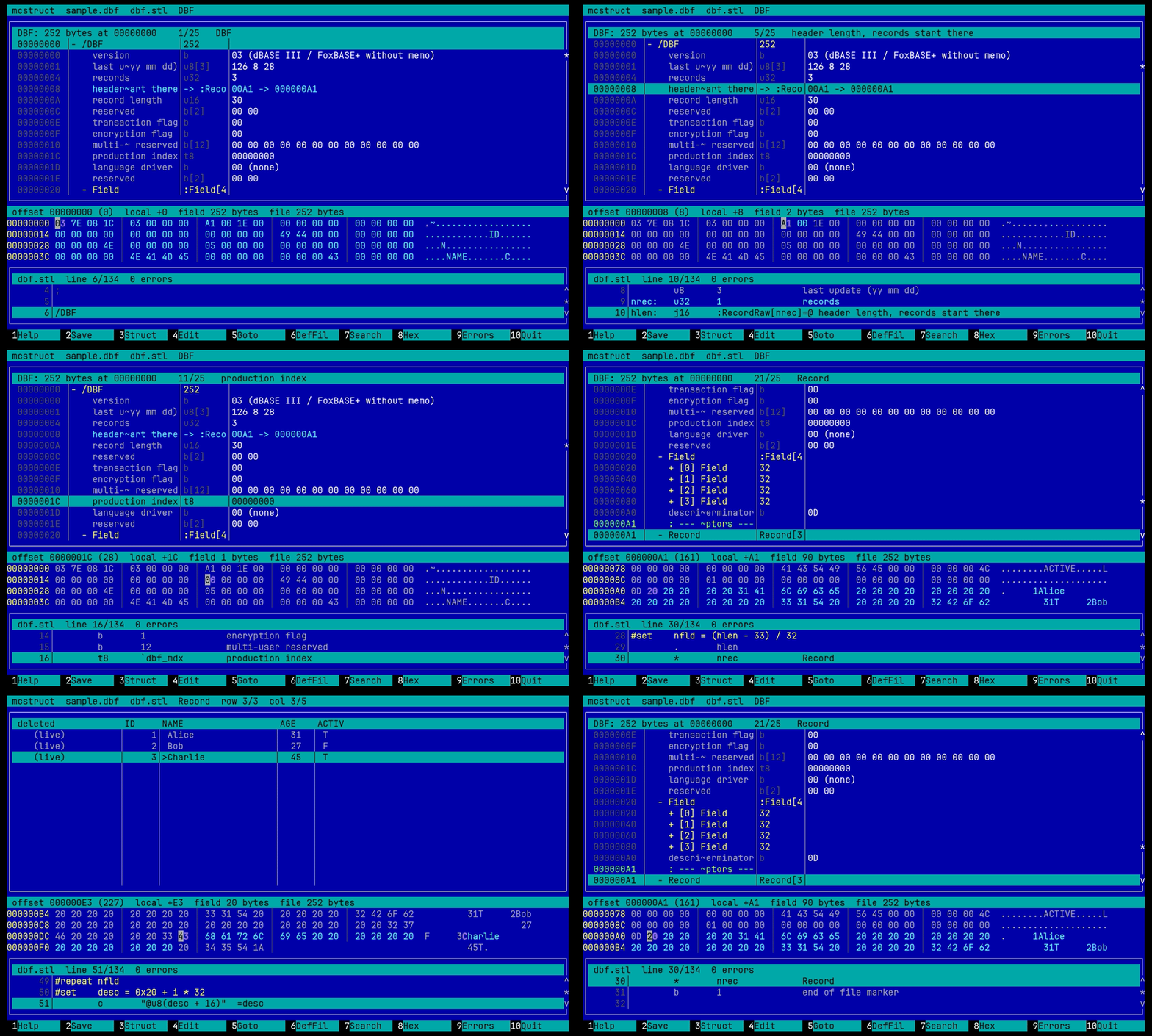
mcstruct shows a binary file as a tree of named fields instead of a hex dump. The layout of the file comes from a text "def-file" written in STL5. Fields can be edited in place and written back. The tool is a panel plugin with its own screen, in the spirit of the DOS program Struct Look; its def-file format is compatible with Struct Look 4.00.
-
mcstruct FILE [DEF]from the shell (mcstructis a symlink tomc).DEFis a def-file name without.stl, or a path. - In the file panel: F3 on a file that a
magic.inigroup hands to the plugin (uImage, DTB, MBR out of the box), or F9 -> Command -> Struct look for any file. - In the viewer: Shift-F4 opens the file in mcstruct at the current offset; Shift-F4 in mcstruct goes back to the viewer at the byte you were on, F10 closes both.
Which def-file is used, in this order: the name given on the command line or
in the magic.ini group ([mcstruct-mbr] means mbr.stl), a signature or
a name pattern from stl.als, <extension>.stl, else a list to choose from.
Def-files are searched in ~/.config/mc6/mcstruct/, /etc/mc/mcstruct/ and
the plugin's own data directory, the first hit wins. Put your own files and
your stl.als into the first one.
 mcstruct  sample.dbf  dbf.stl  DBF
 +-- DBF: 252 bytes at 00000000  3/25  records ----+ +-- dbf.stl  line 9/134 ---------+
 | 00000000  version        b     03 (dBASE III)   | |  7 ver:   b   'dbf_version     |
 | 00000001  last update    u8[3] 126 8 28         | |  8        u8  3                |
 | 00000004  records        u32   3                | |  9 nrec:  u32 1  records       |
 +-------------------------------------------------+ +--------------------------------+
 offset 00000004 (4)  local +4  field 4 bytes  file 252 bytes
 00000000 03 7E 08 1C  03 00 00 00  A1 00 1E 00 ...
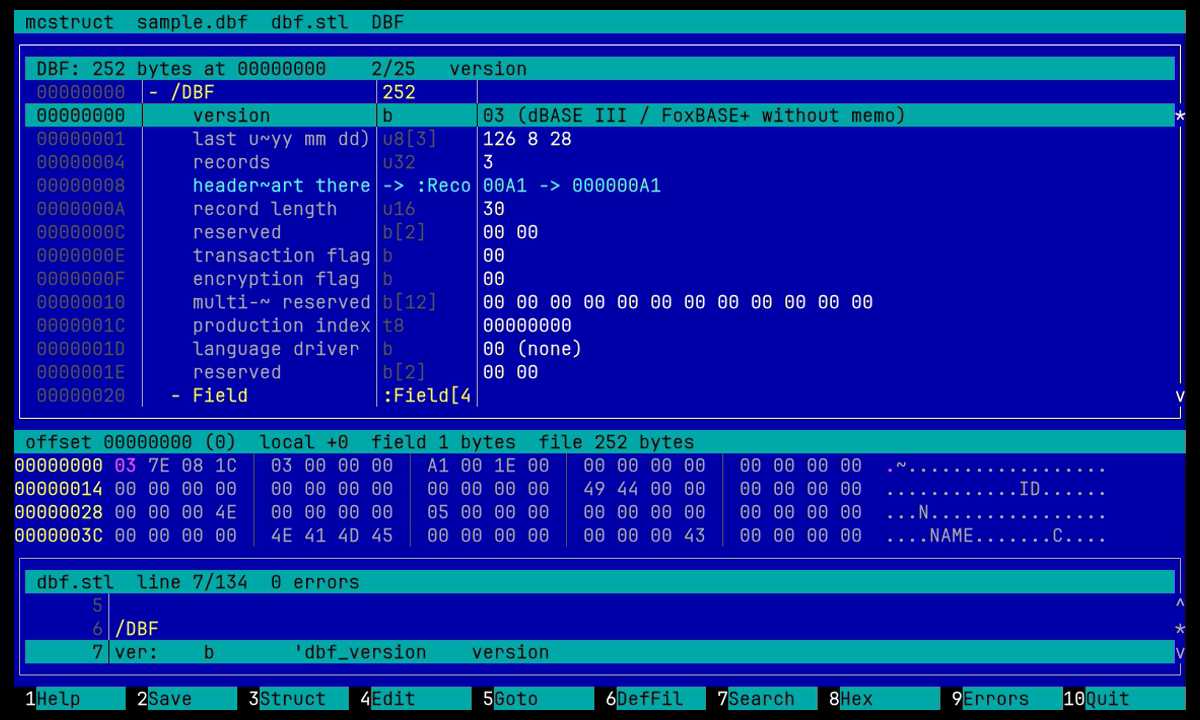
Three zones, all synced: the structure tree, the hex dump and the def-file. Moving in the tree highlights the field's bytes in the dump and the def-file line that produced it; moving the hex cursor selects the field under it.
On terminals narrower than 120 columns the def-file goes below the hex dump.
| key | action |
|---|---|
| Up Down PgUp PgDn Home End | move |
| Right, Enter | expand; on an array, table or #repeat open it as a grid; on a jump follow it; on a buffer (via) open the structure over the bytes; on a string show the whole text |
| Left | collapse or go to the parent |
| Backspace | back from a jump or a buffer |
| 1..9, * | expand to depth, expand all |
| Tab | next zone (tree, hex, def-file) |
| F2 | write pending edits |
| Shift-F2 | save the bytes of the current row (field, structure, table, array element) as a numbered fragment, or to a file |
| Ctrl-F2 | a saved fragment, or a file, into the current row; the size does not change, F2 writes the result |
| F3 | choose a structure and an offset to apply it at |
| F4 | edit the current field |
| F5 | go to an offset (an expression, labels of the current structure allowed) |
| F6, Shift-F6 | choose a def-file; open the current one in mcedit at the current line |
| F7, Shift-F7 | search a field name or value; next. In the hex zone: bytes (hex) or text from the cursor, the hit becomes the block |
| F8 | hide or show the hex zone |
| F9 | parse errors of the def-file, Enter opens mcedit at the line |
| Alt-= | calculator with the labels of the current structure |
| Alt-F9 | zoom the focused zone |
| Ctrl-PgDn, Ctrl-PgUp | the same structure right after / before this one |
| F10, Esc | quit; when opened from the viewer, the viewer closes too (asks when edits are pending) |
| Shift-F4 | back to the viewer at the current byte |
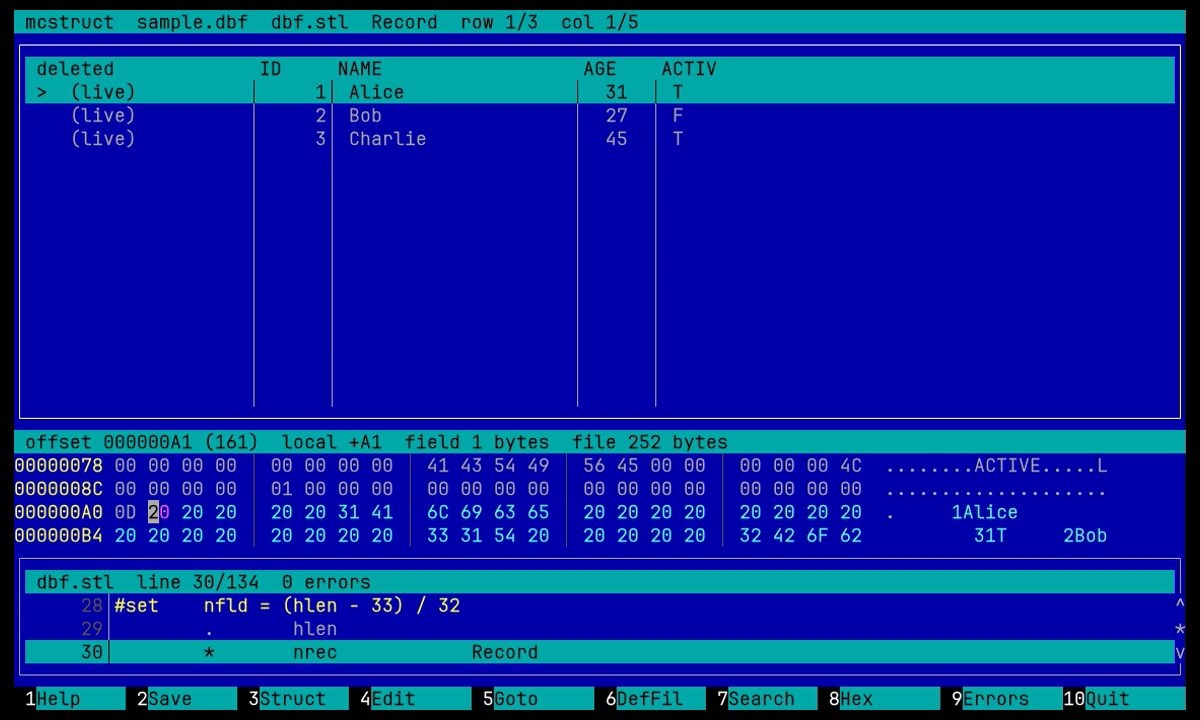
In the grid: Left/Right and Tab move between cells, < and > scroll the
columns, F4 edits the cell, Enter follows a jump cell, Esc returns to the
tree. The first column is the row number or the file offset of the row
(GridRowColumn).
In the hex zone: Tab switches between the hex and the text column, typing
edits the byte under the cursor. [ and ] set the start and the end of a
block at the cursor, * clears it; Shift-F2 and Ctrl-F2 then write or read
the block instead of the current row. F7 searches bytes (hex) or text from
the cursor, the hit becomes the block.
In the def-file zone: Enter goes to the structure the line refers to
(* N Name, jNN Name=expr, :Table).
Shift-F2 keeps the bytes of the current row under a number that is never
reused, with a name (the structure by default), the file they came from and
the time. The set lives in ~/.cache/mc6/mcstruct/bytes/ and is shared by
every mcstruct, so bytes taken from one file go into another opened later:
Ctrl-F2 lists them newest first (#7 512 fat_boot FatBoot disk.img 2026-08-30 02:10, ! when the size differs from the target row), Enter puts
the fragment over the row, Delete drops it, the last item reads a file.
Fragments older than FragmentDays (7 by default, 0 keeps them) are dropped.
F4 shows the value in the form of its type: hex for b w d q, decimal for
u* i*, text for strings, a bit string for t*, SEG:OFF for pointers,
YYYY-MM-DD HH:MM:SS for dates. The bytes are replaced in place, the
structure is re-evaluated, F2 writes the file. Only fixed-width edits: the
file never changes size. The first edit takes the file lock as mcedit does.
A def-file starts with a version line and holds structures, tables and
legends. Files tagged STL 4.00 are read in strict compatibility mode;
STL 5.00 enables the extensions marked below.
STL 5.00
; a comment
/Name                ; a structure
/_Hidden             ; not offered in the F3 list, but usable
/:Table              ; a table: one row per record
/'legend             ; value legend (enum)
/`flags              ; bit legend
A field line:
[label:] TYPE follower [title] ; commentTypes: c chars, b w d q hex 1/2/4/8 bytes, i8..i64 and u8..u64
decimal, t8..t64 bit fields, m8..m64 big-endian hex, f32 f64 f80
float, sp Pascal string, sc C string (sc.0A ends at byte 0x0A instead
of NUL, 5.00), td tu DOS and unix time, tu64 tf 64-bit unix time and
Windows FILETIME (5.00), j8..j64 jumps, s8 s16 fixed-size UTF-8 and
UTF-16 strings, v vl SQLite varint and LEB128 (5.00). Any numeric type
takes a .le or .be suffix (5.00).
The follower is a count (for c a length, for sc a maximum), a label, an
expression, a legend reference ('name or `name), or for t* a bit
split like 745 (7+4+5 bits). 0 reads the field but hides it.
Other lines:
:text                     a remark row
+ N   - N                 skip forward or back
. N                       seek to a local offset (from the structure start)
.. N                      seek to an absolute file offset (5.00)
* N Struct                N nested structures, or  * N :Table
* 1 Struct via call(...)  the structure read from the bytes a provider
                          gives, see below (5.00)
j32 Struct=expr title     a jump: the value, Enter opens Struct at expr
= expr title              a computed value as a row, no bytes; =x hex,
                          =t unix time; a label on it gets the value (5.00)
check expr title          a row marked OK or MISMATCH by the expression (5.00)
Directives:
#if expr / #elseif expr / #else / #fi
#endian big|little        byte order from here on (5.00)
#repeat N ... #end        N passes (5.00)
#repeat while expr ... #end
#set label = expr         a label without bytes (5.00)
#switch expr / #case v1, v2 / #default / #end
                          an #if chain on one value (5.00)
#encoding cp866           text fields that follow are converted from that
                          charset; #encoding utf-8 turns it off (5.00)
#include "file"           (5.00)
crc32 a..b == label       a check field, also sum8 and sum16 (5.00)
Expressions: integers, + - * / % & | ^ ~ << >> ! && ||, comparisons,
labels, @ the value at the current offset, @u32 read as that type,
@u32(addr) read at an absolute offset (5.00), ^label the file offset of
a label, ^ the structure start, $size the file size, $pos the current
offset. "PK" is a packed literal that compares equal to a little-endian read
of the bytes PK; 'PK' (5.00) is the value of the bytes as they lie in the
file. An expression with spaces is written in quotes; "$size" in quotes is
still an expression, only text that looks like a literal ("PK") is one.
call('name', args) in an expression asks a provider for a value:
crc32 / crc16 / adler32 / sum8 / sum16 / sum32 (from, len)   checksums of a range
find (from, len, value, width)     offset of the little-endian value, -1 when absent
exec:command (from, len)           the range on stdin, a number on stdout
* 1 Struct via call('name', args) reads a structure from the bytes a
provider gives instead of the file: raw (from, len) a bounded slice,
inflate / gunzip / deflate (from, len) zlib, gzip or raw deflate data,
xor (from, len, key), rol (from, len, bits), exec:command (from, len)
the range on stdin and the bytes on stdout. The row shows the size; Enter
opens the structure over the bytes (the hex zone shows the buffer, $size
inside is its length), Backspace comes back. A buffer is read-only.
exec: runs a shell command and is allowed only for def-files in
~/.config/mc6/mcstruct/; shipped and system def-files get the built-in
providers only. inflate needs zlib at build time.
STL 5.00
/GZTEXT
        w       1               signature
        *       1       _Text via call('gunzip', 0, $size)
/_Text
        c       64              first line
        =       $size           unpacked size
A title written as =expr is read from the file as a C string (5.00), so a
record layout that comes from the file can name its fields. Nested
structures can read the labels of the structure they are in (5.00).
STL 5.00
/Walker
#set ptr = 0x10
#repeat while ptr != 0
        ..      ptr
        *       1       Node
#set    ptr = @u32(ptr)
#end
/Node
next:   u32     1       next
u8 1 value#endian big
c 8 signature
#repeat while ^@ + 12 <= $size
len: u32 1 length
type: c 4 type
+ len
crc: d 1 crc
crc32 ^type..^type+4+len == crc crc check
#endThe shipped def-files (zip exe dbf elf mbr fat_boot uimage dtb png bmp wav sqlite)
are the reference for the language.
About 140 formats come with the plugin, most of them written after the
Kaitai Struct formats gallery: archives (zip, rar, lzh, cpio, gzip, xar,
mar, cab-like game packs), executables (exe/pe, elf, mach-o, dex, java
class, uefi te, swf), file systems (mbr, gpt, apm, fat boot, ext2, iso9660,
cramfs, luks, lvm2, vdi, vmdk, android super/sparse/boot), images (png, bmp,
gif, jpeg, tga, pcx, ico, tiff/exif, icc, dicom, wmf, xwd), media (wav, avi,
midi, ogg, mov/mp4, s3m, xm, id3v1/v2, voc, au), networks (pcap, ethernet
with ipv4/ipv6/tcp/udp, dns, rtp/rtcp, tls hello, some/ip), and more:
sqlite, dbf, regf, lnk, evt, minidump, cfb, ttf, pcf, pff2, btrfs stream,
systemd journal, utmp. stl.als maps them to signatures and name patterns.
elf.stl: *.so *.o @0:7F454C46
png.stl: @0:89504E470D0A1A0A
mbr.stl: *.img @510:55AA
Name patterns match the file name, @offset:hexbytes the file contents.
Manage plugins -> mcstruct, or ~/.config/mc6/mcstruct/mcstruct.ini:
[mcstruct]
TreeLines=14            ; rows of the tree, 0 = the rest
HexLines=4              ; rows of the hex zone, 0 hides it
DefLines=0              ; rows of the def-file zone, 0 = the rest
DefLayout=auto          ; auto (right of the tree when wide), right, bottom
DefWidth=45             ; percent, when on the right
NameWidth=16            ; the field name column
OffsetColumn=global     ; none, local, global
GridRowColumn=offset    ; first grid column: none, number, offset
ShowHiddenStructures=false
LazyRows=64             ; arrays longer than this are built on expand
FloatingPointFormat=%g
FragmentDays=7 ; saved byte fragments older than this are dropped, 0 keeps themThree sections, one per zone; a missing section falls back to the core colors.
[mcstruct-tree]  _default_ frame frame-active head selected
                 offset name type value struct jump remark error
[mcstruct-hex]   _default_ head offset mark changed cursor frame
[mcstruct-def]   _default_ frame frame-active head selected
                 lineno directive comment label
default.ini and darkfar.ini carry them.