A weekend hack project...
A Library to decode SimConnect Log files into a uniform format
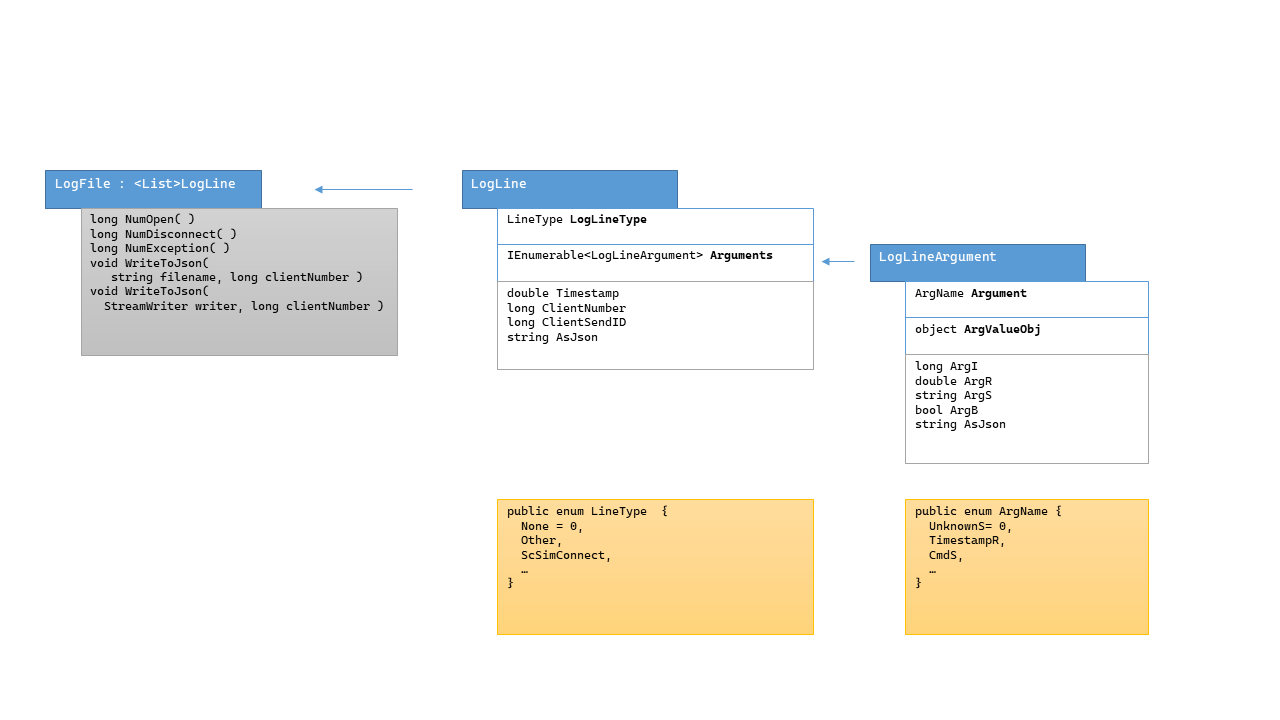
As the library is at a very early stage there will be missing decodings for server issued replies which I have not seen yet.
Either add those or raise an issue including examples of such lines.
The debug mode of the library will raise ArgumentExceptions when such lines are found.
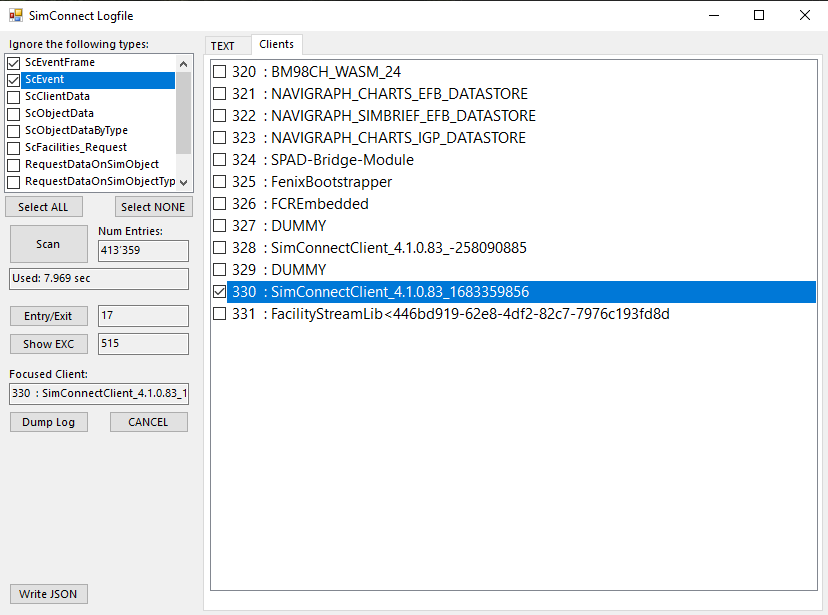
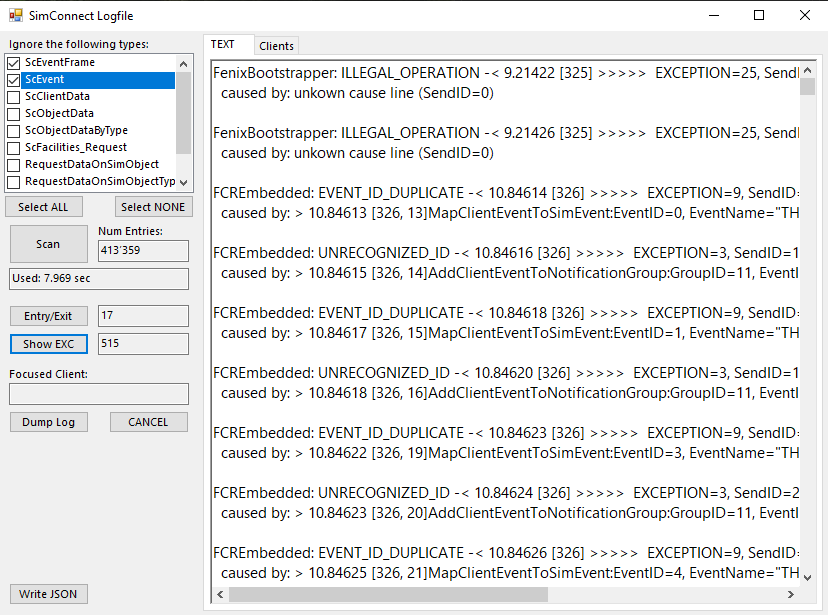
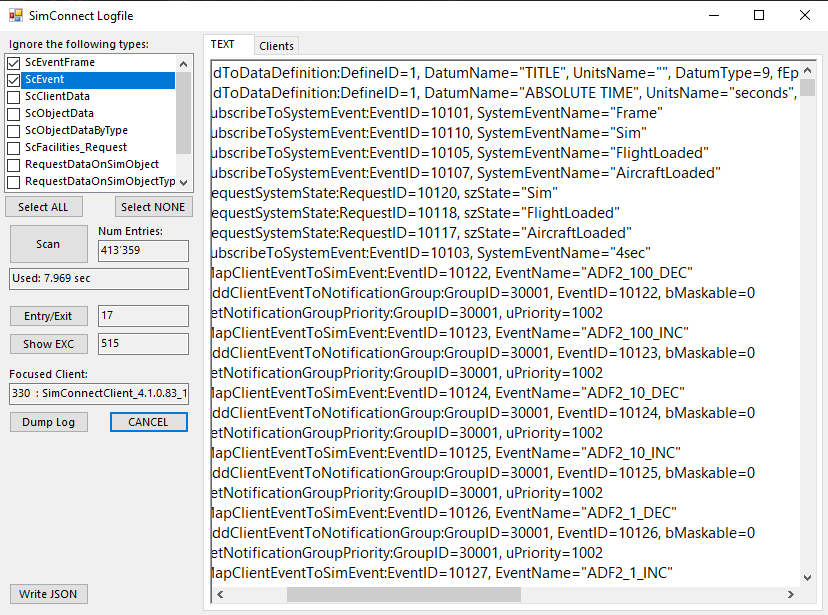
WinForms Demo App using the library to create some useful insights
The app can handle logs up to about 1Mio lines but will fail with OutOfMemory if
the input log is too big - an no check is made for that case...
.NET Standard 2.0 Library DLL .NET Framework 4.8 Library App
Built with VisualStudio 2022 Community free version
Enable SimConnect Logging - either use FlightSim SDK Documentation
Or find SimConnect.ini in FS_Apps_Folder\LocalState\SimConnect.ini
Enable logging at a level, and set an output file at discretion.
Be aware the log may get rather large...
[SimConnect]

;; Set the level of text communication to be provided to the console, debug  string, or log file
;; level = {Verbose, Normal, Warning, Error, Off}, default = Off
level=Verbose

;; Open a command line debug window to display server to client
;; console = {1 (on), 0 (off)} , default = Off
console=0

;; Use std console instead of dedicated one
;; RedirectStdOutToConsole = {1 (on), 0 (off)} , default = Off
;RedirectStdOutToConsole=1

;; Sends the output text to the Platform SDK OutputDebugString. Refer to MSDN  documentation for more
;; OutputDebugString = {1 (on), 0 (off)} , default = Off
;OutputDebugString=1

;; file = {path}, optional %03u for incremental naming , default = not writing to file
;; important: the target folder needs to exist, and not to be protected
file=D:\SC_Logs\simconnect_2024_%03u.log

;; incremental naming parameters
;; The index of the first log file. Subsequent log files will have the index  number incremented by one.
;file_next_index=0
EOD