Repository navigation
Home
Emby5 is a native Emby and Jellyfin client for a PS5 that runs homebrew. It browses your libraries, plays your films, shows and music with the PS5's own video decoder, and adds Live TV, video on demand and Seerr requests. The app's title ID is PPSA99515 and its tile on the home screen is called Emby5. This wiki describes Emby5 1.2.8.
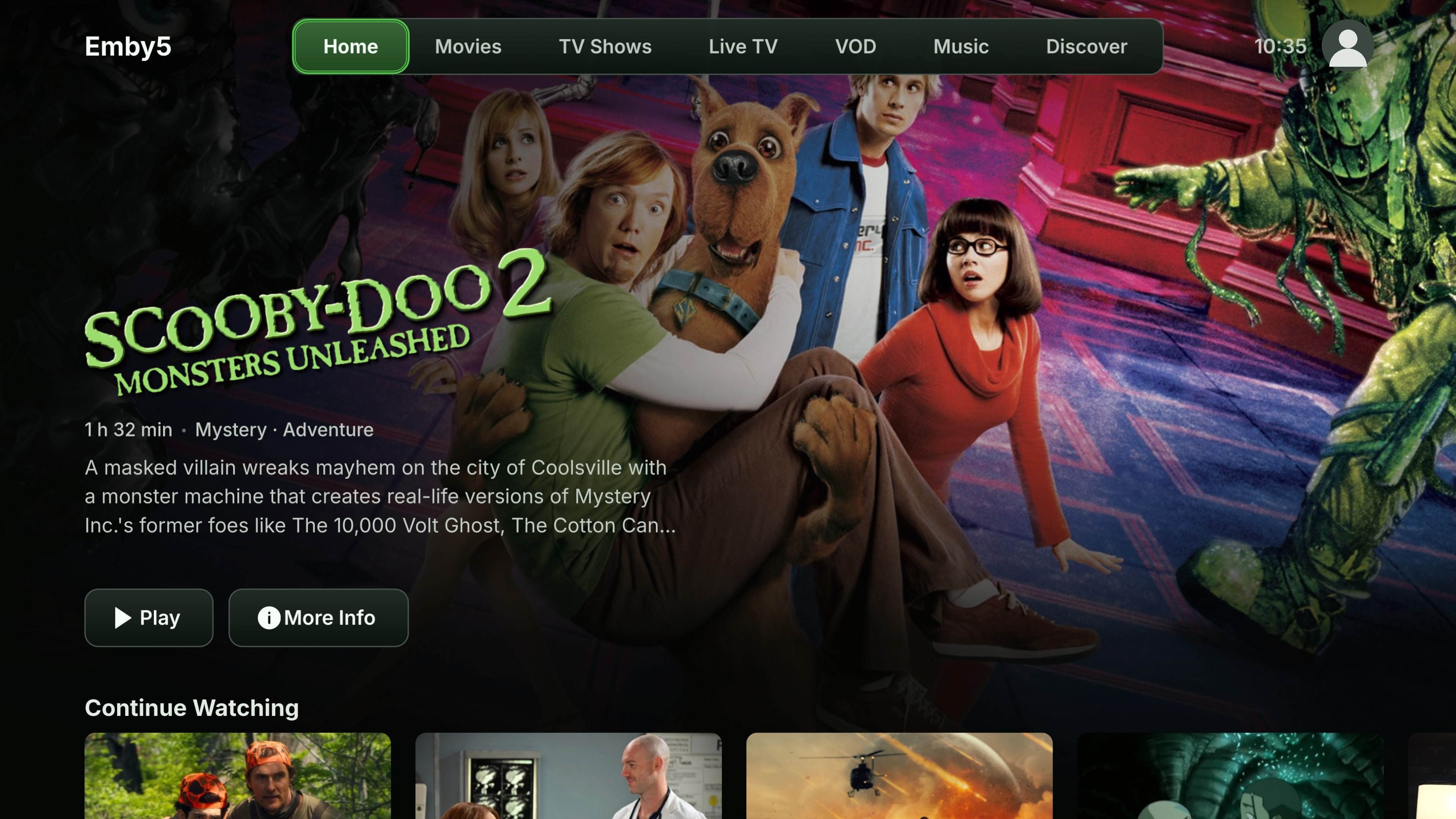
Emby5 contains no media, channels or subscriptions. It plays what your own server and providers give you.
- Connects to Emby and Jellyfin, found on your network or by address, with several saved users and servers.
- Browses your libraries: Home rows, films, shows, seasons and episodes, music, sorting, filters, A–Z and search.
- Plays natively: H.264 and HEVC (including 4K and Main 10) on the PS5's hardware decoder, HDR10 and HLG, AV1 in software, Direct Play, Direct Stream or the server's transcode.
- Handles audio and subtitles: track choice, subtitle search, styling and delay, and optional HDMI bitstream for AC-3, E-AC-3 and DTS core.
- Skips intros and recaps, plays the next episode, and can ask "Are you still watching?".
- Plays music with a mini player, queue, shuffle, repeat and lyrics.
- Shows Live TV from your server, Xtream Codes providers and M3U/M3U8 playlists, and video on demand from Xtream catalogues.
- Discovers and requests films and shows through Seerr, if you have it.
- Looks the way you like: 32 themes and detailed appearance settings.
| Page | What it covers |
|---|---|
| Installing and updating | Putting Emby5 on the console, updating it, where it keeps its data |
| Servers and accounts | Connecting to Emby or Jellyfin, Quick Connect, several users |
| Browsing and search | Home, libraries, details pages, sorting, filters, search |
| Playback | Video formats, upscaling, intros and credits, next episode |
| Audio and subtitles | Tracks, subtitle styling and search, HDMI bitstream |
| Music | Artists, albums, playlists, the queue |
| Live TV | Emby, Jellyfin, Xtream and M3U channels, groups, guide |
| VOD | Xtream films and series, local resume points |
| Seerr | Discovering and requesting with Seerr |
| Settings | The Settings tiles, language, updates, stored data |
| Appearance | Themes, colours, buttons, text size, motion |
| Controls | Every button in menus, the player and Live TV |
| Troubleshooting | Known limitations, and what to do when something doesn't work |
| Building from source | Building the app yourself |
| Credits and licence | The projects Emby5 builds on, and its licence |
- A PS5 that can run homebrew apps.
- An Emby or Jellyfin server you can reach from the console, or an IPTV provider you're entitled to use.