Repository navigation
Courses
A course is a GPX route prepared once into a single .tqc file with its terrain and map data.
After that it rides fully offline, on any computer.
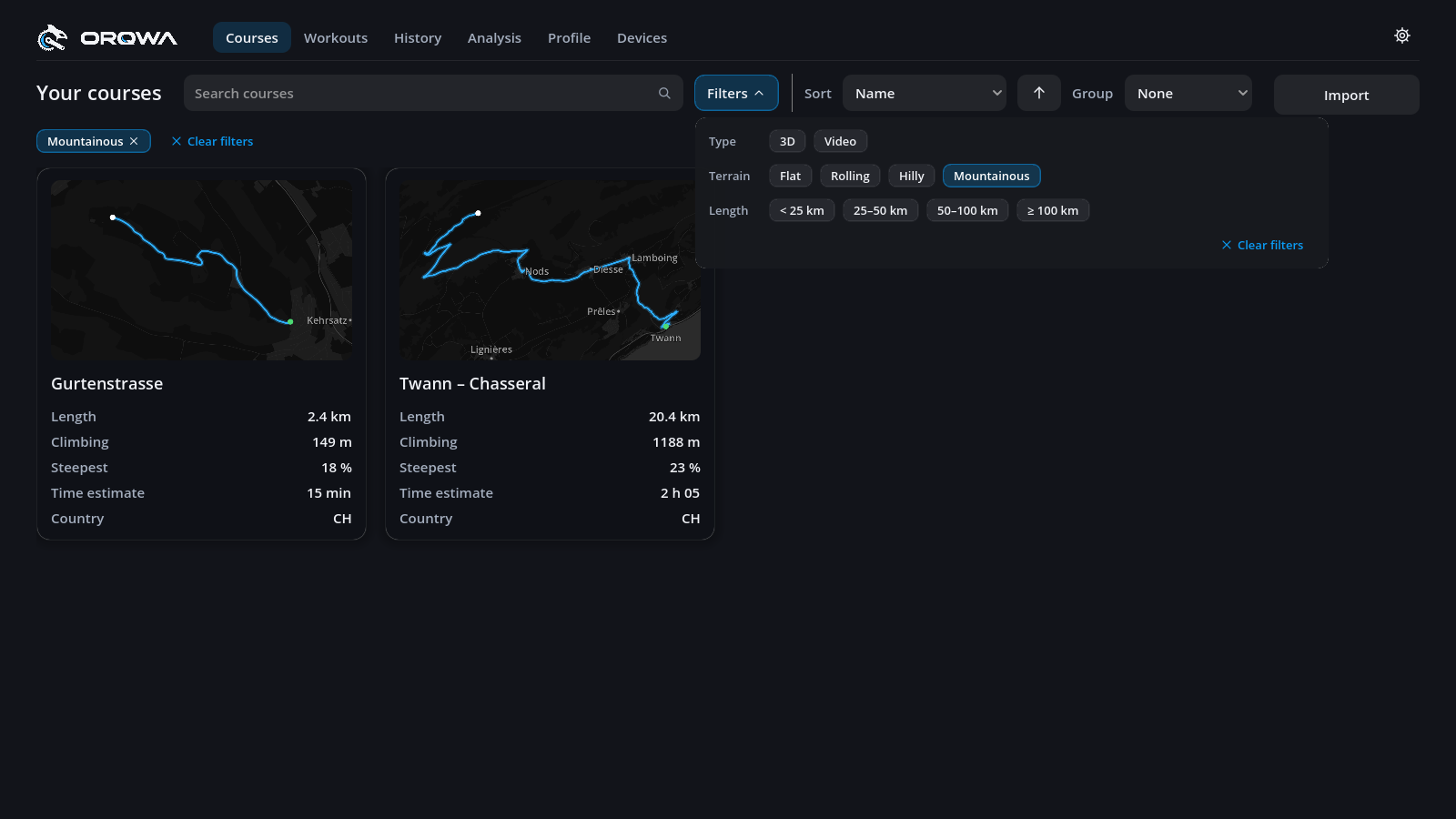
Your library starts with one course, Twann – Chasseral: 20.4 km and 1,190 m of climbing from Twann on Lake Biel up to the Chasseral in the Swiss Jura. It comes with ORQWA, ready to ride offline, so you can try a ride before importing your own routes.
Rename or delete it on its course page.
- On the Courses tab, press Import, ideally online (why).
- Choose a GPX file, or a
.tqcfile someone sent you. - Name the course. ORQWA downloads terrain and map data and adds it to your library.
Preparation can take several minutes for a long course; the page shows progress. Cancel stops an import. Importing again later resumes where it stopped.
For videos, see Video courses.
For cameras, sound and ride controls, see Devices and riding.
The row beside Your courses helps in a large library:
- Search by course name or country.
- Filters opens a panel of chips for type (3D or video), terrain, length and country; country chips appear once your courses span two or more. Chips of one kind add up, different kinds narrow down. The chips that are on are listed under the row, and the button is highlighted: click a listed chip to turn it off. Clear filters turns them all off. Click outside the panel to close it.
- Sort by name, length, climbing, estimated time, date added or last ridden. The arrow reverses the order.
- Group by type, terrain, length or country.
| Terrain | Climbing per km |
|---|---|
| Flat | under 5 m |
| Rolling | 5–10 m |
| Hilly | 10–20 m |
| Mountainous | 20 m and more |
Each card shows the route on a map, its length, climbing, estimated time at 75 % of your FTP and the countries it passes (hover for their names).
Course files are ordinary files: send them by mail, cloud or USB stick. The recipient opens the
.tqc with Import. You can also copy files straight into the library folder:
| System | Library folder |
|---|---|
| macOS | ~/Library/Application Support/ORQWA/courses |
| Windows | %APPDATA%\ORQWA\courses |
| Linux | ~/.local/share/orqwa/courses |
Keep a video course and its video file together in the same folder.
To keep the library up to date on your own computers, see Syncing between devices.
Courses carry their map credits (© OpenFreeMap © OpenMapTiles, data © OpenStreetMap contributors; terrain by Mapterhorn and AWS Terrain Tiles); keep them when sharing. A course saved by a newer ORQWA may not open in an older one.