Repository navigation
Riders
Each rider has their own profile, zones, HUD, rides, accounts and devices. Courses and workouts are shared by everyone.
On the Profile tab, Use switches rider, the plus adds one, the pencil edits one and the bin deletes a rider with all their rides. The chevron unfolds a card to show its zones and accounts.
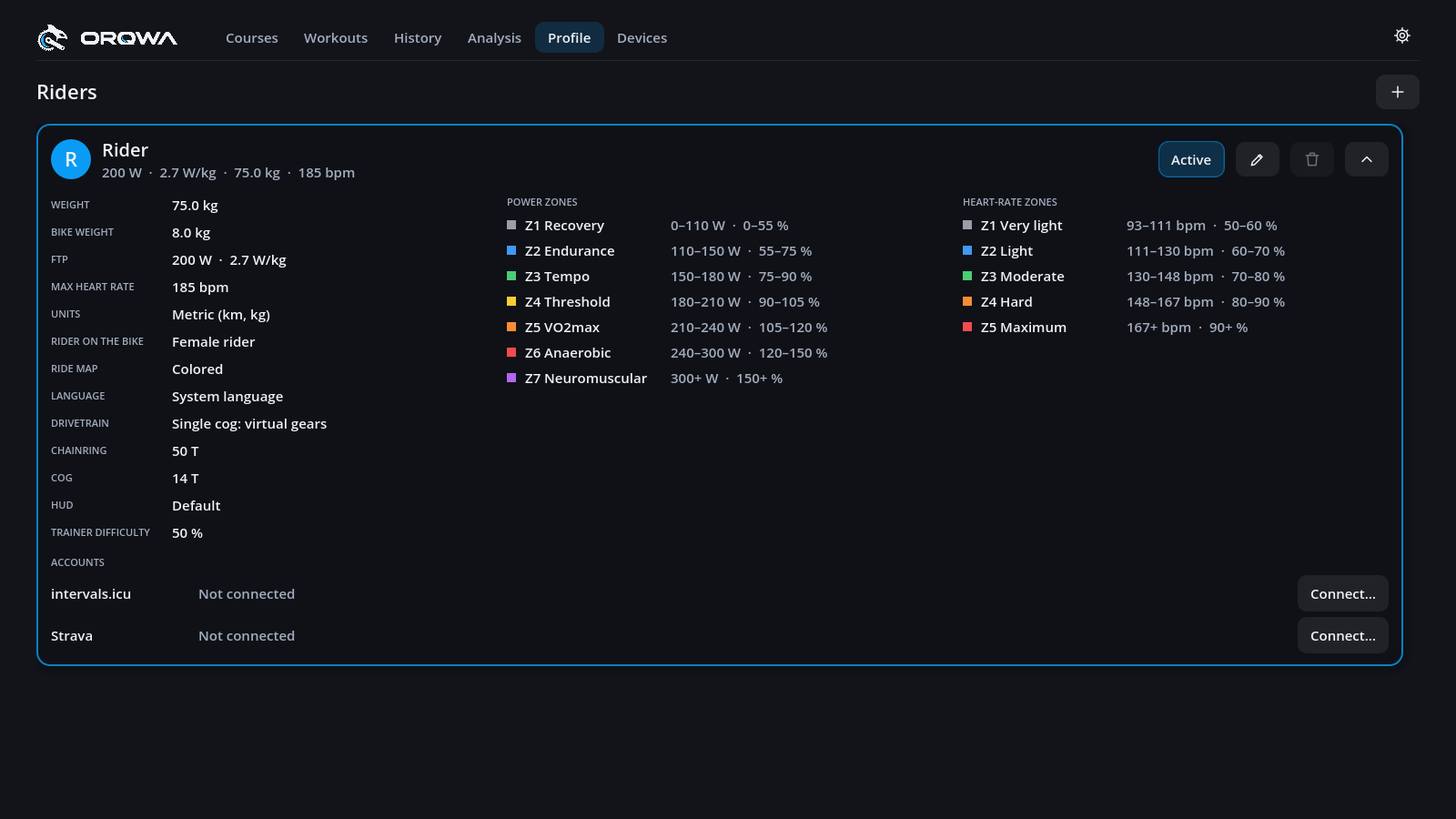
The pencil opens Rider settings, with the tabs Profile, Zones and HUD. The unfolded card lists them all.
| Setting | What it does |
|---|---|
| Name | How the rider is listed, and the initial on their badge |
| Weight, bike weight | How hard climbs are and how fast you roll |
| FTP | Your power zones, W/kg and workouts |
| Max heart rate | Your heart-rate zones |
| Trainer difficulty | Share of the road's gradient you feel (0–100 %, default 50 %) |
| Units | Metric or imperial |
| Language | The computer's, or one you choose |
| Rider on the bike | Choose a female or male rider |
| Ride map | The minimap during rides: colored, or dark like the course cards |
| Voice | How ORQWA tells you of the moments of a ride: casual and cheering (the default), plain facts, or off |
| Rides planned per week | Optional: the summary counts your rides this week against it; 0 if you plan no number. ORQWA plans no training for you |
| Drivetrain | A single cog with virtual gears (the default for new riders), or a cassette |
| Chainring, cog | With a single cog: the teeth of your chainring and of the cog on the trainer |
| HUD | The figures on the ride screen, the default or your own (see Ride HUD) |
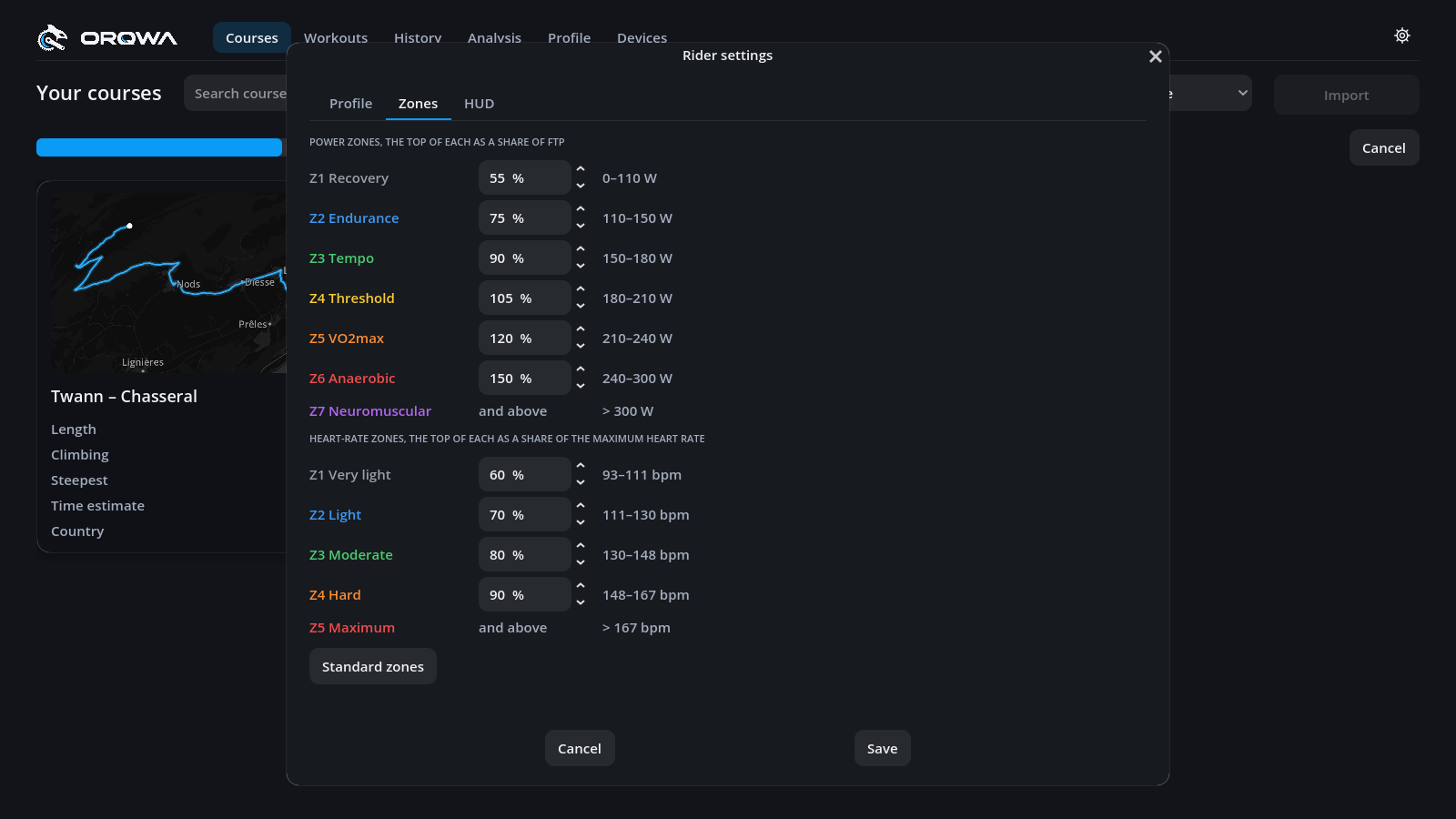
Seven power zones from your FTP and five heart-rate zones from your maximum heart rate. Set the top of each zone yourself, or press Standard zones to reset them. The HUD, history and heart-rate workouts all follow your zones.
| Power zone | Up to | Heart-rate zone | Up to |
|---|---|---|---|
| 1 Recovery | 55 % FTP | 1 | 60 % max |
| 2 Endurance | 75 % | 2 | 70 % |
| 3 Tempo | 90 % | 3 | 80 % |
| 4 Threshold | 105 % | 4 | 90 % |
| 5 VO2max | 120 % | 5 | above |
| 6 Anaerobic | 150 % | ||
| 7 Neuromuscular | above |
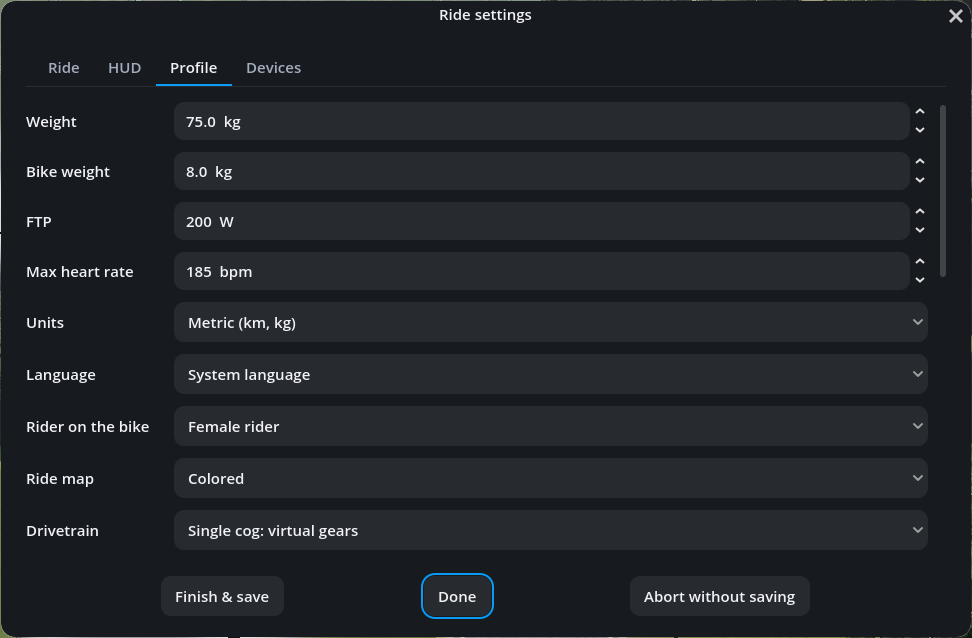
The ride settings' Profile tab has the same settings and zones, without the name and the trainer difficulty rides start with (the ride's own is on the Ride tab). Pausing the ride opens the settings. Every change is kept in your profile and the ride follows it at once:
- Weight and bike weight: how fast you climb and roll from here on.
- Drivetrain, chainring and cog: the virtual gears.
- FTP: the powers of a structured workout, from the step you are in; an FTP test keeps the FTP it started with.
- Zones: the HUD's colors and a heart-rate zone you hold.
- Units, language, rider on the bike, ride map and voice: the ride screen.
Rider settings and rides are in profiles/<rider>/ in ORQWA's data directory.
Back up that folder to keep a rider's data. A synced data directory lets riders and rides
follow you between computers; graphics settings and prepared worlds stay on each computer.
See Syncing between devices for setup with a file-sync client such as Nextcloud.
Want ORQWA in your language? See Translating ORQWA.
Choose Language in your rider settings to change the interface and error explanations.
When something fails, expand Technical details at the bottom right for the diagnostic to include in a bug report. Recent errors remain available after notifications disappear; opening them does not pause the ride. Dismiss clears the list.