


Django Log Reader lets you read and download log files from the Django admin.
This is a maintained fork of imankarimi/django-log-reader with Django 6.0 support and modern packaging with PEP 621 and uv.
This project is designed for Linux and relies on standard Linux tools for fast logfile reads and search.
- Python 3.8 or newer
- Django 3.2 through 6.0
- Linux environment for the command-line search path used by the app
- Reading files based on Linux commands speeds up the display of file content
- Search in files based on Linux commands
- Download the result of the content
- Display files according to the pattern defined in
settings.py - Simple interface
- Easy integration
grep -F: treat as baseline1.0xrg -F: usually about the same to roughly1.4xfaster or slower depending on the case- Python: often
50xto100x+slower
Concrete published numbers:
- On a
13.5 GBfile:rgtook6.73 sandgreptook9.20 s, sorgwas about1.37xfaster there. 1 - In a Python-vs-grep benchmark:
greptook0.196 sand Python took25.067 s, so Python was about128xslower there. 2
Practical guidance:
- For one huge logfile and a plain-text match, use
grep -Forrg -F. - If you want the safest conventional pick for raw single-file search, use
grep -F 'ERROR' big.log. - Do not use Python unless you need real parsing logic.
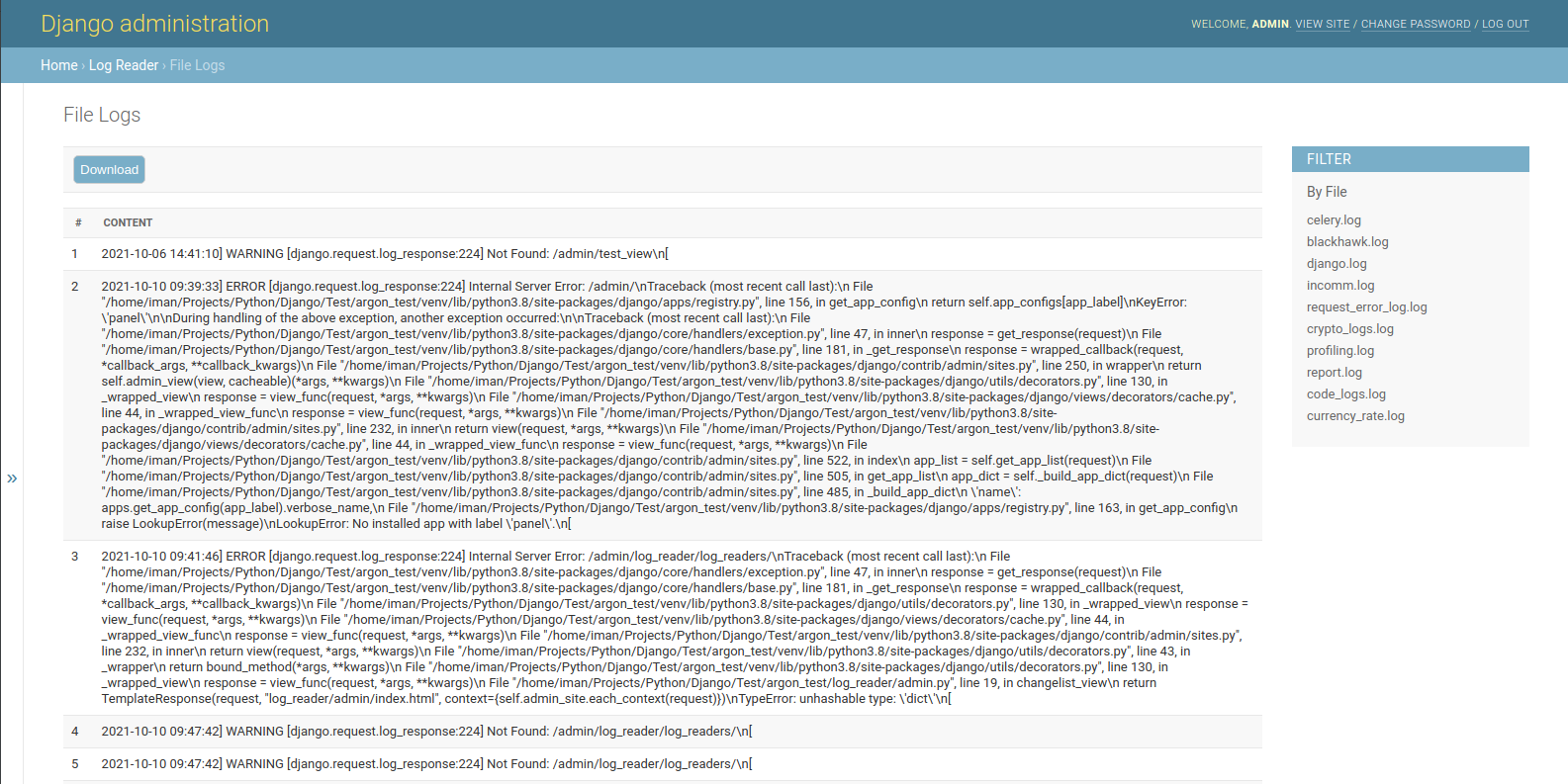
This fork is not published on PyPI. Install directly from GitHub:
$ pip install git+https://github.com/bp-ventures/django-log-reader.git
$ uv add git+https://github.com/bp-ventures/django-log-reader.gitAdd log_reader to INSTALLED_APPS in settings.py:
INSTALLED_APPS = (
    # ...
    "log_reader.apps.LogReaderConfig",
)
Optional settings:
# This value specifies the folder for the files. The default value is 'logs'
LOG_READER_DIR_PATH = 'logs'

# This value specifies the file extensions. The default value is '*.log'
LOG_READER_FILES_PATTERN = '*.log'

# This value specifies the default file. If there is no filter, the system reads the default file.
LOG_READER_DEFAULT_FILE = 'django.log'

# The contents of the files are separated based on this pattern.
LOG_READER_SPLIT_PATTERN = "\\n"

# This value indicates the number of lines of content in the file. Set the number of lines you want to read to this value.
LOG_READER_MAX_READ_LINES = 1000

# You can exclude files with this value.
LOG_READER_EXCLUDE_FILES = []
Collect static files in production:
$ python manage.py collectstaticClear your browser cache after setup.
# Set up the database
$ python manage.py makemigrations
$ python manage.py migrate

# Create the superuser
$ python manage.py createsuperuser

# Start the application (development mode)
$ python manage.py runserver # default port 8000
Access the admin section in the browser at http://127.0.0.1:8000/.
- Django 6.0 compatibility (
is_composite_pksupport) - Fixed version detection to use
django.VERSIONtuple instead of string comparison - Fixed
grep -margument splitting - Added
pyproject.tomlfor uv / PEP 621 packaging - Removed
MANIFEST.in(replaced by hatchling build backend) - Added CI (GitHub Actions: tests + ruff across Python 3.10/3.12/3.13)
- Removed Python 2 leftovers (
__future__imports,(object)base classes) - Updated classifiers for Django 3.2–6.0 and Python 3.8–3.13