GitGood was built with Unity 2018.1.2 which is available here
Get Unity - Download Archive - Unity
See the instructions on the Unity Test Runner here. Run the tests in Play Mode
Unity - Manual: Unity Test Runner
- Launch Unity and open the project
- Open the "StartMenu" scene (
Assets/Scenes/UI/StartMenu.unity) - Click "Play" Button
There are some nuances to trying to build GitGood. For reasons we could never determine, the game will not build with the test files. This has something to do with the test assembly causing issues with the production build. In order to build GitGood:
- Delete the
Assets/TestsDirectory - Delete
Assets/Scripts/Main.asmdef - Delete
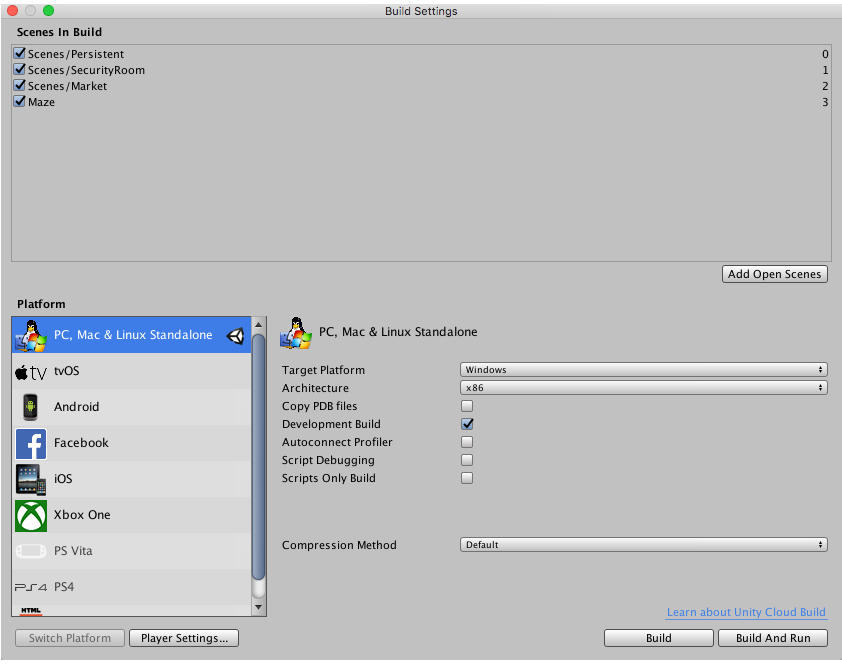
Assets/3rd-Party/Fungus/Fungus.meta - Click File→Build Settings to get to the build settings window
-
Choose PC, Mac & Linux standalone
-
Choose the appropriate platform
-
Click "Build"