Repository navigation
Glossa 0.1.0-beta.2
Pre-release
Pre-release

·
248 commits
to main
since this release
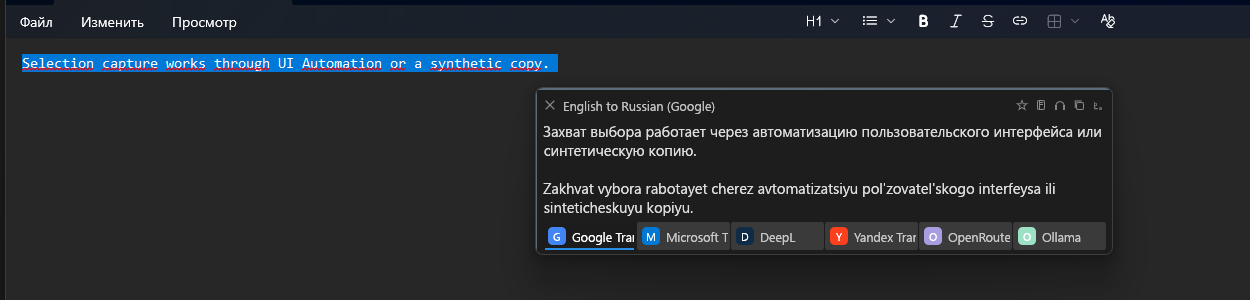
The second beta of Glossa, a clean-room successor to QTranslate, written in Rust. A small update over beta.1.
What's new
- Support the project: a link to the author's Boosty in the About window, the menus and the tray. Thank you!
- macOS: Options → Exceptions no longer lists Windows-only controls and rules that can never match on a Mac.
- The About window no longer has an empty band under its last button.
Download
| Your system | Installer | Portable |
|---|---|---|
| Windows 10, 11 (Intel / AMD) | setup.exe | zip |
| Windows on ARM (Snapdragon) | setup.exe | zip |
| Mac with Apple silicon (M1 and later) | dmg | zip |
| Mac with Intel | dmg | zip |
| Linux (x86_64) |
deb · AppImage | tar.gz |
| Linux (ARM64) |
deb · AppImage | tar.gz |
The portable versions keep their settings in a data folder next to the program.
First launch
The builds are not signed yet, so the system asks once:
- Windows: SmartScreen → More info → Run anyway.
- macOS: open Glossa once, then System Settings → Privacy & Security → Open Anyway. It lives in the menu bar and asks for Accessibility and Screen Recording.
- Linux: built and smoke-tested automatically, but not yet run on real hardware. Reports are very welcome.
Known issues
- Windows on ARM builds have not been run on ARM hardware yet.
- The Intel Mac build running on Apple silicon (Rosetta) reads only Latin text with Apple Vision; use the Apple silicon build there.
- On Wayland, copy and paste into other programs need the desktop's remote-desktop portal (GNOME, KDE).
Full list of changes: CHANGELOG.md · Install guide: docs/install.md · Bugs: issues · Checksums: SHA256SUMS