Apple TV 2/3 Jailbreak Download here
Untethered jailbreak tool that runs on modern versions of macOS (10.11+).
Devices supported:
- Apple TV 3,2 (A1469) (tvOS 8.4.x untethered, tvOS 7.x tethered)
- Apple TV 3,1 (A1427) (tvOS 8.4.x untethered, tvOS 7.x tethered)
- Apple TV 2,1 (A1378) (tvOS 7.1.2 tethered, tvOS 6.1.4 untethered)
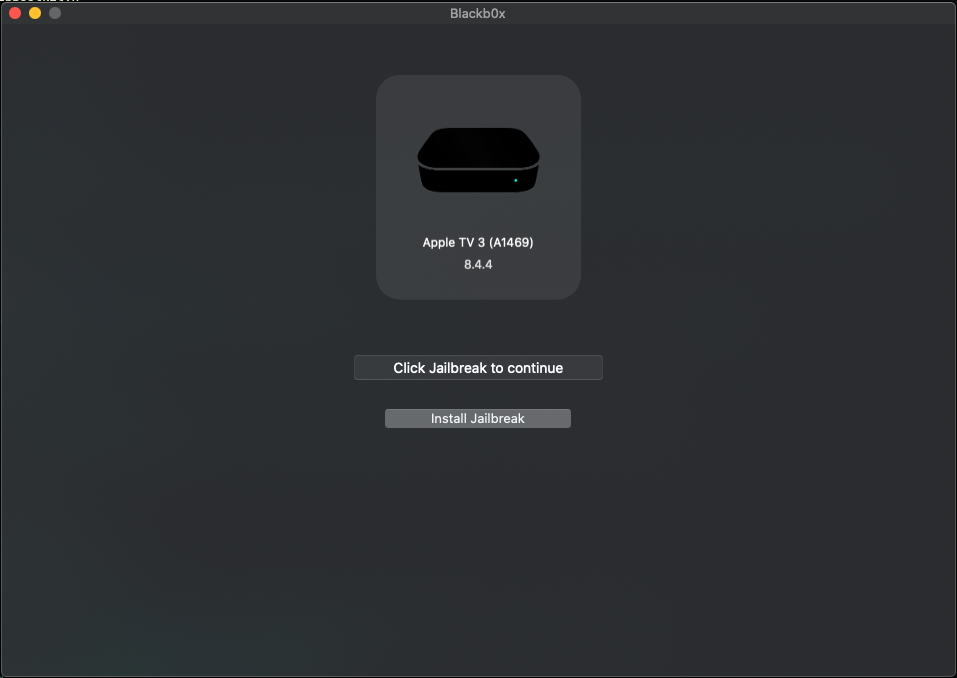
IMPORTANT: Make sure your device is connected to the internet for the first boot. Do not turn off during first boot until Kodi appears.
- (3,1 Only) PWN with Arduino + synackuk's fork of checkm8-A5
- Plug in your Apple TV via micro-USB AND plug in the power cable.
- Open Blackb0x - Right click Blackb0x.app then click Open (Important)
- Click Jailbreak.
- Follow instructions to enter DFU mode
- Once Jailbreak has finished installing connect to your tv and wait 5-10 minutes until Kodi appears (Be patient, go have a coffee).
Josh.tv, joshtv.net and awkardtv.org repositories are down creating several issues when installing.
Instructions to successfully do Jailbreak and install KODI 14.2 manually (tested on ATV2):
- Put Apple TV in DFU Mode
- Jailbreak with Blackb0x (Blackb0x crashes after reboot)
- In case of tethered jailbreak, put Apple TV in DFU Mode again so you can open Blackb0x and press "Tethered Boot"
- Download KODI 14.2 from http://mirrors.kodi.tv/apt/atv2/deb/org.xbmc.kodi-atv2_14.2-0_iphoneos-arm.deb to your computer.
- Download Blackb0x source code (zip, not the app)
- Go to Blackb0x-main/Blackb0x/Files
- Decompress Debs.tar (The Unarchiver/Keka will do the job if your Mac can't)
- Locate (com.nito.updatebegone_0.2-1_iphoneos-arm.deb), and (beigelist_2.2.6-30_iphoneos-arm.deb)
- Download Filezilla. Put your host, username: root, password: alpine, and port 22 (SSH)
- Transfer the 3 deb packages to your Apple TV root folder.
- Connect trough SSH to your Apple TV, but this time from the terminal. (ssh root@192.x.x.x)
- Type: ls .You will see the name of every package you transferred.
- Install the DEB's "beigelist.." and "com.nito.updatebegone..." (dpkg --install nameOfThePackage.deb) for each one.
- Now, install "org.xbmc.kodi-atv2_14.2-0_iphoneos-arm.deb" the same way.
- If there's an error of missing dependencies (I did not tried to install it in this order) you should do the following:
- Create an empty folder in your computer
- Open a new tab on terminal and drag your folder and press enter
- Drag and drop "org.xbmc.kodi-atv2_14.2-0_iphoneos-arm.deb" feel free to rename it so it's easier to type it.
- Type: dpkg-deb -R nameOfThePackage.deb nameofTheFolder
- This will decompress the .deb package. Open the file control, and remove the dependencies that you don't want from the line dependencies. Make sure you leave the commas, and don't mess up with the file. Save.
- Now you will rebuild the package. Type in terminal: dpkg-deb -Zgzip --build nameOfThePackage (-Zgzip makes it heavier but ATV2 will be able to read it)
- Transfer the package with Filezilla and install like the others
- In case you don't see the icons, killall AppleTV or reboot
- ENJOY
nyan_satan
- libbootkit (iBSS loader for AppleTV3,2)
dora2ios
- iBSS loader for AppleTV3,1
tihmstar
- etasonATV jsc untether
- answering questions about patches
zzanehip
- updated CBPatcher (Created by Jonathan Seals)
- updated iBoot32Patcher (Created by iH8sn0w)
- updated xpwntool (Created by planetbeing)
a1exdandy, synackuk, nyan_satan
- checkm8-A5
axi0mx
- checkm8
p0sixninja
- SHAtter