

Slife automatically tracks your time spent in applications, documents and websites — giving you a clear view of digital activity and productivity.
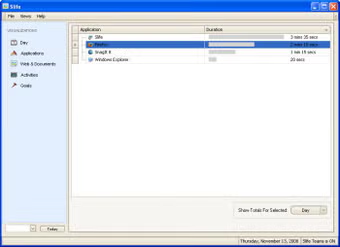
Slife is a time-tracking and activity-monitoring application developed by Slife Labs, designed to automatically track how much time a user spends on applications, documents and websites - eliminating the need for manual time sheets.
- Automatic tracking of applications, documents, and Web sites usage - logs time spent without manual input.
- Visualization tools and analytics: multiple views (by day, month, application, web or activity) to analyze usage patterns.
- Grouping of activities / categorization - you can define contexts (e.g. "work", "study", "browse") to merge related apps/sites into one activity.
- Productivity goals and notifications - set targets (e.g. max time on non-work websites) and get alerts when exceeded.
- Background operation: once running, Slife tracks new apps without manual setup.
- Option for sharing activity history via a (now-legacy) social service "Slifeshare".
Slife is aimed at freelancers, consultants, designers, students or anyone who wants to monitor how they spend time on computer - either for billing clients, understanding personal productivity, or limiting distractions.
- Fully automatic: no need to manually start/stop timers.
- Provides detailed insight into digital habits - usage by app, document, website or custom activity groups.
- Helps with productivity management through goals and notifications.
- Useful for billing or time-logging for freelancers and consultants.
- Lightweight and minimal - historically had modest system requirements.
- Activity Logging Engine - monitors application, document, web usage automatically.
- Analytics & Visualization - multiple graphs and usage breakdowns by time, app, activity.
- Activity Grouping and Categorization - custom grouping of apps / sites into meaningful contexts.
- Goal & Notification Module - set productivity goals and get alerts.
- Optional Sharing / Collaboration (legacy) - via "Slifeshare" service for social time-sharing.
Originally Slife was developed for Mac OS X (versions 10.5 or later) and required minimal hardware (e.g. ~512 MB RAM, small disk space).
Some download sites list older builds for Windows (e.g. XP / Vista) - but the official documentation and trusted reviews emphasize Mac support.
- No advanced reporting filters (e.g. filter by time of day) - some reviewers note limited report customization.
- Data export functionality seems limited or absent (per some user reviews).
- Original "Slifeshare" social tracking may raise privacy concerns - users may not wish to publicly share activity logs.
- Unclear current maintenance status - most coverage dates to 2007–2009, so compatibility with modern Windows or macOS versions may be problematic.
- Freelancers or consultants who need to track time spent per project for billing.
- Individuals interested in monitoring and improving personal productivity and digital habits.
- People wanting to audit how they spend time on apps, websites or documents to reduce distractions.
- Small teams (historically, via Slife Teams / Slifeshare) wanting shared activity overview.
Slife was offered as a paid application (~US $34) or a free trial (limited to tracking 3 applications).
Given the lack of recent updates and the fact that credible sources describe Slife primarily as a Mac OS X application, its compatibility with modern Windows versions is uncertain. Use of Slife on Windows may require testing or alternative time-tracking tools might be more reliable.